

iCircuit
🇰🇷 KR LocalizedScreenshots

Description
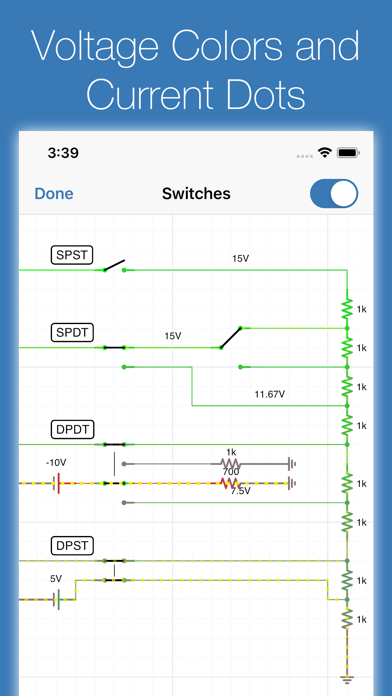
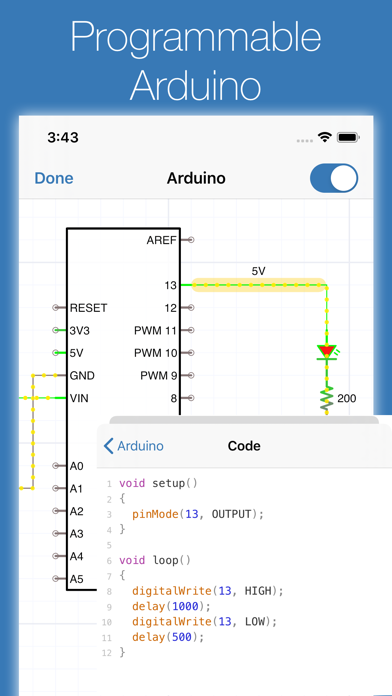
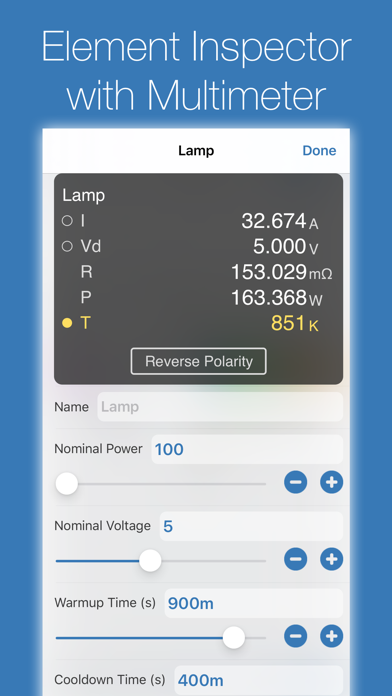
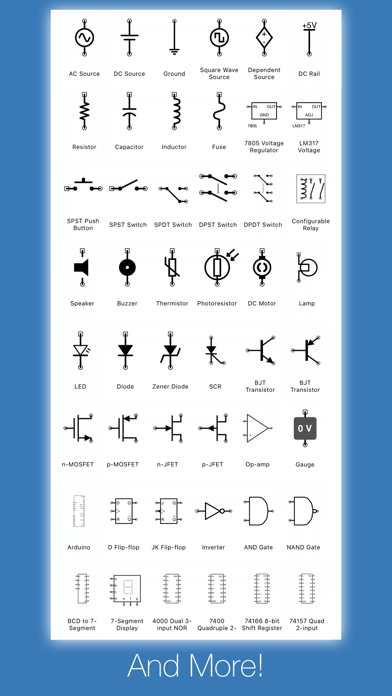
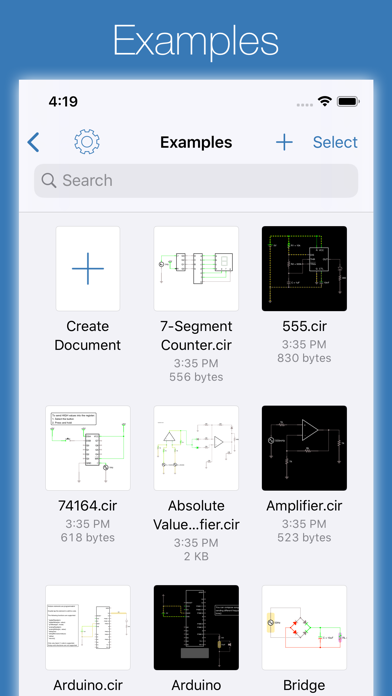
iCircuit is the premier iPhone and iPad app for designing, simulating, and learning analog and digital electronics. Its advanced simulation engine provides real-time, always-on analysis so your circuits stay powered and live, just like working with real components. Use it like a CAD tool: add components, wire them up, and set their properties. But iCircuit is unlike typical CAD apps because it is always simulating. You do not stop to take a measurement or spend time configuring reports. Instead, you just play with the circuit as you normally would, with the power on. Build circuits with over 300 components, from simple resistors and LEDs to programmable Arduinos (Uno, Nano, Mega, ESP8266, ESP32), PIC microcontrollers, and 60 4000/7400-series digital ICs (more available with Pro). Connect elements, adjust values, and instantly see the results. BUILT-IN TEST EQUIPMENT • Multimeter: Probe any point to read voltage, current, and power • Oscilloscope: Track multiple signals with touch-controlled time scale, stacked/unstacked views, FFT analysis, and Bode plots • Gauges: Visualize voltages, currents, and frequencies directly in your circuit • Signal generators and configurable sources EXTENSIVE COMPONENT LIBRARY • Programmable Arduinos (Uno, Nano, Mega, ESP8266, ESP32) • Programmable PIC microcontrollers (assembly and HEX files, more available with Pro) • Power: Voltage regulators (78xx, LM317), sources, dependent sources, power jacks, and simulated antennas • Analog: Resistors, capacitors, inductors, diodes, BJTs, MOSFETs, thermistors, triodes, and tetrodes • Digital: Logic gates (AND, OR, NAND, NOR, XOR), JK and D flip-flops, and 60 4000/7400-series ICs (180+ available with Pro) • ADCs and DACs • Sensors and displays: LEDs, 7-segment, NeoPixels, matrix displays, thermistors • Electromechanical: Motors, servos, SPST/SPDT and DPST/DPDT switches, push buttons, relays, and speakers CREATE CUSTOM ELEMENTS Build sub-circuits and custom elements to componentize your designs and create reusable modules. Share your custom elements with others via the iCircuit Gallery. AUDIO SIMULATION Hear your circuits. Speakers, buzzers, and microphones produce real audio output. Perfect for students learning electronics, hobbyists prototyping projects, and engineers validating designs, all without burning out a single component. ABOUT ICIRCUIT PRO (OPTIONAL) iCircuit is a complete app with a one-time purchase. iCircuit Pro is optional and adds extra components (including more PICs and a larger 4000/7400 IC library) and helps fund ongoing development. Pro is not required for core simulation or everyday circuit design. Terms of Use: https://www.apple.com/legal/internet-services/itunes/dev/stdeula/
What's New
This small update fixes signing into the iCircuit Gallery to upload custom elements and fixes the link to the iCircuit Manual. 1.15.1: Fixes the lasso selection tool, fixes crashes on iOS 12 devices, fixes thumbnail generation, and it fixes the D12 port label on Arduino Nanos # Version 1.5 Updates This major update brings powerful new analysis tools, expanded microcontroller support, and numerous improvements. ## Bode Plot Analysis Unlock frequency response analysis with new Bode plot capabilities! Visualize how your circuits respond across frequencies with magnitude and phase plots. Perfect for analyzing filters, amplifiers, and frequency-dependent circuits. See cutoff frequencies, gain characteristics, and phase relationships at a glance. ## Expanded Microcontroller Support - **Arduino Mega** - Build bigger projects with 54 digital I/O pins and 16 analog inputs - **Arduino Nano** - Compact board ideal for small-scale applications - **ESP32 and ESP8266** - Enhanced support for popular IoT microcontrollers ## New Circuit Elements - **AC Motor** - Single phase AC induction motor - **Barrel Connector** - Professional DC power jack for your circuits with configurable shunt terminal - **Improved Power Supply Jack** with better connection handling ## Quick Search Find circuit elements faster than ever! New search bar lets you instantly locate components without scrolling through categories. Just start typing and get to building. ## Voltage Monitoring Protect your circuits with automatic under-voltage and over-voltage warnings. Get notified when components are operating outside their safe voltage ranges, helping prevent damage to sensitive ICs and ensuring reliable operation. ## Element Library Organization - New Microcontroller category for better organization - Improved element filtering options - Elements sorted by Pro availability for easier discovery ## Bug Fixes - Fixed photodiode and photoresistor light source selection - Removed false capacitor loop errors that prevented valid circuits from running - Added input voltage tolerance for digital ICs to prevent spurious warnings from minor voltage fluctuations - Better handling of Arduino EEPROM and multiple board types Thank you for your continued support! Whether you're learning electronics, prototyping professional designs, or just having fun building circuits, we hope v1.15 makes your experience even better.
Details
- Developer
- Krueger Systems, Inc.
- Main Category
- Productivity
- Version
- 1.15.2
- Version Release
- 2026-03-18
- Initial Release
- 2010-07-29
- Size
- 126 MB
- Age Rating
- 4+
- Price
- USD 12.99
- Languages
- EN, FR, DE, IT, JA, PT and 4 more
- Bundle ID
- com.kruegersystems.circuit
- Version Rating
- ★ 3.81 (134)
- First Seen
- 2026-05-28
Metadata updated 2026-07-19
Rank History
Free · Max 90 days · Top 5 categories shown (Y-axis: rank, lower is better)
No rank history data
Free Rankings
No rankings
Paid Rankings
Competitive Benchmark — Productivity Top 10
What it takes to beat this app — comparison with the category's top apps. The orange row is the current app.
| # | App | Price | Rating | Ratings | Langs | Last Update |
|---|---|---|---|---|---|---|
| 1 | Parchment: Agenda & Daily Note | USD 4.99 | ★ 4.67 | 6 | 1 | 2026-07-15 |
| 2 | QuickBend: Conduit Bending | USD 6.99 | ★ 4.82 | 3,839 | 0 | 2026-07-16 |
| 3 | Things 3 | USD 9.99 | ★ 4.82 | 27,744 | 9 | 2026-07-16 |
| 4 | Scrivener | USD 23.99 | ★ 4.18 | 2,589 | 10 | 2023-09-29 |
| 5 | Due - Reminders & Timers | USD 7.99 | ★ 4.67 | 2,779 | 17 | 2026-07-01 |
| 6 | Site Audit Pro | USD 12.90 | ★ 4.83 | 10,767 | 1 | 2026-07-15 |
| 7 | Ugly's Electrical References | USD 12.99 | ★ 4.39 | 1,467 | 1 | 2026-06-19 |
| 8 | LineLearner | USD 3.99 | ★ 4.38 | 136 | 1 | 2024-07-13 |
| 9 | Tampermonkey | USD 2.99 | ★ 3.14 | 56 | 26 | 2026-07-17 |
| 10 | iBend Pipe | USD 3.99 | ★ 4.30 | 97 | 1 | 2018-01-02 |
| 32 | iCircuit | USD 12.99 | ★ 3.81 | 134 | 10 | 2026-03-18 |
More by This Developer

User Reviews
I would pay for the pro. But honestly, even the small list of components isn’t worth it. It’s missing so much. Paying monthly/annually isn’t worth the money. I want to see prolong degradation of circuits and overheating. I want to know if my design will fail. So much potential but not worth paying for.
I am leaving this 1 until you fix your lasso selection bug. It’s impossible to highlight certain components
I wait n wait for that other company very big ? Never have they seen a mac NOR an iPhone … but hey iCircuit has been on my list , i will never ever be able to thank you enough,
This app deserves more negative reviews. It's super-amateur and riddled with bugs/annoyances. I wanted to use this to sketch circuits on an iPad. It's not good for that because the components are so buggy and limited. The UI doesn't work the way you would expect. You can't place things like you would expect. Basic functions like zooming and moving the canvas just don't work right. Snapping is frustrating and inconsistent. Sometimes when you tap an item it brings up one menu, sometimes it brings up a different menu. When using the app the canvas often gets stuck where you can't scroll down to see the bottom half of what you're working on, and the only way to fix it is to close the project and open it again. The pencil doesn't work right. It gets stuck doing nothing on a lot of taps. It kinda works sometimes, but the app was definitely not tested with the pencil. It's made to work with your finger. Scrolling lists of components is frustrating because there's no scrollbar and no room between components to 'grab' the list and scroll it. Most of the time you try to scroll a list it will think you're trying to drag the component out of the list and place it. Labelling things is not something the developer wants you to do. Components have a name you can edit, but many don't actually display the name. Traces/nets can't have names. There is a 'text label' component, but if you try to use it you'll realize there is an invisible barrier preventing you from actually placing it near other things. So you can't make an adjacent label, and you certainly can't place a label on top of something. Take a basic component — the TRS jack. It doesn't show the name you give it, and it doesn't have labels for tip/ring/GND. By default it's facing right. If you want to make it face left, you can only rotate it 180º so now it's upside down with GND on top and tip on the bottom which is confusing because you can't label things. There's a 'flip' option but it doesn't actually flip the component. It just roates it 180º. So it just does the exact same thing as rotating it twice. That's not very useful unless you like upside-down jacks with unnamed leads coming out of them. You're better off using 'internal port' for anything you want a name on. There's no consistancy. The TRS jack rotates and flips, but 'flip' actually rotates instead of flipping. But if you want to rotate an IC there is no 'rotate' option, there's just 'flip', and in this case it actually DOES flip the IC to a mirror image. That's not something you'd EVER want (unless you're drawing a circuit where the IC is on the bottom side of the PCB and you're looking through it from the top). Point being nothing works the way you want it to. If you want to sketch a circuit you're better off sketching it in a basic drawing app or sketching it on a piece of paper and taking a picture. This app won't improve your workflow. Most of the problems are things a developer with mobile experience could fix in an afternoon, but this developer is still charging $12.99 yet is unwilling/unable to fix any of the UI for 10+ years.
Bought this app full price a year or two ago for full price. Get on today to find out a lot of my components are unable to use unless I sign up for the subscription.. like everything else in this world. Scam don’t download or use
textlabelに日本語を入力すると文字化けしてしまい非常に使いにくい
This app has issues with the smallest and simplest things like laying wires and connections. Super buggy. Want to edit an unused connection by adding a wire? Simple right? Nope. Click the connection point and drag like it asks? Not a chance. “Don’t worry though”, you can add a random line in the middle of nowhere and build off that instead. It’s honestly laughable. Want to Rotate? We’ll make it extremely hard for you so you have to tap, wait, tap again for the menu, then scroll through the 10 options until you get to the end where the most useful feature is. Make a button!!!!! Honestly it’s crazy how badly this app is managed from a mobile stance. Don’t even get me started on the “Undo” feature. Did you spend a few minutes making a solid effort to complete your design and make a small mistake? No problem, the Undo feature will erase all of that in one button press. :) didn’t want to do all that? Dang that’s crazy, we didn’t make an option for you to Redo to get your work back. At this point I uninstalled and won’t be back again. Having a Pro option is wild before finalizing the Standard version. Good luck :)
紙と鉛筆と電卓を使って回路検証する感覚で手のひらの上で完結するのでPCを立ち上げずに回路の検証が可能になりました。
And this app is one that seems handy easy operating. User friendly
Worked until I upgraded to paid. Now it’s junk
No AC motor, no way to search components
This app used to be awesome, I haven’t used it for a while and I just downloaded it again and it’s super buggy. It doesn’t matter how much you zoom in before you touch something or select something. It always thinks you’re trying to select or touch something else and then it messes the whole circuit up. Undo is unreliable. It just feels weird now it used to work really well.
Reviews are collected only for apps with detected changes (new entries or sharp risers).