

Accounts 2 Checkbook
Screenshots
Description
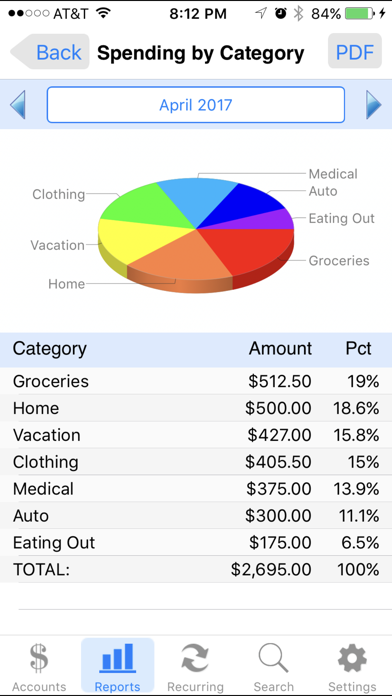
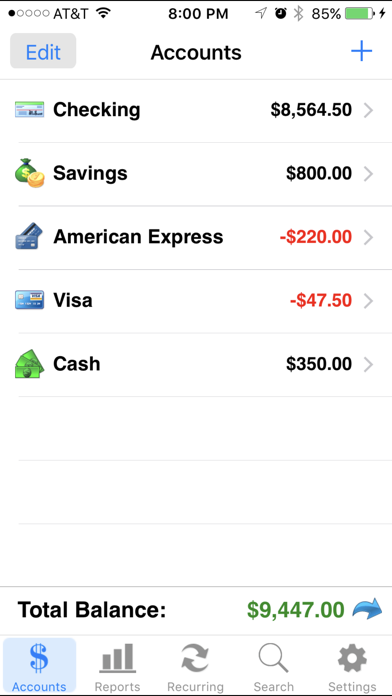
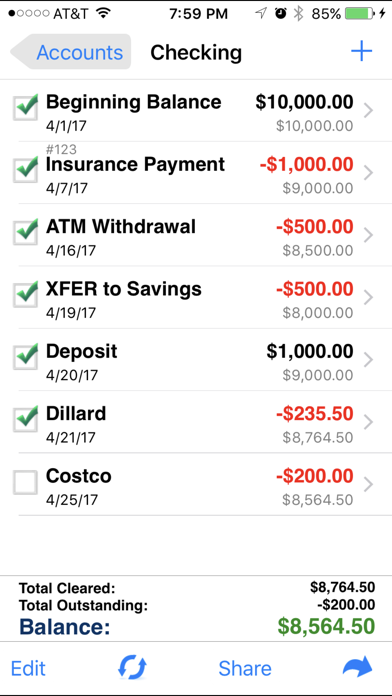
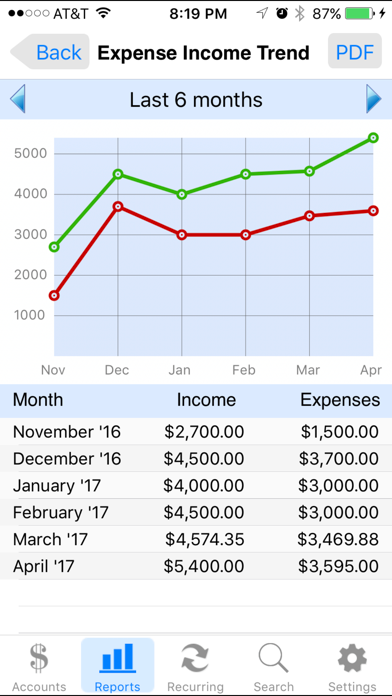
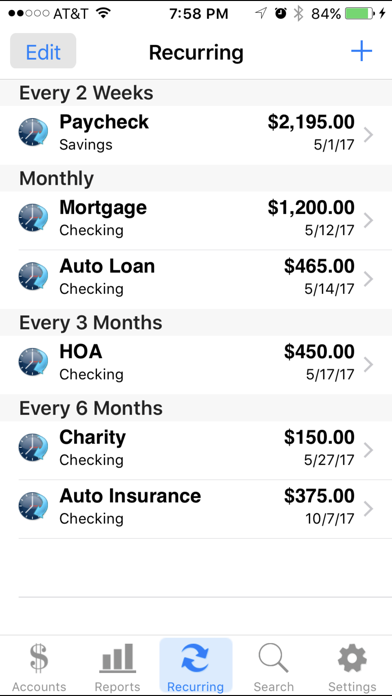
*** For the latest features and enhancements, please check out our NEW Accounts 3 Checkbook app, now available for download from the App Store! *** Featured by Apple in "What's Hot" List Accounts 2 is an easy to use application to replace your paper checkbook. With the Accounts 2 application, you will have a quicker and more convenient way to track your daily finances. You can schedule transactions, transfer funds, capture photo receipts, reconcile, view reports, export data, print, and much more. All features of the Accounts 2 app are designed to be quick, clean, intuitive, and easy to use. FEATURES * Touch and Face ID Support Use Touch or Face ID to authenticate and launch the app quicker and more conveniently. * Sync Data via iCloud Sync your data across iPhone, iPad, and iPod Touch devices * Universal Binary Designed for iPhone, iPad, and iPod Touch devices. No need to buy separate apps for each device. * Graphs and Reports Review your monthly income vs. expense, spending by category, or income by category summaries with beautiful graphs and reports. * Photo Receipts Capture and store photo receipt as part of a transaction. * AirPrint Support Print reports directly from your iPhone or iPad to any AirPrint-enabled printer. * Recurring Transactions Schedule transactions to repeat weekly, biweekly, monthly, semimonthly, quarterly, biannually, or yearly on a start date that you choose. * Split Transactions Split a transaction among several categories for more precise tracking. * Search Quickly search for transactions and edit them from the same screen. * Reconcile Transactions Reconcile by checking off cleared transactions and comparing the actual and outstanding balances against a bank statement. * Smart Autocomplete As you type, a list will show you your previously entered descriptions and corresponding category. Selecting an entry from the list will fill both fields of the transaction. * Auto-increment Check # Field Accounts 2 will suggest the next check number for you based on the previously entered number. If you replace your checkbook, just enter the new starting number and Accounts 2 will auto-increment from there. * Transfers Make a one-time transfer between accounts or set up recurring transfers to automatically repeat. * Export in CSV, QIF & HTML Formats Export transactions via email attachments for used with desktop applications such Numbers, Excel, or MS Money. * Customization Settings & Themes Configurable settings and themes to customize the Accounts 2 application based on your preferences. * Transaction Sorting/Hiding Sort transactions by date in either ascending or descending order. You can also hide reconciled transactions to keep your current list from being cluttered. * Accounts Reordering Reorder your accounts from the account list in any order you choose. * Accounts Delete Lock Prevents accidental deletion of all the transactions under an account. * Backup / Restore Backup your data for safekeeping via email, Dropbox, or iTunes file sharing interface. Then restore it to your device whenever you need to. * Passcode Security Keep your accounts information private. * FREE Accounts 2 Lite version Please download the Accounts 2 Lite version to try before you buy.
What's New
Fix issue with pie chart report for certain iPad devices.
Details
- Developer
- SVT Software
- Main Category
- Finance
- Version
- 9.9
- Version Release
- 2025-02-06
- Initial Release
- 2012-01-27
- Size
- 13 MB
- Age Rating
- 4+
- Price
- USD 3.99
- Languages
- EN, FR, DE, IT, PT, ES
- Bundle ID
- com.SVTSoftware.Accounts2
- Version Rating
- ★ 4.55 (6,656)
- First Seen
- 2026-05-28
Metadata updated 2026-07-19
Rank History
Free · Max 90 days · Top 5 categories shown (Y-axis: rank, lower is better)
No rank history data
Free Rankings
No rankings
Paid Rankings
Competitive Benchmark — Finance Top 10
What it takes to beat this app — comparison with the category's top apps. The orange row is the current app.
| # | App | Price | Rating | Ratings | Langs | Last Update |
|---|---|---|---|---|---|---|
| 1 | Military Money: Pay & Pension | USD 3.99 | ★ 4.80 | 5,890 | 1 | 2026-04-13 |
| 2 | Military Retirement | USD 5.99 | ★ 4.85 | 13,399 | 1 | 2026-04-26 |
| 3 | US Debt Clock .org | USD 4.99 | ★ 4.58 | 585 | 1 | 2020-12-14 |
| 4 | Accounts 3 Checkbook | USD 4.99 | ★ 4.55 | 3,005 | 6 | 2025-02-06 |
| 5 | 10bii Financial Calculator | USD 7.99 | ★ 4.73 | 663 | 1 | 2026-04-23 |
| 6 | FERS+CSRS Retirement Estimator | USD 9.99 | ★ 4.68 | 1,412 | 1 | 2021-05-01 |
| 7 | HP 12c Financial Calculator | USD 14.99 | ★ 4.27 | 322 | 1 | 2026-02-03 |
| 8 | BA Financial Calculator (PRO) | USD 3.99 | ★ 4.85 | 456 | 1 | 2025-09-25 |
| 9 | Money Manager (Remove Ads) | USD 5.99 | ★ 4.84 | 2,830 | 19 | 2026-07-09 |
| 10 | My Currency Converter Pro | USD 3.99 | ★ 4.87 | 2,711 | 3 | 2026-06-25 |
| 28 | Accounts 2 Checkbook | USD 3.99 | ★ 4.55 | 6,656 | 6 | 2025-02-06 |
More by This Developer




User Reviews
Both open to the oldest transaction despite the correct settings. Constantly closes when attempting to submit an entry. Accounts 3 won’t allow a review bc it says I don’t own it despite purchase. No email for customer service.
How can I hide Accounts on the main screen that I don’t use anymore but I don’t want to delete them???
Lost all data records for no reasons please help I need it back for My record
I have been using this app for years. . .always felt it was easy to use and maneuver. .however, this morning I went to input data and everything was gone. .what happened. . .I know I didn’t delete a thing but none of my banking information is anywhere. .how do I retrieve all my information???? PLEASE HELP!!!!!!
Been using the app for years. Today the background color automatically changed to black. No matter what I do, it won’t change back.
I have attempted several times but cannot export file to email address
Updated. After last update all my information is gone!! Is there a way to hide accounts you don’t use anymore? Deleting them deletes the transactions in other accounts as well.
After latest Apple update all my info is gone help please
I’m having a problem syncing to the cloud. My original device that has Accounts2 on it is older. It also has an older iOS. I can upload the backup to the cloud, but when I tell it to reenable the sync, the app crashes in the old device. Then I am not able to download it to the new device because it says it cannot find the backup in the cloud. And there is plenty of space in the cloud. So I think it’s because it’s an older version. But I am not able to update that iOS or that version of the app right now because the old device is pretty full. It only has 3 GB of space on it. It’s an iPad mini 4; it’s running on iOS 13.3 How can I get the backup onto my new device? I want to transfer the backup and make sure it is safe, before I start messing around with updating things. Thank you.
I started a new checking account to replace the old one. When I did, all of my payees and categories stayed but I lost my recurring payments. How do I get them back?
The reason I’m not giving 5 stars is because after uploading my financial data from my iPad (dating back to 2014), the app only allows me to download data to my iPhone up to 2025. The 2026 data uploads from my iPad to iCloud without any problem, but it won’t download to my iPhone. Is there any reason why it won’t download the information to my iPhone? Does the app have some kind of storage limit?
I bought the old version years ago. Now it’s been updated and all my old data disappeared.
Reviews are collected only for apps with detected changes (new entries or sharp risers).