
SpeedClock - レーダーガン
🇯🇵 JP LocalizedSpeedClock - Video Radar
Sten KaiserScreenshots
Description
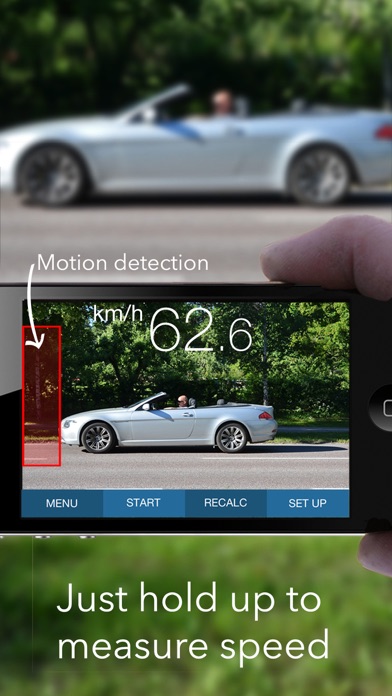
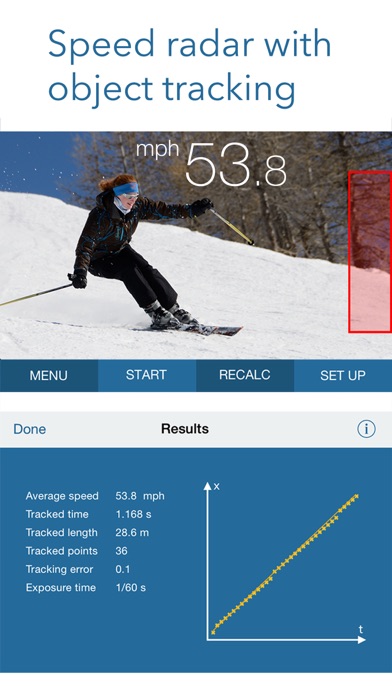
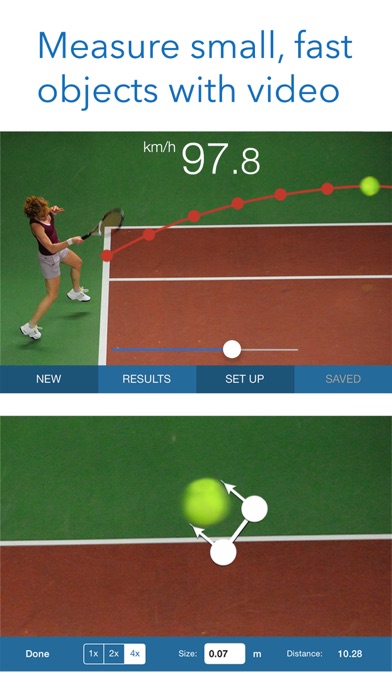
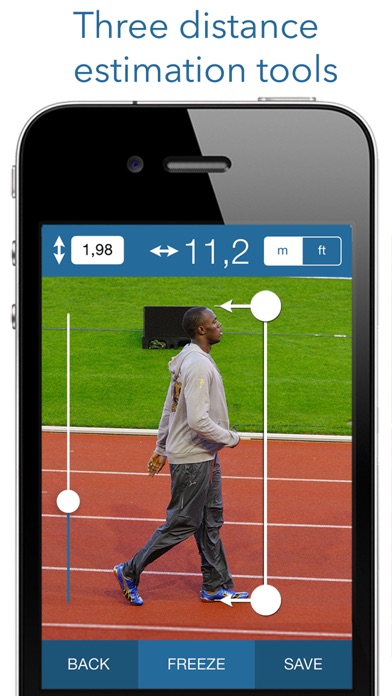
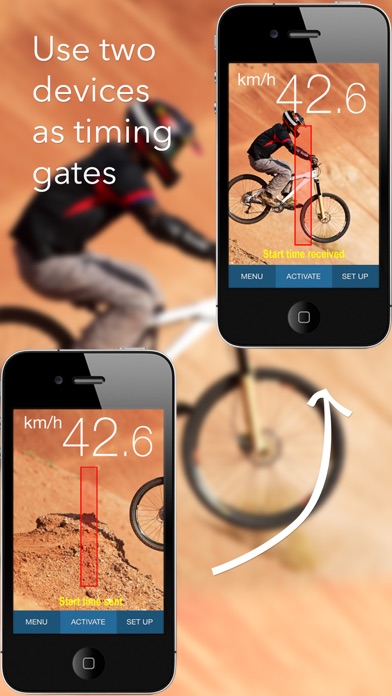
The iPhone speed radar - easy-to-use speed measurement in your pocket, anytime, anywhere! A unique, advanced app designed to easily measure the speed of cars, boats, skaters, skiers, cyclists, animals, models, footballs, tennis serves, etc. The system is based on motion detection, enabling you to track a moving object using a hand-held device alone. SpeedClock includes three separate speed measurement tools and two distance estimation tools. Speed Radar SpeedClock uses the camera to detect and analyze motion, and a reference distance to calculate the speed of an object. Define the distance to the object of interest, hold the iPhone still and let the object pass across the the screen. The speed is displayed automatically. SpeedClock is also able to automatically measure the speed and save an image of passing objects. The measurement can be initiated from an Apple Watch and the speed displayed on the watch face. High Speed Video Recording An additional speed tool records and processes a video, which enables SpeedClock to track small, fast object, such as flying balls, that can be difficult to catch with regular motion detection. It also calculates additional parameters like acceleration. Synchronized Timing Gates A third speed instrument uses two iPhone/iPads equipped with motion detection to start and stop the timer and measure the speed. The distance between the devices is used as reference, and the speed is calculated based on the time taken by the object to travel between the 'Start' and 'Stop' devices. The time is transmitted wirelessly over WiFi or Bluetooth. Distance Measurement The stadimeter uses the size of a known object, e.g. a car, to calculate the distance. The clinometer uses your own height as reference, along with the angle of the iPhone, to estimate the distance to a point on the ground. The distances obtained from either tool can then be used to calculate the speed. See a demo video at the application website (www.appmaker.se/speedClock) ON LINE REVIEWS “All I can say is, Fantastic” http://www.madxperts.com/2010/12/03/measure-speed-app-speedclock-iphone-download/ "Wow, how cool is that!" http://www.ithinkdiff.com/turn-iphone-speed-measuring-gun-speedclock-download/ "You really going to like this app" dailyappshow.com/speedclock (video) "A useful utility for anyone needing to measure speed" appmodo.com/44581/ "Useful, easy to use and quite a bit of fun (4 of 5)" appvader.com/2011/03/review-speedclock-iphone/ "speedClock is a useful app when you need to check the speed of yourself, or an object for exercise, racing or simple curiosity (4.5 of 5)" www.cooliphoneipadapps.com/2010/12/speedclock.html "Astonishing" iphonelife.com/blog/5/speedclock-velocity-radar-099-app-lets-you-use-camera-measure-speed-objects "It is a pleasure to use and operate. A nice app for those looking for a open-ended radar gun app." http://appadvice.com/appguides/show/baseball-radar-gun-apps
What's New
Improved human and car tracking in Live Speed, especially on older devices.
Details
- Developer
- Sten Kaiser
- Main Category
- Utilities
- Version
- 12.2
- Version Release
- 2021-10-30
- Initial Release
- 2010-11-10
- Size
- 34 MB
- Age Rating
- 4+
- Price
- USD 2.99
- Languages
- EN
- Bundle ID
- speedClock
- Version Rating
- ★ 2.42 (83)
- First Seen
- 2026-05-28
Metadata updated 2026-07-19
Rank History
Free · Max 90 days · Top 5 categories shown (Y-axis: rank, lower is better)
No rank history data
Free Rankings
No rankings
Paid Rankings
Competitive Benchmark — Utilities Top 10
What it takes to beat this app — comparison with the category's top apps. The orange row is the current app.
| # | App | Price | Rating | Ratings | Langs | Last Update |
|---|---|---|---|---|---|---|
| 1 | Shadowrocket | USD 2.99 | ★ 4.48 | 12,076 | 7 | 2026-07-07 |
| 2 | FORScan Lite - for Ford, Mazda | USD 6.99 | ★ 3.02 | 192 | 7 | 2026-05-09 |
| 3 | Wipr 2 | USD 4.99 | ★ 4.69 | 1,225 | 1 | 2026-07-07 |
| 4 | Goblin Tools | USD 2.99 | ★ 4.77 | 2,951 | 1 | 2023-06-23 |
| 5 | Necrophonic | USD 9.99 | ★ 3.75 | 532 | 1 | 2022-06-19 |
| 6 | Noir - Dark Mode for Safari | USD 2.99 | ★ 4.56 | 1,339 | 2 | 2026-06-29 |
| 7 | Stash - Rule Based Proxy | USD 5.99 | ★ 4.36 | 1,196 | 9 | 2026-07-16 |
| 8 | Necrometer | USD 9.99 | ★ 2.75 | 265 | 1 | 2024-11-02 |
| 9 | IONIQ 5 Companion | USD 12.99 | ★ 4.74 | 47 | 9 | 2026-07-09 |
| 10 | Just Press Record | USD 6.99 | ★ 4.25 | 1,519 | 13 | 2026-05-05 |
| 71 | SpeedClock - レーダーガン | USD 2.99 | ★ 2.42 | 83 | 1 | 2021-10-30 |
More by This Developer



User Reviews
Has trouble tracking specific objects especially if things are close by, don’t recommend for anything more than 60 mph
Дякую хороший додаток але ви могли ще додати таку функцію щоб із багатьох предметів можна було вибрати один предмет і коли він рухається він слідкував за цим предметом?
Difficult to use, doesn’t work on iPhone. Waste of money.
This app is not at all accurate, and trying to get through all the setup parameters is a pain, it gives you error messages but no way to fix them; i.e. “not enough pinned points for reference”. I had hopes I would be able to use this app to provide data to my local police regarding the speed problem on my street, but the apps data is useless.
I wanted to recommend this app to people in our private neighborhood to clock traffic. After an hour of experimenting, I clocked a golf cart doing 108 miles an hour, several other slow moving cars at over 150 miles an hour. I moved to three different locations and each showed 20 to 30 mile an hour traffic indicating over 100 according to the app. After watching the tutorial again and resetting the program disparate traffic were all clocked at 17.6 mph on a private street. Unusable.
Have tried every possible setting, camera angle, tripod, … but app consistently reports vehicles going 4 to 6 miles per hour.
I’ve been using the app now for about two weeks. I have noticed if I am in a shadow and the subject areas and light it does not work well I’m not I’m also having issues on Cloutier days is not working this morning and it works great afternoon zero very disappointing.
Haven’t gotten the app to recognize a single object in Live Speed, the only useful function to track and log cars speeding by my house. Save your money and don’t buy.
I purchased this yesterday and it seemed that it was going to be easy to use but I am not picking up any speed from any of the cars. What’s the deal?
I had high hopes but this app gives consistently incorrect data. I even mounted my phone to a tripod and used a tape measure to calibrate the distance to subject (roadway). After trying many different settings I gave up. We have many speeders in my neighborhood and I wanted to record vehicle speeds. I would say 50% of all data was incorrect and no way I could possibly use it reliably.
もう少しわかりやすいやつないんですか It is unclear.
Reviews are collected only for apps with detected changes (new entries or sharp risers).