

Screenshots
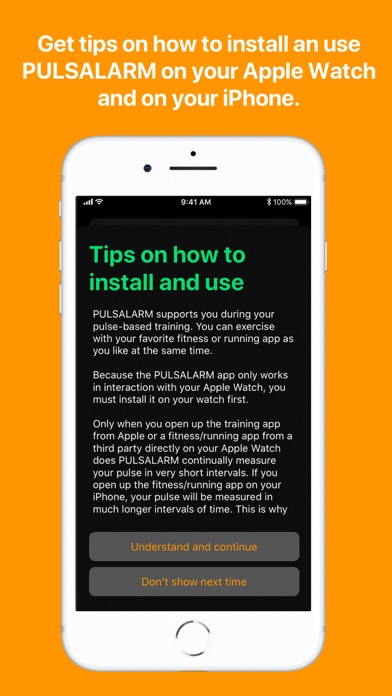
Description
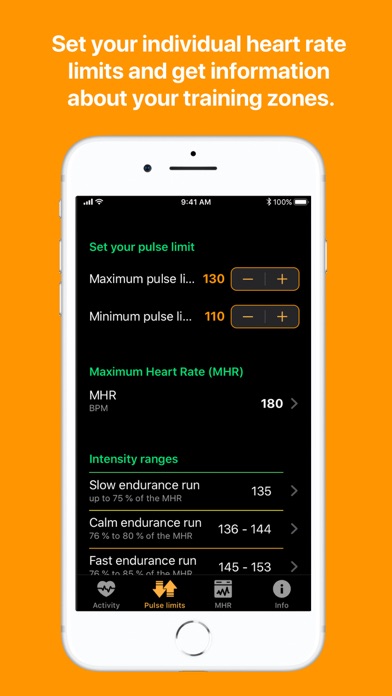
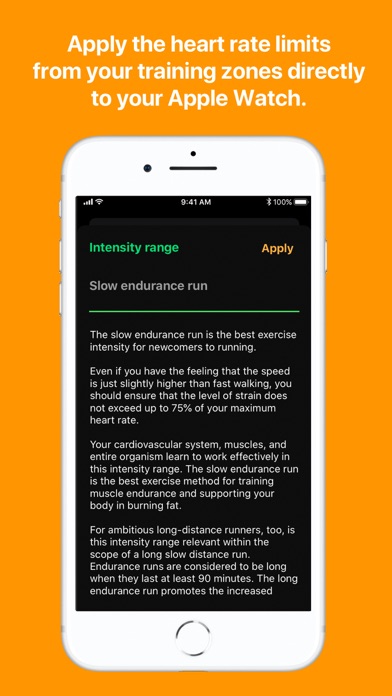
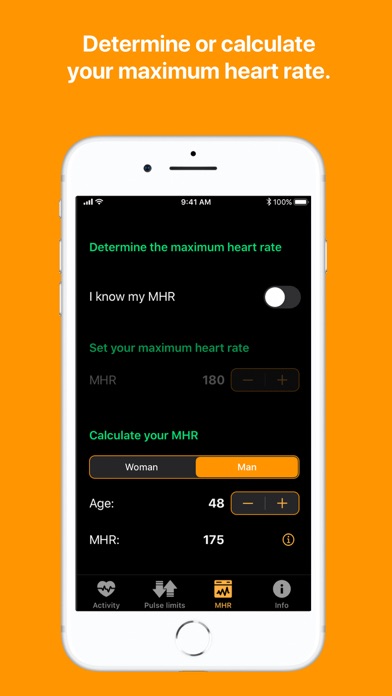
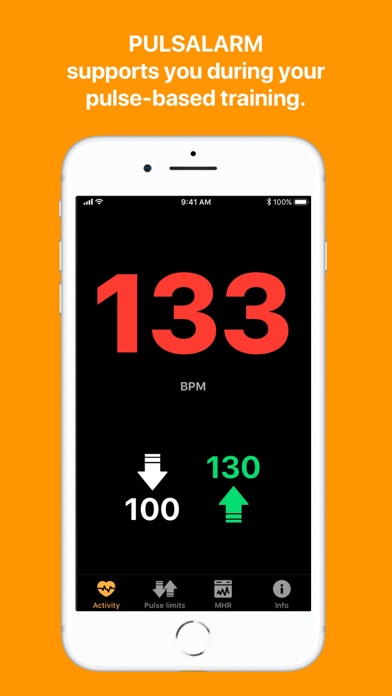
PULSALARM warns you via vibration or warning tone when you exceed your set upper and lower pulse limit and thus supports you in your pulse-based training. You can train as usual with your favorite fitness or running app. All you need to do is install PULSALARM on your Apple Watch. Features of the Apple Watch App: - Vibration and/or warning tone when the set pulse limits are reached - Vibration and/or signal tone when returning to the set pulse range - Pulse limits can be deactivated individually - Large, easy to read display of the current pulse - Fast adjustment of pulse limits (also possible while running) - Works together with all known fitness, training and running apps that can be started on the Apple Watch - Does not write data to Apple Health - You can use the app on your Apple Watch without having your iPhone with you Features of the iPhone App: - Calculation of your maximum heart rate - Individual calculation of the 5 intensity ranges (depending on your maximum heart rate) - Adoption of the pulse limits from the training zones - Setting the maximum and minimum pulse limit - Large display of the current pulse Important note: without the use with an Apple Watch, the functional range of the app is limited, as no permanent pulse measurement can be carried out. No advertising, no tracking, no third-party codes. Developed with passion and programmed in Germany. Why use PULSALARM additionally? Many running apps include the pace as a target in their training plans. However, the same speed can mean a high intensity for one person and a low intensity for another. It is therefore helpful to consider your heart rate instead of speed to determine and maintain the right training intensity. PULSALARM helps you to do this. It turns your Apple Watch into a heart rate monitor. What is the big advantage? You no longer have to look at your Apple Watch during your workout and still know whether you are exercising within your personal heart rate zone. Also ideal in colder months, when your Apple Watch is hidden under a jacket or long-sleeved shirt and you can't look directly at the display while running. For whom is PULSALARM suitable? - Ideal for run beginners, as they can control themselves better and protect themselves from overstraining. - Ideal for ambitious runners, as they can train more specifically in their intensity ranges and thus increase endurance and performance. - For all athletes and fitness enthusiasts who are interested in heart rate monitoring during their training with their Apple Watch. Summary: With the PULSALARM app on the iPhone you can determine your 5 intensity ranges based on your maximum heart rate. You can enter your maximum heart rate directly or have it calculated. Set your personal maximum heart rate limit, which you do not want to exceed during training, and your minimum heart rate limit. When these limits are reached, your Apple Watch will alert you by vibrating and/or beeping.
What's New
In this update, some features are added that users of my app had requested and now make the app even more user-friendly. - Now also works with always-on display on the Apple Watch - New setting: warning tone only once when leaving the pulse limit - Adoption of the pulse limits from the training zones - Pulse lower limit setting reduced to 30 BPM - Pulse upper limit setting increased to 220 BPM And thanks for your bug reports: - Elimination of a bug that caused music playback to stop on certain settings. - Elimination of a bug that in some cases caused the lower pulse limit not to be disabled And one more note: Since the introduction of the always-on display, for battery life reasons, the data transfer from the Apple Watch to the iPhone was changed. This resulted in the pulse only being transmitted when the Apple Watch is in an active state. Therefore, it may happen that the pulse display on the iPhone is delayed. I am still working on solving this particular case, which only affects the display on the iPhone.
Details
- Developer
- Bernd Rudmann
- Main Category
- Health & Fitness
- Version
- 1.1.1
- Version Release
- 2022-02-16
- Initial Release
- 2020-06-08
- Size
- 3 MB
- Age Rating
- 4+
- Price
- USD 1.99
- Languages
- EN, DE
- Bundle ID
- de.rudmann.pulsalarm
- Version Rating
- ★ 4.18 (11)
- First Seen
- 2026-06-26
Metadata updated 2026-07-19
Rank History
Free · Max 90 days · Top 5 categories shown (Y-axis: rank, lower is better)
No rank history data
Free Rankings
No rankings
Paid Rankings
Competitive Benchmark — Health-Fitness Top 10
What it takes to beat this app — comparison with the category's top apps. The orange row is the current app.
| # | App | Price | Rating | Ratings | Langs | Last Update |
|---|---|---|---|---|---|---|
| 1 | Streaks | USD 5.99 | ★ 4.81 | 27,340 | 28 | 2026-07-13 |
| 2 | AutoSleep: Watch Sleep Tracker | USD 8.99 | ★ 4.71 | 61,431 | 14 | 2025-11-29 |
| 3 | HeartWatch: Heart Rate Monitor | USD 8.99 | ★ 4.68 | 13,615 | 13 | 2025-10-21 |
| 4 | WorkOutDoors | USD 8.99 | ★ 4.69 | 1,668 | 1 | 2026-06-26 |
| 5 | HealthFit | USD 6.99 | ★ 4.64 | 893 | 5 | 2026-07-08 |
| 6 | White Noise | USD 0.99 | ★ 4.84 | 45,539 | 3 | 2026-06-17 |
| 7 | Air & Space Fitness Calculator | USD 0.99 | ★ 4.68 | 115 | 1 | 2026-06-16 |
| 8 | Couch to 5K® - Run training | USD 4.99 | ★ 4.62 | 4,701 | 1 | 2025-12-24 |
| 9 | Blood Type Diet® | USD 3.99 | ★ 4.18 | 195 | 1 | 2025-08-04 |
| 10 | Schumann Resonance | USD 1.99 | ★ 4.43 | 210 | 1 | 2026-07-04 |
| 88 | Pulsalarm | USD 1.99 | ★ 4.18 | 11 | 2 | 2022-02-16 |
User Reviews
The app is really easy. The alarm doesn’t start until you get into your zone and then you get alerted when you’re above and below. Its nice you don’t have to deal with alerts before you get to your zone. Im glad i got this
This app only works if it’s open on your watch. I prefer something that works in the background automatically. Other than that, it works great!
This app may not have been updated in years, but it still works flawlessly—and honestly, it’s exactly what I need. It’s a simple, no-frills heart rate alert app for Apple Watch that does one thing very well: it notifies me when my heart rate exceeds a threshold I set. That might sound basic, but for me, it’s potentially life-saving. I use it while working in the yard, where sweating doesn’t cool you down like it should. My heart rate is the best early warning sign I have for overexertion, and this app helps me recognize heat exhaustion before it’s too late. I love that I can launch it right from the watch with a simple tap, or use it alongside my go-to fitness tracker. It even claims not to collect user data, which is a rare and appreciated touch. Apps like this—lightweight, focused, and respectful of your privacy—are rare. It’s a hidden gem, and I hope it keeps working for years to come.
…but its functionality is severely limited as it has to be the active app on the watch to give sound/vibration when out of HR range. That is, with any fitness app running (Apple Fitness, MapMyRide, Strava, etc) and the active app, this app does not give alarms of any kind. That’s the whole point of the app. I am running latest iOS and watchOS on series 9 watch
When using the modular watch face, I can add “complications” that are nothing more than an icon to open the workout app, the heart rate app, etc. Can we get a similar dead simple “complication” that just opens the Pulsalarm app? I want a quicker/easier way to start and stop it. One more problem I keep running into is a periodic “Info: Session Extended” popup in my watch when it’s running. It makes the watch buzz and is very distracting when I try to keep PulsAlarm enabled all day (which is what I want it for). Thanks!
I’m a huge fan of this app, it’s helped a lot because I like to train off of heart rate ranges. The only features I would enjoy would be to have custom presets. I know it comes with a few given ranges which you can apply quickly, but it would be nice if you could save your own. Or also if you could type in a given number instead of being limited to using the +/- symbols.
This is such a simple but effective app. Why Apple does not provide a pulse alarm during workouts is beyond me. I use this on all my runs and no longer have to keepChecking my watch to make sure I’m in zone 2. My only criticism is that when listening to a podcast or music, the heart rate alarm is too loud. I think this app lowers the sound of music/ podcasts and then when you out of your selected zone it blasts into your ears. Because of this, I no longer listen to podcasts while I run :( Still 5 stars though.
I re-started my fitness plan and this is a great tool to maintain optimal heart rate / pulse levels during my workouts. I recommend this to anyone who is starting or anyone that due to a condition need to have an alarm to be mindful of the heart rate. Good luck on all your workouts! : )
Was 60 before I learned about aerobic training from a podcast with Dr Maffetone. Used to just run at a brisk pace — 170+ HR— and wondered why my pace never improved. Now I know why and have been using the App for a month now to build up a base and keep me in the desired HR zone. Had looked at a bunch of different HR monitors, but this seemed to be just right for what I needed. Works well. Would like to change the alert sound though.
This app is great for pulse training - especially because it is clear and simple - doing exactly what it says. I like being able to easily set my upper and lower bounds. Even better, it displays my pulse in big numbers, and can show it on my Watch and iPhone at the same time. It seemed tricky to me at first, and then I figured out this tip - be sure to start your exercise app first! After that then open PulsAlarm and it works very well.
Reviews are collected only for apps with detected changes (new entries or sharp risers).