

Screen Mirroring - TV Cast Air
🇰🇷 KR LocalizedScreenshots



Description
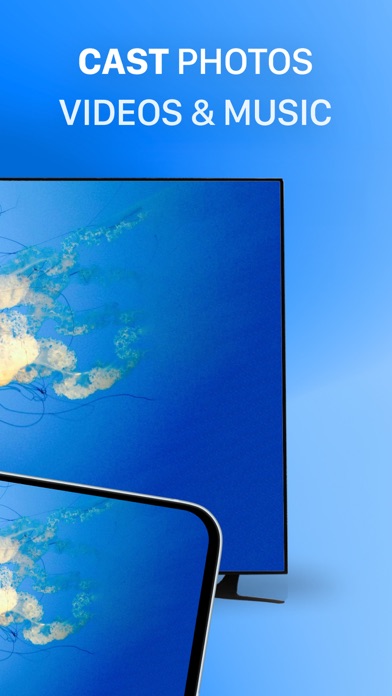
Screen Mirroring Z enables users to mirror their phone's screen to any smart TV wirelessly and in real-time without any delays. The app is ideal for making presentations, watching movies, or playing games on your TV. It supports TVs with web browsers and those that support the following discovery protocols: DLNA, DIAL, Chromecast, and UDAP. It is important to note that Screen Mirroring Z is not affiliated with any TV brands such as Samsung, LG, Sony, Roku, and others. The app has several features, including the ability to mirror your phone's screen to your TV, cast photos and videos from your photo library to your TV, and mirror your phone's camera to your TV. To mirror your phone's screen to your TV, you need to connect your phone and your TV to the same WIFI network. Then, open the app and connect it to your TV. After that, tap the "Screen Mirroring" button and follow the instructions to start mirroring. Screen Mirroring Z offers a premium version that allows users to remove ads and unlock all features. You can choose to make a one-time payment or opt for a yearly or monthly subscription (with a 3-day free trial). Payment will be charged to your iTunes account at the confirmation of purchase, and subscriptions automatically renew unless auto-renew is turned off at least 24-hours before the end of the current period. Subscriptions may be managed by the user, and any unused portion of a free trial period will be forfeited when the user purchases a subscription to that publication, where applicable. The app's privacy policy and terms of service can be found on the developer's website at https://evolly.app/privacy-policy/ and https://evolly.app/terms-of-service/, respectively.
What's New
Enhanced UI and overall app performance. Upgraded deprecated APIs. Resolved general bugs.
Details
- Developer
- EVOLLY.APP
- Main Category
- Utilities
- Version
- 2.4.8
- Version Release
- 2026-04-20
- Initial Release
- 2020-02-05
- Size
- 55 MB
- Age Rating
- 17+
- Price
- Free
- Languages
- EN, JA, PT, ZH
- Bundle ID
- evolly.app.mirror
- Version Rating
- ★ 3.51 (3,962)
- First Seen
- 2026-05-31
Metadata updated 2026-07-19
Rank History
Free · Max 90 days · Top 5 categories shown (Y-axis: rank, lower is better)
Free Rankings
Paid Rankings
No rankings
Competitive Benchmark — Utilities Top 10
What it takes to beat this app — comparison with the category's top apps. The orange row is the current app.
| # | App | Price | Rating | Ratings | Langs | Last Update |
|---|---|---|---|---|---|---|
| 1 | Free | ★ 4.65 | 4,831,032 | 46 | 2026-07-13 | |
| 2 | Google Chrome | Free | ★ 4.69 | 3,668,808 | 38 | 2026-07-15 |
| 3 | Cleanup: Phone Storage Cleaner | Free | ★ 4.66 | 683,940 | 18 | 2026-07-03 |
| 4 | TV Remote - Universal Control | Free | ★ 4.44 | 586,726 | 4 | 2026-05-25 |
| 5 | My Verizon | Free | ★ 4.66 | 5,513,703 | 2 | 2026-06-10 |
| 6 | Google Authenticator | Free | ★ 4.85 | 1,137,079 | 32 | 2026-07-13 |
| 7 | AT&T | Free | ★ 4.79 | 195,651 | 2 | 2026-07-07 |
| 8 | Xfinity | Free | ★ 4.29 | 1,356,543 | 2 | 2026-07-17 |
| 9 | My Spectrum | Free | ★ 4.79 | 3,387,062 | 2 | 2026-07-15 |
| 10 | Proton VPN: Fast & Secure | Free | ★ 4.62 | 77,582 | 33 | 2026-06-08 |
| 83 | Screen Mirroring - TV Cast Air | Free | ★ 3.51 | 3,962 | 4 | 2026-04-20 |
More by This Developer

User Reviews
This is really just the dumbest app ever created.
It’s a scam. It won’t let you cancel the subscription
Won’t work with my LG webos OLED65C7P.
$6.99 a week subscription…what a rip off
Why the hell do I have to pay you guys to do the damn thing I downloaded the app for?? Why are you trying to force me to PAY YOU to do the damn job
Uninstalled
I believe this provider is running along the edge of correctness. Trial membership auto renews EVERY WEEK for $6.99+ tax. Technically the app works but it’s so difficult to use just to watch a streaming video. Don’t install this trash. I’d like my $ back and auto renewals shouldn’t be allowed. Want that money ask for each time.
Its really bad... SCREEN MIRRORING AS THE NAME but REQUIRES YOU TO PAY...
I’d give 0 but had to give 1
Not worth it. One month of subscription cost to this and you could just go buy a used Apple TV or Roku from marketplace. Wildly overpriced.
only for charged user
구독취소해주세요
Reviews are collected only for apps with detected changes (new entries or sharp risers).