Screenshots
Description
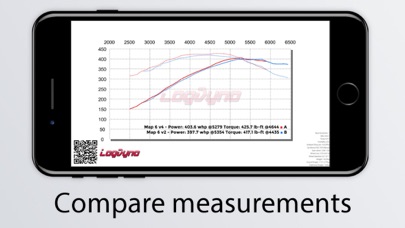
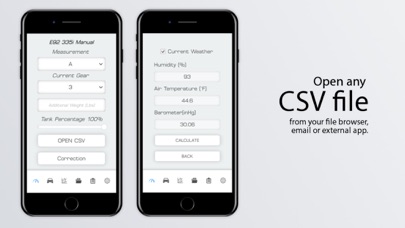
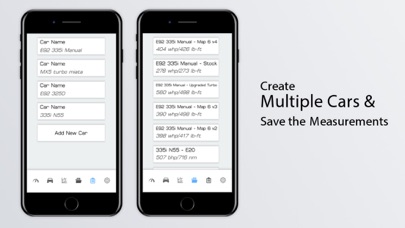
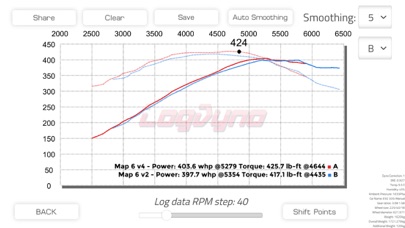
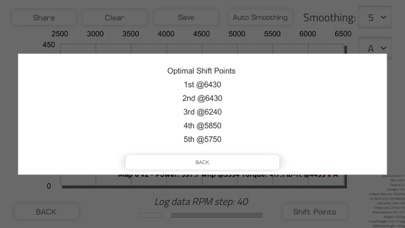
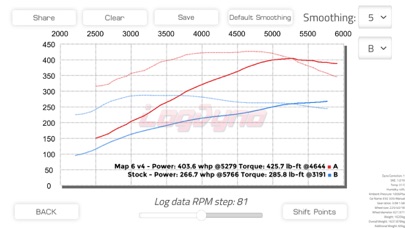
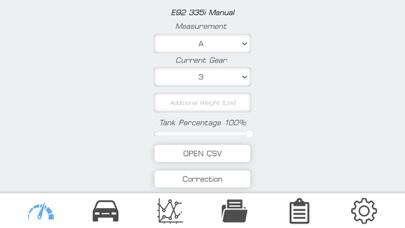
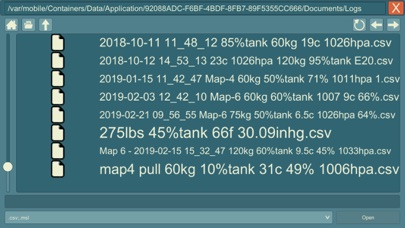
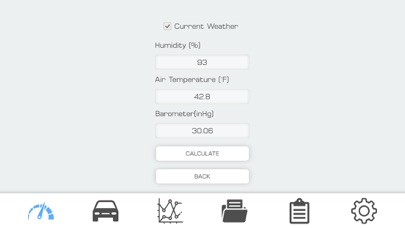
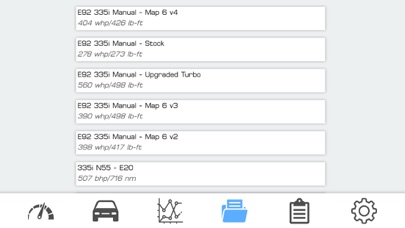
Measuring your car's torque and horsepower has never been easier, now that you can do it with the help of your mobile device and this digital Dyno. You just need to open your datalog of a pull, and Log Dyno will do the rest. You can send your CSV file from your email, browser, or any app to Log Dyno which will Open the datalog from the app right away and give you a measurement, or you can save your CSV file to the Log Dyno folder in your Files app, for easy access from the in-app file browser. You can use any CSV or MSL file that contains RPM data which is needed to accurately measure Horsepower and Torque. From the torque curve and gear ratios, the app will also recommend optimal gear shift points for each gear to ensure maximum acceleration. This makes sure you know when to shift, so you always have the most possible power at the wheels. Corrections: ● Uncorrected ● SAE J1349 ● STD ● DIN 70020 ● ISO 1585 Power Units: ● WHP ● BHP ● PS ● KW Torque Units: ● LB-FT ● NM Either at the wheels or at the crank Compare multiple measurements! You can save each one of your Dyno measurements, and compare them, or just analyze them interactively. What datalog files can be used? ● JB4 ● MHD ● ProTool ● COBB ● MegaSquirt ● ProTool ● Bootmod3 ● and any other CSV file This is the easiest way to have your torque and horsepower measured with a virtual dyno using only your mobile phone and your datalog. You can see if your mods or tune work right away, and compare them. Log Dyno has been compared to multiple real life dyno sheets, and measurements were spot on, with multiple different vehicles How does it work? #1. Datalog your vehicle Take the log just like a dyno pull, in one given gear, from low rpm to high rpm. Try to avoid wheelspin as it can cause spikes in the graph. #2. Set up your vehicle data The dyno app requires some data about your vehicle. You’ll be asked to set values for the following: ● Car Name ● Weight ● Tank Capacity ● Tire Size ● DT% ● Drag Coefficient ● Frontal Area #3. Share the results! You can share your results right from the virtual dyno measurement page to basically any app or post it to any social network or email it. Of course, you can just save the results in your phone gallery too. How accurate is the dyno measurement? If you have set your vehicle data correctly, the results our dyno app gives will be the same as the results a real dyno will give you. Also, keep in mind that wheelspin may result in spikes in the graph. If you are unable to avoid it, you’ll still get accurate results, you just need to ignore the spikes. The best thing about our dyno app is that you can see right away how your mods work after datalogging. Now, you don't have to go to the dyno if you want to measure any small modification or just never had your car's power measured. You can see right away how your mods or tune work after datalogging. You can dyno unlimited times and unlimited vehicles for the fraction of the price of a dyno measurement. You have to set your car up, how much it weighs, its tire size, the gear ratios, and also what your car drag coefficient and frontal area are, which the app will help in determining. After specifying for which gear you had the datalog taken and specifying the driver, passenger, and possible cargo weight, you can open the CSV or MSL file. Based on your car data and environmental values, the app generates a torque and horsepower curve, which you can analyze. The app also points out the peak values, and you will be able to see at what rpm you made the most torque and the most power. If you have any questions feel free to send an email: profisoftgames@gmail.com
What's New
-Added smoothing options 10, 20, 30, 40 -Lowered Log Data RPM minimum value to 1 from 10 These only mean more measurement adjustability
Details
- Developer
- Adam Keninger
- Main Category
- Sports
- Version
- 1.08.04
- Version Release
- 2022-05-10
- Initial Release
- 2019-03-03
- Size
- 128 MB
- Age Rating
- 4+
- Price
- USD 13.99
- Languages
- EN
- Bundle ID
- com.ProfiSoft.LogDyno
- Version Rating
- ★ 3.40 (10)
- First Seen
- 2026-06-06
Metadata updated 2026-07-19
Rank History
Free · Max 90 days · Top 5 categories shown (Y-axis: rank, lower is better)
No rank history data
Free Rankings
No rankings
Paid Rankings
Competitive Benchmark — Sports Top 10
What it takes to beat this app — comparison with the category's top apps. The orange row is the current app.
| # | App | Price | Rating | Ratings | Langs | Last Update |
|---|---|---|---|---|---|---|
| 1 | Shot Tracer | USD 5.99 | ★ 0.00 | 0 | 1 | 2026-07-17 |
| 2 | Bikee | USD 9.95 | ★ 4.52 | 252 | 12 | 2025-12-01 |
| 3 | PractiScore Competitor | USD 9.99 | ★ 3.16 | 89 | 1 | 2026-06-03 |
| 4 | JB4 Mobile | USD 27.99 | ★ 3.82 | 239 | 1 | 2026-01-08 |
| 5 | Tour Tempo | USD 24.99 | ★ 4.20 | 85 | 1 | 2026-07-15 |
| 6 | QZ - qdomyos-zwift | USD 6.99 | ★ 4.84 | 830 | 0 | 2026-03-24 |
| 7 | Ballistic X | USD 7.99 | ★ 3.72 | 134 | 1 | 2026-06-22 |
| 8 | Like My Drill | USD 0.99 | ★ 2.41 | 39 | 1 | 2026-06-02 |
| 9 | RaceChrono Pro | USD 19.99 | ★ 4.72 | 173 | 10 | 2026-06-24 |
| 10 | JEGS Perfect Start | USD 0.99 | ★ 2.79 | 34 | 1 | 2016-01-05 |
| 40 | Log Dyno | USD 13.99 | ★ 3.40 | 10 | 1 | 2022-05-10 |