

Time-lapse Calculator
🇯🇵 JP LocalizedScreenshots

Description
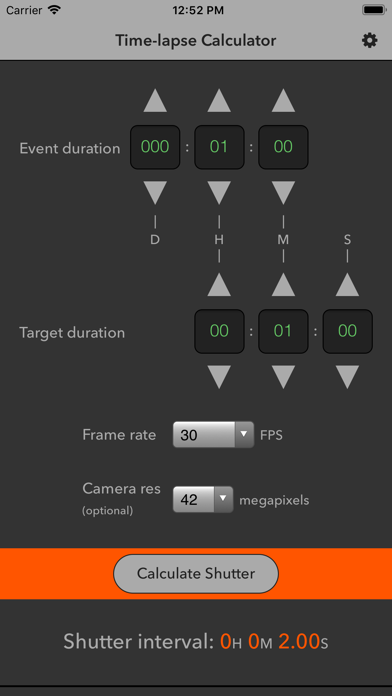
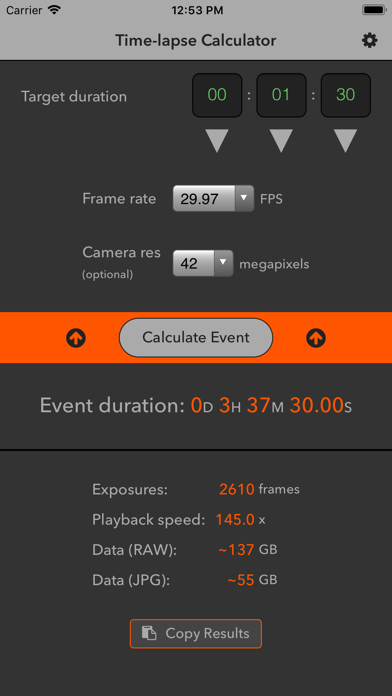
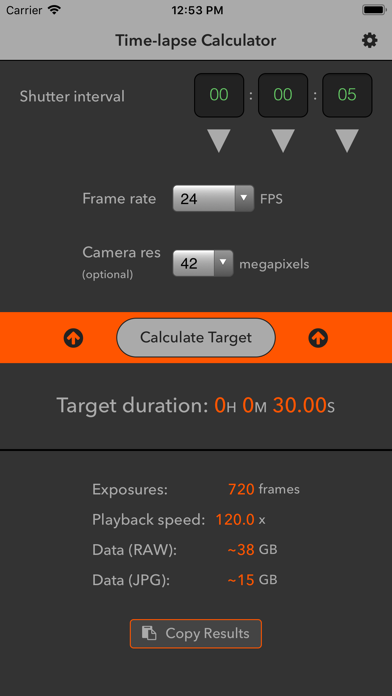
A quick and easy time-lapse calculator with three modes. The default mode allows you to determine the shutter interval (time between shots) that is required to achieve a desired video clip length for a given recording duration. The Time-lapse Calculator can also be set to calculate the necessary event duration (recording time) or target duration (video clip length) based on the other variables. Most time-lapse utilities only allow you to enter the recording duration and shutter interval. Then they calculate the duration of the video clip that would result. That is rarely useful. If you know how long you would like the final clip to be, your video frame rate, and how long you plan to continue capturing exposures to cover the event, then it is the shutter interval variable that you need to calculate. If you know what shutter interval you would like use and how long your video clip needs to be, it is the recording time that you need to calculate. In addition to the intervalometer functions, the Time-lapse Calculator estimates the memory card storage capacity that will be required for RAW or high-quality JPG image files, based on the megapixel count of your camera. Features: • Calculate shutter interval, event duration (recording time), or target duration (video clip length) • All standard NTSC, PAL, and film frame rates (FPS): 15, 23.976, 24, 25, 29.97, 30, 48, 50, 59.94, 60, or 120 • Memory card data estimator • Home screen quick actions using 3D Touch: Shutter Interval, Event Duration, or Target Duration mode • Copy to Clipboard with one touch (inputs and results) • Maximum event duration (recording time): 999 days • Clean, intuitive interface is easy to use while offering features for professional photographers and videographers • Universal app for iPhone and iPad • Responsive layout optimized for all device sizes and models, from iPhone SE through iPhone 8 Plus and iPhone X, and iPad mini up to iPad Pro
What's New
• Tapping down button when input field is at 0 now cycles to the max value, and tapping up when input field has reached max value now cycles back to 0
Details
- Developer
- Dax Mackenzie Roggio
- Main Category
- Photo & Video
- Version
- 2.0.4
- Version Release
- 2023-06-21
- Initial Release
- 2014-06-07
- Size
- 1 MB
- Age Rating
- 4+
- Price
- USD 0.99
- Languages
- EN
- Bundle ID
- com.packafoma.time-lapse-calculator
- Version Rating
- ★ 4.52 (25)
- First Seen
- 2026-06-26
Metadata updated 2026-06-26
Rank History
Free · Max 90 days · Top 5 categories shown (Y-axis: rank, lower is better)
No rank history data
Free Rankings
No rankings
Paid Rankings
No rankings