Screenshots
Description
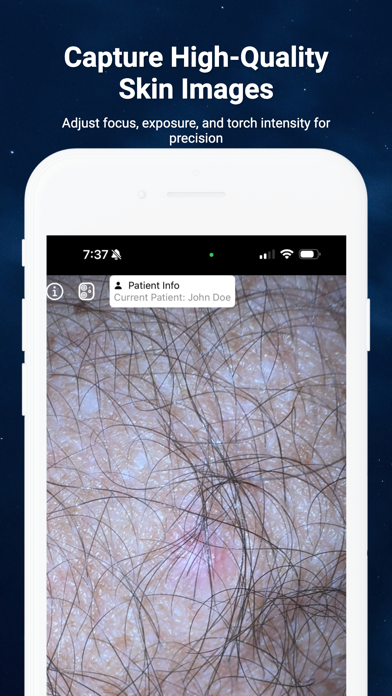
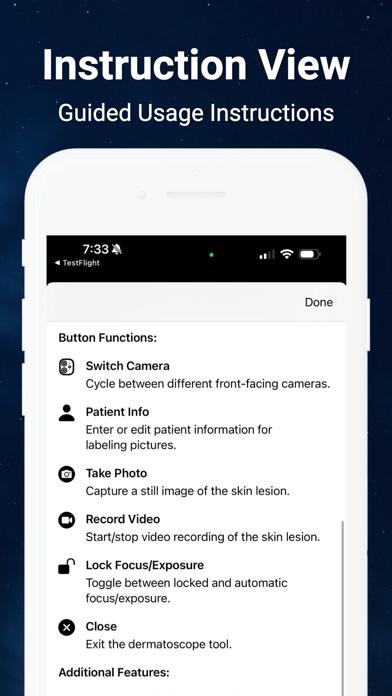
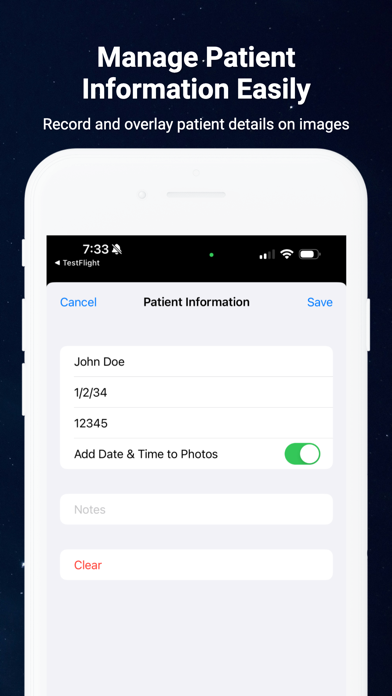
Turn Your iPhone Into a Dermatoscope The Dermatoscope app is a practical tool designed for healthcare professionals, especially dermatologists and skincare specialists. With this app, you can use your iPhone to conduct detailed dermatoscopic examinations. Features: Camera Integration: Leverage your iPhone’s camera to capture clear images and videos of skin conditions while preventing automatic lens switching and flash activation. Manual Controls: Adjust focus, exposure, and torch intensity to capture the details you need, whether taking photos or recording videos. Patient Information: Record and manage patient details directly within the app. Optionally overlay patient info on images and videos. Image and Video Capture: Take screenshots and record videos with ease. Store them securely on your device or share them with colleagues. Zoom Functionality: Use pinch-to-zoom to get a closer view of specific areas. Camera Switching: Rotate between the various rear-facing camera lenses. Instructions Included: Access a guide within the app to help you utilize its features effectively. Disclaimer: This app is intended for educational purposes only and is not a replacement for traditional medical tools or professional medical advice.
Details
- Developer
- My Call Bag LLC
- Main Category
- Medical
- Version
- 1.0
- Version Release
- 2024-08-20
- Initial Release
- 2024-08-20
- Size
- 1 MB
- Age Rating
- 4+
- Price
- USD 1.99
- Languages
- EN
- Bundle ID
- EyeChart.Dermatoscope
- Version Rating
- ★ 0.00 (0)
- First Seen
- 2026-05-28
Metadata updated 2026-07-15
Rank History
Free · Max 90 days · Top 5 categories shown (Y-axis: rank, lower is better)
No rank history data
Free Rankings
No rankings
Paid Rankings
No rankings