

JRemote
🇰🇷 KR LocalizedScreenshots

Description
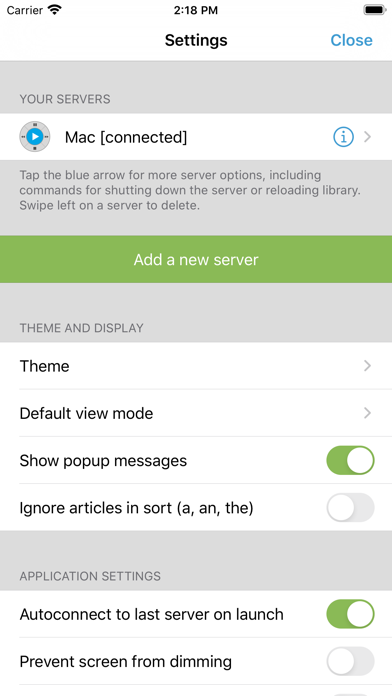
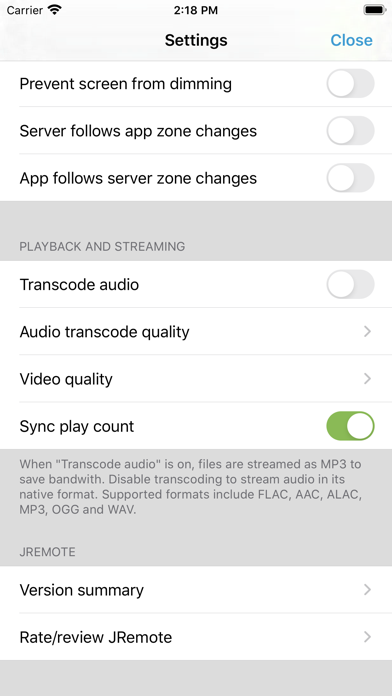
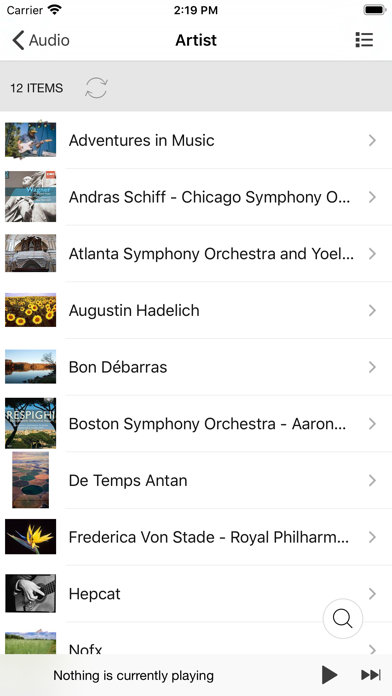
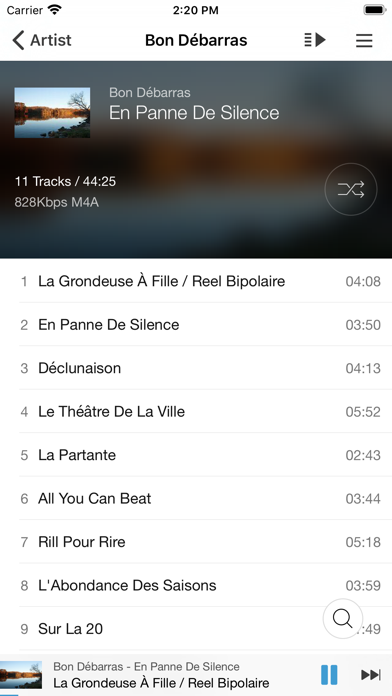
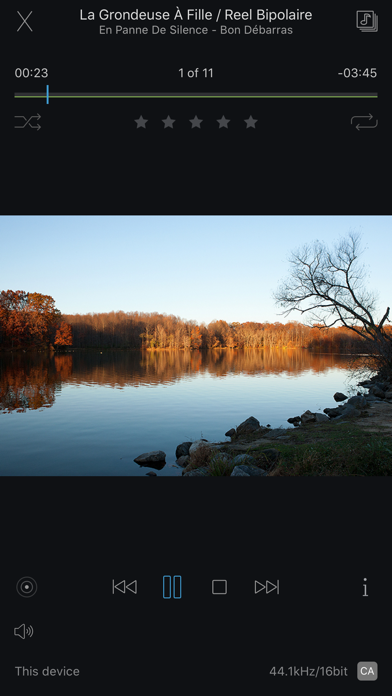
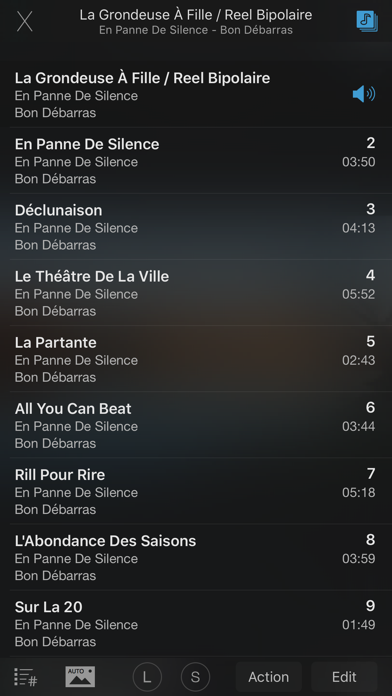
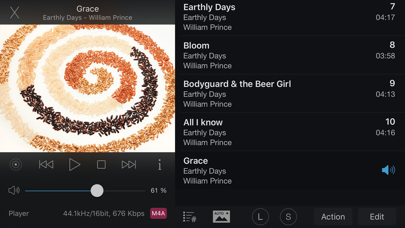
JRemote is a full featured native iOS remote for JRiver Media Center. JRemote was developed to offer you full remote control of your JRiver Media Center from any of your iDevices. Please note that you need JRiver Media Center version 15 or later. We recommend you always run the latest version. Features and specs: Universal app JRemote is a universal iOS application. The application will run on both iPhone/iPod touch as well as iPad’s. Each version is optimized for it`s screen size. Navigation JRemote uses the navigation setup from JRMC itself. This allows you to customize the navigation menu and sub-menus from within the JRiver application. - Multiple view modes (list, imagelist, thumbnails) - Search using JRMC`s fuzzy search engine - Virtual remote for controlling theater view DLNA and zones Use JRemote to control all your DLNA supported devices. Any device supported in JRMC can be controlled from JRemote by switching to that specific zone. You can link and unlink zone for multi-room playback. Easy setup Connecting to your computer is fully automatic, no need to enter your IP-address and Port number. You only need to enter the access key found in JRMC`s option panel (We do provide an option for you to add IP-address and Port manually if needed). - JRemote will let you connect to your server from outside your wifi, using standard mobile networks. For this to work you need to configure port forwarding on your internet router. - Wake-On-LAN is supported if you provide your machines MAC address. (Automatic when adding a server by access key) - JRemote is CarPlay enabled. Edit and view metadata Any metadata attached to a specific file can be viewed and edited. You can update multiple files in one operation. Rating may be set from multiple locations depending on iPhone/iPad version. Player controls JRemote includes all common playback controls including repeat mode, and shuffle mode. Control volume and progress from sliders while getting feedback from the HUD display Audio streaming JRemote lets you stream all your audio files to the device itself. Just select “This device” as the current zone. - Gapless playback - Stream any file up to 96kHz, 24 bit - Downloaded progress indicator - Supported formats include FLAC, ALAC, AIFF, MP3, OGG, AAC and WAV. - All files may be transcoded from 128Kbs up to 320Kbs
What's New
Image playback to the local iDevice can do a slideshow (timer is in settings) Centered cover art in Playing Now on iPhones.Fixes:Crashes and formatting on iOS/iPadOS 26Info in playing now will use 2 lines if necessary and all of the text has been moved up a bit.The download progress bar is displayed closer to the position slider bar and hides when the download of the track being played is complete.The letter bar has been resized so all of the letters are visible.
Details
- Developer
- JRiver
- Main Category
- Entertainment
- Version
- 3.45
- Version Release
- 2025-10-27
- Initial Release
- 2011-12-21
- Size
- 130 MB
- Age Rating
- 4+
- Price
- USD 12.99
- Languages
- EN, FR, NB
- Bundle ID
- com.banjomedia.jremote
- Version Rating
- ★ 3.82 (28)
- First Seen
- 2026-05-28
Metadata updated 2026-07-19
Rank History
Free · Max 90 days · Top 5 categories shown (Y-axis: rank, lower is better)
No rank history data
Free Rankings
No rankings
Paid Rankings
Competitive Benchmark — Entertainment Top 10
What it takes to beat this app — comparison with the category's top apps. The orange row is the current app.
| # | App | Price | Rating | Ratings | Langs | Last Update |
|---|---|---|---|---|---|---|
| 1 | Blower | USD 1.99 | ★ 4.51 | 1,335 | 1 | 2026-01-07 |
| 2 | Pocket God | USD 0.99 | ★ 4.30 | 2,751 | 1 | 2015-08-20 |
| 3 | Cozmo Robot | USD 2.99 | ★ 3.51 | 88 | 1 | 2025-07-17 |
| 4 | Ghost Science M3 | USD 10.99 | ★ 4.63 | 2,582 | 1 | 2026-05-28 |
| 5 | iSTB | USD 14.99 | ★ 4.57 | 1,692 | 9 | 2025-12-19 |
| 6 | StbEmuTV (Pro) | USD 8.99 | ★ 2.39 | 216 | 18 | 2022-09-18 |
| 7 | Stick Nodes Pro - Animator | USD 3.99 | ★ 4.80 | 6,492 | 1 | 2026-05-30 |
| 8 | Folium | USD 2.99 | ★ 2.40 | 833 | 1 | 2026-03-18 |
| 9 | FlashFace Full | USD 3.99 | ★ 2.28 | 25 | 1 | 2016-11-22 |
| 10 | Plezy for Plex & Jellyfin | USD 5.99 | ★ 4.44 | 90 | 1 | 2026-07-13 |
| 59 | JRemote | USD 12.99 | ★ 3.82 | 28 | 3 | 2025-10-27 |
User Reviews
JRMCでは別々のアルバムになっているのがJRemoteは一つのアルバムにまとめられている。他のアプリも使用しているがJRMCと同様に区別されている。 アルバムを判断するのにタグのアルバム名のみで判断されているのでは? アルバムアーチストも一緒に判断しないと同じアルバム名なんて当たりまえに存在する。 是非、改善をお願いしたい。
Been using this app for many years. Great overall interface and reliable for home media playback. There are a few things that could take it to another level: 1) Fix the quirks in the UI. Particularly on iPad, the floating playback controls at the bottom are too high up and there is a large gap with whatever you are browsing behind it. Should be closer to bottom with no way of clicking anything accidentally behind it. The close out playing now list on the right also partially covers up this controls at bottom. On the iPhone, when you click into a list of tiles, there is a 1+ inch gap at the top of the screen before the list of files are shown. Looks odd and doesn’t happen on iPad. The folder icons look old school and should either be fanned cover art or fronting more modern looking. 2) While CarPlay support technically works, it is super slow to load, navigate and play audio files. Also the process for connecting should be streamlined so essentially the app can run in the background on iPhone, and all the user has to do is open the app in the CarpPlay interface and ‘it just works’. 3) Would love to see offline storage and playback options. Media Center on windows does not sync with iPhone so a way to do that with JRemote would be amazing. There is another app that works with Media Center that does this, buts it’s cumbersome to use and the overall polish of JRemote is lacking. 4) Finally there is no HDR video playback support. There are many other iOS apps that have offered this for years including Plex and Infuse.
Overall, great app for controlling Media Center remotely from an ℹ device. Would be a big improvement to be able to shuffle the list of songs presented when you get search results. Make the results a temporary playlist you can shuffle, sort, drag-and-drop song order and be able to save the resulting playlist.
I am trying to describe it over here because this bug was introduced a few years ago and was not fixed yet(version 3.45). Here is how to reproduce it: Pick an Album(let’s call Album M) a click on a track(let’s call it X). This track will start to play. After that, pick the same Album(M) and click on a different track(let’s call it Y). This track will start to play. Now, if you click on the track X again, JRemote will display a pop up informing track X will play, but track Y keeps playing. No mather how many times you click in track X, track Y will keep playing. I tested another app called MO 4Media and it works fine, but the interface is not polished as JRemote. I really want to use JRemote, but this bug is really annoying. Please take a look at this bug.
シークバーが、Ver.up ? で、機能しなくなりました。旧Vef に戻せる方法はないでしょうか〜。
With the release of IOS 26 my mini iPad running the latest JRemote, the app crashes every time I tap the now playing arrow (top right of the screen). No problem with my iPhone after IOS update. Update 10/27 - thanks for fixing the ipad crashing on “now playing”
OSアップデートして以降、プレイヤー画面にするとクラッシュする。お陰で操作できない。修正求む。
Jremote is great but the latest version does not work on iPads. It conspicuously does not ask for local network access and does not show up in Privacy & Security / Local Network in settings. Consequently, it cannot connect to Media Center servers. Comparatively, it works fine on iPhones with iOS.
JRiver is a product without peers, but this app goes through battery charges like a knife through hot butter. I can’t imagine why as it is not actually playing the music or anything but I can’t have it running all day without having the tablet plugged into a charger.
I have been using the JRiver media server for several years to stream music from a large digital library on my local server. The files are large (CD quality and above) and they stream flawlessly to my audio system. The JRemote app is the ideal companion for the server, I just dial up the music I want to play, relax and enjoy.
잘 만든 어플이지만 꾸준한 관리 필요/ 폰 볼륨 조절 버튼으로 잘 안됨(높게는 되는데 낮게는 안됨) 아이폰15프로모델임.
Have used this and JRiver Media Center for years and love them both. I would love to see offline audio be a possibility so I can load up tracks for when I’m on an airplane.
Reviews are collected only for apps with detected changes (new entries or sharp risers).