

Phone Drive Pro: File Sync
🇰🇷 KR LocalizedScreenshots
Description
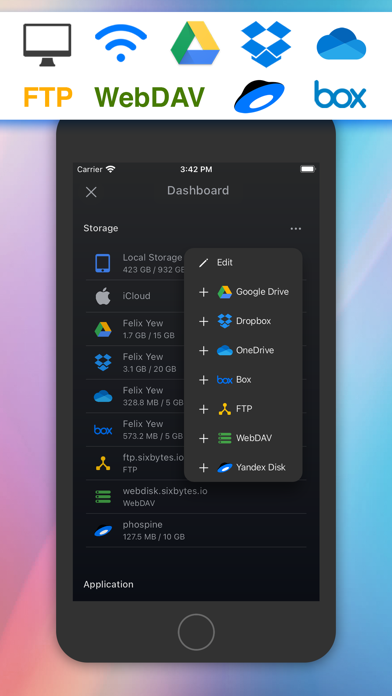
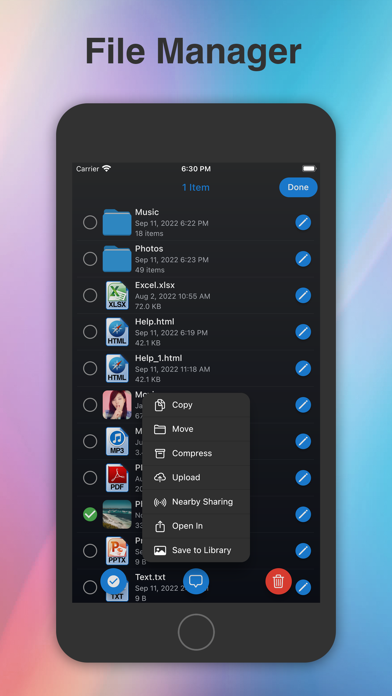
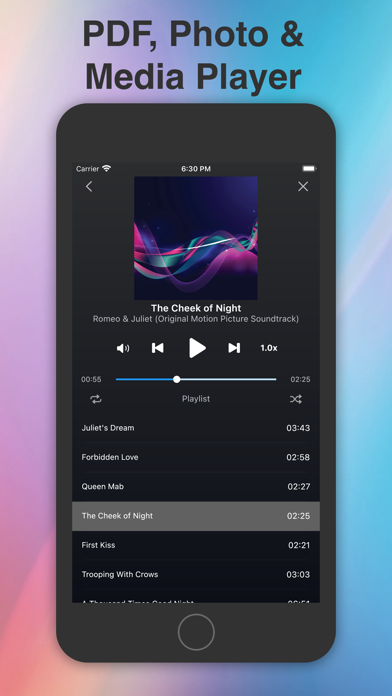
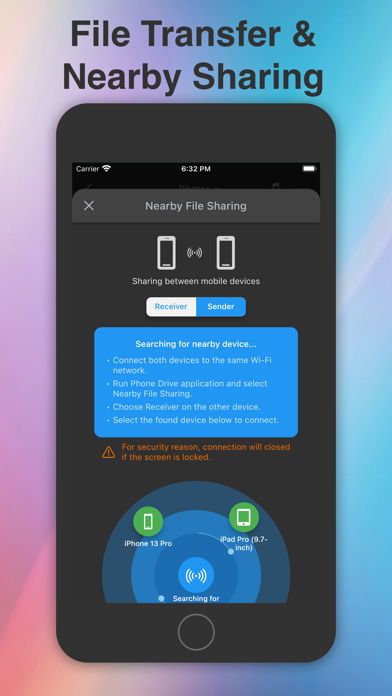
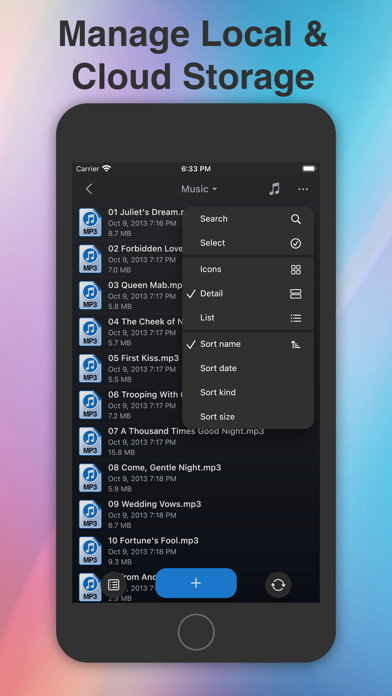
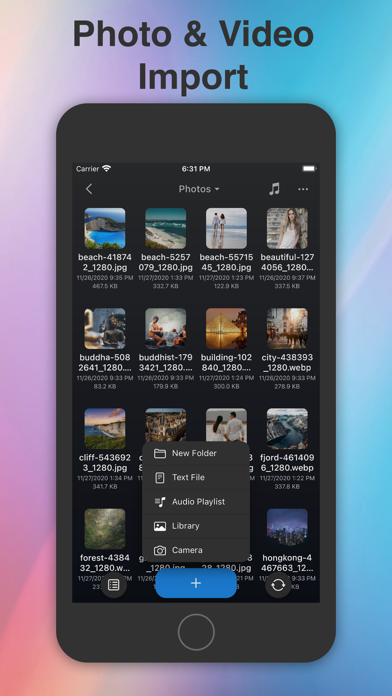
Introducing Phone Drive - File Manager: Transform your iOS device into a portable Wireless Flash Drive. With Phone Drive, you can effortlessly store, view, and manage local or cloud files on your iPhone or iPad. Seamlessly connect to Phone Drive from any Mac or PC over a WiFi network and transfer files through simple drag and drop from Web Browser, Finder or Windows Explorer. Experience the convenience of managing multiple cloud accounts in a single application. Download, upload, view, and even stream videos or music directly from your cloud drives. Phone Drive boasts a comprehensive set of features including a document viewer, PDF reader, music player, image viewer, voice recorder, text editor, file manager, and support for various file operations such as delete, move, copy, email, share, zip, unzip, and more. *** KEY FEATURES *** • SUPPORT CLOUD STORAGE: Connect to multiple Dropbox, OneDrive, Box Drive, FTP, WebDAV, Yandex Disk, and iCloud Drive storage accounts. (*additional in-app purchase required) • MULTIMEDIA PLAYER: Create custom audio playlists with options like repeat, shuffle, background playback, and multitask remote control. Stream videos and music directly from your cloud storage. • DOCUMENT READER: View MS Office, iWork, Text, and HTML files with ease. • FILE OPERATION: Effortlessly move, copy, rename, delete, zip, unzip, unrar, create files, and folders. • FILE SHARING: Share files with other iPhone/iPad devices via Bluetooth or Wi-Fi, with automatic search for nearby available devices. • EASY FILE UPLOAD: Conveniently upload files through drag and drop via your PC/Mac web browser or USB using iTunes. • TEXT EDITOR: Edit text files and source codes directly on your iOS device with the built-in text editor. • IMPORT/ FILES CREATION: Create text files, capture images, record videos or voice memos, and import pictures from your photo library. • PASSCODE LOCK: Protect your files from unauthorized access. Utilize Touch ID and Face ID support for secure unlocking. • UNIVERSALITY: Enjoy the benefits of this app on both iPhone and iPad with a single purchase. *** AUDIO PLAYER *** • Play MP3 files as playlists. • Repeat and shuffle songs. • Background audio playback. • Multitask audio remote control. • Stream music from cloud storage. *** VIEWABLE FORMATS *** Phone Drive supports the following formats: • Audio (WAV, MP3, M4A, CAF, AIF, AIFF, AAC) • Images (JPG, PNG, GIF, BMP, TIF, TIFF, ICO) • Movies (MP4, MOV, MPV, M4V) • iWorks (Pages, numbers, and Keynote) • Microsoft Office (Word, Excel and PowerPoint) • RTF (Rich Text Format) • RTFD (TextEdit with embedded images) • PDF Documents • Plain text • Source code • HTML web pages • Web archives Explore more about Phone Drive at: Website : https://sixbytes.io Twitter: https://twitter.com/SixbytesApp Facebook: https://www.facebook.com/sixbytesapp For detailed information, please review our Terms of Service and Privacy Policy: • Terms of service: https://sixbytes.io/products/phone-drive/legal/terms • Privacy policy: https://sixbytes.io/products/phone-drive/legal/privacy-policy
What's New
Hello, everyone! We’re thrilled to share a minor update designed to make your app experience even better. This week, we’ve been hard at work squashing bugs and fine-tuning improvements across the app. Your valuable feedback plays a huge role in helping us grow and improve—thank you! For more details: Website: https://sixbytes.io X (Twitter): https://twitter.com/SixbytesApp Facebook: https://www.facebook.com/sixbytesapp If you’re loving the app, we’d greatly appreciate a 5-star review. Your support inspires us to keep bringing you exciting new features. Thanks for being part of our journey!
Details
- Developer
- Eightythree Technology
- Main Category
- Utilities
- Version
- 8.6.43
- Version Release
- 2026-07-06
- Initial Release
- 2011-04-26
- Size
- 130 MB
- Age Rating
- 17+
- Price
- USD 4.99
- Languages
- NL, EN, FR, DE, EL, IT and 9 more
- Bundle ID
- com.eightythree.iPhoneDrive
- Version Rating
- ★ 4.67 (2,254)
- First Seen
- 2026-05-28
Metadata updated 2026-07-19
Rank History
Free · Max 90 days · Top 5 categories shown (Y-axis: rank, lower is better)
No rank history data
Free Rankings
No rankings
Paid Rankings
No rankings
User Reviews
유료로 사용했는데 클라우드 공유로 다시 유료로 구매하라는 메시지가 뜸니다. 맞나요??
good good
잘 사용하고 있습니다^^
업데이트하고 파일이 다 없어졌어요.
안드로이드처럼 폰안에있는 파일탐색하는거 아님 속지마삼
꼭 사용해보길 권하고 싶어요..
저만 그런가요?
ip주소로 연결할 때 연결이 안되는 일이 버전 업그레이드 이후로 자주 보입니다.
연결이 되어선 파일 한두개 복사하고 또다시 마냥 접속이 안된다는 오류 메세지뿐. 환불 어디서 하나요.
mp3 재생도 되고 이동식디스크 역할도 되고 좋은데 동영상 재생이 mp4파일만 되는게 아쉽네요 코덱지원 좀 부탁드립니다^^ 그리고 mp3 재생시 배속조절 기능 좀 추가시켜주세요~ 1.2배속 1.4배속 1.6배속 이런거요ㅎ 훌륭한 app 감사히 잘 쓰고있습니다 ㅎ
Reviews are collected only for apps with detected changes (new entries or sharp risers).