

Rowmote Pro for Mac
🇰🇷 KR LocalizedScreenshots


Description
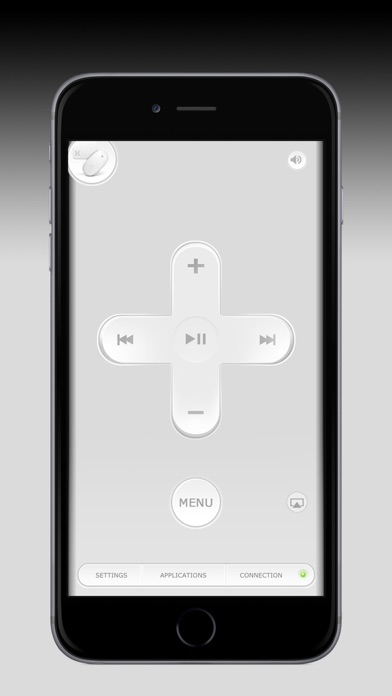
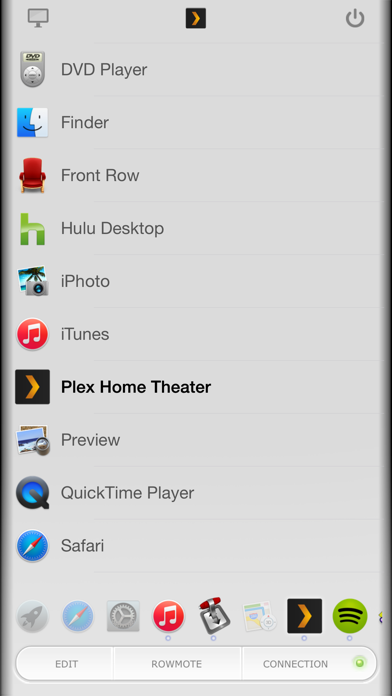
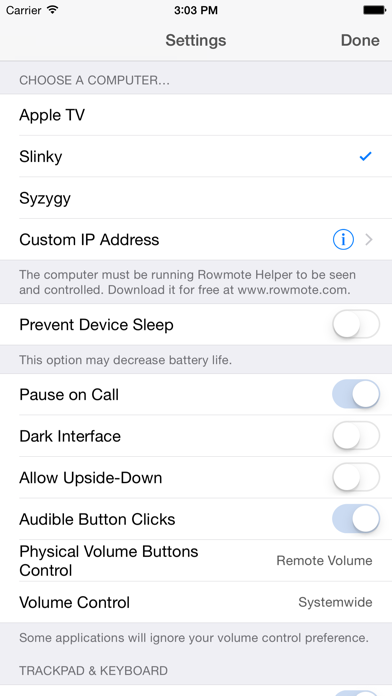
Rowmote Pro is the ultimate wireless remote, trackpad, and keyboard for Mac. A gorgeous universal app for iPhone, iPod Touch, and iPad, with everything from a multitouch trackpad to full extended keyboard support, and with no-configuration control of dozens of the best Mac applications, it is a must-have for any home media center or presentation! * Rated "Excellent" and one of just 400 apps featured in the WIRED App Guide 2011 * You love the remote control which came with your Mac - so simple yet elegant, with easy control of Front Row, iTunes, Quicktime, DVD Player, Keynote, and more. Or, your Mac didn’t come with a remote control or doesn’t even have an infrared port. The Apple Remote would cost a significant amount. Add ANOTHER hit to your wallet for a wireless control like a keyboard, mouse, or the Apple Magic Trackpad! You carry your iPhone, iPod Touch, or iPad wherever you go… so why should you carry a second device just to control your computer? Furthermore, why should you need line-of-sight to do so? Enter Rowmote Pro! Rowmote Pro is like your Mac’s remote control, but over the wireless network and even better! Trackpad and keyboard give you complete control over your computer, and you can control, launch, and quit apps, toggle the Music Visualizer, and more without ever having to squint at your screen. Rowmote is Mac-like from the ground up. FEATURES - Control your Mac completely over a wireless network. No line of sight necessary. - Works like the hardware Apple Remote Control in: • Adobe Lightroom • Airfoil Video • Amarra • Aperture • BBC iPlayer • Beamer • Boxee • Decibel • DVD Player • Ecoute • eyeTV 3.x • Firefox • Front Row • Hulu Desktop • iPhoto • iTunes • Keynote ‘08 & later • kJams Pro • Kodi • Last.fm • Logic • Microsoft Powerpoint ‘04 & later • mPlayer • Movist • Music • OpenOffice Impress • Preview • PandoraBoy • PandoraJam • PandoraOne Desktop • Photos • Plex, Plex Home Theater, & Plex Media Player • Quicktime • Rdio • Safari • Skim • Songbird • Spotify • Squire • The Tube • VLC • xbmc (Xbox Media Center) PRO CONTROL: A single tap switches to the keyboard & trackpad mode. - True multitouch: Scroll with two fingers, right click, drag, pinch to zoom, and swipe with 3 or 4 fingers. - Tap anywhere or use the virtual button - Keyboard includes extended characters, modifier keys, function keys, numeric pad, brightness control, and more - Multiple monitor support - SWITCH: Access your Mac’s Dock; launch & switch between all controllable applications on the Mac; toggle the iTunes visualizer; and more. - Sleep & wake as needed - Pause the music or video automatically when you answer a call on your iPhone - Proximity sensor support to automatically turn the screen off if the device is face-down - Secure authentication - Connect via WiFi or Bluetooth (Bluetooth requires Personal Hotspot Bluetooth tethering) REQUIREMENTS • The free Rowmote Helper program must be running on the Mac. Download at www.rowmote.com. • Apple TV: 1st gen/2nd gen only may see www.rowmote.com/atv for potential compatibility. Rowmote Pro is the only app you need to control your computer. Couple it with Apple’s free Remote app to turn your iPhone or iPod Touch into the ultimate controller for home stereo, mobile presentation, or casual video viewing. Artwork of Rowmote Pro is by Rik Schennink.
What's New
• Updated interface for all iOS devices • Redesigned, simplified iPadOS interface • Added iOS copy & paste functionality for keyboard • Extensive under-the-hood improvements for improved performance and to serve as a foundation for future work • Fixed a bug in iPadOS which could lead to a crash on launch in some cases
Details
- Developer
- Evan Schoenberg
- Main Category
- Utilities
- Version
- 5.0.1
- Version Release
- 2022-11-16
- Initial Release
- 2009-05-19
- Size
- 37 MB
- Age Rating
- 4+
- Price
- USD 4.99
- Languages
- DA, NL, EN, FR, DE, IT and 7 more
- Bundle ID
- com.regularrateandrhythm.rowmotepro
- Version Rating
- ★ 4.22 (107)
- First Seen
- 2026-05-28
Metadata updated 2026-07-11
Rank History
Free · Max 90 days · Top 5 categories shown (Y-axis: rank, lower is better)
No rank history data
Free Rankings
No rankings
Paid Rankings
No rankings
More by This Developer






User Reviews
Not working on my Mac. 😭
Mojave以降は使えない。 金返してほしい。
更新してください
DVD鑑賞の時にあったら便利だなぁくらいのつもりで、高いけど購入! 使ってみたら、いろんなアプリに対応していて、トラックパッドも使えるし多様に使えます!おすすめ!ただ、アマゾンプライムで映画を見ている時、全画面表示にすると早送りも巻き戻しも←→が効きません。全画面表示も、アプリ上ではできません。Google Chromeに関しては全画面表示にしなくても←→は効きません。それができたら更に最高!
良い(๑˃̵ᴗ˂̵)
自室はロフトベッドを使用しています。パソコンはベッド下に置いてあります。音楽を付けたまま眠ってしまうことがあるのですが、ベッドから降りずに操作ができるので便利です。 パソコンとの同期がすこしめんどうでしたが、致し方ないかなという感じです。便利さに比べたら許容範囲です!
マウスやキーボードが必要なくなるくらい万能です。 実際には、マウスやトラックパッドに割り当てたジェスチャには対応出来ないので、ジェスチャを多用しない人にとってはすごく便利。 因みに脱獄無しではApple TVには対応していません。 追記【H27.6/27】 これに変わるアプリはもうでないかもしれませんね。Macの前で楽な姿勢で操作できる上、使い道を探していた旧型iPadが専用のインターフェースになるのでまさに捨てるところなしです。 追記【H28.11/3】 MacでNetflix見てる人には超おすすめです。再生、停止、音量調整が大きいボタンで出来ます。iPadの場合何より手元の確認が必要ない。
Works as expected under wifi. Yet the feature I needed most, connect on a custom network (for when there is no router) doesn't work on macos Sierra. It has not been updated in a long time. Except for that, I recommend it.
1ヶ月ほど使いました。 使い心地は問題ありませんが、パソコン側のカーソル付近の文字が歪むようになったのが気になります。
ソコソコの使い勝手
Reviews are collected only for apps with detected changes (new entries or sharp risers).