
CX-3 Flight Computer
🇰🇷 KR LocalizedScreenshots



Description
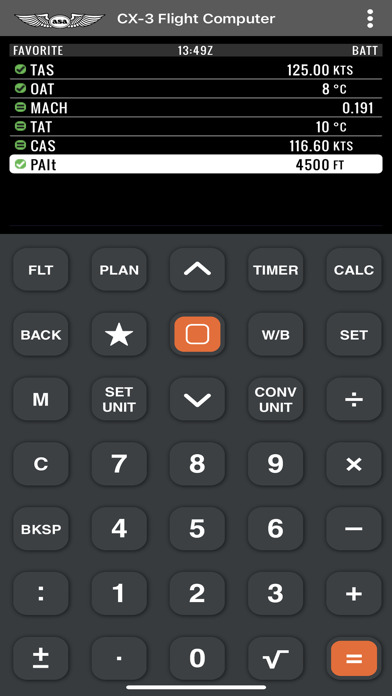
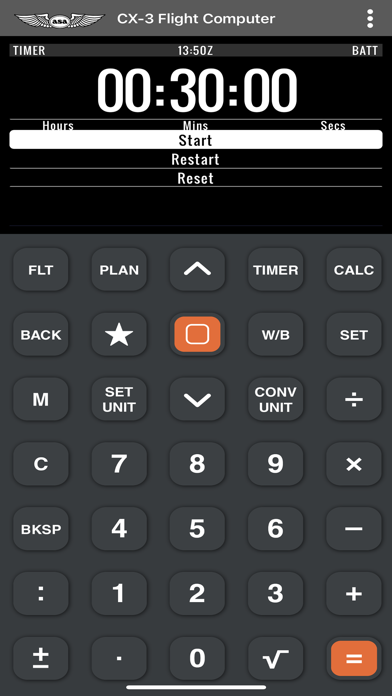
Based on the ASA CX-3® Flight Computer for pilots, this CX-3 app makes flight planning simple by taking confusion out of the equation. Fast, versatile and easy to use, the CX-3® delivers accurate results quickly and efficiently. Whether used for flight planning, ground school, or FAA Knowledge Exam preparation, the menu organization reflects the order in which a flight is normally planned and executed, resulting in a natural flow from one function to the next with a minimum of keystrokes. Multiple aviation functions can be performed on the CX-3® flight computer including those related to time, speed, distance, heading, wind, fuel, altitude, cloud base, standard atmosphere, glide, climb & descent, weight & balance, as well as a holding pattern function to help determine entry method and holding details. The CX-3® has 12 unit-conversions: Distance, Speed, Duration, Temperature, Pressure, Volume, Rate, Weight, Rate of Climb/Descent, Angle of Climb/Descent, Torque, and Angle. These 12 conversion categories contain 38 different conversion factors for over 100 functions. A calculator, clock, timer, and stopwatch are also built in along with multiple settings for lighting, backlighting, themes, time zones and more.
What's New
Minor updates and calculation improvements.
Details
- Developer
- ASA
- Main Category
- Utilities
- Version
- 1.0.5
- Version Release
- 2025-04-29
- Initial Release
- 2022-10-11
- Size
- 3 MB
- Age Rating
- 4+
- Price
- USD 19.99
- Languages
- EN
- Bundle ID
- com.asa2fly.cx3
- Version Rating
- ★ 3.73 (11)
- First Seen
- 2026-05-28
Metadata updated 2026-07-18
Rank History
Free · Max 90 days · Top 5 categories shown (Y-axis: rank, lower is better)
No rank history data
Free Rankings
No rankings
Paid Rankings
No rankings
More by This Developer

Prepware Aviation Maintenance
Education · ★ 3.8 (360)

FAR/AIM
Reference · ★ 3.4 (248)

Prepware Private Pilot
Education · ★ 3.9 (133)

Prepware Remote Pilot
Education · ★ 4.3 (100)

Prepware Instrument Pilot
Education · ★ 2.6 (43)

Prepware Commercial Pilot
Education · ★ 2.8 (36)

Prepware CFI
Education · ★ 2.5 (35)

Private Pilot Checkride
Education · ★ 3.2 (21)
User Reviews
I was multiplying in the item 3 the weight time arm and result was wrong.
The user can touch the buttons that mimic the buttons on the actual calculator, but when the FLT button is pressed the menu that is launched can only be accessed with up down arrows (just like the actual calculator). Using this on a touch screen device like an iPad is a poor user experience, especially for $9.99. Please update the menus to touch buttons.
I am teaching PPL ground school. I recommend to all my students the physical ASA CX-3 for the FAA knowledge tests. This app allows me to demonstrate the functions on my iPad, if needed projected to a bigger screen. I find myself even using it at home, when again I cannot remember where I put my physical CX-3. Sure, ASA has the Web demo app, however, it is beneficial to have an app independent of WiFi or cellular access. Well worth a small fee.
I think they’ve fixed the calculation issues with W/B because I haven’t experienced them.
I use this for my students while their calculator is on order.
I use this tool everyday, what’s great is it also works offline unlike the website. If you in aviation school I would definitely recommend buying this app. I only deducted a star because some users say the calculations to be inaccurate but I believe they fixed those issues but I have also never experienced those problems, the app works well for me and I think it will for you too.
The website simulator is free, and doesn’t provide wrong numbers :( I had high hopes for this app, as it could’ve been more convenient than going to the website, but having a calculator that doesn’t work is disappointing. Had the same issues as the other review. Until it’s fixed, don’t buy.
The CX3 is a good calculator. The web emulator is decent, but this app has some bugs that provide inaccurate calculations. I’ve found a few in the Weight/Balance section and fuel calculation section. An example, the app defaults AvGas to 13lbs instead of 6. I’ve not found a place where I can correct it, so all fuel calculations are wrong. A second example: when calculating the W/B, the total CG just adds the stations together instead of following the formula of CG=M/W. I’m sure there are others. Don’t trust it! It can work as an emulator to practice while you wait (a long time) for your actual CX3 to arrive, but it should not be used in real-life aviation. Also, I have to fully close the app and relaunch it a few time before it will work. I often just get a white screen on load. I’m going to request a refund from Apple. For me, it had proven untrustworthy.
Reviews are collected only for apps with detected changes (new entries or sharp risers).