

µBrowser: Watch Web Browser
🇯🇵 JP LocalizedScreenshots
Description
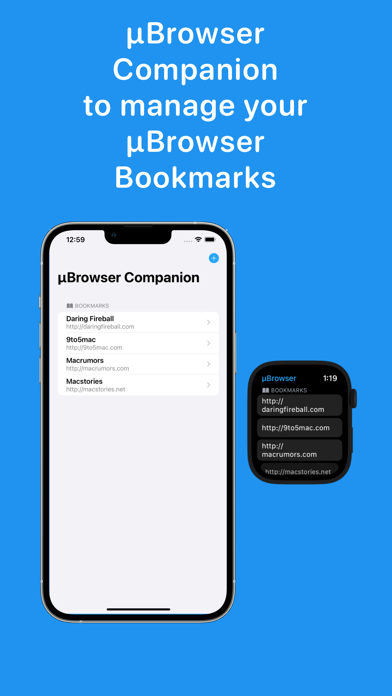
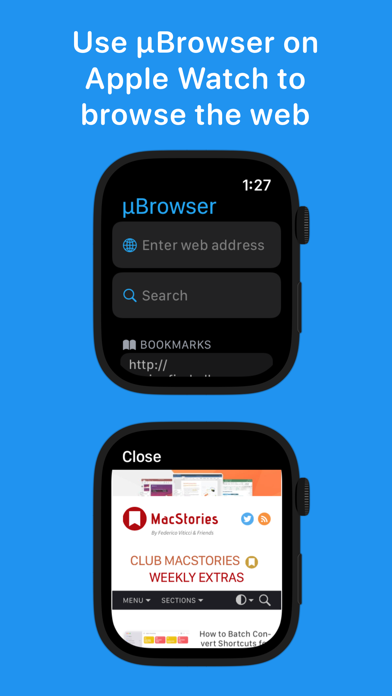
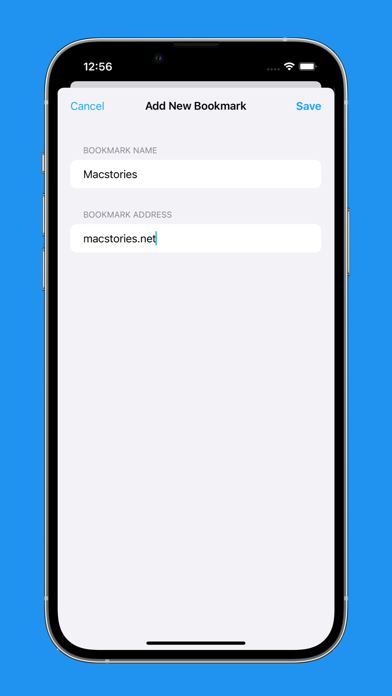
µBrowserは、Apple Watch用のマイクロブラウザです。 µBrowserは、必要なときにApple Watchで基本的なブラウジングを迅速に行える方法です。 制限はありますが、周りに他のデバイスがないときにウェブをブラウズするのに良い方法です。 機能: - 任意のURLを開く(URLの入力は、新しいSeries 7のキーボードで特にうまく機能します) - DuckDuckGoでウェブ検索 - 最後にアクセスしたページを表示 - 履歴のページをお気に入りに保存 - ブックマークを管理するiOSコンパニオンアプリ - 文字盤からブラウザにすばやくアクセスできるコンプリケーション 以下にご注意ください: µBrowserは制限付きのブラウジング体験です。 最初はデバイスのサイズによって制限されます。 次に、Javascriptと大きなウェブページに関する制限があります。 ページ上でのログインはほとんどの場合機能しません。 新しいセッションを開始するために必要な[戻る]ボタンはありません(スワイプは引き続き機能します)。
What's New
- watchOS向けに2つのコントロールを追加:ブックマークとクイックアクセス。アクションボタンまたはコントロールセンターから任意のWebページやアプリを開けます - 新しいOSバージョンに対応 - 軽微な修正
Details
- Developer
- Arno Appenzeller
- Main Category
- Utilities
- Version
- 4.0
- Version Release
- 2025-09-12
- Initial Release
- 2021-12-09
- Size
- 13 MB
- Age Rating
- 17+
- Price
- USD 2.99
- Languages
- EN, FR, DE, IT, JA, KO and 4 more
- Bundle ID
- de.APPenzeller.WebWatcher
- Version Rating
- ★ 4.05 (101)
- First Seen
- 2026-05-28
Metadata updated 2026-07-19
Rank History
Free · Max 90 days · Top 5 categories shown (Y-axis: rank, lower is better)
No rank history data
Free Rankings
No rankings
Paid Rankings
No rankings
User Reviews
Fair implementation, except that the close button occupies 25% of the screen! That doesn’t leave much on this already tiny screen.
Googleの検索がまともの出来ないのが非常に残念、画面表示で急上昇ワードが邪魔して検索窓が枠外上に飛ばされる、日本でアプリを出すなら、超有名検索エンジンが使えないでブラウザを使えるとは言えない
Skeptical at first but actually works as specified which I appreciate majorly! Been a life saver when I go to the restroom without my phone but can still pull up ESPN lol Only giving 4 stars due to when you do search for something, I have a black bar with an “X” that takes up 25% of the Apple Watch screen…that’s a good amount of screen being used for what can just be a floating, see through “X” over the page
I hate DuckDuckGo. I don’t want it to be my search engine. I want to use regular Google - but I’m forced to use DDG. Please make this a feature.
Good app but unable to cancel subscription after returning my watch. There is no way to cancel the subscription from any device other than what it was purchased from.
It’s impossible to cancel the subscription.
Apple WatchでTwitterのDMを返せれば便利だなと思い購入。 ブックマークに保存し、Twitterにログインしたのですが、ページを閉じるとログイン情報が保存されておらず、パスワードを要求されました。 Apple Watchの仕様なのかと思いましたが、メールアプリからTwitterのURLを開いてログインすると、アプリを終了してもログイン情報が維持されていました。 Cookieさえ使えれば神アプリだと思います。 今後のバージョンアップに期待しています。 追記 WatchOSの制限だそうです。WatchOS12(26?)に期待
This app is great but there’s some problems that I feel like take it out of its price value, first is the big x when the search is opened, whenever I search something and the website shows up there’s a big x in the corner that just takes up space and I feel like it’s useless and even if u scroll up it doesn’t go away, second thing is the search engine I don’t really see why I’m limited to duckduckgo because I really hate it and having other search engines would’ve been really helpful
Overall good browser, just wish it could do videos. Hopefully this feature will come soon
On Apple Watch Series 10 watchOS 11, 1/4 of the screen is taken up by a black bar just for a single (x) button and more is taken up by the URL bar. This only leaves 2/3 of the watch face for web content. To me, this makes use more difficult. Otherwise the app works.
Had this little gem for awhile and quite handy when you have other devices around or just wanna use it. I’ve tested almost every website I could think of on it and it’s been able to view it. At times links to buy items link don’t go through right away but that’s not even a complaint. I’ve tested quite a few micro browsers on watch and this is by far the best on market. Thank You!
The install wheel has been spinning for days.
Reviews are collected only for apps with detected changes (new entries or sharp risers).