

Wavebox Audio Editor
🇯🇵 JP LocalizedScreenshots

Description
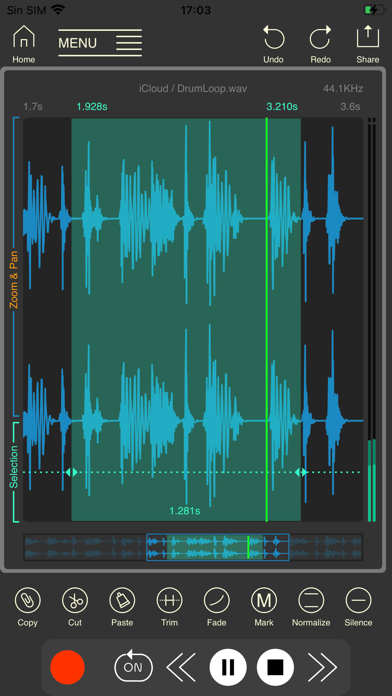
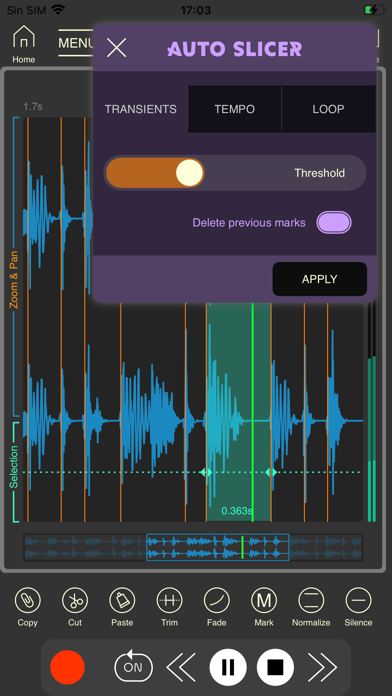
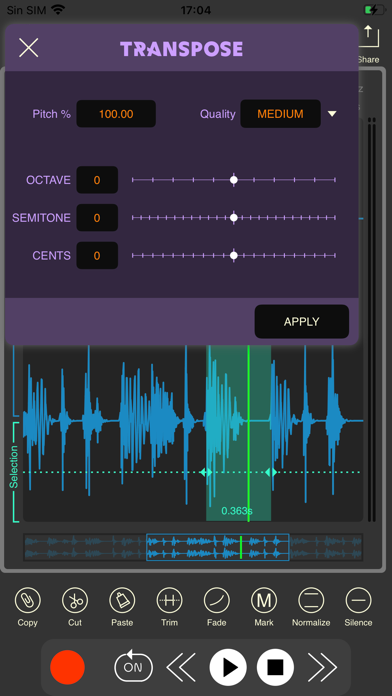
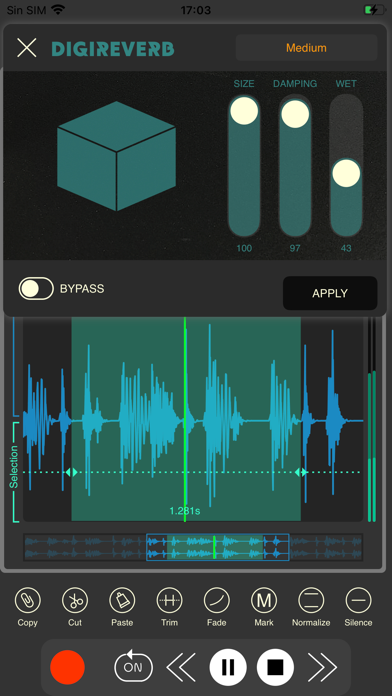
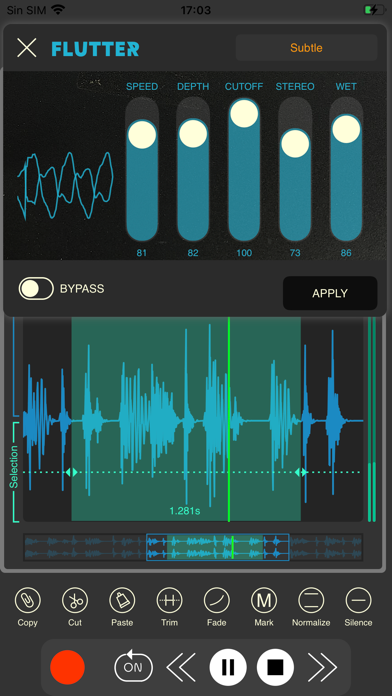
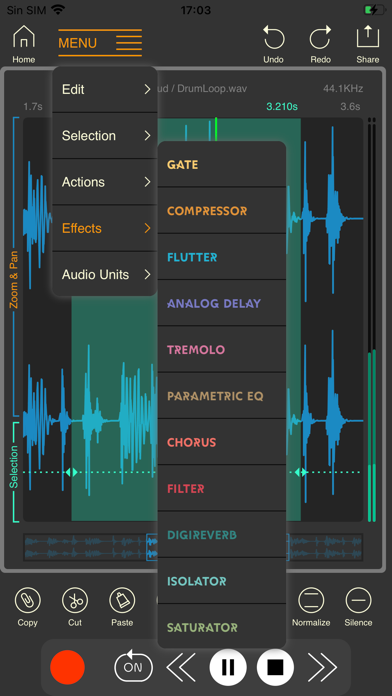
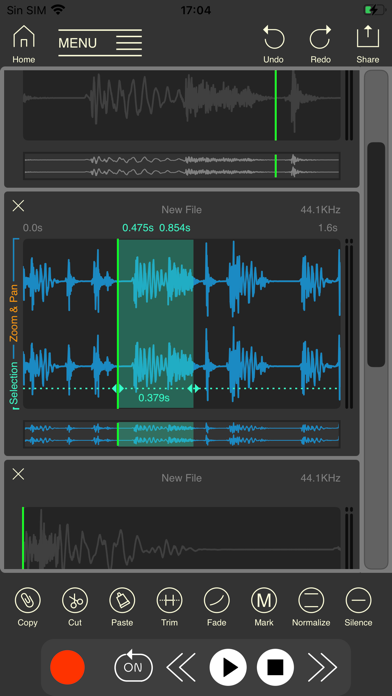
Simple and powerful audio editor with a built-in waveform editor. - Import audio files in WAV, FLAC, MP3, OGG, and more. - Extract audio from video quickly and easily. - Auto Slicer for beat or transient-based editing. - AUv3 support — use your favorite Audio Units for real-time effects. - Built-in effects to enhance your audio. - Lossless internal audio recording for the highest quality. - Export audio in WAV, FLAC, MP3, and M4A formats. Organize and manage your audio like never before: - Create and manage custom folders — the app links to your directories without copying files. - Play all the audio files in a folder like an MP3 player. - Preview audio directly from the browser. - Preview audio with applied effects and AUv3 plugins — something rarely seen in other apps. Edit your audio with precision: - Cut, trim, copy, and paste segments. - Apply silence, fade in, and fade out. - Normalize your tracks for consistent volume. - Zoom, scroll, and select in the waveform using a single finger — super fast and comfortable for editing on the go. Perfect for musicians, podcasters, DJs, and anyone who wants precise control over their audio library.
What's New
Bugs fixed.
Details
- Developer
- Luis Rivas
- Main Category
- Photo & Video
- Version
- 1.6.7
- Version Release
- 2026-03-11
- Initial Release
- 2021-07-21
- Size
- 31 MB
- Age Rating
- 4+
- Price
- USD 7.99
- Languages
- EN, ZH, ES
- Bundle ID
- com.laranxaworks.mowave
- Version Rating
- ★ 4.42 (69)
- First Seen
- 2026-05-30
Metadata updated 2026-07-19
Rank History
Free · Max 90 days · Top 5 categories shown (Y-axis: rank, lower is better)
No rank history data
Free Rankings
No rankings
Paid Rankings
Competitive Benchmark — Photo-Video Top 10
What it takes to beat this app — comparison with the category's top apps. The orange row is the current app.
| # | App | Price | Rating | Ratings | Langs | Last Update |
|---|---|---|---|---|---|---|
| 1 | Moment Pro Camera II | USD 9.99 | ★ 4.37 | 353 | 1 | 2026-06-30 |
| 2 | PhotoPills | USD 10.99 | ★ 4.71 | 1,515 | 9 | 2026-04-16 |
| 3 | YoungPhoto - Aesthetic Camera | USD 1.99 | ★ 5.00 | 2 | 5 | 2026-06-26 |
| 4 | Stop Motion Studio Pro | USD 5.99 | ★ 4.74 | 13,535 | 17 | 2025-12-10 |
| 5 | Print to Size | USD 2.99 | ★ 4.86 | 19,385 | 6 | 2026-03-13 |
| 6 | PromptSmart Pro - Teleprompter | USD 29.99 | ★ 4.60 | 11,303 | 1 | 2026-06-03 |
| 7 | iWebTV PRO | USD 6.99 | ★ 4.71 | 4,083 | 2 | 2026-07-18 |
| 8 | myLightMeter PRO | USD 3.99 | ★ 4.79 | 1,074 | 7 | 2026-07-14 |
| 9 | CineTemp | USD 19.99 | ★ 4.88 | 25 | 1 | 2026-07-13 |
| 10 | LumaFusion | USD 29.99 | ★ 4.75 | 24,671 | 13 | 2026-07-06 |
| 87 | Wavebox Audio Editor | USD 7.99 | ★ 4.42 | 69 | 3 | 2026-03-11 |
User Reviews
Can you Please add a metronome
I like this app but apparently you can’t choose to enable multitrack mode (only individual solo tracks that you can toggle between)and you can’t import files (only paste from clipboard) while on the editing page on iPhone. You can’t even access the browser while editing on iPhone. There’s no good reason for that to be the case. Are these options extremely well hidden or just missing? I do appreciate the easy system audio recording (without having to save the video) and the fact that the file browser (only on iPad, apparently) doesn’t duplicate audio files in order to browse and preview them. Much credit for unique features like that which can’t really be found in other apps. On top of that, it’s available on iPhone, iPad and Mac. But, please continue to improve the experience. The same feelings go for Dawnbeat which has so much potential as long as it’s not abandoned.
I use this app as part of my daily workflow & consider it to be essential. Its design is very clever and efficient. I do however, have a few very important suggestions. The latest update removed the “Zero Crossing” option from the main screen and buried it at the bottom of a menu. Please consider putting it back where it was. I regularly switch it on and off and its new location slows me down quite a bit. Also, the “Fade in” and “Fade out” buttons are combined. I understand that this saves space, but I always use Fade out and only sometimes use Fade in. I use the Zero Crossing function for sample start points and Fade out for the end points. If I want to alter the start point, I turn off Zero Crossing, set the location, and apply a Fade in. The way things are laid out presently, adds lots of button presses to that task. If there was an option to store desired buttons in the taskbar, everyone could customize the GUI to suit their needs. Finally, and this one is minor, when you select an action or effect, the item opens up and covers the play button. This requires us to always need to slide it out of the way in order to audition the change. As I mentioned, this app is essential to me and I think you’ve done an excellent job with it. I also appreciate the fact that you continue to update it. I’ve written multiple emails to the support address, but never received a response, so I’m attempting to contact you here. I don’t know if Apple allows us to roll back to older versions of apps. If so, I definitely would if only to regain easy access to the Zero Crossing button. Thank you for creating this great app and I would love to hear your thoughts.
I bought this specifically to cut 2 seconds off the very beginning of a nearly 120 minute recording. Unfortunately, every time I try to cut that small section, wavebox deletes the entire recording. It works as it should for smaller files/recordings, but it didn’t work at all on the large file I needed to edit.
I was looking forward to use Wavebox to record internal audio on my iphone, but VoiceOver can’t read anything on the opening screen. I understand that VO can’t really work with a visual wave editor, but maybe Wavebox could open on an accessible screen that offered internal audio record, or wave editor screen. And a screen to play recordings, or save internalaudio just recorded. just some thoughts.
Every time I stop a recording the entire app crashes
Been using AudioShare for years as a simple audio editor and happy to say this app very quickly replaced it!
After updating to the most recent version, the app crashes every time I open a long (30-60 minute) audio file. I’m on an iPad Pro, running iPadOS 17.7.8.
Just keeps getting updated with better and better features. It’s all you could want for editing audio files. Not a single complaint. Beautiful app.
EDIT: Large files can now be opened! Woohoo! WONDERFUL audio editor… Just can’t open “large” files, when most other editors can (can’t process my podcast sessions 🫤).
This app used to be near perfect. Now, all of a sudden, whenever I record using the SCREEN RECORD function, the visuals of the incoming signal are all distorted and randomly out of sync. I don’t know if the latest update did this, but could you please look into it and try to restore the previous functionality?
Reviews are collected only for apps with detected changes (new entries or sharp risers).