

PaperCal
🇰🇷 KR LocalizedScreenshots
Description
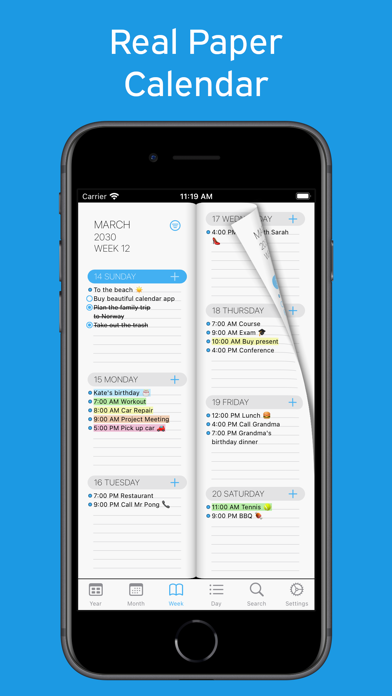
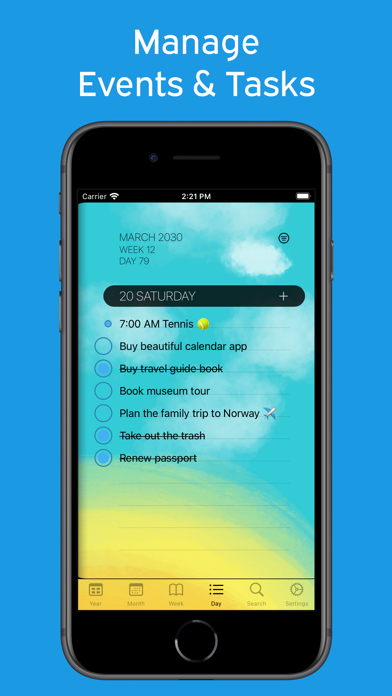
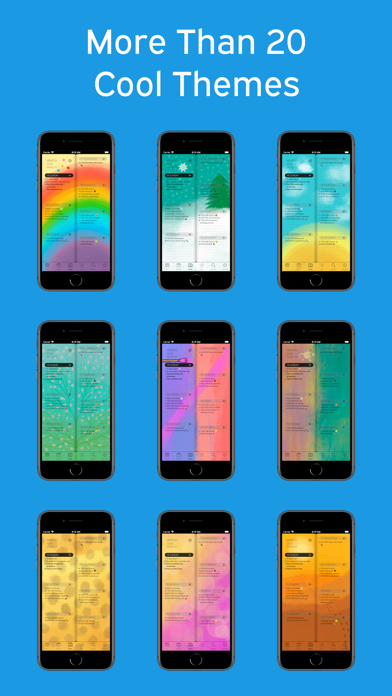
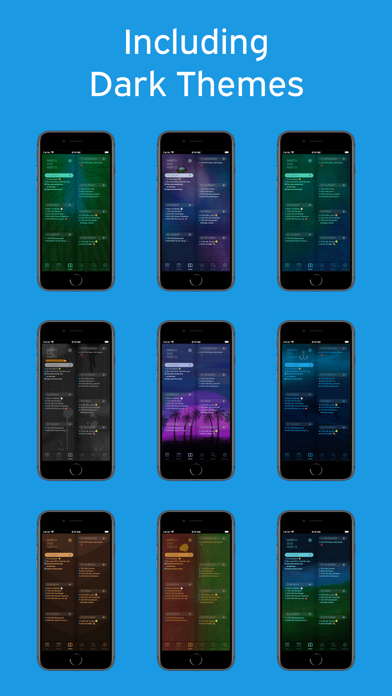
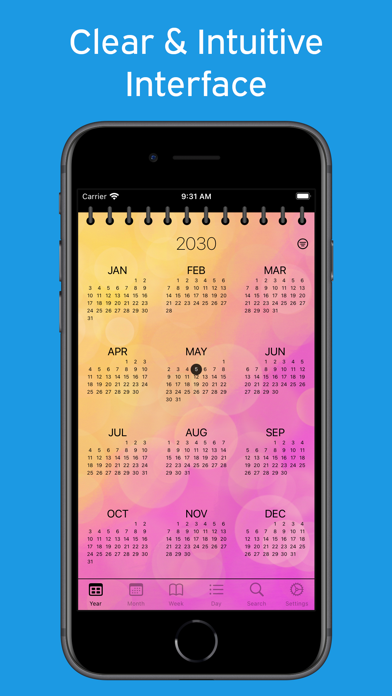
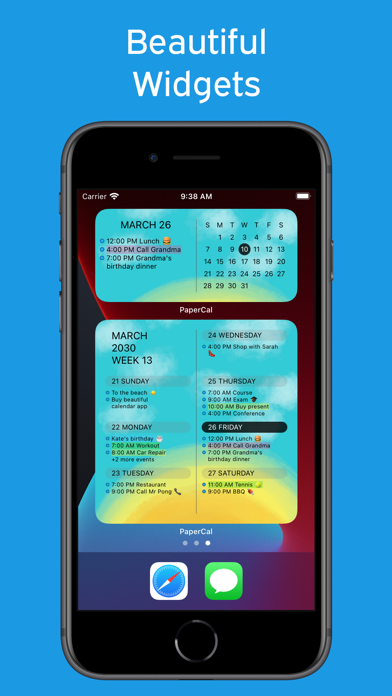
A paper calendar. Reimagined for iPhone. Simple, clear, and easy to use. With beautiful widgets for your Home and Lock Screen. ▶ Why PaperCal? ◀ • See your schedule at a glance with clean, paper-inspired layouts • See tasks and events together in one view • Easy-to-read widgets for your Home and Lock Screen • Customize your calendar with 20+ beautifully designed themes • No clutter, no learning curve ▶ Calendar Views ◀ Switch between yearly, monthly, weekly, and daily views. Flip through pages like a real paper calendar. A clean, distraction-free interface. ▶ Tasks & Events in One Place ◀ No need for multiple apps. • Manage tasks and events in one place • Add and organize activities instantly • Sync with your existing calendars • Stay up to date across all your devices ▶ Make It Yours ◀ Choose from 20+ unique themes designed by illustrator Jojo Falk. • Add color tags to events and tasks • Quickly search your schedule • View week numbers and day counts ▶ Built for iPhone (and more) ◀ • Home Screen & Lock Screen widgets • Works on iPhone, iPad, Apple Watch, and Mac (Apple silicon) • One purchase, available on all devices ▶ Loved by Users ◀ “I love its simplicity and reliability.” “This calendar is great — I can see my whole week at a glance.” “I love this calendar because I can use it like a planner.” Rated 4.7+ by users worldwide. ▶ A Fresh Start ◀ PaperCal is the successor to “Week Agenda Ultimate”. Rebuilt from scratch based on years of feedback — now faster, clearer, and more refined. Start using PaperCal today.
What's New
Various improvements
Details
- Developer
- Johan Burgler
- Main Category
- Productivity
- Version
- 1.35
- Version Release
- 2026-05-06
- Initial Release
- 2021-05-08
- Size
- 105 MB
- Age Rating
- 4+
- Price
- USD 3.99
- Languages
- AR, CA, HR, CS, DA, NL and 27 more
- Bundle ID
- com.shadowbit.papercal
- Version Rating
- ★ 4.77 (415)
- First Seen
- 2026-05-28
Metadata updated 2026-06-25
Rank History
Free · Max 90 days · Top 5 categories shown (Y-axis: rank, lower is better)
No rank history data
Free Rankings
No rankings
Paid Rankings
No rankings
More by This Developer

User Reviews
Hello, I’ve been using your app very well and really enjoy it. However, there is a feature I would like to suggest. If I’m unable to complete all of today’s tasks, it would be very helpful to have a function that allows me to select them all at once and move them to tomorrow. Thank you.
Month view and doesn’t show you any information and details about your events. Just shows a dot. Looks good but non functional. You need to see your schedule and events at a glance not week by week. Overpriced for no features
是我一直在找的简洁直观又好用的日历类软件,就是不知道能不能有中文上线的那天
I love the app. It’s exactly what I was looking for, but it would be nice if we could have badges numbers on the home screen for the days we have events.
I love looking at my week at a glance. I love getting to use emojis to color up my schedule. I have bought it for both my kids!! Simple and perfect for regular organization.
심미적으로도 기능적으로도 군더더기가 없는 좋은 앱입니다. 최근 구매한 앱중 베스트!
08/12/25 in addition to below - both day view widgets are not picking up theme changes in your app. I had set white theme for a while and all 3 widgets were white, then, a few days ago, I changed theme in your app to one of the dark ones. The week view widget immediately changed to the dark, but both medium size and small widgets did not change and are still white. It’s been like this for a week. ************ You advertise your app with screenshots of widgets for iPhone and iPad, but 2 out of 3 widgets your app offers are not working. Only week’s view is loading on iPhone and iPad, but day views (middle size and small size widgets) aren’t. On iPhone they sometimes load and most of the time just empty squares displaying. On iPad they never load. You should either remove those from your app advertisement or fix the issue. Don’t confuse people into thinking that all 3 types of widgets are available.
无法访问日历
The only thing I would like to see is to be able to check off the things on my list that I have completed. Otherwise, this app is a true lifesaver for my schedule. Just like a paper calendar but “smaller” and very accessible!
The app is altogether stunning bar one exception. When using a widget the font size is WAY too small. It is unusable for those who don’t want to squint. This one oversight prevents a 5 star review. I will update my review if it is addressed.
With the large widget (week) the date does not update. I installed the app and small and large widget on a Monday, Oct 4th. Two days later the large widget still had Monday the 4th as the highlighted date. The app and small widget each updated as they should. An otherwise great looking calendar app. Still, I have uninstalled the app since I need the large widget. Please fix the issue. Previous review: As pointed out by another reviewer, the notification feature of the app does not work. This is a serious bug and needs to be fixed. Old review: I really wanted to like this app, but when adding/editing events the app frequently would freeze. It then becomes necessary to close the app and launch anew. This is beyond a little annoying, and hence the low rating. I uninstalled the app and the reinstalled it, hoping that this would help. Alas, it did not. Adding events and editing them is a fundamental requirement of a calendar app. Too bad, I really did want to like this app.
I like this calendar, but it states up to 6 family members can share the app-but there is no switch to turn on family sharing, it still asks for payment. Falsr advertising!
Reviews are collected only for apps with detected changes (new entries or sharp risers).