

SLD | Electrical diagrams
Screenshots


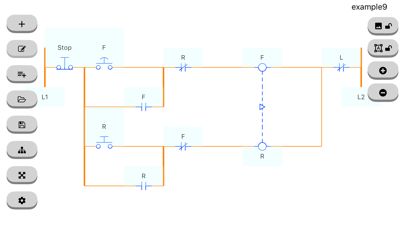
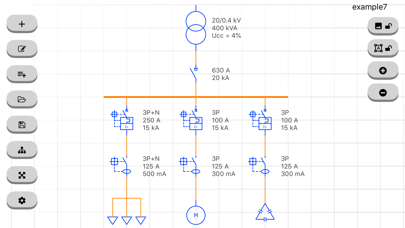

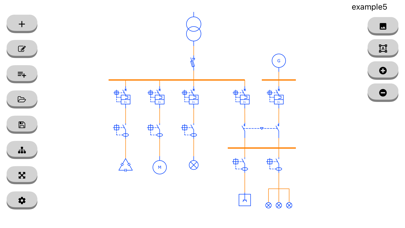
Description
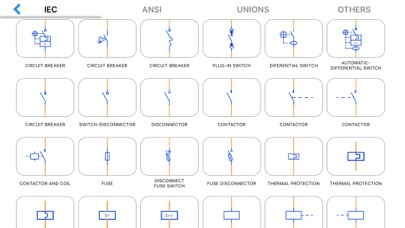
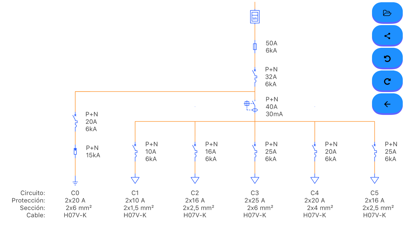
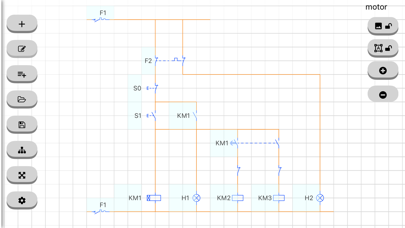
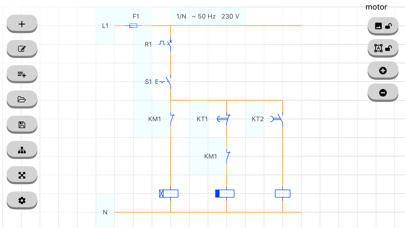
This tool will allow you to create your own one-line diagrams quickly and easily. Simply select the symbol you want to use and drag it to the desired position. The most commonly used symbols are integrated (IEC, ANSI standards): Symbols according to IEC and ANSI standards for electrical engineering: Circuit breaker, plug-in, switch, disconnector, fuse, differential (RCD), contactor, motor, generator, socket, plug base, contact, normally open NO, closed NC, valve, level, temperature, delay and advance opening and closing, limit switch, handle, interlock, push button, mushroom, lamp, grounding, energy meter, active (kWh) wattmeter, reactive (kvar) varimeter, transformer, voltage, current, three windings, overvoltage, thermal relay, magnetic, coil, clock, minimum and maximum voltage, starter, rectifier, inverter, battery, converter, AC/DC, DC/DC, frequency meter, voltmeter, ammeter, ohmmeter, soft starter, variable resistance, reactance, diode, varistor, heater, fault, star-delta transformer, insulation, regulator, connectors, conductors, phase, neutral, ground, protection, fan, photovoltaic panel, control, load and enter text such as volt, ampere, watt, energy # BASIC Version # * You can create your single-line diagram with the same symbols as the Version PRO * You can only work with a scheme although you can share it as an image, pdf or file * Once you create a scheme you will no longer be able to open another (they are not saved) * Contains ads # PRO Version # (1 - In-App Purchases) * You will be able to open, edit and save a scheme * Open in the following examples (link) * No ads * Missing a symbol? Contact us through the app * More examples: https://drive.google.com/drive/folders/15vTwFvjtu311lSEbYJLaqUfp_pyEwEDt?usp=sharing
What's New
* Performance and stability improvements
Details
- Developer
- Angel Martinez
- Main Category
- Productivity
- Version
- 3.3.4
- Version Release
- 2026-05-31
- Initial Release
- 2021-01-04
- Size
- 13 MB
- Age Rating
- 4+
- Price
- USD 1.99
- Languages
- NL, EN, FR, DE, EL, IT and 6 more
- Bundle ID
- com.xlingenieria.i.unifilar
- Version Rating
- ★ 4.12 (130)
- First Seen
- 2026-05-30
Metadata updated 2026-06-11
Rank History
Free · Max 90 days · Top 5 categories shown (Y-axis: rank, lower is better)
No rank history data
Free Rankings
No rankings
Paid Rankings
No rankings
User Reviews
Show me the easiest way to use this, I have the iPad which this app is recommended for. I also have the Apple pen. Every attempt that I have made to draw or design with the pen And or my finger does not allow me to do anything. I purchased the app and it’s basic version. As of right now, it’s a great concept, but not user-friendly at all.
Save as not working, used for three days, now no files!!!
Muy bueno para diagramas sencillos. Fácil de utilizar
Need to be able to shorten or lengthen a line.
This helped me out during my apprenticeship. Simple and functional.
Useless it has no drag to draw circuits. Don’t waste your time.
I like the app so far but it lacks universal symbols such as resistors and the ability to alter wire colors or shape colors. It will be nice to also have the ability to fill in background colors for distinction purposes. I work with the automotive industry and while this is helpful, it LKQ most of the symbols used in the auto industry
The “free” version has a lot of nice features, but you have to spend a lot of time figuring out how to use it.
I have used this app a few times now and it works great for what I need thanks!
Is not possible to use
Reviews are collected only for apps with detected changes (new entries or sharp risers).