

Health Data Server
Screenshots
Description
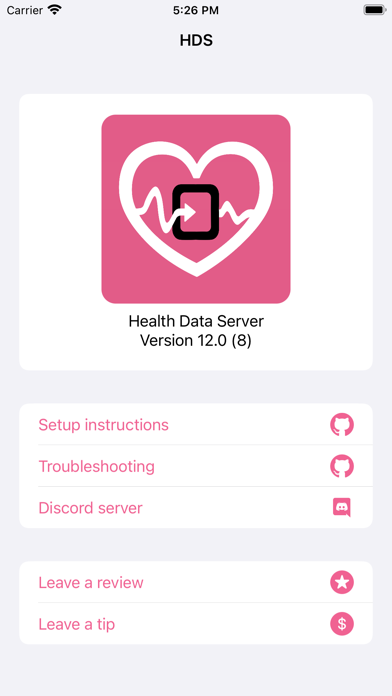
The watch app requires watchOS 8+ This app was built to get heart rate, calories, and more from your watch into a stream overlay. It does this by sending the data to HDS Cloud (or an IP address/port you specify). A website hosted at hds.dev can be used as a browser source in OBS to show the data. This app can save workout data to Apple Health Features: - Show your heart rate on stream with just an Apple Watch. No extra heart rate monitors required. - The app will only affect your Activity Rings if calories are enabled - Heart rate color ranges. Know where your heart rate is at a glance. - The overlay app comes with a plethora of customization options. Make your overlay look however you want. - The overlay comes with a heart beat animation that matches your real heart rate - The overlay can also play sounds to go along with the heart beat animation - Even more data for advanced users: - Motion - Every single HKQuantityTypeIdentifier available in HealthKit (so pretty much anything) Go to https://github.com/Rexios80/hds_overlay for information on how to set up the overlay.
What's New
- Rebuild to fix crash when attempting to input from iPhone - Fixes full keyboard not showing up on supported watches
Details
- Developer
- Aaron DeLory
- Main Category
- Health & Fitness
- Version
- 13.1
- Version Release
- 2025-01-26
- Initial Release
- 2020-01-23
- Size
- 27 MB
- Age Rating
- 4+
- Price
- USD 4.99
- Languages
- EN
- Bundle ID
- Rexios.HealthDataServer
- Version Rating
- ★ 3.93 (41)
- First Seen
- 2026-05-30
Metadata updated 2026-06-12
Rank History
Free · Max 90 days · Top 5 categories shown (Y-axis: rank, lower is better)
No rank history data
Free Rankings
No rankings
Paid Rankings
No rankings
User Reviews
I use this for my stream overlay and it works perfectly. I’ve never had any issues and the developer is super nice
This app calls itself a health data server but without an official Apple Watch it seems to be useless
Works like a charm.
Doesn’t work with new Obs
This is working great, and taking our livestream workouts to the next level. And Aaron has been great with communication via email. Perhaps the ability to have sharper, less compress icons when uploaded - but, all in all...great!!
Waste of money
I used other free apps before and finally decided to give in and get HDS and I’m absolutely glad I did! The last option I used, I had to quickly enter a code and pray it would connect. Now I just open my watch and tap “start workout” and click the visibility flag on streamlabs and boom, instant heart rate for my horror streams. Thank you for HDS!
This is exactly what I needed - Simple setup and excellent support to fix my user error. I use StreamLabs OBS and this is a simple and clean display of my Apple Watch Heart Rate Monitor.
This app is easy to set up with then help of their setup instructions on GitHub. Even if you are not a streamer and want your audience to see your heart rate you can just use Chrome to see your heart rate by using the same link that is used for obs or stream labs. Overall a very cool way to see your heart rate if you have an Apple Watch. Also the developer is super nice and helpful. I’d you join the discord for help he responded to me within like 10 minutes and help me sort an issue.
I had so many issues. Got in contact with the developer and he helped me with FAR more than just the app communicating with streamlabs. He even helped me with twitch issues. I now have a functional streamlabs
Reviews are collected only for apps with detected changes (new entries or sharp risers).