

Screenshots
Description
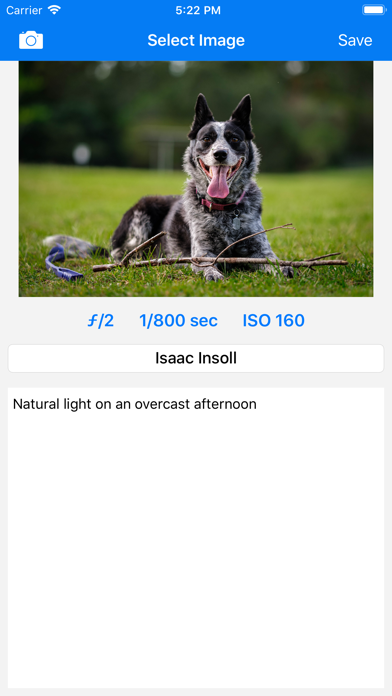
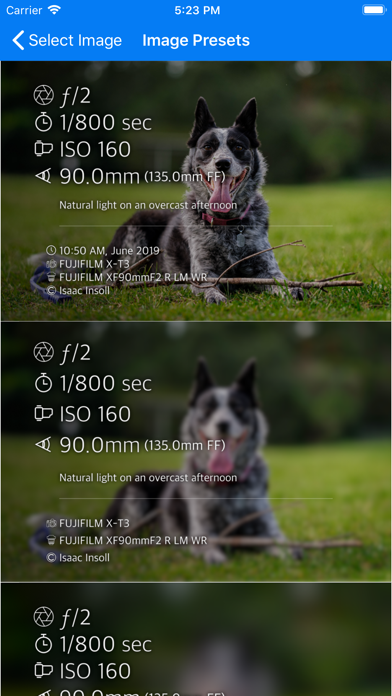
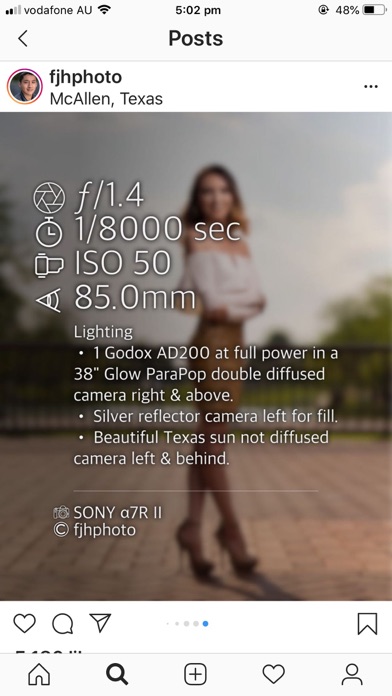
Photo Summary allows you to quickly and easily create beautiful images containing the camera settings used to take the photo. How to use: 1. Select a photo from your camera roll (perhaps previously downloaded via AirDrop Google Drive) 2. Add any notes or adjust settings if necessary then click 'Save' 3. Choose your favourite option from the list of designs and it will be saved to your camera roll. This app was inspired by the camera settings being shared in groups such as "Learn to Light - An OCF Lighting Community". Features coming soon: - iPad Support - Ability to edit presets *PRICING NOTE:* This is a once-off purchase. I will never ever add any in-app purchases, subscriptions, advertisements or anything like that. I'm a photographer trying to give back to the community that has shared so much and will keep this app updated with new features as quickly as I can. Ways that don't work: The app reads the EXIF metadata in your image which is not part of the image if you: - Use a screenshot of your photo - Use 'Save For Web' in photoshop (normal 'Save' works)
What's New
Add support for DJI Camera Names
Details
- Developer
- Isaac Insoll
- Main Category
- Photo & Video
- Version
- 2.1.3
- Version Release
- 2026-05-19
- Initial Release
- 2019-07-09
- Size
- 45 MB
- Age Rating
- 4+
- Price
- USD 3.99
- Languages
- EN
- Bundle ID
- com.IsaacInsoll.PhotoInfo
- Version Rating
- ★ 3.95 (39)
- First Seen
- 2026-06-01
Metadata updated 2026-06-11
Rank History
Free · Max 90 days · Top 5 categories shown (Y-axis: rank, lower is better)
No rank history data
Free Rankings
No rankings
Paid Rankings
No rankings
User Reviews
You can customize many settings
Personally I think the old interface was better
The new layout is very unappealing so I’ve stopped using it. Was great, still fine, just not as good as it was.
The most recent UI overhaul completely ruined the app. What was once a clean, visually pleasing collection of design presets was switched out for a slapdash DIY aesthetic of small, weirdly-kerned fonts. Yes, you can customize the look, but that hardly makes up for the previous version’s simple and elegant design.
Reported to developer on March 2022, not fixed yet.
This app is great, but it randomly provides the mm of the photo taken from my telephoto lens. Certain images it displays 220mm (600mm FF), and others it displays nothing. I have triple checked that the images exported from Lightroom still contain the data and it is displayed on all of the photos. Either add the ability to edit the mm that the photo was shot at manually like the other settings, or update it to reliably display this information correctly. This one small improvement would knock it out and boost it to 5 stars for me. Overall I really enjoy this app and it’s simplicity.
This information should be disclosed before purchase. I bought the app and I mostly shoot with iPhones and found out after purchasing and going to the troubleshooting menu that it doesn’t work with HEIF photos. Please do an update as more photos are taken on iPhones than all the other cameras put together.
Love the app, wish there was a version I could put on my laptop.
It’s a real frustration there’s no way to edit the way metadata is presented on your image. For people who shoot adapted lenses or medium and large format, there’s no way to manually enter your lens focal length or aperture. Give us the option to at least turn it off so there’s not unfilled information on our images.
I saw this app and thought it looked really nice. So after editing one of my latest shots, I thought I’d buy it and start using it. Of course, the first photo I try yo use this on, the shutter speed was 140 seconds. The app only allows you to do up to 30”. Would love an update so we could accurately put our shutter speed for long exposures. Instead of having to put in the notes sections, that this app limits me to 30 seconds.
Reviews are collected only for apps with detected changes (new entries or sharp risers).