
ScanMaster for ELM327 OBD-2
Screenshots
Description
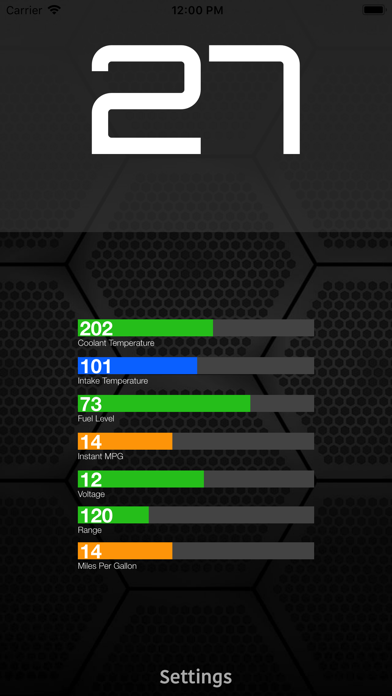
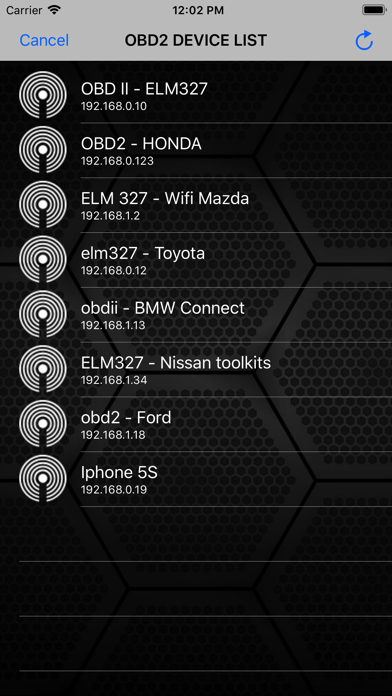
ScanMaster is an application for vehicle diagnostics to OBD-2 standards, communicates with an OBD2 / OBDII / ELM car interface device How to use: 1. Plug ELM327 WIFI Scanner into vehicle's OBD2 port. (Port is usually found on the driver side dashboard under the steering wheel.) 2. Turn ON ignition. (This is one step before engine is powered.) 3. Launch your ScanMaster App. Click "Settings" for scan list OBD2 device and select correct your OBD device for diagnostics. (default is 192.168.0.10 or 192.168.0.123) We would greatly appreciate the feedback on the app. Please send us an email about your experiences, opinions or suggestions.
Details
- Developer
- SMART Technologies GmBH
- Main Category
- Business
- Version
- 3.0
- Version Release
- 2017-12-11
- Initial Release
- 2017-12-11
- Size
- 4 MB
- Age Rating
- 4+
- Price
- USD 4.99
- Languages
- AR, CA, HR, CS, DA, NL and 27 more
- Bundle ID
- com.super.1
- Version Rating
- ★ 4.00 (153)
- First Seen
- 2026-05-28
Metadata updated 2026-06-09
Rank History
Free · Max 90 days · Top 5 categories shown (Y-axis: rank, lower is better)
No rank history data
Free Rankings
No rankings
Paid Rankings
No rankings
User Reviews
Stole my money without permission
I use the JScan app on my phone, and downloaded this app to diagnose another vehicle, I tried all 3 of my Bluetooth obd2 adapters, and it wouldn’t connect to any of them. Save your money and don’t download this app
Not working, Refund the money.
Scam
I yes buy this piece of trash and is not working I’m so mad
Very easy to setup and use
Total ripoff that costs $5 and just freezes on your iPhone. Gonna report to the BBB.
App is a scam
Will not connect, just shows a list of IP addresses and won’t connect To any of them, agree with others money should be refunded
My device isn’t showing up in settings
Reviews are collected only for apps with detected changes (new entries or sharp risers).