

Scrolling Credits Pro
Screenshots




Description
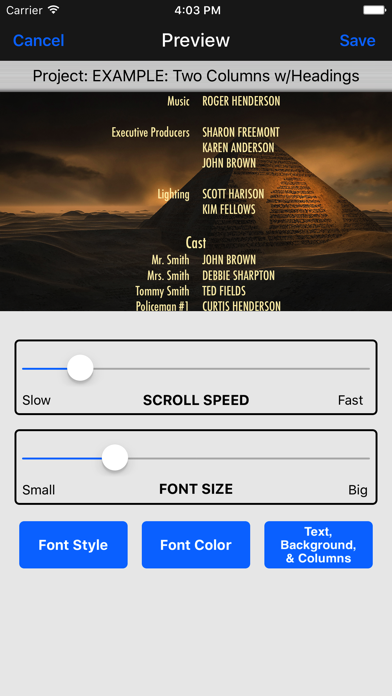
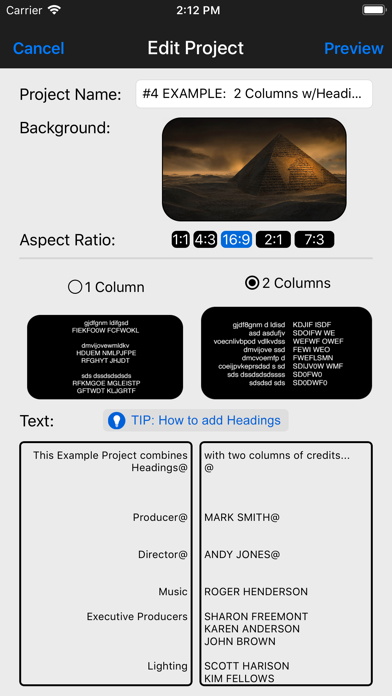
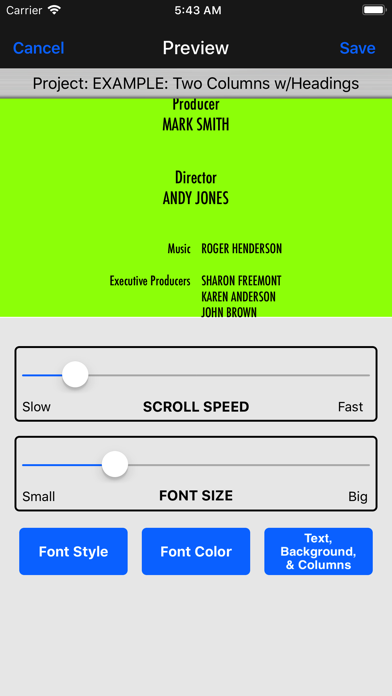
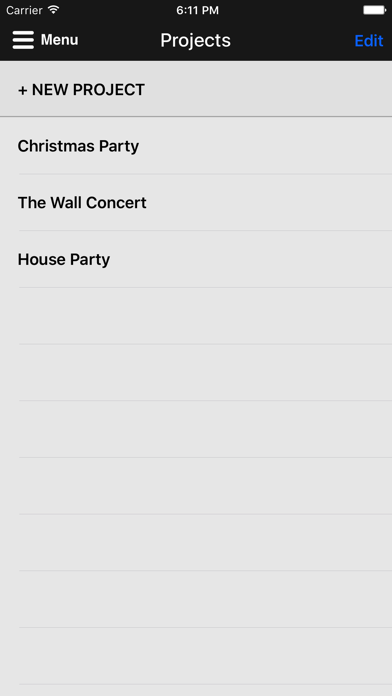
#1 must-have app for quickly and easily adding scrolling credits like you see in professional movies and TV shows to the beginning or ending of your videos. Also great for adding scrolling text to TikTok, Instagram, documentaries, sales, Facebook ads, and informational videos. CHECK OUT THESE PRO FEATURES: • Designed specifically to do scrolling credits! • Powerful, yet super easy to use--no learning curve! • Scroll credits over a flat background image or even video footage! • Supports one or two-column credits, just like the pros! • Easily add Headings to sections of credits! • Control font style, size, color, and scrolling speed! • Supports multiple SD/HD resolutions, including: SD 360p, HD 720p, HD 1080p and even Ultra HD 4K! • Supports multiple Aspect Ratios, including: 1:1, 4:3, 16:9 (landscape), 9:16 (portrait), and 2:1 (18:9). • Great for TikTok, Instagram or Facebook videos by using the 1:1 (square) or 9:16 (portrait) Aspect Ratios! • Smooth, non-jerky scrolling! • Includes dozens of HD backgrounds to choose from or upload your own! • Includes several "seamless" video loops (fire burning, flag waving, etc.) for motion-rich credits, or upload your own video footage! • Chroma Key "green screen" support! • Save and manage "projects," no need to start over to make a change! • Supports ALL devices (all sized iPhones and iPads)! ___________________________________________ HOW IT WORKS... 1. Choose from the dozens of backgrounds provided by the app (a solid color, a gradient color, an image, a "seamless" video loop, or a "green-screen" chroma key), or upload your own background image or video. 2. Enter the text you want to have scroll over the background you've selected. You can even use headings or two columns for your credits, just like the pros. 3. Preview what your scrolling credits will look like, adjusting the scrolling speed, aspect ratio, and the font style, color, and size. 4. When you're happy with how everything looks, the app will render and save an HD video clip to your device's Photo Library (Camera Roll). 5. Optionally, you can use iMovie or other video editing software, import the credits video clip, and drag it to where you want it to play in your movie (such as at the end for closing credits). ___________________________________________ Here are all the sizes supported for each of the different aspect ratios: ====== 1:1 ====== SD 360p (360 x 360) HD 720p (720 x 720) HD 1080p (1080 x 1080) Ultra HD 4K (2160 x 2160) ====== 4:3 ====== SD 360p (480 x 360) HD 720p (960 x 720) HD 1080p (1440 x 1080) Ultra HD 4K (2880 x 2160) ====== 16:9 (landscape) ====== SD 360p (640 x 360) HD 720p (1280 x 720) HD 1080p (1920 x 1080) Ultra HD 4K (3840 x 2160) ====== 9:16 (portrait) ====== SD 360p (360 x 640) HD 720p (720 x 1280) HD 1080p (1080 x 1920) Ultra HD 4K (2160 x 3840) ====== 2:1 (18:9) ====== SD 360p (720 x 360) HD 720p (1440 x 720) HD 1080p (2160 x 1080) Ultra HD 4K (4320 x 2160) ___________________________________________ Need help? Watch the included tutorial video and sample projects. (For the tutorial, pull down the Menu from the home page of app or visit scrollingcredits.com.) Still need help? Email us at support@clipish.net!
What's New
Thank you for making Scrolling Credits Pro such a hit! Remember...High ratings keep us motivated to keep adding features. :-) Here's what's new in this update: - Added support iOS 16 and adjusted top navigation bar for devices with the new Dynamic Isalnd. - Fixed an issue where app would sometimes crash when doing 1-column projects. - Fixed an issue with previewing certain aspect ratio projects. - Misc. bug fixes and enhancements.
Details
- Developer
- Dating DNA, Inc.
- Main Category
- Photo & Video
- Version
- 2.11
- Version Release
- 2022-09-27
- Initial Release
- 2017-07-27
- Size
- 368 MB
- Age Rating
- 4+
- Price
- USD 4.99
- Languages
- EN
- Bundle ID
- com.datingdna.imovie-pro
- Version Rating
- ★ 4.50 (831)
- First Seen
- 2026-05-31
Metadata updated 2026-05-31
Rank History
Free · Max 90 days · Top 5 categories shown (Y-axis: rank, lower is better)
No rank history data
Free Rankings
No rankings
Paid Rankings
No rankings
More by This Developer

CLIPish Pro - Animations Emoji
Entertainment · ★ 4.4 (242)

3D Animations + Emoji Icons
Social Networking · ★ 4.4 (107)

Holiday Greetings - Animations
Entertainment · ★ 4.3 (92)

CLIPish Keyboard
Social Networking · ★ 3.7 (24)

CLIPish Tall Animations
Social Networking · ★ 3.8 (19)

CLIPish Stickers
Social Networking · ★ 4.5 (10)