

TV Cast Pro for Chromecast
🇯🇵 JP LocalizedScreenshots

Description
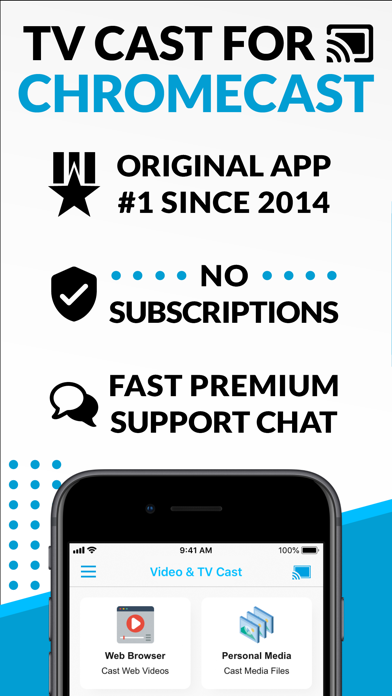
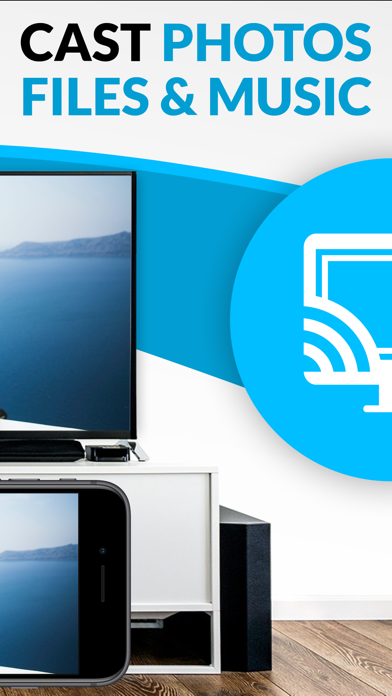
Watch any web video and your personal photos, videos & music on your Chromecast or Google Cast powered TV. Enjoy the show on your big screen. With Video & TV Cast you can browse through the web and stream any online video on your Chromecast (movies, TV shows, sports, music and more). Just navigate to your favorite website and wait for the video link detection. The video link will appear below the browser. Tap it and the video will be sent to your big screen instantly! Streaming personal media from your device is also supported. * The app only works with all Chromecast devices from Google and on devices with Google Cast or Chromecast built-in. * iTunes movies and DRM-protected videos like Amazon Prime, Netflix, Hulu, Vudu, DirecTV, Xfinity, HBO Now are not supported! * The app streams only the video part of a website and not the whole website content (No screen or tab mirroring!). * Sometimes it is necessary to play the video on your iPad or iPhone first before it gets discovered by the app for streaming. * If a specific video does not cast, please check our FAQ. If that does not help, please give us a chance to help you by dropping a mail to info@video-tv-cast.com instead of leaving a negative comment on the App Store. We will try to add support for your video as soon as possible. >>> PRO FEATURES * Remote Playbar: A remote control that allows you to fast forward or rewind videos while browsing. It syncs across all your iPads & iPhones that are connected to the same Chromecast. So your video can be controlled by different users in the same room. * Personal Media: Cast unlimited personal photos, videos and music directly from your device or from cloud services like iCloud and Dropbox. * Ad-Blocker + No Sponsoring Ads: The Pro app version has no ads and the Ad-Blocker blocks ads & popups on most websites that you visit. You can update, enable/disable ad-blocking at any time in the settings. * Bookmarks: Save unlimited website bookmarks. Synchronize and transfer them between different TV Cast apps and iOS devices by using backup and restore via iCloud. * Subtitles: Display subtitles & closed captions on TV. * Desktop Mode: Change the browser user-agent and cloak your iPhone/iPad as a desktop PC to load the desktop website instead of the mobile website. Please note that this will NOT enable video casting on websites that serve Flash videos in desktop mode. * Change Homepage: Set your personal homepage in the settings. >>> USER FEEDBACKS "You've brought the chromecast to life on iOS devices!! And you designed it work easily and quickly" Ryan, England “I looooove your app. It has taken my Chromecast to a whole new level.” Rosalind Romero, USA >>> A MESSAGE FROM THE DEVELOPERS We want to say thank you for all your great support and kindly invite you to honestly rate our app. This helps us to keep up our app development and support for you. Please do not trust other apps that ask you for 5-star ratings in exchange for premium upgrades. This is against good developer ethics and also against Apple guidelines. If you have any feedback, feature requests or other requests, please notify us at info@video-tv-cast.com. Disclaimer: This app is not affiliated with Google or any other trademark mentioned here. Chromecast is a trademark of Google LLC.
What's New
- Bug fixes
Details
- Developer
- Kraus und Karnath GbR 2Kit Consulting
- Main Category
- Photo & Video
- Version
- 3.13
- Version Release
- 2026-05-06
- Initial Release
- 2016-07-30
- Size
- 30 MB
- Age Rating
- 17+
- Price
- USD 9.99
- Languages
- EN
- Bundle ID
- de.2kit.cast-browser-pro
- Version Rating
- ★ 4.29 (8,036)
- First Seen
- 2026-05-29
Metadata updated 2026-07-19
Rank History
Free · Max 90 days · Top 5 categories shown (Y-axis: rank, lower is better)
No rank history data
Free Rankings
No rankings
Paid Rankings
Competitive Benchmark — Photo-Video Top 10
What it takes to beat this app — comparison with the category's top apps. The orange row is the current app.
| # | App | Price | Rating | Ratings | Langs | Last Update |
|---|---|---|---|---|---|---|
| 1 | Moment Pro Camera II | USD 9.99 | ★ 4.37 | 353 | 1 | 2026-06-30 |
| 2 | PhotoPills | USD 10.99 | ★ 4.71 | 1,515 | 9 | 2026-04-16 |
| 3 | YoungPhoto - Aesthetic Camera | USD 1.99 | ★ 5.00 | 2 | 5 | 2026-06-26 |
| 4 | Stop Motion Studio Pro | USD 5.99 | ★ 4.74 | 13,535 | 17 | 2025-12-10 |
| 5 | Print to Size | USD 2.99 | ★ 4.86 | 19,385 | 6 | 2026-03-13 |
| 6 | PromptSmart Pro - Teleprompter | USD 29.99 | ★ 4.60 | 11,303 | 1 | 2026-06-03 |
| 7 | iWebTV PRO | USD 6.99 | ★ 4.71 | 4,083 | 2 | 2026-07-18 |
| 8 | myLightMeter PRO | USD 3.99 | ★ 4.79 | 1,074 | 7 | 2026-07-14 |
| 9 | CineTemp | USD 19.99 | ★ 4.88 | 25 | 1 | 2026-07-13 |
| 10 | LumaFusion | USD 29.99 | ★ 4.75 | 24,671 | 13 | 2026-07-06 |
| 54 | TV Cast Pro for Chromecast | USD 9.99 | ★ 4.29 | 8,036 | 1 | 2026-05-06 |
More by This Developer

Screen Mirroring+ for Roku
Productivity · ★ 3.5 (25,200)

Screen Mirroring+ for Fire TV
Photo & Video · ★ 3.2 (14,485)

Screen Mirroring+ App
Photo & Video · ★ 3.0 (11,734)
Screen Mirroring + Chromecast
Utilities · ★ 3.9 (11,090)

TV Cast Pro for Fire TV
Photo & Video · ★ 3.8 (7,624)

TV Cast Pro for Roku
Photo & Video · ★ 4.3 (6,624)

TV Cast Pro for Samsung TV
Photo & Video · ★ 3.8 (3,127)
TV Cast Pro for Google Cast
Photo & Video · ★ 4.1 (2,743)
User Reviews
I paid for the full features and it wasn’t worth it. But it’s reliable. And just works.
The goat of casting
Good
Amit Sharma it fantastic
This is no longer a good app. It has continued to decline. Not what it was in the past.
Prentiss678banjo
Clearly
Can cast but when I try to mirror it refuses claiming I did not pay for it and makes me jump through hoops to try to restore. I paid for pro and all of it years ago. Not happy
Trash trash trash
SCAM. APP IS GARBAGE, videos pixelate and continuously stop on ANY site you use. Customer service lies and tries to manipulate. They are scammers. Dont buy
Mast hai yaar
Not user friendly. Connects to TV easily enough but can only figure out how to cast individual photos from my iPhone library. Wants to optimize videos (I presume to cast) but then nothing happens after that’s done - won’t cast. Check “Videos” option at bottom and nothing shows - no instructions on how to load to cast. Did get music to cast but only individual songs - both here and with photos a sequential play or shuffle option would be great vs manually selecting each individual photo or song to play. Much improvement needed! Would not buy again in current form.
Reviews are collected only for apps with detected changes (new entries or sharp risers).