

Thermo Watch for Nest & Ecobee
Screenshots
Description
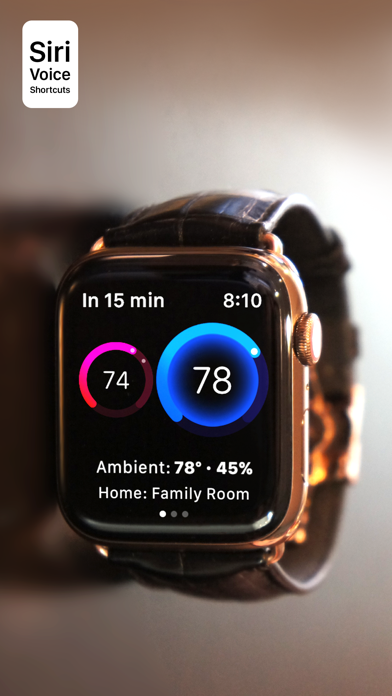
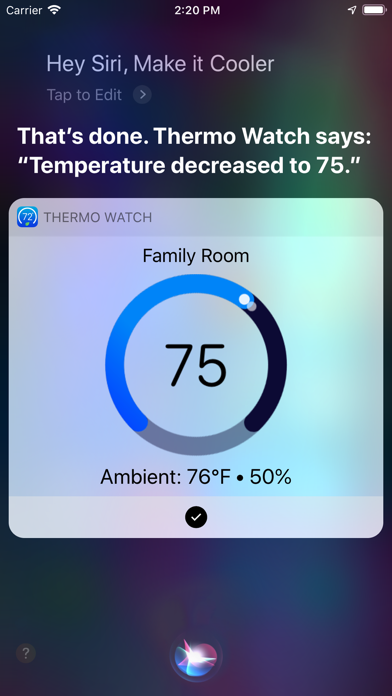
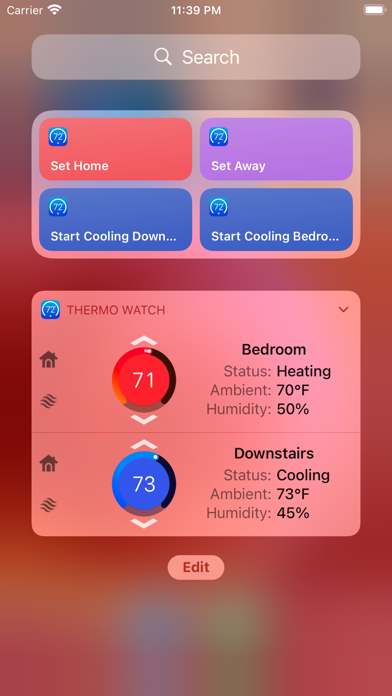
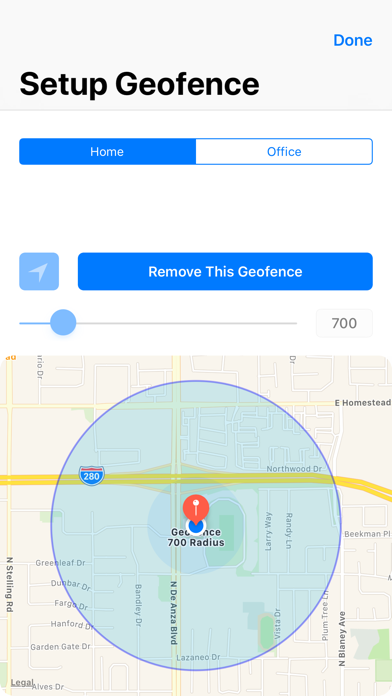
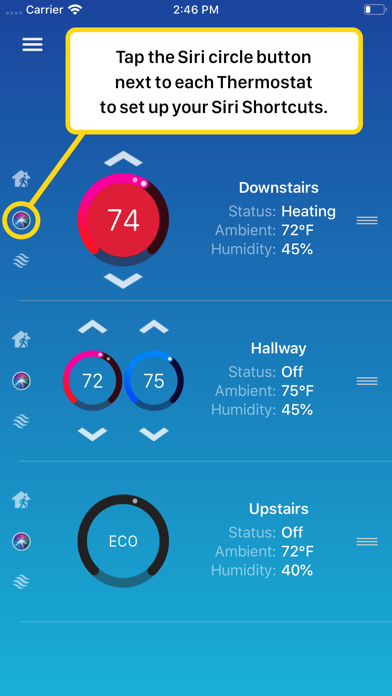
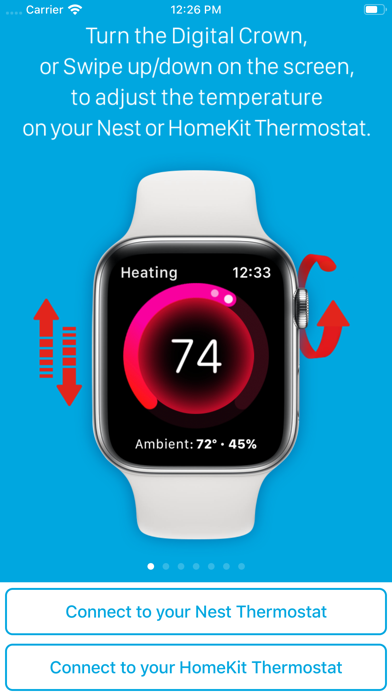
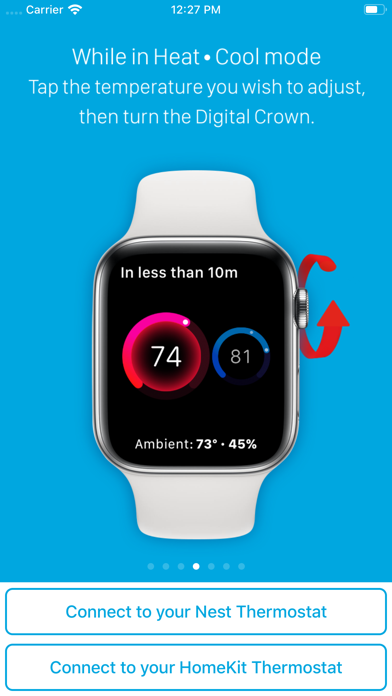
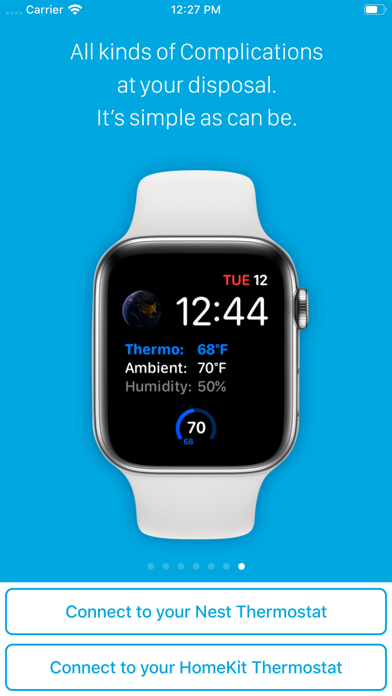
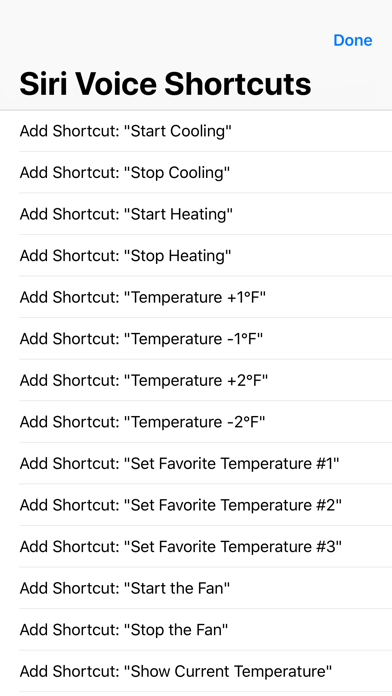
Apple Watch, Nest Thermostat, and Siri. Together at last. * The app has Siri Voice shortcuts for seamless Siri control of your Nest, from the iPhone, Watch, iPad, and HomePod. It fully supports Apple Watch LTE, and can work when the iPhone is not around - as long as the watch itself has internet access (either LTE or WiFi). * The app lets you monitor and control HomeKit thermostats like Ecobee, and functions largely the same with them as it does with Nest, except for the Siri Shortcuts functionality which is not needed with HomeKit. It lets you see your thermostat info on the Watch complications, and control it using the iOS widget. _____________ • Using Siri voice shortcuts you can control many aspects of your Nest, such as instant activation of heating or cooling, setting the temperature by saying how many degrees you want to set, increasing/decreasing the temperature, and setting the Home/Away state. Thanks to Thermo Watch, It's all finally just one casual "Hey Siri" away, all with informative visual and verbal feedback. • From the watch face, tap on the Thermo Watch complication to open the app. Spin the Digital Crown, or Swipe up/down to adjust the temperature. You can start adjusting the moment the app opens. • On your iOS device you can see the thermostat info on the home screen widget. You can start/stop heating or cooling directly from the middle and large size widgets, or you can just open the app. Again, you can start adjusting the moment the controls appear. • From your Apple TV, open the app, and swipe up/down on the remote to change the temperate. The app is fully functional with the initial purchase. In-app purchases are available only for tipping the developer. The app will let you know with a chime and a tap, that the thermostat has received and applied your command. Monitor your Thermostats and Home/Away status right from the watch face, using complications that update in the background, without having to launch the app. You can use Siri on your iPhone, Watch, iPad, or HomePod to control any of your thermostats. Record phrases that make most sense to you, such as "Start Heating" or "Make it Cooler". If you have multiple thermostats you can control them individually, by saying for example "Start Heating Upstairs" or "Start Cooling the Living Room". Visit https://thermowatch.net/siri website for the detailed instructions of Siri operation. Set Geofence around your home to reliably set the Home and Away state when you come and go. The app supports multiple thermostats in multiple homes - just swipe left and right on your Watch screen to access them, or see them all at the same time in the iOS Widget and the app. Fahrenheit and Celsius are both supported. Beyond that, you can press the Watch screen firmly for additional functions, like switching to a heating or cooling mode, setting the away status, choosing the active temperature sensor, or turning the fan on and off. While the app's minimalist looks betray the simplicity of its operation, what they don't show is the amount of planning, design, development and refinement that went into it, ensuring it becomes something that is enjoyable to use and experience. Thermo Watch does not collect any of your data. Your login information, thermostat settings, and any activity - all of it flows exclusively between your devices and Nest. Author of Thermo Watch does not receive any of it, at any point. This app and its developer are unaffiliated with Google Inc. or Google Nest. Nest is a trademark of Google Inc.
What's New
* Support for the Gen 4 Learning Thermostat. * Apple Watch Smart Stack support. * Apple Watch Complications have received a facelift and offer various types directly from the complications selection menu. Try adding them to see what has changed. * Full screen support for the Apple Watch Series 10. * iOS Lock Screen Widgets added. * Subtle transitions added to iOS widgets. - Fix for thermostats not showing up in the app for some users. Thanks to everyone who reported this, and helped me troubleshoot it! Note: The Apple Watch app now has a minimum requirement of watchOS 7. If Thermo Watch has changed your home experience for the better, please consider giving a small tip using the Tip Jar option from the app's menu.
Details
- Developer
- Marko Radakovic
- Main Category
- Lifestyle
- Version
- 15.9
- Version Release
- 2025-08-06
- Initial Release
- 2016-03-21
- Size
- 64 MB
- Age Rating
- 4+
- Price
- USD 2.99
- Languages
- EN
- Bundle ID
- com.thermowatch.ThermoWatch
- Version Rating
- ★ 4.13 (406)
- First Seen
- 2026-05-28
Metadata updated 2026-06-14
Rank History
Free · Max 90 days · Top 5 categories shown (Y-axis: rank, lower is better)
No rank history data
Free Rankings
No rankings
Paid Rankings
Competitive Benchmark — Lifestyle Top 10
What it takes to beat this app — comparison with the category's top apps. The orange row is the current app.
| # | App | Price | Rating | Ratings | Langs | Last Update |
|---|---|---|---|---|---|---|
| 1 | Spirit Talker ® | USD 4.99 | ★ 2.81 | 676 | 0 | 2025-02-26 |
| 2 | Stylebook | USD 4.99 | ★ 4.68 | 8,657 | 6 | 2025-06-15 |
| 3 | Cloud Baby Monitor | USD 6.99 | ★ 4.78 | 17,874 | 1 | 2025-07-10 |
| 4 | B-hyve Pro | USD 9.99 | ★ 4.71 | 7,906 | 8 | 2026-06-08 |
| 5 | Baby Monitor 3G | USD 5.99 | ★ 4.71 | 2,163 | 17 | 2026-02-26 |
| 6 | Falling Fruit | USD 0.99 | ★ 2.35 | 108 | 1 | 2026-06-11 |
| 7 | Universalis | USD 9.99 | ★ 4.92 | 8,906 | 1 | 2026-06-09 |
| 8 | Board Game Stats | USD 5.99 | ★ 4.88 | 441 | 17 | 2026-06-11 |
| 9 | Ourcana | USD 0.99 | ★ 4.50 | 30 | 1 | 2026-05-17 |
| 10 | 12 Steps Companion AA Big Book | USD 2.99 | ★ 4.48 | 141 | 1 | 2026-02-15 |
| 45 | Thermo Watch for Nest & Ecobee | USD 2.99 | ★ 4.13 | 406 | 1 | 2025-08-06 |
More by This Developer


User Reviews
Now if he Mark would just write an app for my Honeywell thermostat.
Love this ! Made my nest 2020 display removing humidity on my phone and Apple Watch so I can better control my temps and humidity. Thank you!
This app connected right away and works perfectly with my Ultra 3 watch and my Nest Gen 4. I’m able to control my thermostat right from my watch. The feedback response is great. Simplistic and works great!
I set up the short cuts but Siri still will only work if the app is open, defeating the whole purpose of having the app. It also has been building a schedule with temps I never set it to. There is no trial period and it doesn’t work…
Google killed Nest but somehow I can still control mine using this app! Brilliant!
The watch complication no longer updates unless you tap the complication to open the app on the watch. I have my refresh set to 15 minutes and two hours later it still doesn’t update unless you open the app.
Tried everything but can't make siri commands work
I’ve had this app for years, it works great picking up Nests slack. I actually forget it’s 3rd party.
You cannot control your thermostat through the widget like you use to be able to. Now the widget just opens the app completely useless.
I was so happy to find this. Works great.
Reviews are collected only for apps with detected changes (new entries or sharp risers).