
Screenshots

Description
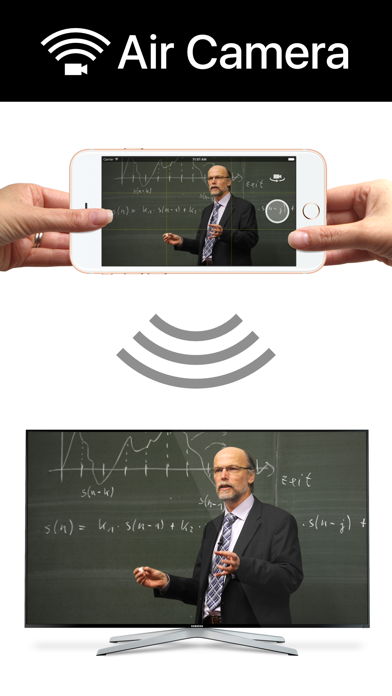
Air Camera is the best way to stream your camera to an airplay receiver. eg. Apple TV, AirParrot or AirServer. Perfect for live events when you need a simple video feed to an external display. The external display only shows the video so elements like notifications, battery status and time don't distract your audience. Features: • Rule of Thirds overlay shows on device. • Double Tap to goggle Rule of Thirds overlay. • Press and hold to lock focus & exposure on supported devices • Smooth focus is enabled on supported devices. • Left & Right Landscape orientation supported. • Universal App (iPhone & iPad) • Also supports Apple AV adapter. • Take full resolution photos (with 3 second preview) during capture. High quality photos are saved to the camera roll. • Swap between Front, Back, Telephoto and Wide Angle cameras. • Pinch to zoom in and out • Video Stabilisation - Standard or Cinematic • Choose Video Quality - 720p, 1080p or 4k • Toggle Audio on or off Instructions for Use: 1. Open Control Center (swipe up from bottom of screen) 2. Tap AirPlay 3. Select the target screen and enable mirroring 4. Close Control Center
What's New
Display Auto-Lock is now disabled when mirroring.
Details
- Developer
- Marc Castles
- Main Category
- Photo & Video
- Version
- 1.8
- Version Release
- 2021-02-08
- Initial Release
- 2016-02-29
- Size
- 15 MB
- Age Rating
- 4+
- Price
- USD 0.99
- Languages
- EN
- Bundle ID
- au.com.launchinteractive.aircamera
- Version Rating
- ★ 3.61 (38)
- First Seen
- 2026-06-10
Metadata updated 2026-06-10
Rank History
Free · Max 90 days · Top 5 categories shown (Y-axis: rank, lower is better)
No rank history data
Free Rankings
No rankings
Paid Rankings
No rankings