

FabFocus - Portrait Mode Blur
Screenshots
Description
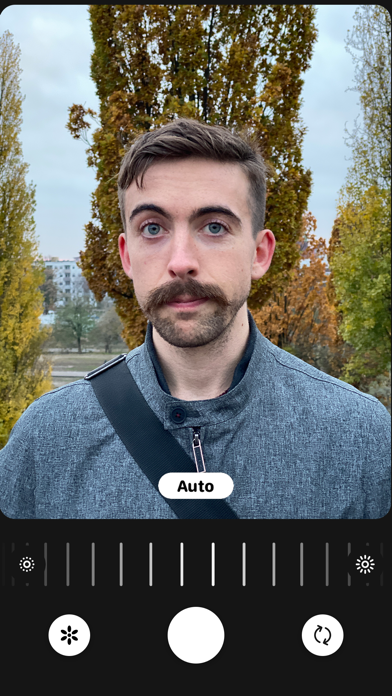
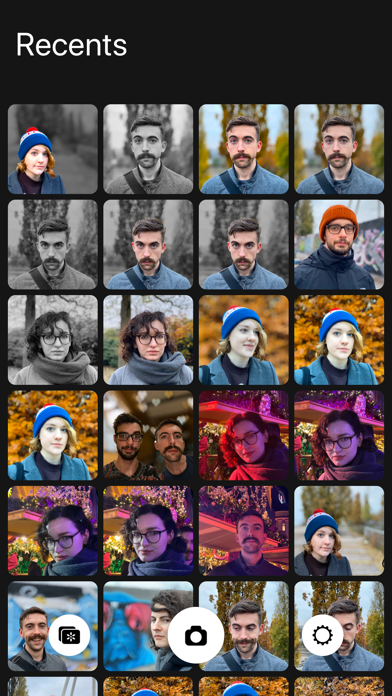
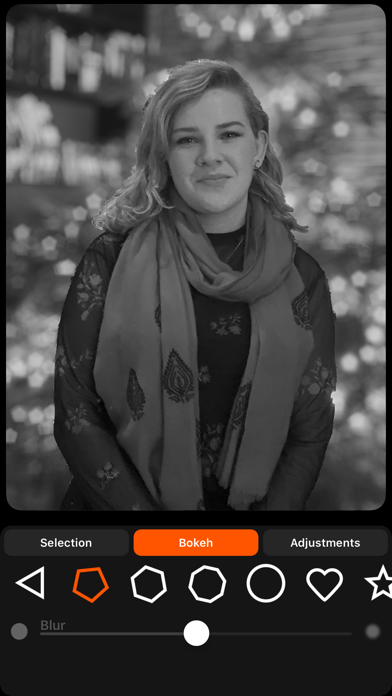
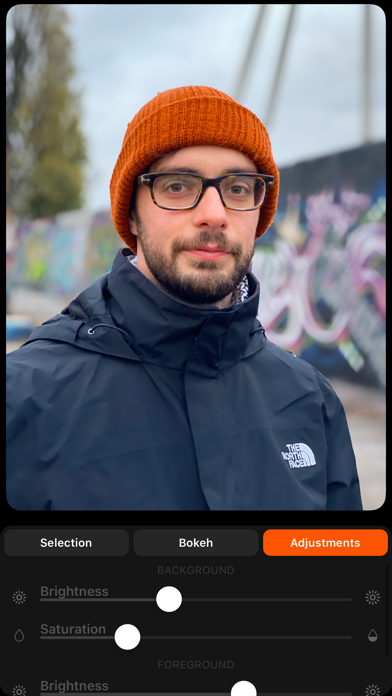
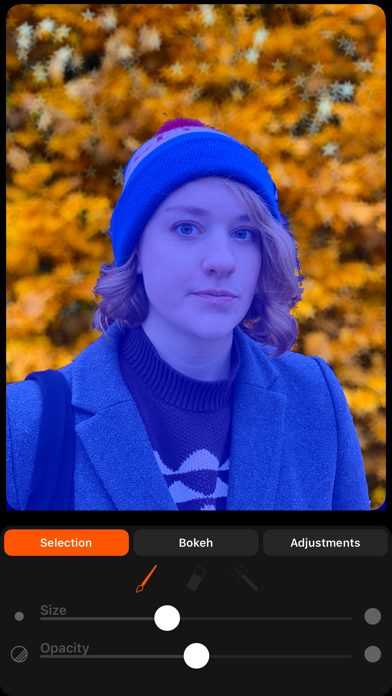
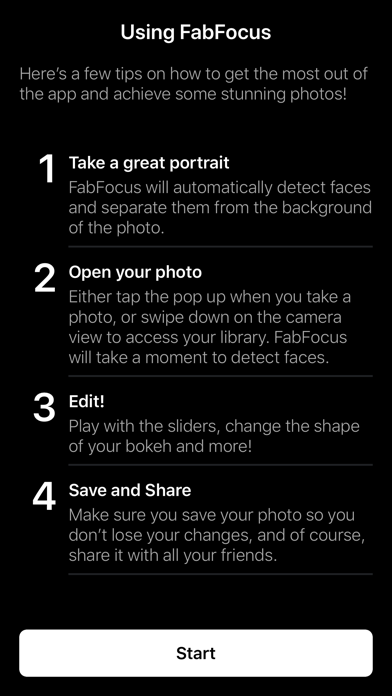
FabFocus is everything you need to capture and create stunning portrait photos. And the best part is, you don’t need multiple cameras to do it! FabFocus works on all devices running iOS 12 and forward and uses advanced image recognition to detect people, and intelligently blurring the background, applying beautiful bokeh effects. ———— The Big 2.0 Update FabFocus 2.0 is a complete rewrite and redesign, with the goal of making it as fast and simple as possible to make stunning portraits. Every last detail has been considered and refined to streamline the experience. We hope you love it as much as we do. ———— Features FabFocus has a lot of different features. Here’s a quick overview. ———— Face Detection FabFocus will automatically detect faces in your photos, use a little computer magic to work out what’s in the foreground and then intelligently blur the background. If a photo contains depth information, that is used that for even faster performance. ———— Camera FabFocus has its own camera interface, that automatically configures itself for portrait capture on supported devices. ———— Editing Tools FabFocus has a whole bunch of tools to help you refine your portraits. • Adjust the amount of blur applied to the background • Chose the shape of bokeh (even set it to love hearts or stars!) • Change the brightness and saturation of the foreground and background independently. • You can also draw to refine the selection of what’s in the foreground, great for tricky situations, or creating portraits of a wide variety of subjects, like pets, plants and more! While editing, you can quickly undo and redo your adjustments, and there are buttons to share and save your photos right away. ———— Take your portraits to the next level with FabFocus ———— For support, please contact hello@ghostwheel.org
What's New
Added localization for French, German, Spanish, Italian, Chinese (Simplified), Japanese, and Thai. Fixed some minor bugs and typos
Details
- Developer
- Ghostwheel
- Main Category
- Photo & Video
- Version
- 2.0.1
- Version Release
- 2020-03-03
- Initial Release
- 2016-10-19
- Size
- 19 MB
- Age Rating
- 4+
- Price
- USD 3.99
- Languages
- EN, FR, DE, IT, JA, ZH and 2 more
- Bundle ID
- com.secondverse.fabfocus
- Version Rating
- ★ 4.72 (5,999)
- First Seen
- 2026-06-30
Metadata updated 2026-06-30
Rank History
Free · Max 90 days · Top 5 categories shown (Y-axis: rank, lower is better)
No rank history data
Free Rankings
No rankings
Paid Rankings
Competitive Benchmark — Photo-Video Top 10
What it takes to beat this app — comparison with the category's top apps. The orange row is the current app.
| # | App | Price | Rating | Ratings | Langs | Last Update |
|---|---|---|---|---|---|---|
| 1 | PhotoPills | USD 10.99 | ★ 4.71 | 1,513 | 9 | 2026-04-16 |
| 2 | YoungPhoto - Aesthetic Camera | USD 1.99 | ★ 0.00 | 0 | 5 | 2026-06-26 |
| 3 | iWebTV PRO | USD 6.99 | ★ 4.72 | 4,005 | 2 | 2026-05-25 |
| 4 | Moment Pro Camera II | USD 5.99 | ★ 4.32 | 318 | 1 | 2026-06-30 |
| 5 | Stop Motion Studio Pro | USD 5.99 | ★ 4.74 | 13,372 | 17 | 2025-12-10 |
| 6 | Rarevision VHS: Retro Cam | USD 5.99 | ★ 4.66 | 6,717 | 4 | 2025-11-07 |
| 7 | Print to Size | USD 2.99 | ★ 4.86 | 19,279 | 6 | 2026-03-13 |
| 8 | LumaFusion | USD 29.99 | ★ 4.75 | 24,657 | 13 | 2026-03-30 |
| 9 | NightCap Camera | USD 2.99 | ★ 4.36 | 2,922 | 12 | 2022-10-06 |
| 10 | PromptSmart Pro - Teleprompter | USD 29.99 | ★ 4.60 | 11,217 | 1 | 2026-06-03 |
| 65 | FabFocus - Portrait Mode Blur | USD 3.99 | ★ 4.72 | 5,999 | 8 | 2020-03-03 |
User Reviews
I just wanted to use it for one photo that had a beautiful image of my daughter, but the background needed to be blurred out. The app selected her face but was unable to accurately select her hair. I tried to modify the selection with the tools provided but could not come close to getting an acceptable result. Four bucks wasted.
I’m afraid that I’m not happy with this app. In the pictures that I’ve try to blur the background, it blurred most of the background but left spots that were not blurred. There were also pictures that it made people’s hair look funky.
I used to love this app. Then it received an update, and now it’s so buggy I literally cannot use it.
Is there any way to get the older version back? I really liked it a lot better than this upgrade.
I preferred the app before, when you could adjust the level of blurriness for the background, and you could discard changes easily. Now I have two pictures that I cannot change back to original:(.
This app randomly blurs thing in the photo ( like half of a persons head). Then when you try to fix it manually ( which is a pain ) it doesn’t save your work...so you have to start all over. Can’t believe I payed for this app!
The newest update has made the app almost unusable. The blur effect has such a crisp definition against the rest of the photo that it looks ridiculous. I used to LOVE this app, hopefully they revert back or update again with a user experience closer to what it used to be.
Far less control over the cursor, bokeh effects are too extreme... what happened here???
This last update made the app significantly harder to use by removing the cursor circle and the app went from being great to very terrible. The purple highlight is much harder to see than the bright green highlight. I wish I could downgrade.
Love this app. I have enjoyed using the portrait style with my older iPhone.
Reviews are collected only for apps with detected changes (new entries or sharp risers).