

Graphic for iPhone
🇯🇵 JP LocalizedScreenshots
Description
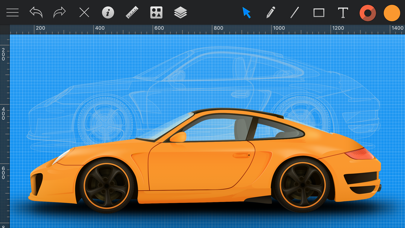
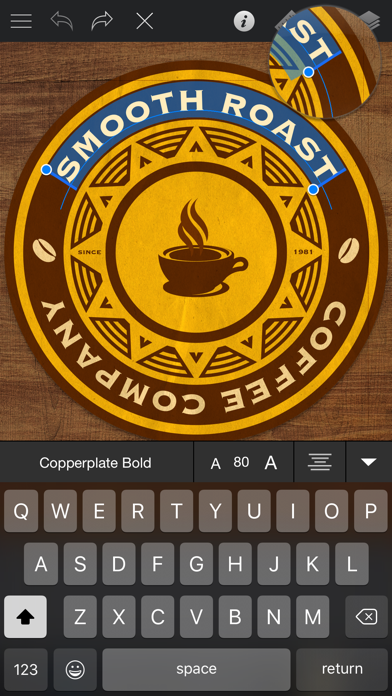
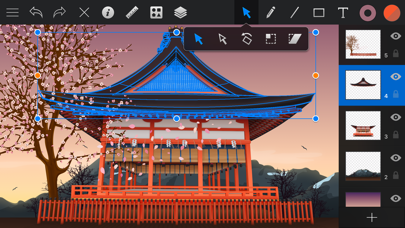
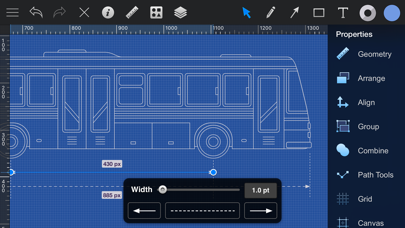
Graphic is a powerful full-featured vector drawing and illustration application right in your pocket. Graphic has all of the tools you need to create everything from detailed technical illustrations to beautiful works of art. Create intricate designs quickly and easily, and continue working on the desktop with Graphic for Mac, or on the go with Graphic for iPad. Create resolution-independent illustrations that can be pasted into Pages documents, included in Keynote presentations, or exported to other applications. Import/Export - Import SVG, PDF, and Photoshop PSD files. - Export designs as SVG, PDF, PNG, PSD, JPEG, GIF, and TIFF files. Photoshop PSD Import/Export - Import layered PSD files with vector paths and effects. - Shape layers are imported as editable vector paths. - Layer effects are imported as fully editable drop shadows, inner shadows, glows, etc. - Export designs as layered PSD files. Professional Drawing Tools - Full-featured Bezier Pen tool for creating custom shapes. - Brush and Pencil tools for fluid drawing and sketching. - Essential set of shape creation tools. - Boolean path combinations. - Path multi-point selection and editing. - Join, connect, and disconnect paths. - Rotate, Scale, and Shear transform tools. - Compound Paths. - Convert Anchors tool. - Eraser tool. - Scissor tool. - Dimensioning tool. Layer Styles - Apply multiple strokes, fills, and effects to any object. - Apply inner shadows, drop shadows, and glow effects to objects. - Arrange the order of fills, strokes, and effects using drag and drop. - 24 vibrant blend modes, including Multiply, Overlay, Linear Burn, Vivid Light, etc. - Set blend modes for layers, shapes, fills, strokes, shadows, and glow effects. Many other powerful features, including: - Shape Libraries. - Appearance Styles. - Text on Path. - Multi-style Text. - Layers and Groups. - Smart Alignment Guides. - Labels and Dimensioning. - Canvas Scale, Rulers, and Units (mm, cm, inches) - Canvas Styles. - Snap to Grid / Snap to Point. - Align and Distribute objects. - Duplicate and Transform. - Linear, Radial, and Angle gradients. - Image masking. - Convert Text to Paths. - Inner and Outer Strokes. - Outline Stroke. - RGB, HSB, and Hex Color Pickers. - Import PDF files and annotations. - Export as vector-based PDF and SVG files. OpenGL-optimized Drawing - Fast rendering of very complex projects. - Multi-threaded drawing ensures lag-free scrolling and zooming.
What's New
- Optimized for iOS 12 - Support for the new iPhone XS Max screen size - Improvements to PSD export
Details
- Developer
- Picta, Inc
- Main Category
- Productivity
- Version
- 1.1.2
- Version Release
- 2018-09-27
- Initial Release
- 2015-10-09
- Size
- 38 MB
- Age Rating
- 4+
- Price
- USD 2.99
- Languages
- EN
- Bundle ID
- com.indeeo.iDrawMobile
- Version Rating
- ★ 3.68 (95)
- First Seen
- 2026-06-02
Metadata updated 2026-07-19
Rank History
Free · Max 90 days · Top 5 categories shown (Y-axis: rank, lower is better)
No rank history data
Free Rankings
No rankings
Paid Rankings
No rankings
User Reviews
The title says it all. Be aware that it crashes a lot, because of its current status of complete abandonment.
I want to like this app, but it constantly dumps back to desktop. I’ll try it later.
Zero stars..this app keeps crashing every time I try adjusting settings in layers. Wow
I have been using this software for years and it is indispensible. I am an artist and it is absolutely perfect for what I use it for. The only drawback is that it does have some bugs... though that won't deter me from using this app, I wish the bugs weren't a thing. Overall, I will continue to use this app.
Seemed promising but good luck finding any useful tutorials and the tutorials I found were horrible.
This app was awesome when it was compatible with iOS 12. But with the introduction of the newer iOS versions the app now will crash on your iPhone and iPad if you attempt to use some of the features. If you attempt to adjust the opacity of a layer or an image using the blending function the app will crash. If you try to remove a layer the app will crash. If you try to duplicate a layer the app will crash. It’s unfortunate that this app hasn’t had an update in 5 years. This was a great app that operated similar to illustrator on a mobile device. I love how it can import fonts into the app as opposed to having to jump through hoops installing a font profile in the iOS settings section. Other apps could learn a lesson n from PICTa on how to install fonts.
UIに癖はあるもののエフェクトが色々かけられて重宝していたのですが近年更新が全くなく、 iOSのアプデも当然あり、そのためか使用中急に落ちることがあって使用には耐えられません…
Good app
I’ve tried many drawing apps that lack simple tools to get your ideas down quickly. The smoothing feature is excellent for touch devices and does not require use of pen to achieve excellent lines. I often draw my images and export them to a paint program to color. I have this app on several iPads and now my iPhone. Love this!
Every time I try to merge or delete a layer the app crashes. I already emailed the devs but no response. Would change go 5 stars if they can update or fix this.
There is just no other vector app for iPhone that can beat Graphic.
iPhoneアップデート以降、文字サイズが変更できません!
Reviews are collected only for apps with detected changes (new entries or sharp risers).