
스크린샷
설명
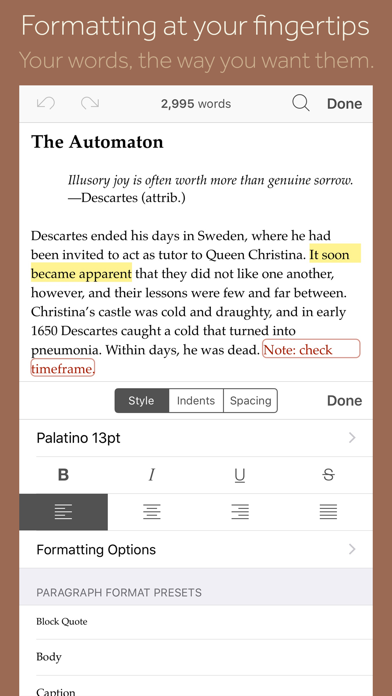
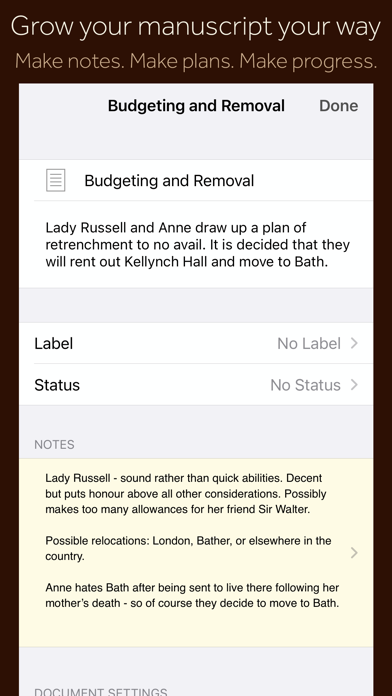
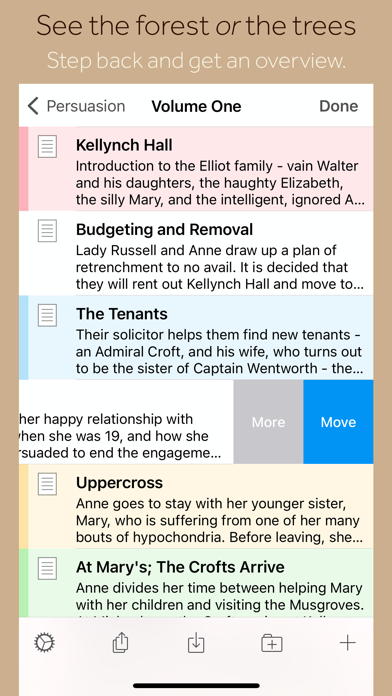
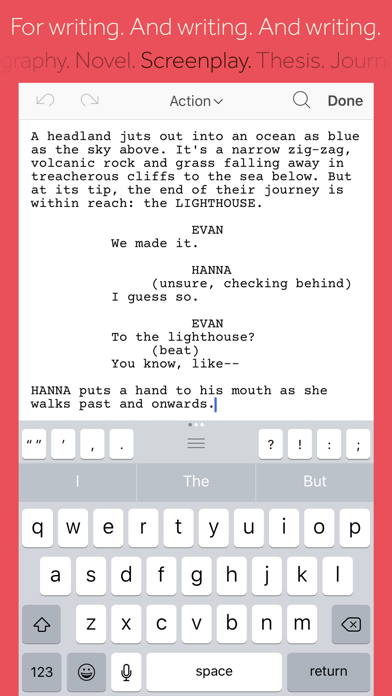
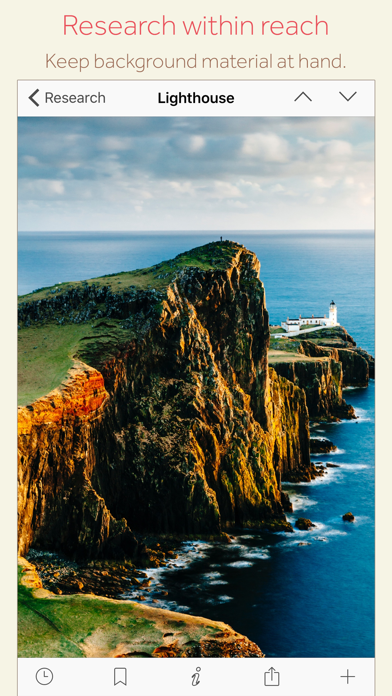
“The biggest software advance for writers since the word processor.” —Michael Marshall Smith, bestselling author Typewriter. Ring-binder. Scrapbook. Scrivener combines all the writing tools you need to craft your first draft, from nascent notion to final full stop. Tailor-made for creating long manuscripts, Scrivener banishes page fright by allowing you to compose your text in any order, in sections as large or small as you like. Got a great idea but don’t know where it fits? Write when inspiration strikes and find its place later. Grow your manuscript organically, idea by idea. Whether you plan or plunge, Scrivener works your way: meticulously outline every last detail first, or hammer out a complete draft and restructure later. Or do a bit of both. All text sections in Scrivener are fully integrated with its outlining tools, so working with an overview of your manuscript is only ever a tap away, and turning Chapter Four into Chapter One is as simple as drag and drop. Need to refer to research? In Scrivener, your background material is always at hand. Write a description based on a photograph. Reference a video or PDF. Check for consistency with an earlier chapter. On the iPad, open two documents side-by-side; on the iPhone, flip between research and writing with just two taps. Once you’re ready to share your work with the world, simply compile everything into a single document for printing, or export to popular formats such as Word, PDF, Final Draft or plain text. You can even share using different formatting, so that you can write in your favorite font and still keep your editor happy. FEATURES Get Started • Interactive tutorial project • Keep each manuscript and supporting materials in a self-contained project • Import Word, RTF, Final Draft and plain text files • Easily split imported text into separate sections Get Writing • Write your manuscript in sections of any size • View all sections as a single text using the “Draft Navigator” (iPad only) • Quickly navigate sections using the “binder” sidebar • Format with fonts and presets • Comments, footnotes, links and highlights • Simple bullets and lists • Insert images • Pinch-zoom to resize text • Full-screen mode (iPad only) • Typewriter scrolling mode keeps typed text center-screen (iPad only) • Write a screenplay using scriptwriting mode • Live word and character counts • Set word and character count targets • Find and replace • Customizable keyboard row provides quick-access buttons for formatting, navigation and punctuation • Comprehensive keyboard shortcuts for external keyboard users • Dark mode Find Your Structure • Write in any order and reorganize later • Write a synopsis for any text section and see it in the outline • Expand, collapse and drill down into sections of your project • Rearrange sections as index cards on the corkboard (iPad only) • Project-wide search • Track ideas using labels and status • Apply custom icons to your sections Refer to Research • Import research material such as image, PDF and media files • View research files or other sections right alongside your writing (iPad only) • Every section has its own notes area for jotting down ideas • Supports multitasking split screen mode (supported devices only) Share Your Work • Compile to a single document for sharing or printing • Use different formatting in your exported or printed document • Export to Word, RTF, Final Draft, PDF or plain text • Convert rich text to Markdown for sharing with Markdown apps • Create and email zipped backups of your projects Work Anywhere • Use Dropbox to sync between devices and with the macOS and Windows versions of Scrivener* • Copy projects between devices via iTunes * Requires a Dropbox account (not compatible with iCloud). SUPPORT You can contact us at ios.support@literatureandlatte.com, visit our forums at http://www.literatureandlatte.com/forum, or find us @scrivenerapp on Twitter.
새로운 소식
Scrivener 1.2.4 fixes a bug in 1.2.3 whereby creating a new card on the corkboard would cause a crash. 1.2.3 release notes: • Updated for iOS 17. • Fixed issue whereby you could tap outside of the new text/folder sheet to dismiss it, and thus accidentally lose a synopsis you were adding. • Fixed bug whereby “Split” didn’t work in the text when the selection was at the end. • Fixed bug whereby the “Style to” scriptwriting setting did not work. • Fixed bug whereby the “Style to” scriptwriting setting could cause a crash in some circumstances. • Fixed crash that could occur when setting certain fonts as the default, and in other circumstances related to font changes. • Fixed bug whereby the keyboard accessory bar on the iPhone might be cut off by phone features such as the home bar. • Fixed bug whereby the “Look Up” popover in the main text and notes would disappear immediately. • Fixed bug whereby if you tried to search for a font, the fonts popover would disappear. • Fixed bug whereby the share sheet would disappear when trying to share text from the main editor or notes. • Fixed bug whereby, in full screen mode, the top of the navigation bar could collapse after multitasking, resulting in controls being too close to the top of the screen. • Fixed bug whereby typing on an iPhone could disappear beneath the on-screen keyboard. • Fixed bug whereby typewriter scrolling on an iPad when using the on-screen keyboard could create too much empty space and result in the typing disappearing off the top of the view. • Fixed bug whereby the buttons in the keyboard accessory row may use light mode colours in dark mode. • Fixed bug whereby “Allow Negatives” in session targets would always be reset to off. • Fixed bug whereby temporarily setting the session target to 0 while changing the target could reset the current session count. • Fixed clipping of numbers in the target settings picker. • Fixed bug whereby, in dark mode, text in Compile’s Appearance editor would turn black and thus become unreadable on editing. • The Appearance “i” button in Compile now works with VoiceOver, making it possible to access the Appearance editor using VoiceOver.
상세 정보
- 개발사
- Literature & Latte
- 주 카테고리
- Productivity
- 현재 버전
- 1.2.4
- 버전 출시일
- 2023-09-29
- 최초 출시일
- 2016-07-20
- 용량
- 27 MB
- 연령 등급
- 4+
- 가격
- USD 23.99
- 언어
- EN, FR, DE, IT, JA, KO 외 4
- 번들 ID
- com.literatureandlatte.scrivener.ios
- 현재 버전 평점
- ★ 4.18 (2,589)
- 첫 수집
- 2026-05-28
메타데이터 갱신 2026-07-19
순위 히스토리
무료 기준 · 최대 90일 · 상위 5개 카테고리 표시 (Y축: 순위, 낮을수록 상위)
순위 히스토리 데이터가 없습니다
무료 순위
순위 없음
유료 순위
경쟁 벤치마크 — Productivity Top 10
이 앱을 이기려면 무엇이 필요한가 — 같은 카테고리 상위권과의 비교입니다. 주황색 행이 현재 앱입니다.
| # | 앱 | 가격 | 평점 | 리뷰 수 | 언어 | 최근 업데이트 |
|---|---|---|---|---|---|---|
| 1 | Parchment: Agenda & Daily Note | USD 4.99 | ★ 4.67 | 6 | 1 | 2026-07-15 |
| 2 | QuickBend: Conduit Bending | USD 6.99 | ★ 4.82 | 3,839 | 0 | 2026-07-16 |
| 3 | Things 3 | USD 9.99 | ★ 4.82 | 27,744 | 9 | 2026-07-16 |
| 4 | Scrivener | USD 23.99 | ★ 4.18 | 2,589 | 10 | 2023-09-29 |
| 5 | Due - Reminders & Timers | USD 7.99 | ★ 4.67 | 2,779 | 17 | 2026-07-01 |
| 6 | Site Audit Pro | USD 12.90 | ★ 4.83 | 10,767 | 1 | 2026-07-15 |
| 7 | Ugly's Electrical References | USD 12.99 | ★ 4.39 | 1,467 | 1 | 2026-06-19 |
| 8 | LineLearner | USD 3.99 | ★ 4.38 | 136 | 1 | 2024-07-13 |
| 9 | Tampermonkey | USD 2.99 | ★ 3.14 | 56 | 26 | 2026-07-17 |
| 10 | iBend Pipe | USD 3.99 | ★ 4.30 | 97 | 1 | 2018-01-02 |
유저 리뷰
가끔 컴퓨터나 아이패드 계정을 타인과 공유할 때가 있습니다. 날것의 내용을 구상할 때나 개인적인 메모 등, 암호로 특정 글들에 락을 걸고 싶은데 불가능한 게 아쉬워요. 폴더 단위여도 괜찮고.. 글마다 가능해도 좋은데, 전 그냥 아이패드에 암호 안걸고 공용으로 종종써서.. (공용 아이패드는 아니지만, 자주 빌려주거나 공유할 때가 있습니다) 글 강제 공개로부터 좀 더 보안되었으면 좋겠어요.
It was not clearly stated that the iPad version was severely empty of the tooted Scrivener features like templates. If I’d know that I would not have wasted $23. Feeling very much ripped off and sold a product that did not deliver what was promised. This iPad version is barely any better than a simple note app. This is a very expensive note app.
The MacOS app is great. This is a mess. Don’t waste your money on this junk.
It is better to have some way to view and edit in my iPad, but I wish it were easier to get around in the app. Even with a keyboard and trackpad it’s harder to get around than the Mac version. Hard to say if that’s a general iPad problem or specific to the app. I’ve also lost a couple of files in a scrivener project recently thanks to the Dropbox sync misbehaving, and wish I could just store the files in iCloud Drive. I haven’t lost data with anything that syncs via iCloud Drive so far.
This is the best writing app at a reasonable price I have found for iPad.
Please add more than light and dark for color themes. Or just some kind of better control for them. The light theme feels like staring into the sun and the dark theme is so washed out I cant tell what Im reading half the time.
I wanted like the app but it doesn’t do tables very well and updating style presets isn’t very easy. If you don’t need that then it’s probably good for you. But if those issues were updated it would be perfect. iCloud support would be nice too.
Overall, enjoy this port of the software to iOS, but not all available options function fully , such as the formatting button. Will trying selecting it to change font, styles and header types and it crashes, every single time (not the full app, just returns to the main text).
I found myself between a rock and a hard place. So I asked CoPilot for help. Scrivener was one of three. OMG! Awesome! You have to tap to bring things up but it will do almost anything you ask IMHO. This is my second review in 84 years. As Claude says, that's not nothing.
First things first: if you ONLY plan to write on your iPad, then this is 100% the right software for you. I, however, discovered this software while I was away from home, without my desktop. I paid for it and found it to be an excellent writing tool. I even synced with my Dropbox in advance so I could continue seamlessly when I finally returned home to my laptop. When that day finally came, I discovered that I would have to pay an additional $60 to install it on my computer. I am completely blown away by this. I can imagine the opposing argument: macOS and iPadOS versions are independent products, different code base, etc. That said, the modern digital world has created the expectation that users of digital software be able move between devices seamlessly. When a customer purchases software, they’re primarily buying access to the product’s functionality and ecosystem, not a specific compilation of code for a particular device. In 2026, consumers have become accustomed to software licenses following their account across phones, tablets, laptops, and the web, especially within the same platform family like Apple’s ecosystem. Charging $25 for the iPad version and then requiring an additional $60 for the Mac version is not justifiable when I’m not really paying for new software; I’m just paying a second admission fee to use the same writing tool on another screen. From the user’s perspective, the core features, file format, branding, and workflow are the same product, and the expectation is that ownership should travel with the customer rather than remain tied to a specific device class. separate development costs should be reflected in the initial purchase price or a unified license model, rather than requiring loyal users to repurchase access when they want to continue using the same software on another device they already own.
Disappointed by the Sync’ing with the Desktop version. I spent too much time trying to fix it. It worked for a while… until it did not anymore ! So, not worth it on my side. Don’t mix Desktop and IPad versions.
Paid 20$ dollars the app is unusable on iPad I.e. , missing a ton of core features I.e templates and other useful features for making tables etc. your license doesn’t link up with pc so you’d have to buy it and you can’t easily import documents via the app it self you have to copy paste what it’ll allow you too that combined within its difficult curve of learning makes it A-Tier GARBAGE FOR IPAD SPECIFICALLY.
변동(신규 진입·급상승) 감지된 앱에 한해 Apple RSS 최신 리뷰를 수집합니다.