
스크린샷

설명
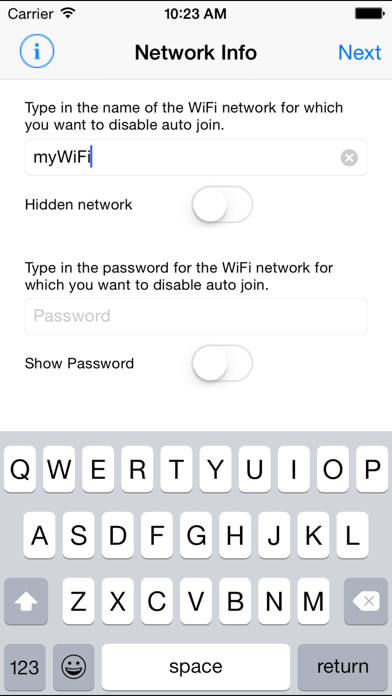
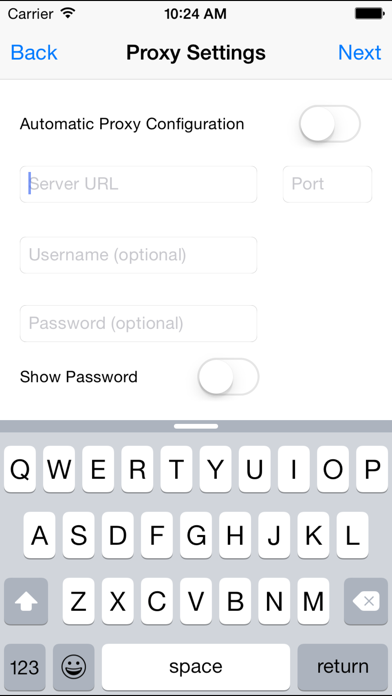
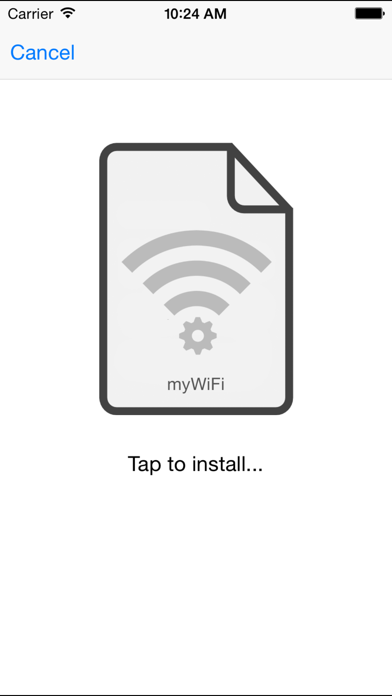
With “WiFi Priority“ it is finally possible to prioritize to which available network to connect first! Generally all iOS devices rank available WiFi networks alphabetically and connect to the topmost known network in that list first. However, there are situations in which you may want to avoid that and prefer to connect to another known network instead. This is where “WiFi Priority“ comes to your aid. It simply lets you disable the auto-join function for selected networks and thus prioritize the one that you prefer by creating and installing a configuration profile on the device. Instead of making your device forget the topmost networks you can now prevent them from automatically connecting first. Just enter the network information for the networks you don’t want to auto-connect and let “WiFi Priority“ do the rest. Afterwards your preferred available network will always connect first and you will still be able to use the other networks by just tapping on them in your network list. You may also like my other apps: - AnyFont - Lightning Deals Reminder - Long-2-Short NOTE: WiFi Priority does currently not work with enterprise encryption. Supported encryptions are WEP, WPA-Personal and WPA2-Personal. ————— If you like this app, please consider leaving a review on the app store. This can also be done by using the link on the info-screen within the app. Thank you! —————
새로운 소식
This update from Apple will improve the functionality of this app. No new features are included. - Smaller bugfixes Thanks for using WiFi Priority! If you like this update, please leave a positive rating or review on the App Store. You may also like my other apps: - AnyFont - Lightning Deals Reminder - Long-2-Short
상세 정보
- 개발사
- Florian Schimanke
- 주 카테고리
- Utilities
- 현재 버전
- 1.5
- 버전 출시일
- 2017-08-04
- 최초 출시일
- 2015-02-18
- 용량
- 2 MB
- 연령 등급
- 4+
- 가격
- USD 0.99
- 언어
- EN, DE
- 번들 ID
- de.flappdev.wifipriority
- 현재 버전 평점
- ★ 2.06 (31)
- 첫 수집
- 2026-06-16
메타데이터 갱신 2026-07-13
순위 히스토리
무료 기준 · 최대 90일 · 상위 5개 카테고리 표시 (Y축: 순위, 낮을수록 상위)
순위 히스토리 데이터가 없습니다
무료 순위
순위 없음
유료 순위
순위 없음
이 개발사의 다른 앱

Large Video Finder
Photo & Video · ★ 5.0 (1)

PureTranslate: Offline AI
Productivity · ★ 0.0 (0)

Zone before you Phone
Productivity · ★ 0.0 (0)

Cordiary
Medical · ★ 0.0 (0)

Large Video Compressor
Photo & Video · ★ 0.0 (0)

Currensa
Utilities · ★ 0.0 (0)

DictaClip
Utilities · ★ 0.0 (0)

Convert My Photo
Photo & Video · ★ 0.0 (0)
유저 리뷰
Blocking AU attempting to connect to their WiFi services while using Mineo is possible with this app. It has been successfully blocking in the background for the past 5 years.
Wifiの優先順位をつけるという着眼点はいいか、実質的には、SSIDとPASSWORDがわかっていてかつオートログインさせたくないWifiをブロックすることが可能である機能のみのようだ。 残念。
説明も画面も全部英語ですが、このアプリの解説が書いてあるwebサイトを検索して見つければ問題ないです。 自動的に繋ぎたくないwifiを弾けます。 バッチリです。
最近はどのキャリアも通信量に制限がありますので、公衆Wi-Fiは有用になってきました。 ただ公衆Wi-Fiは、アクセスポイント(AP)に接続しても、手動で認証する必要がある場合が多いです。 そのためAPの通信圏内に入ると、自動で接続されるものの認証していないため、ネット接続が切れることがよくあります。 そこで、APへの自動接続をオフにしてくれる、このアプリが役立ちます。 iOS9にアップデートすると、このアプリでのプロファイル登録は、再度行う必要があるようですが、問題なく使用できます。
キャリアがdocomoでsim認証のdocomo0001でしたらしっかりオンオフ可能です。やり方は、docomoのサイトでサービスメールなどの設定→docomo WiFi設定でパスワード確認。そのパスワードをこのアプリに打ち込めばOKです。アプリの評価は繋ぎたいWiFiには自動で繋がり、その他には繋がらないので、とても重宝しています。
proxyが必要な社内lanにiPhoneが勝手に接続しないようにしたくて購入。 iPadやMacのキーチェーンと同期して自動接続されるのが解消すると期待したがenterprise認証に対応しておらずダメだった。sim認証のキャリアwifiも非対応。
パスワード? パスワード求められるのって、自動で繋がりますか? 普通に使えてます。 FOR_FREE_INTERNETとか勝手に繋がらなくなってとても快適です
キャリア端末にプリインストールされてる、パスワード不明のWi-Fi設定に対して、設定方法が分からない… 着眼点は良いんだけど、使えない。残念。
변동(신규 진입·급상승) 감지된 앱에 한해 Apple RSS 최신 리뷰를 수집합니다.