
Before and After Pro Slider
Screenshots

Description
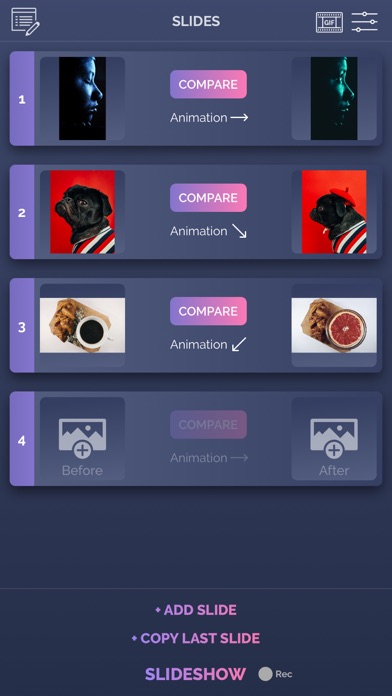
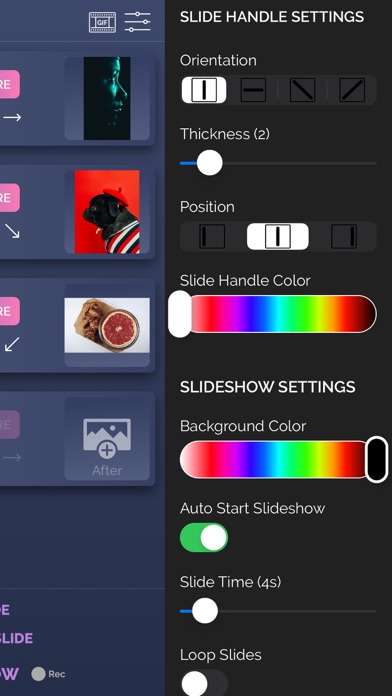
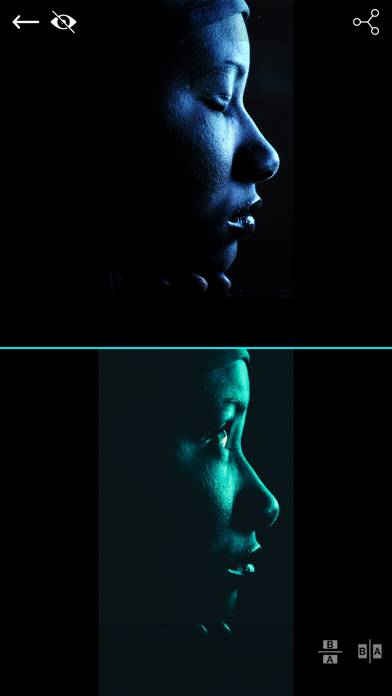
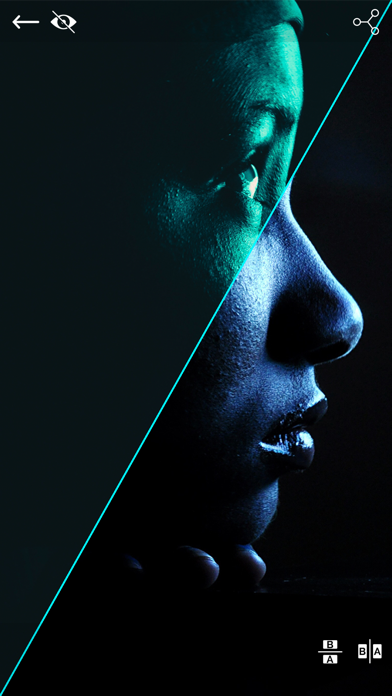
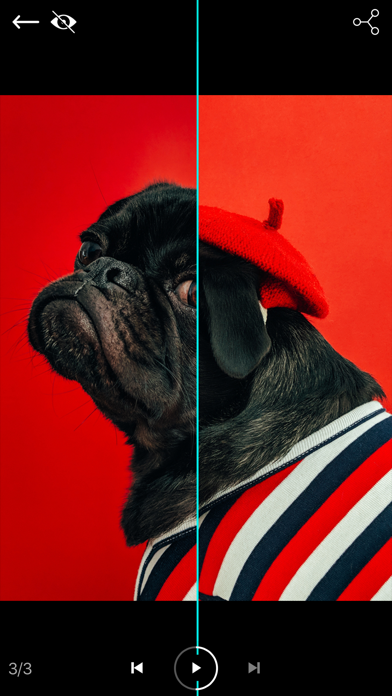
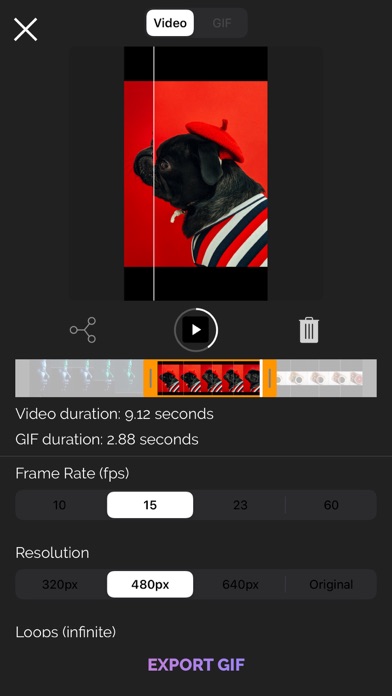
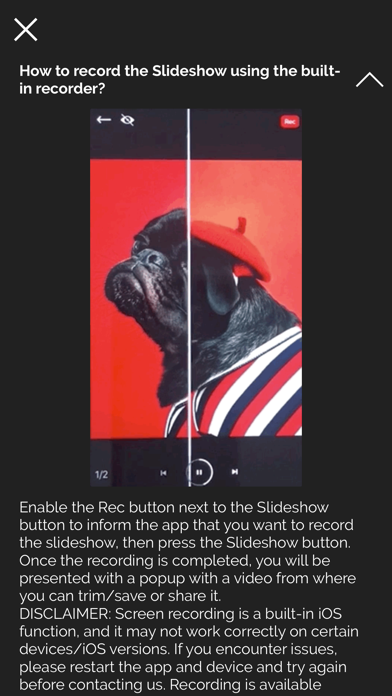
Important: please read the app's description before acquiring the app. The manual sliding functionality is only available inside the app (you will not be able to drag the slider after sharing the slideshow video on a social platform). The app is compatible with iPhone 5s, iPad 5th gen, iPad Mini 2nd gen or newer devices. Try before you buy: look for Before and After Photo Compare Main features of Before and After Pro Slider: - no ads - easy to use with detailed How To Use screen - English and Russian language support - the settings and slides are automatically saved and will be used when you start the app again - 2 Image Compare mode where you can manually drag the slider (vertically, horizontally, oblique or reverted oblique). In this screen you can access the Side by Side mode by pressing the button in the bottom right corner - Slideshow mode where you can present your before/after slides (30 max) in an animated way. The reveal animation will run by itself for each slide. - you can preview the existing before/after image when taking a new picture - you can control the direction of each slide in the slideshow and also you can duplicate the last slide - you can record the slideshow and then trim it before saving or sharing it. - you can convert your recorded slideshow (or any other video) to an animated GIF - ability to save/share a snapshot of the current slide. Only a screenshot will be saved/shared, so you won't have the slider functionality when you perform this operation.The recording feature is built into iOS and it can behave strangely sometimes, so please be aware of this. If you experience issues, a device restart is required. How to use: - tap on the before/after image slots to load the images from the Library (or take a new one with the camera). You can load both before/after images at the same time (if both slots are open). Optionally, you can load a logo (for best results, use a png image with transparency) that will be shown in one of the corners when you are in Slideshow mode - modify the slide handle/slideshow settings to match your needs - once both images are loaded, tap on the Compare button and drag the slider with your finger - to create Slideshow, the before and after images for the current slide must be present (valid only for the first slide). Once the images are loaded and you altered to settings to match your preferenes, tap on the Slideshow button and watch it run automatically. To add a new slide, tap on the Add Slide button at the bottom of the screen and then add images to it. You can edit the slides order by going into the Edit mode (top left button) - to add background music to the Slideshow, from the side menu, tap the Pick Song button and load a song from your device's library. Next time you press the Slideshow button, the song will play. - to hide the top and bottom control bars in 2 Image Compare/Slideshow mode, tap on the eye icon in the top right corner. To show them again, double tap or long press on the device's screen - To record, activate the Rec button and then press the Slideshow button. The recording will stop once the slideshow is finished, and you will be presented with the resulting video. From there you will be able to trim it before saving/sharing it. - To export a slideshow recording to GIF, then press the GIF button in the top right corner, load the slideshow video, trim it (20 seconds maximum), then press EXPORT GIF button and then save/share it. The app is suitable for those who want to compare the before and after images (to see weight loss or diet/fitness program results, makeup or aesthetic transformation etc) or to impress their friends/bosses/clients with the work they've done, by presenting them the stages of their work in a cool way. If you're having trouble loading images, try turning on the User Regular Image Picker switch in the side menu settings. Enjoy this app and don't forget to contact us through the app's contact form if you have something to say!
What's New
iOS Fixes
Details
- Developer
- Bogdan Dobrea
- Main Category
- Photo & Video
- Version
- 3.2.4
- Version Release
- 2023-06-19
- Initial Release
- 2013-08-07
- Size
- 76 MB
- Age Rating
- 4+
- Price
- USD 0.99
- Languages
- EN, RU
- Bundle ID
- com.arjunaweb.beforeAfterProSlideriPhone
- Version Rating
- ★ 3.17 (30)
- First Seen
- 2026-06-01
Metadata updated 2026-06-16
Rank History
Free · Max 90 days · Top 5 categories shown (Y-axis: rank, lower is better)
No rank history data
Free Rankings
No rankings
Paid Rankings
Competitive Benchmark — Photo-Video Top 10
What it takes to beat this app — comparison with the category's top apps. The orange row is the current app.
| # | App | Price | Rating | Ratings | Langs | Last Update |
|---|---|---|---|---|---|---|
| 1 | PhotoPills | USD 10.99 | ★ 4.71 | 1,509 | 9 | 2026-04-16 |
| 2 | Moment Pro Camera II | USD 9.99 | ★ 4.31 | 284 | 1 | 2026-06-08 |
| 3 | Pro Camera by Moment | USD 4.99 | ★ 4.58 | 9,228 | 1 | 2026-03-05 |
| 4 | Stop Motion Studio Pro | USD 5.99 | ★ 4.74 | 13,274 | 17 | 2025-12-10 |
| 5 | iWebTV PRO | USD 6.99 | ★ 4.72 | 3,950 | 2 | 2026-05-25 |
| 6 | Rarevision VHS: Retro Cam | USD 5.99 | ★ 4.66 | 6,715 | 4 | 2025-11-07 |
| 7 | NightCap Camera | USD 2.99 | ★ 4.36 | 2,926 | 12 | 2022-10-06 |
| 8 | Print to Size | USD 2.99 | ★ 4.86 | 19,189 | 6 | 2026-03-13 |
| 9 | LumaFusion | USD 29.99 | ★ 4.75 | 24,640 | 13 | 2026-03-30 |
| 10 | PromptSmart Pro - Teleprompter | USD 29.99 | ★ 4.60 | 11,157 | 1 | 2026-06-03 |
| 76 | Before and After Pro Slider | USD 0.99 | ★ 3.17 | 30 | 2 | 2023-06-19 |
User Reviews
I’ve been using the free version recently and decided to upgrade to the pro/ad free version. Literally does exactly what it says - 5 stars! Thanks for making this process easy for an amateur photographer like myself.
Hasn’t been updated in a year and doesn’t use the native photo library interface. Your only option is to manually scroll down through your photos, newest to oldest.
It says we can family share and it’s not letting me… never mind. If you click purchase it says family sharing haha oops
Waste of time
Enough said.
I’m not tech savvy! This app is easy to use. I’m a hairdresser and I just posted a video on Instagram, super happy! Well worth .99cents!
I could not find any other before and after slider video apps that didn’t require a subscription. For the price of only $.99 this app works great! The only downside is you have to record your screen to get the video and then crop it, which isn’t really a big deal but does add an extra step.
This app makes a world of difference to be able to stand out from my competitors! The most recent update allows you to resize your logo and virtually place it anywhere on the image! The slideshow is perfect for visual stimulation! The recording part is as simple as anything. You follow all the directions and you will get a great before and after to show off on your Facebook or any social media platform!
Great stuff Bogdan, mândru că ești de-al meu!
Recording function always says, “Could not start recording...” even before it gives me the option to allow screen record. Super inconsistent. Just updated the app: it was working fine for me before. Now when I try to record multiple slides- the slides after the first comparison doesn’t play.
Reviews are collected only for apps with detected changes (new entries or sharp risers).