

Massive Dev Chart Timer
🇯🇵 JP 현지화스크린샷





설명
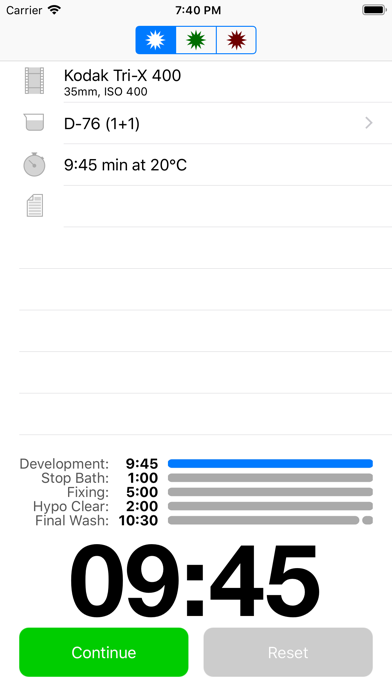
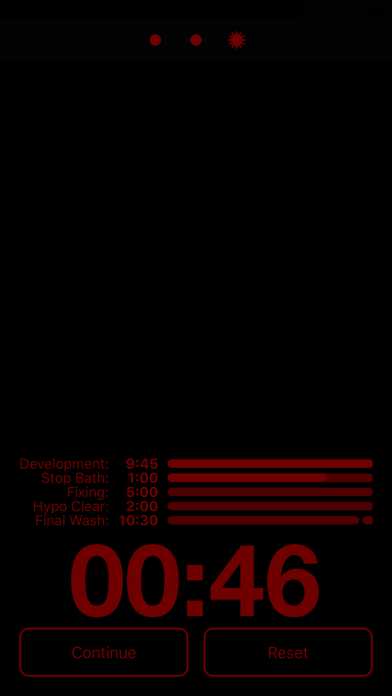
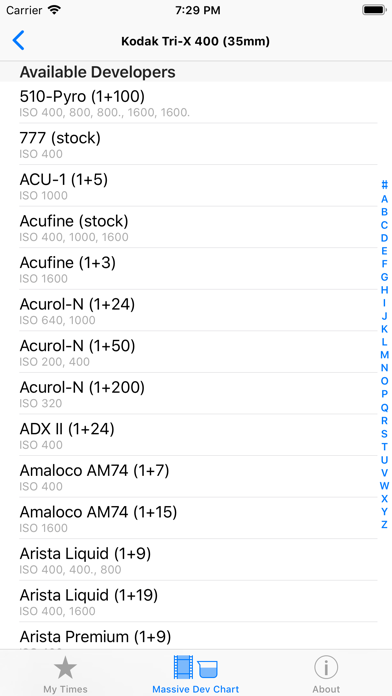
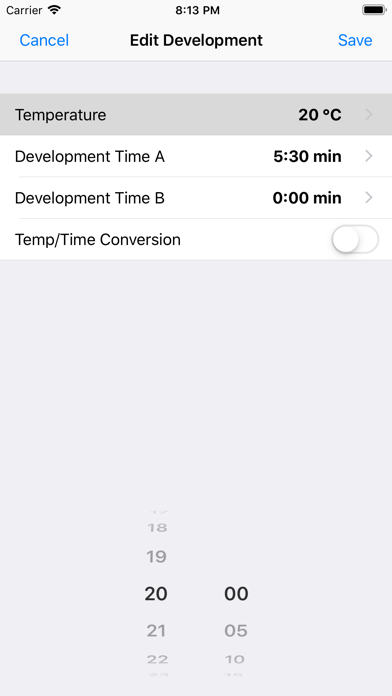
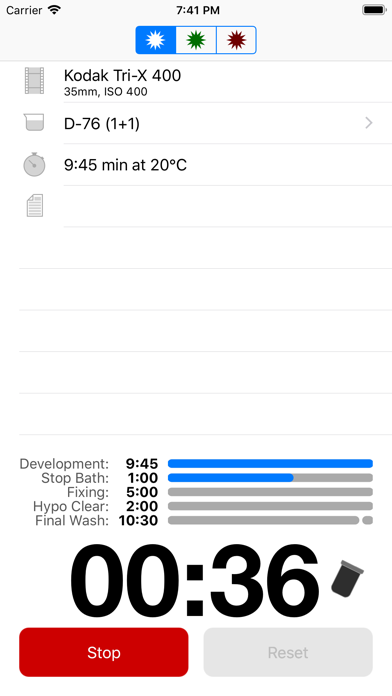
The Massive Dev Chart is the world's largest film development chart with easy to use multi step timer and darkroom support for iPhone and iPad. Watch the instructional video at: https://www.youtube.com/watch?v=P915z6THiY8. *** Features *** • Offline copy of The Massive Dev Chart in your pocket • Multi Step Timer with sound notifications • Customizable agitation scheme • Darkroom themes • Dilution Mixer • Support for two-step development and two-step fixing • Support for optional hypoclear and photo flo steps • Automated development time/temperature compensation
새로운 소식
Database update - New film/developer combinations
상세 정보
- 개발사
- Freestyle Photo & Imaging
- 주 카테고리
- Photo & Video
- 현재 버전
- 4.8.1
- 버전 출시일
- 2026-07-09
- 최초 출시일
- 2010-11-12
- 용량
- 14 MB
- 연령 등급
- 4+
- 가격
- USD 9.99
- 언어
- CS, EN, FR, DE, JA, PL 외 4
- 번들 ID
- com.digitaltruth.mdc
- 현재 버전 평점
- ★ 3.74 (53)
- 첫 수집
- 2026-05-28
메타데이터 갱신 2026-07-19
순위 히스토리
무료 기준 · 최대 90일 · 상위 5개 카테고리 표시 (Y축: 순위, 낮을수록 상위)
순위 히스토리 데이터가 없습니다
무료 순위
순위 없음
유료 순위
경쟁 벤치마크 — Photo-Video Top 10
이 앱을 이기려면 무엇이 필요한가 — 같은 카테고리 상위권과의 비교입니다. 주황색 행이 현재 앱입니다.
| # | 앱 | 가격 | 평점 | 리뷰 수 | 언어 | 최근 업데이트 |
|---|---|---|---|---|---|---|
| 1 | Moment Pro Camera II | USD 9.99 | ★ 4.37 | 353 | 1 | 2026-06-30 |
| 2 | PhotoPills | USD 10.99 | ★ 4.71 | 1,515 | 9 | 2026-04-16 |
| 3 | YoungPhoto - Aesthetic Camera | USD 1.99 | ★ 5.00 | 2 | 5 | 2026-06-26 |
| 4 | Stop Motion Studio Pro | USD 5.99 | ★ 4.74 | 13,535 | 17 | 2025-12-10 |
| 5 | Print to Size | USD 2.99 | ★ 4.86 | 19,385 | 6 | 2026-03-13 |
| 6 | PromptSmart Pro - Teleprompter | USD 29.99 | ★ 4.60 | 11,303 | 1 | 2026-06-03 |
| 7 | iWebTV PRO | USD 6.99 | ★ 4.71 | 4,083 | 2 | 2026-07-18 |
| 8 | myLightMeter PRO | USD 3.99 | ★ 4.79 | 1,074 | 7 | 2026-07-14 |
| 9 | CineTemp | USD 19.99 | ★ 4.88 | 25 | 1 | 2026-07-13 |
| 10 | LumaFusion | USD 29.99 | ★ 4.75 | 24,671 | 13 | 2026-07-06 |
| 31 | Massive Dev Chart Timer | USD 9.99 | ★ 3.74 | 53 | 10 | 2026-07-09 |
이 개발사의 다른 앱

유저 리뷰
Timer works fine, that’s the important part. But the UX around the whole app is just bad. It hard to scan the list in My Times (why no search?), can’t bulk delete, can’t sort or group. No separate utilities like the volume mixer. Please take some time to improve the app, there’s so much potential here.
I don’t know what the bad reviews are about. Honestly, this app has met my every need. I prefer that recipes are pre-programmed instead of having to search randomly for experimental recipes in the other app.
I paid for this because it had dilutions for HC110. It is now removed. If you don’t put the feature back in you owe people a refund.
Only black and white film
Dilutions used to be more clear and simple to pull up. The latest update is hopefully just a mistake as it now forces you to manually add them yourself to each mix.
hmm
Dear App Developer, it would be fantastic if we could create our own timer instead of being limited to a set of developers based on the film I choose and a general configuration based on my preferences. However, this app is only for black-and-white film stock development, and doesn't help with color film (C41, E6, ECN2 and other) development. Regrettably, I wouldn’t recommend this app to anyone due to it's limitations. In this app, you can only make minor adjustments to saved “favorite” processes, which is practically useless for many seeking to develope at home. I would like to see a development timer that allows me to add or remove a few stops from my development time. This tool is not worth the $8.99 USD I paid for. I’ve switched to another app which has most of my requested features called “Develop!” and it's FREE!!! Hopefully you can improve this application.
Great App, Used it for years
And they say temperature extrapolation data is available, but how do you get to it? Great to have the massive chart in digital form, but for $8.99, the app is underbaked.
I’m a commercial photographer who is returning to film for the fun of it. This app takes all the pain and guesswork out of black and white negative development. Hats off and wallets open for the brilliant minds and hard work that made this app a reality!
Lacking several film stocks, doesn’t seem to be a way to add them. Rigid interface, no ability to change or alter development steps or they’re times. Just a bundle of preset timers for $8 was a mistake. Just use the online chart and your clock app, save your money!
The online version of the Massive Dev Chart is very helpful, and I refer to it regularly, so I thought this app would be just as good. Maybe I’ve missed it somewhere in the settings, but I don’t see the option of setting the agitation to “continuous” like you can on the website. The instructions say you can modify your agitation preferences, but none of the options they provide are for “continuous”. Of course I can just deduct 15% from the normal times to achieve this using my free calculator app. But I paid $9 for this app to do that.
변동(신규 진입·급상승) 감지된 앱에 한해 Apple RSS 최신 리뷰를 수집합니다.