

스크린샷
설명
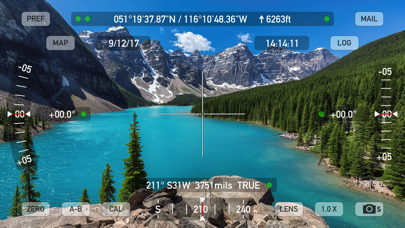
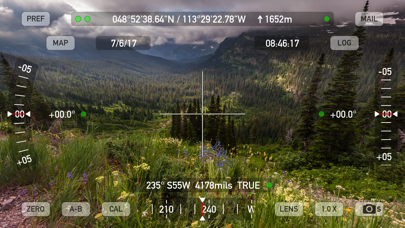
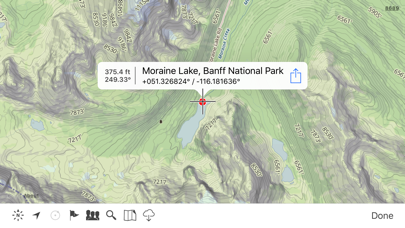
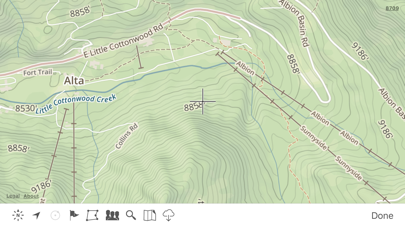
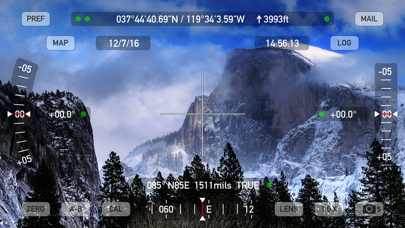
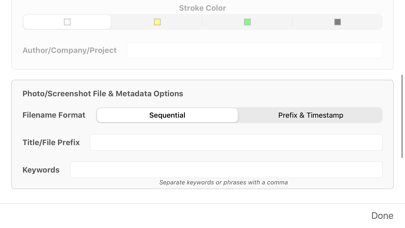
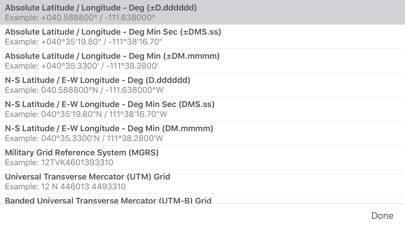
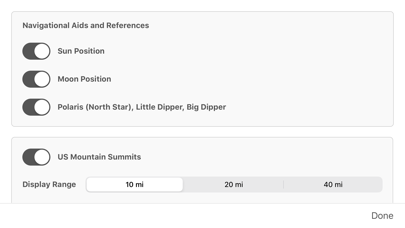
Theodolite is a multi-function viewfinder that combines a compass, two-axis inclinometer, rangefinder, GPS, map, nav calculator, and geo-overlay photo/movie camera into one indispensable app. Theodolite was one of the very first augmented reality (AR) apps when it was released in 2009, and it’s been downloaded and used by millions of customers since then. Uses are endless, and the app is great for land measurements, outdoor sports, sightseeing, navigation, and finding your way around. Theodolite is a pro grade app and is used extensively by surveyors, geologists, architects, engineers, competitive sportsmen, first responders, military personnel, and search and rescue workers around the world. Theodolite lets you take data-overlay photos and movies with 2X-8X zoom. Overlay geographical data, angle markings, date/time, author/company info, and project notes directly on photos and movies for later reference. The same data is written into the metadata record of images, making image files self-contained data records. Third-party apps can tap into Theodolite's advanced camera functions with a camera sharing feature. View current position on the built-in map with optional offline Outdoors maps that include topo contours, roads, trails, landmarks, campgrounds, ski lifts, and more. Live map markers continually update distance/heading relative to the current location and also show wayfinding info in the main viewfinder. Draw polygons on the map to mark things like property boundaries and trails, and import/export polygon data via KML. Share map markers and nav calculator points with other users of Theodolite via text messages or e-mail. This powerful capability opens up a wide range of collaborative uses including team land surveying, accident investigations, spotting wild fires, triangulation of landmarks, and advanced tactical observation and targeting. With an optional in-app purchase to enable team tracking, you can share location with up to 20 people on Theodolite's map. Theodolite includes features for serious users like a reference angle mode, nav calculator, map marker import/export, manual and automatic data logging with CSV and KML export, clipboard integration, %grade display, mil compass readout, optical rangefinders (including a mil-based reticle, sniper-style stadiametric graphs, and a variable 4X-24X scope), and night filters to improve use in dark conditions. Theodolite can provide location in military grid reference system (MGRS) coordinates, Universal Transverse Mercator (UTM) coordinates, British/Irish National Grids, US National Grid, Maidenhead locator system, Map Grid of Australia, and six latitude/longitude formats. Optional US State Plane coordinates include SPCS27 and SPCS83 zones covering all US States. The optional Datum Pack adds over 230 geodetic datums to the app to improve position computation from GPS data, covering regions and countries on all continents around the world. AR Layers include navigational aids like the sun, moon, planets, and Polaris (North star), and the optional US Mountain Summits layer that shows over 70,000 US mountain summits in the viewfinder. Theodolite has been shown in Apple Keynotes, featured on the App Store, and has been a #1 selling Navigation app in App Stores around the world. Since its introduction in 2009, Theodolite has defined augmented reality navigation. The app continually introduces new technologies, pushing the limits of iOS app development and taking advantage of new hardware capabilities. Find out why Apple named Theodolite one of the most amazing apps available and showed it being used to explore the Great Wall of China. Where will you take it on your next adventure? Note: Theodolite is an iPhone app -- see “Theodolite HD” for use on an iPad. And be sure to check out the all-new "Theodolite for Watch" and put Theodolite on your wrist!
새로운 소식
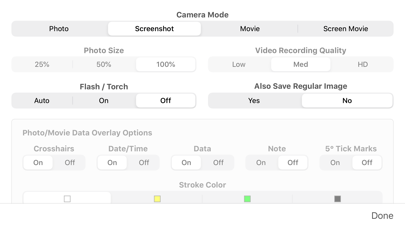
New measure tool on map screen to compute distance and heading. Polygon popup label now includes perimeter length. Enlarged size of touch target for camera shutter button to include entire lower corner of screen for easier taps. Options to control specific geo-data elements included in photo/movie overlay. Revised rangefinder code for better fidelity on multi-lens camera systems. Fixed issue where certain characters in map marker titles would cause problems for KML export to Google Earth. Updated camera sharing feature that allows other apps to use Theodolite's camera for image & data capture. Minor bug fixes and tweaks.
상세 정보
- 개발사
- Craig Hunter
- 주 카테고리
- Navigation
- 현재 버전
- 9.1
- 버전 출시일
- 2025-06-30
- 최초 출시일
- 2009-11-30
- 용량
- 30 MB
- 연령 등급
- 4+
- 가격
- USD 8.99
- 언어
- EN
- 번들 ID
- com.hunter.theodolite
- 현재 버전 평점
- ★ 4.71 (902)
- 첫 수집
- 2026-05-28
메타데이터 갱신 2026-07-19
순위 히스토리
무료 기준 · 최대 90일 · 상위 5개 카테고리 표시 (Y축: 순위, 낮을수록 상위)
순위 히스토리 데이터가 없습니다
무료 순위
순위 없음
유료 순위
경쟁 벤치마크 — Navigation Top 10
이 앱을 이기려면 무엇이 필요한가 — 같은 카테고리 상위권과의 비교입니다. 주황색 행이 현재 앱입니다.
| # | 앱 | 가격 | 평점 | 리뷰 수 | 언어 | 최근 업데이트 |
|---|---|---|---|---|---|---|
| 1 | MilGPS | USD 12.99 | ★ 4.83 | 5,506 | 1 | 2026-06-20 |
| 2 | Solocator - GPS Field Camera | USD 0.99 | ★ 4.27 | 413 | 1 | 2026-04-04 |
| 3 | Land Nav Assistant | USD 2.99 | ★ 4.48 | 73 | 1 | 2019-04-08 |
| 4 | Blitzer.de PRO | USD 0.49 | ★ 4.33 | 21 | 11 | 2026-06-30 |
| 5 | Sun Seeker - Sunlight Tracker | USD 11.99 | ★ 4.84 | 12,794 | 5 | 2026-07-10 |
| 6 | Sporty's E6B Flight Computer | USD 9.99 | ★ 4.90 | 5,287 | 1 | 2024-02-17 |
| 7 | Exit Strategy NYC Subway Map | USD 3.99 | ★ 4.76 | 187 | 1 | 2026-07-16 |
| 8 | Omaha Zoo - ZooMap | USD 0.99 | ★ 1.35 | 46 | 1 | 2023-09-11 |
| 9 | Find93 | USD 4.99 | ★ 3.67 | 18 | 1 | 2026-04-14 |
| 10 | Speedometer 55 Pro. GPS kit. | USD 3.99 | ★ 4.71 | 2,715 | 11 | 2026-07-05 |
| 12 | Theodolite | USD 8.99 | ★ 4.71 | 902 | 1 | 2025-06-30 |
이 개발사의 다른 앱






유저 리뷰
Update. If I hated the iPhone, I’d buy a used one just to have this app. I use this when building antennas, and any structure to check for plumb, level and height. On the range for distances when initially zeroing a rifle scope.
This is one of the best apps I’ve ever owned.
We used Theodolite while responding to oil spills along the East Coast of Vancouver Island. The USCG DRAT from the 13th CG District introduced us to Theodolite and it’s powerful trig features using GPS, angles and calculated distances. The photo background is a great asset also. This app is very easy to use. With a little practice it becomes a powerful field tool.
Suddenly stopped working on 15 PM. Been using for 7.5 yrs on multiple iPhones. Screen is black. No photo appears in photo app. Works on my work iPhone 13 regular. Weird. Please help.
As a Location Scout in the Film Industry and an amateur Astronomer, I use Theodolite almost every day. Amazing & Reliable,... 'Absolutely love it!
The calibration button does not work on a horizontal surface. When the phone is lying on a surface
I have used Theodolite to crosscheck compass accuracy in our Scout Troop. It is not only versatile, but accurate. It is very helpful when setting up compass training courses for our Scouts. As I have not used all the features, I am still learning how much it can do. Be Prepared
used for many years in construction admin … highly recommended for location data in pix form … fast/quick … pix or vid and send … done
Visually beautiful. Clear on-screen layouts and useful outdoor navigational information in the theodolite and compass apps. Altimeter…meh, informative but not eye-catching but maybe that’s its point (?). Weather? Yeah, there are hundreds of apps that do that, so it’s not really the selling point of the app. However, I am very disappointed that (1) the bundle does not include the Apple Watch apps and the various datum sets and (2) even more puzzled/peeved that the purchase of the datum for one app in the bundle does not make those datum available for use with the other apps in the set. It doesn’t really seem like a “bundle” especially when there are other apps available from other vendors that do as much but without the “nickel and dime” price escalation every time you open the preferences. In short, I’m pleased with the compass (on the phone) but will likely not find use for the rest of the apps as they each require additional purchases for base map datum($3) and localized maps/state plane coordinates ($25).
A valuable tool for determining slope angles, location and the new AI feature that highlights the mountain names we can see here in Colorado while I guide backcountry skiing and ice climbing is a huge bonus.
fieldworkで発見した地物の位置情報のちょっとした記録には便利。樹木高の記録にも
Good
변동(신규 진입·급상승) 감지된 앱에 한해 Apple RSS 최신 리뷰를 수집합니다.