
CalenGoo Calendar
🇯🇵 JP 현지화스크린샷
설명
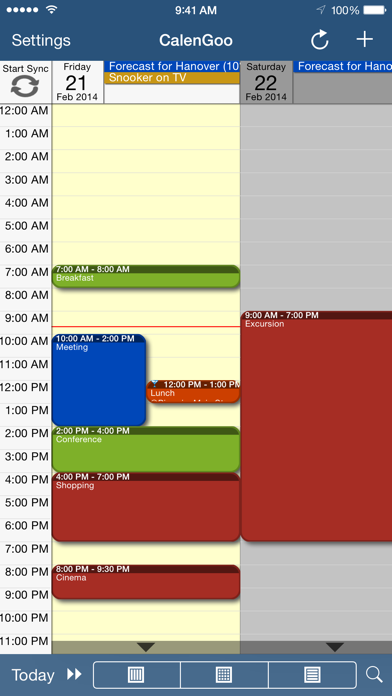
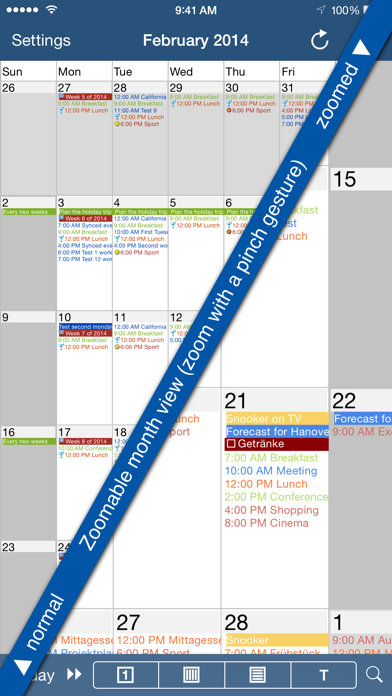
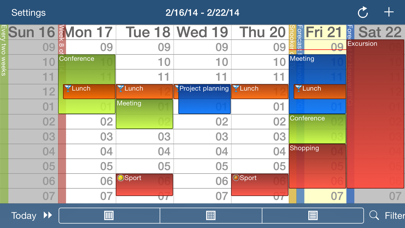
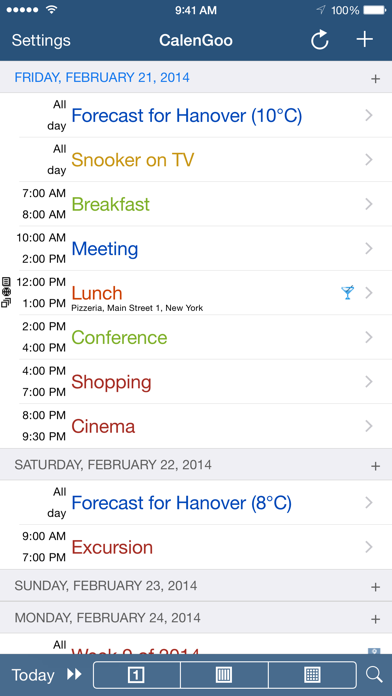
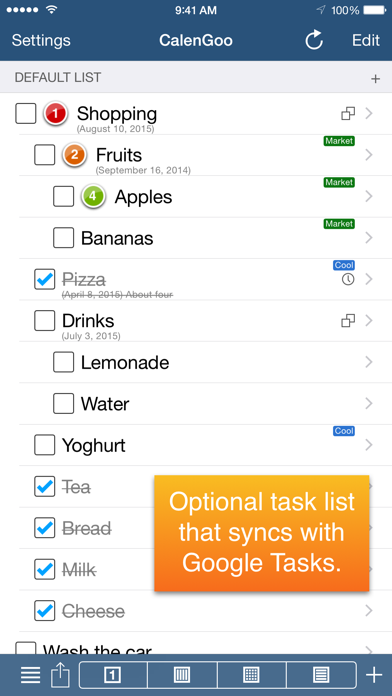
CalenGoo gives you a fast and easy way to access and modify your Google Calendar with your iPhone, iPod Touch or iPad. It can also be used when you have no Internet connection, using the cached data. Changes are saved and uploaded the next time you are connected. The calendar view is similar to the web view of Google Calendar. Events are displayed using the same calendar colors that you use in your Google Calendar, even Google's event colors are supported (please see http://www.calengoo.com/cc ). It also recognizes which calendars are visible and which are hidden. So the view should match the view of your Google Calendar as much as possible. CalenGoo also has a month view similar to that of Google Calendar. It can be zoomed and panned to quickly get an overview over the events of a month. Zooming the month is done by using the two-finger-zoom gesture that you know from Safari and the photo application. A double tap opens the tapped day. It also supports the same kinds of recurrence rules as Google Calendar and displays recurring events correctly even when you are offline or scroll far into the future. You can also use Google Calendar's feature to invite people to events and see their status (accepted, declined, maybe, no answer). They will get an invitation email with links to e.g. accept or decline the invitation. Google Calendar has an integrated task list, called Google Tasks. Tasks with a due date are displayed on the corresponding days of the calendar. CalenGoo can do the same, it can sync this list, display your tasks in the calendar views and in a list view and it even makes your tasks available offline. You can edit and add tasks and the changes will be synced with Google Tasks. You either need a (free) Google Calendar account to use this app or you can use it with your iOS calendars. However using it with Google Calendar has a few advantages. To get more information, screenshots and a tutorial, please go to http://www.calengoo.com If you have any problems or suggestions, please send an email to calengoo@dgunia.de or take a look at CalenGoo's support website to get help. If you think the font is too small and hard to read, you can increase the font size of all calendar views in the settings under "Settings", "Display and Use". Features ( http://www.calengoo.com ): - Drag&drop to quickly copy and move events - Templates to quickly create similar events again. They can even be combined, e.g. one template for the location of an event and another for the attendees - Print/PDF function to print the day, week, month or agenda view via AirPrint or to email it as a PDF file - Supports the same recurrence rules as Google Calendar - Supports Google Calendar's event colors when syncing via OAuth2 - Icons can be assigned to Google Calendar events - Date/time can be entered using the iOS wheels or by using a keypad - Fast search function - Show/edit iOS calendars in addition to Google calendars (or instead of Google calendars) - Sync with Google Tasks and iOS Reminders - Reminders can be snoozed and they can be (optionally) repeated every minute - Birthdays and anniversaries of your contacts can be displayed - Zoomable month view, which can be configured to scroll horizontally (month by month) or vertically (week by week) - Events can be linked to contacts - Floating events and completable events - Photos and PDF files can be created and attached to events (via Google Drive) - Calendar selection bar to quickly show and hide single calendars - The location of an event can be opened with Apple Maps, Google Maps, Navigon, TomTom, Skobbler, Sygic, iGo or Waze - View/edit calendars that are shared with others via Google Calendar - Many configuration options to change the way the app looks and works
새로운 소식
- New Google Drive picker - Added a switch to show all-day events in the small 1x1 widget - Added an option to remove countdown events from the today widget - Bug fixes
상세 정보
- 개발사
- Dominique Andr Gunia
- 주 카테고리
- Productivity
- 현재 버전
- 1.5.105
- 버전 출시일
- 2026-04-21
- 최초 출시일
- 2009-01-16
- 용량
- 30 MB
- 연령 등급
- 4+
- 가격
- USD 6.99
- 언어
- MY, CS, NL, EN, FR, DE 외 3
- 번들 ID
- de.dgunia.calengoo
- 현재 버전 평점
- ★ 4.58 (297)
- 첫 수집
- 2026-05-28
메타데이터 갱신 2026-07-19
순위 히스토리
무료 기준 · 최대 90일 · 상위 5개 카테고리 표시 (Y축: 순위, 낮을수록 상위)
순위 히스토리 데이터가 없습니다
무료 순위
순위 없음
유료 순위
순위 없음
이 개발사의 다른 앱

유저 리뷰
Been a loyal user since the early days when there was no google calendar app. Love the interface and ease of use.
I’ve been using this since day 1, almost literally. I was a diligent paper calendar user and very frustrated with all the other digital cals out there. This is the ultimate, I have suggested it to countless people and wonder why so many put up with Apple and even Google. Nicely done folks!
I have been using this program for more than ten years. First with Android phones and now with iOS devices. Very easy to use and has many useful functions. Developer was responsive to questions submitted. Well worth purchasing this app.
I’m a HUGE widget and this is the ABSOLUTE BEST I’ve found !!!! One question, how do I enlarge the name of the event on the widget?
Last update was 5 months ago, no longer syncs in iOS 26, please update or get rid of the app.
I have used this app for years, well over 10 years I think! For work, through my kids school, sports, etc., But I keep having the same problem of changing my schedule and every time I add a recurring item then need to delete, the app deletes everything. It has deleted my whole work schedule so I can’t be 100% sure if I go back and checked if it’s accurate or not. I’ve been frustrated with this app for a long time. Now that my kids are grown and it’s just me and my husband, I’m going to look for a simpler app that won’t delete everything I enter.
Use this app if you want events to stay visible on your Apple Watch until they are done, because the developer kindly gives you control over this function (i.e., in settings you can choose for how long you want the current event to be shown & if not specified then it will remain until it is over). In contrast, the friggin’ stock Apple Watch calendar application was changed from showing events until completed, to instead showing the next event in your calendar about 10 minutes into the current one. Hey Apple, how the bleep am I supposed to know how much time I have left in my current appointment? Many thanks to the excellent developer Dominique for allowing the user to tweak the app to meet their needs! iPhone app is rock solid too.
>15-year user and haven’t looked back. Default settings work fine but just about EVERYTHING in this app is configurable. EVERYTHING. I work faster in this app than in the Google Calendar app or desktop. App keeps improving, both in features and performance (used to be slow to load, not any more!)
CalenGoo makes calendar management simple and efficient. If you need a powerful, easy-to-use calendar that doesn’t get in your way, this app is worth checking out.
I love this calendar. It was the best purchase I've ever made! It syncs wonderfully between all of my Apple products and the best part for me is the monthly view and how you can actually see your appointments and not just a dot that you have an event that day. I love the multiple colors for each of the calendars to keep things more organized. And I've always received a quick response from developer when there were issues or questions
日本語で説定ができると最高なのですが。Android版も使用しています。Android版は、iOS版に比べ、日本語の(完全ではないが)説定ができ、使いやすいです。過去の予定がすべて閲覧・検索できて便利です。いろいろ、説定できすぎるのが難しすぎるのかも知れません。 DayビューのAll dayスケジュール表示が表示幅を大きくできるともっと見やすくなると思うので、よろしくお願いします。Android版は、星5つです。
After updating to 1.5.96, it often crashes.
변동(신규 진입·급상승) 감지된 앱에 한해 Apple RSS 최신 리뷰를 수집합니다.