

스크린샷
설명
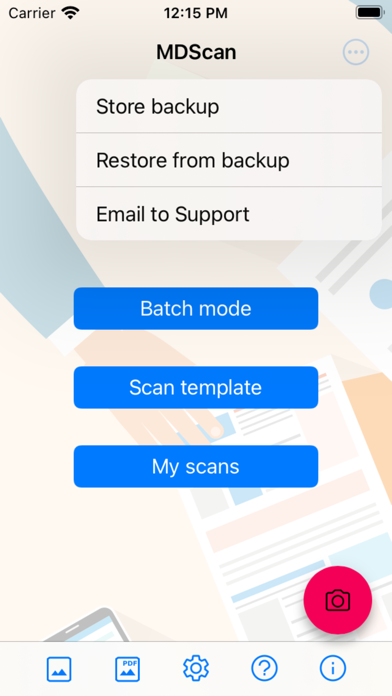
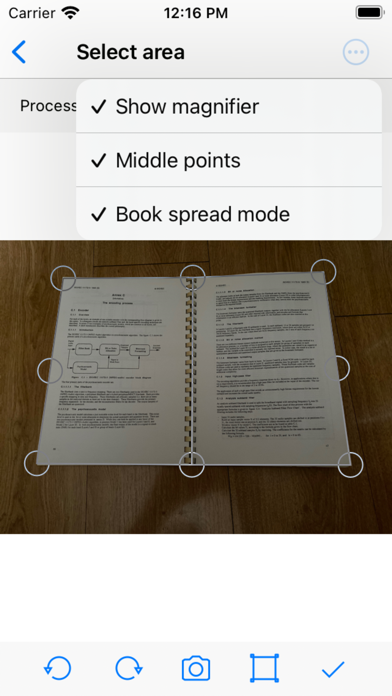
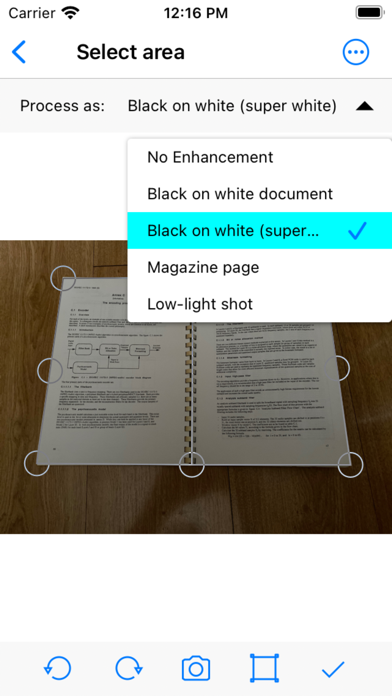
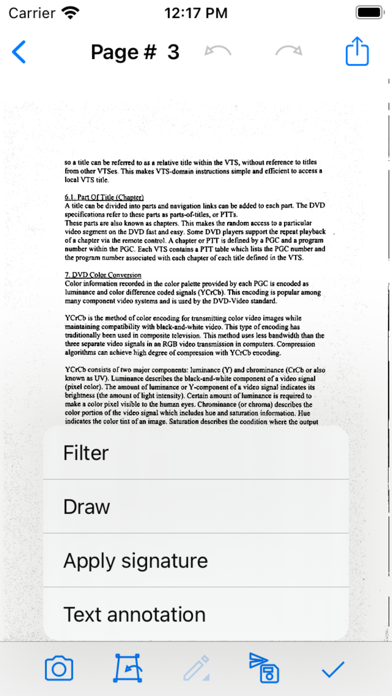
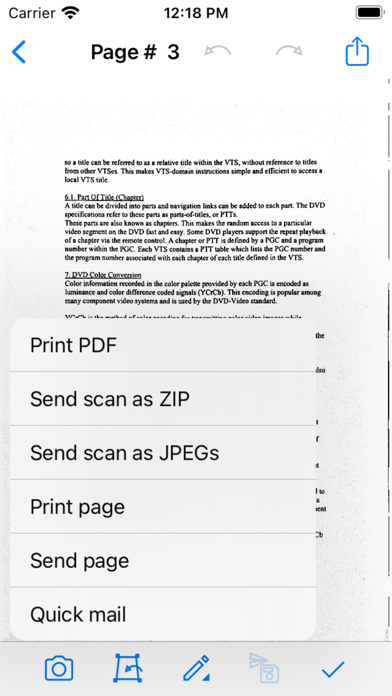
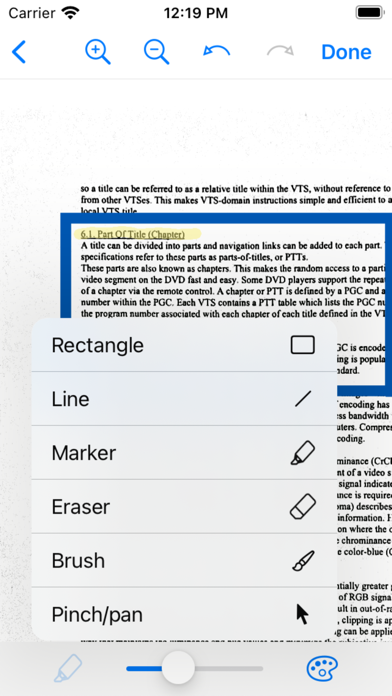
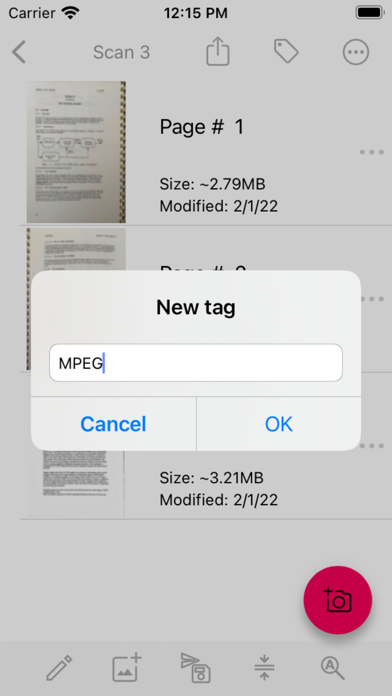
All image processing is done only on your device! No documents will go online without your desire! Take a picture with your camera, edit it using the many enhancing features, save into a preferred format and share on social media, email, cloud services. MDScan is a mobile doc scanner that allows you to scan any type of document using your phone camera. This could be receipts, text pages, coupons, posters, magazine articles, invoices, pictures, and any printed documents. How does it work? 1. Take a picture with your camera 2. Choose an editing option (you can select “unenhanced”) 3. Easily adjust the scan area using the 4 borders on the page 4. Confirm the scan to the set dimensions (ready presets available) 5. Choose filters to enhance the quality (optional) 6. Save and Export into a PDF or JPG 7. Share on Social Media, Email, Cloud Servers More detailed information: This mobile scanner is perfect to use on the go - anywhere and anytime. With a variety of presets, MDScan guarantees great experience and its automatized functions are suitable for the busiest users looking to scan PDF documents with their mobile device’s camera. If you are looking for a mobile scanning application that automatically detects borders, corrects distortion, and equalizes brightness to create clear, legible documents, you are definitely on the right page. Speaking of great user experience and automatic functions, the MDScan integrates seamlessly with cloud storage services such as Google Drive and Dropbox. In addition, you can send your scanned documents with email services, Facebook (Messenger), Twitter, and other apps if installed on your device. This scanner app shines in terms of uploading but has no second when it comes to converting pictures taken from your phone's camera into legitimate documents you can use for business purposes. With the Mobile Doc Scanner (MDScan) + OCR, you can now add multiple pages easier than ever. Whenever you want to scan a new page, you just need to press the caption button and you’re all set! All of the scanned documents and pages are stored and available under the “My Scans” field. You can also try the Batch mode, which allows you to scan multiple pages within seconds! There is a feature called “Process page laters (spy mode)” that allows you to scan as many documents as you want to without facing any processing delays. Of course, you can work with a photo or document that is already saved in your file system. Whether a PDF file or a regular picture, you can use the same editing options as if you just scanned a picture with your camera. Another great feature this document scanner app offers is OCR (Optical Character Recognition) which stands for the electronic conversion of images of typed, handwritten or printed text into machine-encoded text. Whether scanned from a PDF file or a photo you just took, this new version of Mobile Doc Scanner (MDScan) + OCR guarantees fast performance, user-friendly interface, and professional results. Let’s sum up what you get downloading the MDScan: * Convert any image into a PDF format. * Document edge detection and perspective correction. * Improved image quality * Quick scan and multi-page documents * Share easily and upload instantly User satisfaction is our main goal and if you have any questions or suggestions on how we can improve the Mobile Doc Scanner (MDScan) + OCR, contact us at our support email. We do our best to respond as soon as possible!
새로운 소식
Fixed a crash when importing images on iOS devices below version 18.
상세 정보
- 개발사
- Mikhail Kuznetsov
- 주 카테고리
- Business
- 현재 버전
- 3.8.48
- 버전 출시일
- 2025-11-26
- 최초 출시일
- 2022-02-08
- 용량
- 15 MB
- 연령 등급
- 4+
- 가격
- USD 4.99
- 언어
- AR, EN, FR, DE, IT, JA 외 9
- 번들 ID
- com.mixaimaging.MDScan
- 현재 버전 평점
- ★ 4.70 (135)
- 첫 수집
- 2026-06-24
메타데이터 갱신 2026-06-24
순위 히스토리
무료 기준 · 최대 90일 · 상위 5개 카테고리 표시 (Y축: 순위, 낮을수록 상위)
순위 히스토리 데이터가 없습니다
무료 순위
순위 없음
유료 순위
경쟁 벤치마크 — Business Top 10
이 앱을 이기려면 무엇이 필요한가 — 같은 카테고리 상위권과의 비교입니다. 주황색 행이 현재 앱입니다.
| # | 앱 | 가격 | 평점 | 리뷰 수 | 언어 | 최근 업데이트 |
|---|---|---|---|---|---|---|
| 1 | HotSchedules | USD 2.99 | ★ 4.60 | 67,210 | 3 | 2026-06-22 |
| 2 | ecMobile | USD 9.99 | ★ 2.12 | 210 | 0 | 2026-05-19 |
| 3 | Jump Desktop (RDP, VNC, Fluid) | USD 14.99 | ★ 4.50 | 1,645 | 9 | 2023-10-30 |
| 4 | TurboScan™ Pro: PDF scanner | USD 9.99 | ★ 4.92 | 294,388 | 10 | 2026-04-14 |
| 5 | Voice Recorder - Audio Record | USD 5.99 | ★ 4.71 | 16,727 | 10 | 2026-04-24 |
| 6 | ScanBizCards | USD 0.99 | ★ 4.58 | 13,765 | 5 | 2026-06-02 |
| 7 | Superpowers by SYPartners | USD 3.99 | ★ 4.53 | 34 | 1 | 2026-03-11 |
| 8 | TapeACall Pro: Call Recorder | USD 10.99 | ★ 4.52 | 18,458 | 24 | 2025-02-13 |
| 9 | FileBrowser Professional | USD 14.99 | ★ 4.68 | 1,494 | 9 | 2026-05-21 |
| 10 | Access Database Viewer: MDB AI | USD 2.99 | ★ 3.00 | 2 | 24 | 2026-06-12 |
| 55 | MDScan + OCR | USD 4.99 | ★ 4.70 | 135 | 15 | 2025-11-26 |
이 개발사의 다른 앱

유저 리뷰
شكراً لكم
Great app
I can scan, edit and uploads right into my Google Drive folder all from the app. Perfect for what I need! Right now I am using it to scan comic books for a high school class I teach. Saves me so much time and effort! Thank you!!
변동(신규 진입·급상승) 감지된 앱에 한해 Apple RSS 최신 리뷰를 수집합니다.