

스크린샷

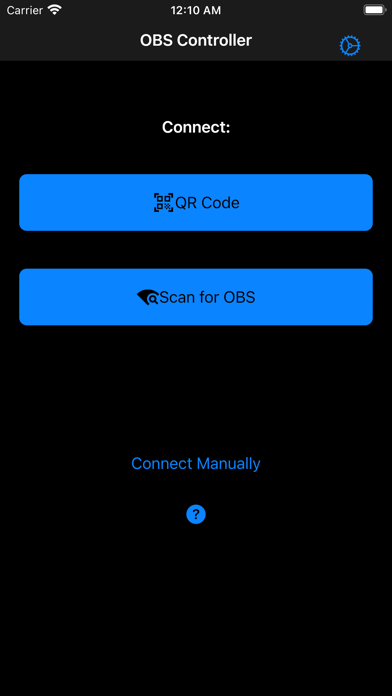


설명
Simple is better. This app is focused on having a simple mobile scene switcher in OBS. In OBS v28 and later it should work out of the box. For earlier versions, it requires the obs-websocket plugin to be installed. You can download it here: https://obsproject.com/forum/resources/obs-websocket-remote-control-obs-studio-from-websockets.466/ - Hide scenes that you don't want to accidentally switch to - Control your stream, recording or virtual camera output - Show/hide individual scene elements - Mute audio sources - Configure a delay for the commands in case you want to sync scene switches with camera delays
새로운 소식
- Add the ability to save multiple connections. - Change the "save" label to say "save password" to make it clear what it does.
상세 정보
- 개발사
- Fallen Starlight AB
- 주 카테고리
- Photo & Video
- 현재 버전
- 0.11.0
- 버전 출시일
- 2026-01-13
- 최초 출시일
- 2021-02-16
- 용량
- 29 MB
- 연령 등급
- 4+
- 가격
- USD 1.99
- 언어
- EN
- 번들 ID
- se.erikfahlen.obscontroller
- 현재 버전 평점
- ★ 4.14 (50)
- 첫 수집
- 2026-05-28
메타데이터 갱신 2026-06-12
순위 히스토리
무료 기준 · 최대 90일 · 상위 5개 카테고리 표시 (Y축: 순위, 낮을수록 상위)
순위 히스토리 데이터가 없습니다
무료 순위
순위 없음
유료 순위
순위 없음
유저 리뷰
Using OBS 32, this app worked right out of the box. I understand earlier versions of OBS require a web socket, but my installation did not require it. I downloaded the app, opened it up, connected it easily to OBS by scanning the network, and that was it. I’ve used it a few times now and have encountered no issues. Simple is better than complex!
installed the app. Got OBS open on laptop. Scan QR code cause it wouldn’t find it from my phone to connect. We code scan didn’t connect it either. Waste of 2$
Don't waste your money it doesn't work
I keep getting the error message, could not connect to server.
I did not read the reviews 😭 follow the instructions and it’s just invalid for no reason 💀 pls fix thanks 🙏🏾
Does not work at all. Does not connect to the computer. No matter what setting. Do not waste your money.
What I was looking for
변동(신규 진입·급상승) 감지된 앱에 한해 Apple RSS 최신 리뷰를 수집합니다.