
스크린샷
설명
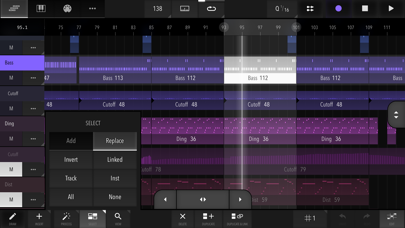
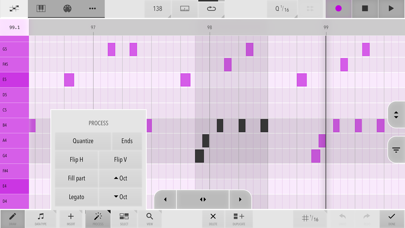
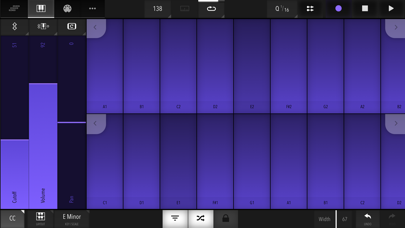
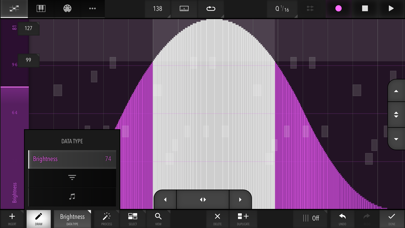
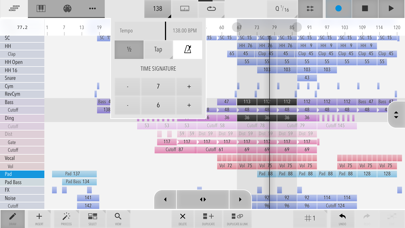
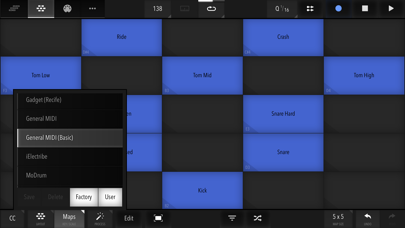
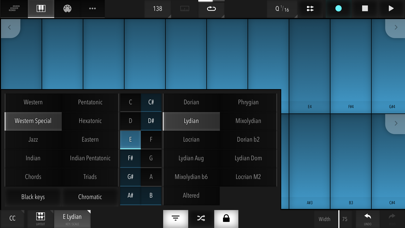
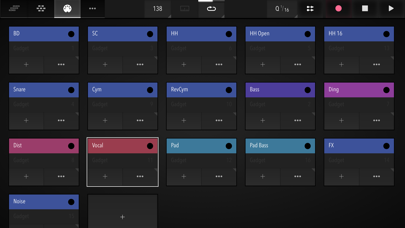
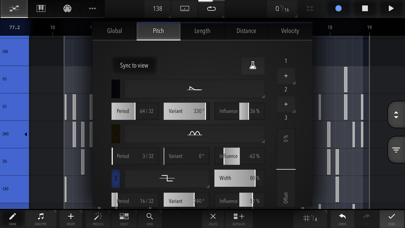
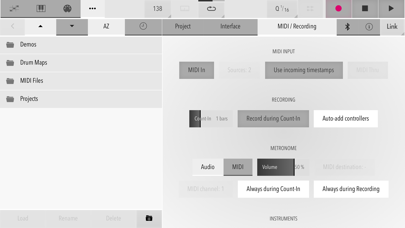
This app is targeted at digital music production enthusiasts & professionals. Xequence is a comprehensive, fast & reliable MIDI sequencer, editor, arranger & controller for iPhone & iPad. Providing a desktop-class editing experience, it is the perfect centerpiece for a hardware studio, or for apps like AUM & Audiobus 3 to create a modular mobile music production environment. HIGHLIGHTS: - Efficient & fast User Interface for an amazing editing workflow - Robust MIDI File Import & Export (notes, controllers, program changes, etc.) - Extensive support for MPE (In-App Purchase) with per-note expression data editing - Support for scales everywhere (keyboard, pianoroll, etc.) - Over 70 included scales in 10 categories - MIDI Time Stretching in all editors - Best-in-class MIDI timing and clock output - Full Ableton Link 3 support - Full Audiobus 3 support - MIDI In & Thru with re-channelization & re-routing - MIDI Sync Master (Clock/Start/Stop/Continue/SPP) to sync other DAWs & sequencers to Xequence, e.g. to use audio tracks, or external drum machines. Several options for compatibility ARRANGER: - Unlimited Clips - Unlimited Tracks - Unlimited Sub Tracks per Track - 64 Undo/Redo steps - Flexible grid - Per-track non-destructive Swing & MIDI Delay - Linked Clips / Clones (editing the original changes all copies) - Powerful clip-based, per-track independent looping - Program changes - Selection tools: Marquee/Rectangle, Same Track, Same Instrument, Linked Clips, Invert, etc. - Editing tools: Create Copy, Create Linked Copy, Unlink, Split, Join, Convert loops to clips, etc. - Global clipboard, even between projects - Movement/Trimming Handles at screen edges for efficient editing PIANOROLL EDITOR: - 256 Undo/Redo steps - Scale-awareness ("folding") - Relative or absolute grid (move by grid increments or snap to nearest grid lines) - Live MIDI previews of all edits - Selection tools: Box, Same Note, Same Key, Same Beat Position, Invert, etc. - Editing tools: Copy, Legato, Quantize, Quantize Ends, Octave +/-, Flip H/V (mirror), Fill clip with selection, etc. - Smart Draw mode: Touch to create, touch again to delete, drag up/down to transpose, drag left/right to change length - Global clipboard, even between projects - Configurable "ghost" overlays - Note velocities quickly adjustable via a handle, or editable like controllers, see below: CONTROLLER EDITOR: - 256 Undo/Redo steps - Selection tools: Box, Same Beat Position, Invert - Selection modes: Add & Replace - Editing tools: Copy, Reduce, Quantize, Compress/Expand, Flip H/V (mirror), Ramp (various curves), Fill clip with selection - Smart Draw mode - Note Velocities can be shown as controllers and edited with the same tools - Configurable vertical grid & value entry KEYBOARD / CONTROLLER: - Scale-aware, very playable single or dual keyboards - Glide support - Adjustable key width - Velocity emulation (via vertical position) - Drum maps and pads, fully editable, 40+ factory maps - Touch ribbons for live control - Controllers can be moved by sliding (ribbon), device rotation (up to three axes at once), like a button (sustain pedal, "trance gates"), or by touching the keys at different vertical positions. All highly configurable. INSTRUMENTS: - Unlimited Instruments (MIDI configurations for devices / apps) - Up to 150controller slots per Instrument - Optional support for (N)RPNs (In-App Purchase) - Loading & Saving of instruments for re-use in other projects, 40+ factory presets included (In-App Purchase) - Compatible with virtually ALL apps and class-compliant MIDI interfaces VARIOUS: - Audio or MIDI Metronome - Note chasing (notes play even when playback starts in the middle) - Controller chasing - Perfect song looping, no dropouts/jitter at loop points - Supports any time signature/BPM (fixed per song) - Includes PolyHymnia, an advanced Generative Music module - Light and Dark themes Please report any issues via our website, we provide quick and comprehensive support!
새로운 소식
IMPROVEMENTS: - Keyboard: In dual keyboard mode, "Hold+" mode can now be toggled to encompass both keyboards together, or separately (old behaviour). See new "+" dropdown in the keyboard bottom toolbar. - Minor UI tweaks. FIXES: - Keyboard: Fix occasional stuck keys when playing both keyboards in "Hold+" mode at the same time.
상세 정보
- 개발사
- Alexander Ewering
- 주 카테고리
- Music
- 현재 버전
- 2.6.1
- 버전 출시일
- 2023-12-30
- 최초 출시일
- 2019-08-24
- 용량
- 8 MB
- 연령 등급
- 4+
- 가격
- USD 19.99
- 언어
- EN
- 번들 ID
- systems.seven.xequence2
- 현재 버전 평점
- ★ 4.57 (65)
- 첫 수집
- 2026-07-11
메타데이터 갱신 2026-07-16
순위 히스토리
무료 기준 · 최대 90일 · 상위 5개 카테고리 표시 (Y축: 순위, 낮을수록 상위)
순위 히스토리 데이터가 없습니다
무료 순위
순위 없음
유료 순위
순위 없음
