
스크린샷

설명
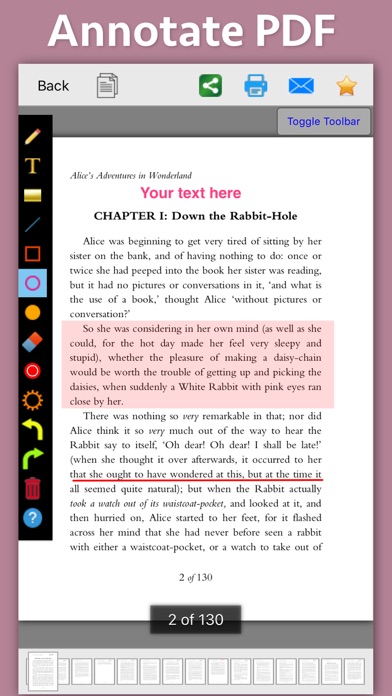
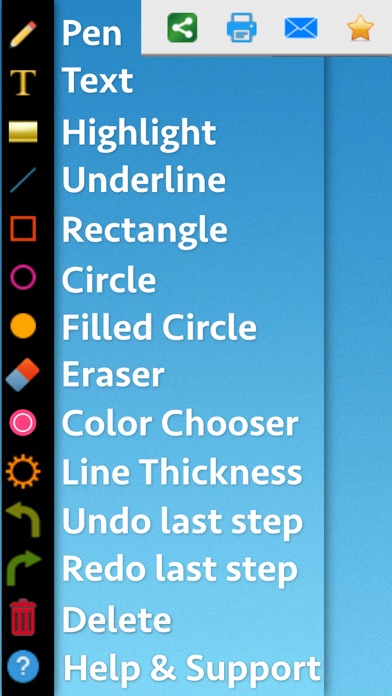
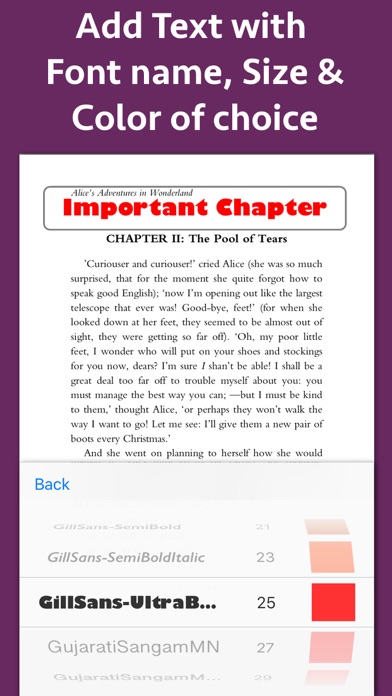
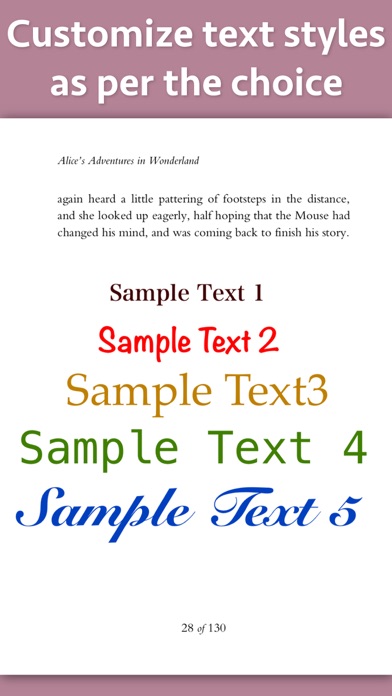
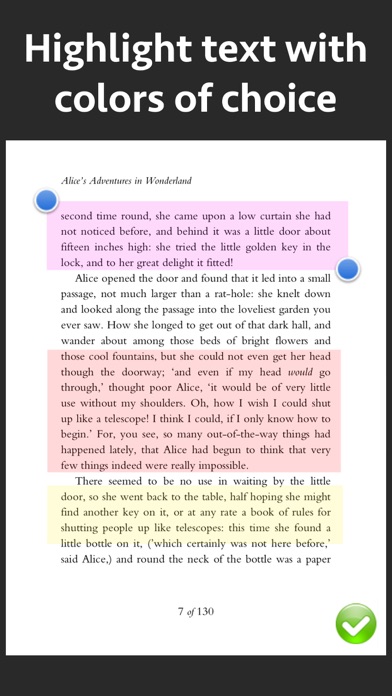
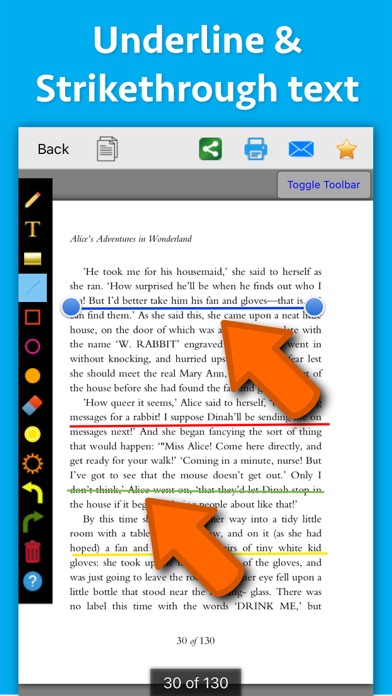
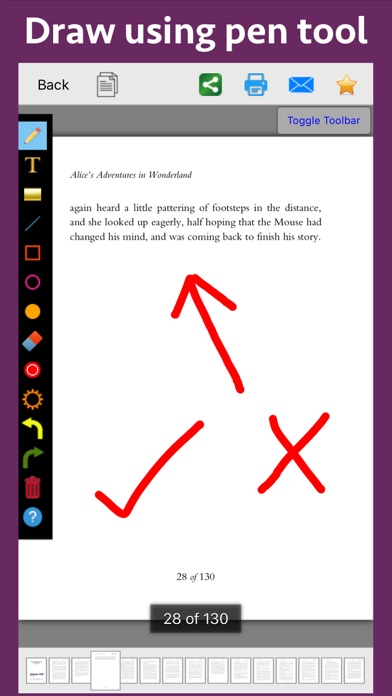
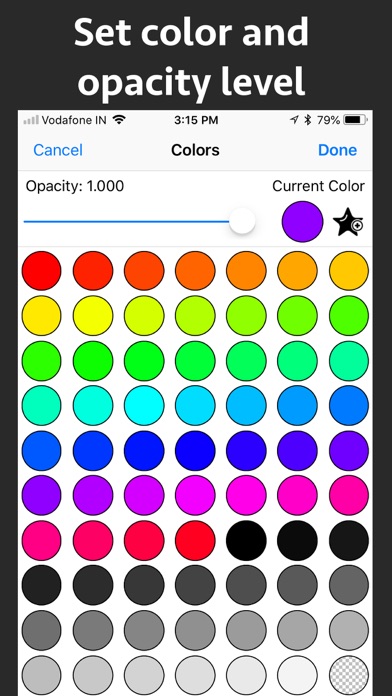
Write text on PDF, Highlight, underline ,draw shapes & customise using different Fonts, text size, colors and transparency level. Using these features you could highlight important lines in a PDF.You could also write text on pages of the PDF.For example : you could write "Important" on the important pages of the PDF. This could be very helpful in making notes, preparing documentation or for making presentation. Annotated PDF files are easier to understand and help to focus on important points, images and topics. Below are some additional usage : -- Getting feedback on a document that is sent for review. The reviewer could highlight the areas, or write text at the places that need correction or improvements. -- Holding a meeting or discussion on a PDF Document with several users and adding highlights, writing text & drawing shapes using pen tool like arrows, checkmark and cross marks wherever the document needs changes or where it needs more discussions. -- Adding your own notes makes it much easier to find the document later and to remember why it is important or which pages & topics are important. -- Approving documents with text and commenting on the PDF. -- Highlighting the important paragraphs in the study materials. -- Adding references or points on the PDF pages by writing text on the PDF. Using the application you could do below operations : a) Write Text on PDF : Using the application the Text could be written anywhere on the pages.After the text is written, you could perform various customisations as shown below : -- Change Font of the text -- Change the Text Size -- Change the the text color -- Resize or change the location of the text as per the requirements. b) Highlight Text in PDF : Using the highlight tool, the text could be highlighted. The highlighting colors could be changed to any color of your choice.Once the Text is highlighted, you could also resize or reposition the highlighted part as per the requirements. c) Underline Text - Underline the text using the line tool.The underline color could be changed as per the requirements. The line tool could also be used to draw lines and shapes. d) Strikethrough Text - Strikethrough the text.The strikethrough color could be changed as per the requirements.This could be also be done using the line tool. e) Draw Circle - Draw a circle using the circle tool. It also supports various customisations as below : -- Change the thickness of the border from settings. -- Change its border color. -- Draw circle which is filled with the color of choice. -- Set transparency/opacity of the colors. (from Color settings) f) Draw a Square or Rectangle - A square or rectangle could also be drawn on the PDF. Just like the Circle the below operations could be performed : -- Change the thickness of the border from settings. -- Change its border color. -- Draw a rectangle or square which is filled with the color of choice. -- Set transparency/opacity of the colors. (from Color settings) g) Draw any shape using the Pen tool : using the pen tool any custom shapes could be drawn. For example : shapes like arrow, checkmark,cross mark and etc could be drawn using the Pen tool. h) Erase using the eraser tool - Use the eraser tool to erase the unwanted annotations. i) Undo and Redo support : Make the editing task easier by performing Undo or Redo operations. j) Delete tool : Delete the contents of the current page using the delete tool.
새로운 소식
- Minor Bug fixes
상세 정보
- 개발사
- Ruchira Ramesh
- 주 카테고리
- Business
- 현재 버전
- 8.1
- 버전 출시일
- 2025-11-02
- 최초 출시일
- 2018-10-16
- 용량
- 3 MB
- 연령 등급
- 4+
- 가격
- USD 3.99
- 언어
- EN
- 번들 ID
- com.runisoft.iPDF-Annotation-Maker
- 현재 버전 평점
- ★ 4.50 (10)
- 첫 수집
- 2026-06-24
메타데이터 갱신 2026-06-24
순위 히스토리
무료 기준 · 최대 90일 · 상위 5개 카테고리 표시 (Y축: 순위, 낮을수록 상위)
순위 히스토리 데이터가 없습니다
무료 순위
순위 없음
유료 순위
경쟁 벤치마크 — Business Top 10
이 앱을 이기려면 무엇이 필요한가 — 같은 카테고리 상위권과의 비교입니다. 주황색 행이 현재 앱입니다.
| # | 앱 | 가격 | 평점 | 리뷰 수 | 언어 | 최근 업데이트 |
|---|---|---|---|---|---|---|
| 1 | HotSchedules | USD 2.99 | ★ 4.60 | 67,210 | 3 | 2026-06-22 |
| 2 | ecMobile | USD 9.99 | ★ 2.12 | 210 | 0 | 2026-05-19 |
| 3 | Jump Desktop (RDP, VNC, Fluid) | USD 14.99 | ★ 4.50 | 1,645 | 9 | 2023-10-30 |
| 4 | TurboScan™ Pro: PDF scanner | USD 9.99 | ★ 4.92 | 294,388 | 10 | 2026-04-14 |
| 5 | Voice Recorder - Audio Record | USD 5.99 | ★ 4.71 | 16,727 | 10 | 2026-04-24 |
| 6 | ScanBizCards | USD 0.99 | ★ 4.58 | 13,765 | 5 | 2026-06-02 |
| 7 | Superpowers by SYPartners | USD 3.99 | ★ 4.53 | 34 | 1 | 2026-03-11 |
| 8 | TapeACall Pro: Call Recorder | USD 10.99 | ★ 4.52 | 18,458 | 24 | 2025-02-13 |
| 9 | FileBrowser Professional | USD 14.99 | ★ 4.68 | 1,494 | 9 | 2026-05-21 |
| 10 | Access Database Viewer: MDB AI | USD 2.99 | ★ 3.00 | 2 | 24 | 2026-06-12 |
| 56 | PDF Markup & Annotation Maker | USD 3.99 | ★ 4.50 | 10 | 1 | 2025-11-02 |
유저 리뷰
The unbelievably loud reset button I’ve reviewed you before about this, please change that…💯
I downloaded this app to add a few more details to the pdf files that I read. It does work well. As a side note I also used it get some coloring pdf books colored by my children. They learned using the app in a few attempts and colored a few drawings of animals that I had with me in pdf format. You could also download such coloring pdf books from internet. Thank you. I will see and download more applications from this developer.
I used this app to add text comments and highlights to my pdf course books. The app was easy to use and the results were great. The support team is also very helpful. They responded immediately to my email. I am satisfied and happy from this application.
I just purchased this app to make notes to a pdf document for review and it was a big waste of time. The app barely even works. I went to add text and there is very little control over where the text box goes, when I started typing I couldn’t see any of the text- you have to enter to finish the box before anything shows up, and then after that it didn’t show all the text. This app was a complete waste of my time and I would really like my money back.
I purchased this App to do PDF annotations. I receive emails on my iPad with PDFs that I want to mark up and send back. I was looking for app that was reasonably priced that would doo the job and I could deploy in my organization. I installed on my iPad but it wouldn’t work in landscape mode. I believe the vast majority of iPad users do text editing in landscape mode, not portrait. I confirmed with the maker that it doesn’t work in landscape mode. Otherwise, the app does offer a lot of tools for annotating, but I would wait until it gets updated. Updated 12/28/20 Wow, what a response! I posted a review about the lack of landscape mode, then they fixed it just a few days later. We can use this to edit PDFs in the more natural landscape mode. Thanks for the quick response!
I downloaded this app because it’s price was reasonable and it fitted my budget. I have to keep annotating pdf files because I am a document reviewer and I regularly have to review pdf files. I must say that this app is very easy to use and does all tasks of annotations in a snap. It works in landscape mode also which helps when I have connected keyboard to my device. The tools that it offers are all that I need to annotate my PDF. This tool Is recommended by me.
변동(신규 진입·급상승) 감지된 앱에 한해 Apple RSS 최신 리뷰를 수집합니다.