

스크린샷
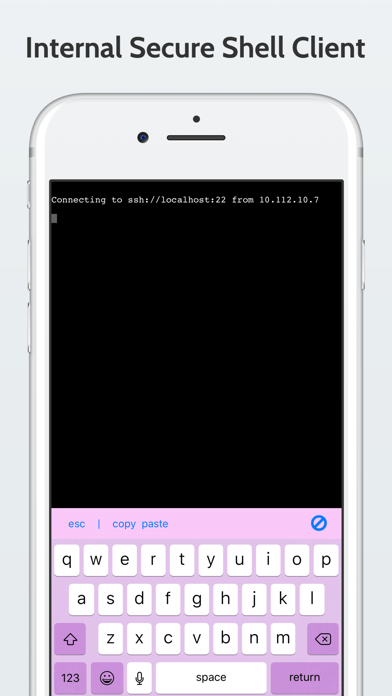
설명
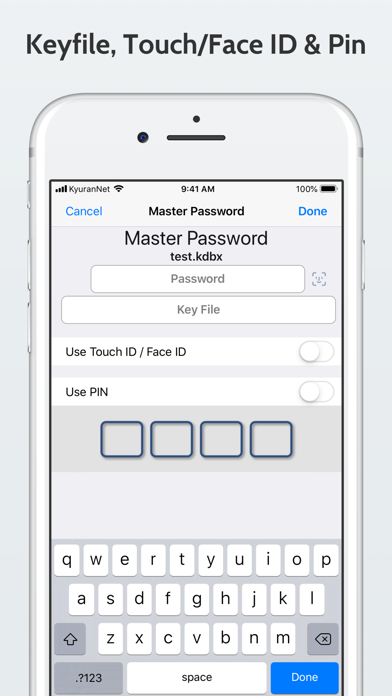
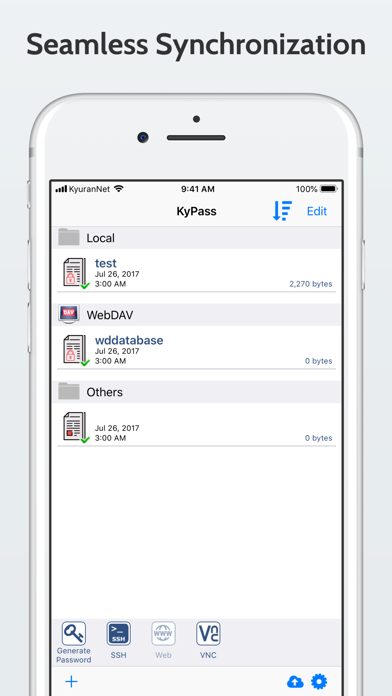
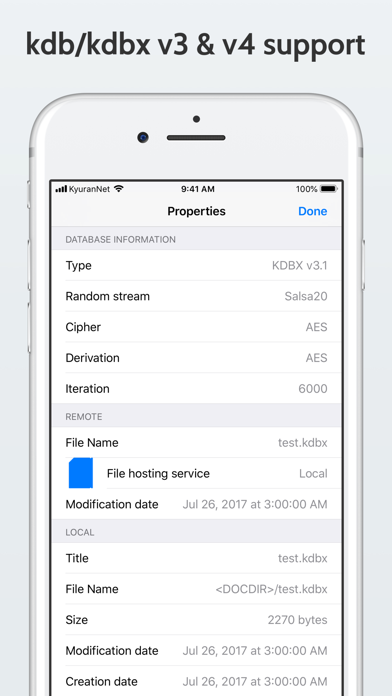
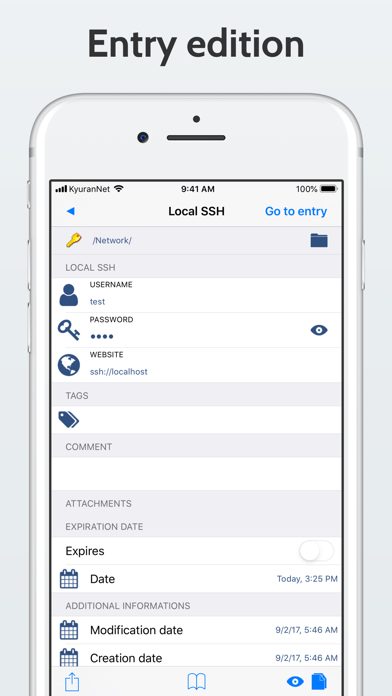
KyPass is designed for users who demand the highest level of security for their personal data. It is fully compatible with the open-source KeePass Password Safe database format, allowing you to manage your credentials securely and efficiently across all your devices. Secure Sync and Backup Your encrypted database can be stored and synchronized using: • iCloud Drive • Dropbox • Google Drive • OneDrive (personal and business) • SFTP • Any WebDAV-compatible cloud service Powerful and Complete KyPass stores all your sensitive information — usernames, passwords, URLs, notes, and more — in a single, encrypted database. Entries are organized into groups, and the built-in search lets you find what you need instantly. Exclusive Features • Tree view navigation (ideal on iPad) • Full field reference support • Complete history management (view and maintain previous versions) • Recycle Bin support • Folder selection for Dropbox and WebDAV • Attachment support (read and write) And Also • Multi-cloud synchronization across all your devices • Safari and third-party browser integration • Advanced password generator with smart character rules • KDBX4 support • External keyboard compatibility • Local WebDAV browser for direct imports • Download database directly from a URL • Touch ID or PIN protection (securely stores the master key in iOS Keychain) • One-Time Password (OTP) support • Barcode sharing for entries • Detailed entry information including creation, modification, and expiry dates KyPass is powerful enough to replace your desktop password manager, yet simple enough to use anywhere. Discover the most complete and secure KeePass-compatible app for iPhone and iPad.
새로운 소식
Fix dropbox connection
상세 정보
- 개발사
- Miguel Vanhove
- 주 카테고리
- Productivity
- 현재 버전
- 6.4
- 버전 출시일
- 2025-11-03
- 최초 출시일
- 2017-09-25
- 용량
- 26 MB
- 연령 등급
- 17+
- 가격
- USD 7.99
- 언어
- NL, EN, FR, DE, RU, ZH
- 번들 ID
- be.kyuran.kypass4
- 현재 버전 평점
- ★ 4.11 (386)
- 첫 수집
- 2026-07-10
메타데이터 갱신 2026-07-12
순위 히스토리
무료 기준 · 최대 90일 · 상위 5개 카테고리 표시 (Y축: 순위, 낮을수록 상위)
순위 히스토리 데이터가 없습니다
무료 순위
순위 없음
유료 순위
순위 없음
유저 리뷰
TouchIDが利用出来るような説明がありますが 実際にはpinだけで生体認証を利用してDBを開くことはできません 昔はできたのでがっかりです
Since sometime ago, autofill is no longer available in safari. It crashes 100% after fingerprint recognition.
I think KyPass is one of the best key managenent application. For the past few months, I've been having a very difficult time. I'm also using the original Keepass on my PC. A few months ago, Keepass KDBX was upgraded to 4.1. However, KyPass still does not support it. When will you support KDBX 4.1? Please let me know if you have a plan.
KyPass 5.5 (9926) does not support keyfile as keyx (Format Version 2.0).
I can't open the kdbx file with kypass. The file can be opened with keepass2 on the PC. “Master password is not correct” displayed. I can't come to a conclusion if it's because the file size is large or if the encryption method has changed with the version upgrade of keepass2 on the PC. kypassでkdbxファイルが開けなくなりました。そのファイルはPCでは開けます。 Master password is not correctと表示されます。ファイルサイズが大きいからなのか、それともPCのkeepassのバージョンアップに伴って暗号化の方式が変更されたのかはわかりません。
It works fine. But it has one problem. When I use iOS autofill, the app searches from the URL. I can't edit the search words. The search box was editable before, but the keyboard doesn't appear now. I can select and cut and paste it, but I can't type. That is very inconvenient. Fix it, please.
request entry search result is dirty. by history entory keepassXC. to not show history entory. ------ keepassファイルをPCと共有したくて購入。 keepassxcで推奨されてるstrongboxが第一候補だったけど高すぎるので安いこちらに。 dropbox連携で使ってますがなんかバグでうまいこと設定できなかったけどガチャガチャ頑張ってなんとか成功(詳しくは忘れたけど確か既存のDBをdropbox連携でインポートするのにてこずった気がする) 保存するとなんか数秒待たされたり、ジェネレータが使いづらかったり、UI微妙で入力や選択が難しかったりするけど、辛うじて要件は満たせてる、、、感じです。
ネットでの評判も良かったので購入しましたが、エントリーの編集画面で、「TITLE」「USERNAME」「PASSWORD」などを入力しようとしたら、画面がテキスト入力フォームから「HISTORY」まで強制的に下がってしまい、テキスト入力ができません。 iOS13.2.3での使用です。 また、パスワードジェネレーターがエントリーのパスワード項目からではなく、設定画面に戻ってからパスワードを生成しなくてはいけないのは、とても不便です。 エントリーの新規作成ができないので、KyPass 4 乗り換え前に使っていたKeePass Touchに戻しました。 レビューではiOS12での評価しかなかったので、iOS13からのバグなのかわかりませんが、高いアプリだったので、改善されるのを期待します。
iOS12をお使いでKeePassデータベースをお持ちのあなたにぴったりです! パスワードジェネレータを内蔵しており、このアプリでKeePass入門もバッチコイ。 Nextcloud/ownCloudとの連携もWebDAV利用でしっかり動きます。 Kyuranというデベロッパの名前が少し気になってちょっと調べましたが、ベルギーの会社だそうです。テスター筆頭はドイツの方で、完全な「欧州発」のアプリといって良さそうです。
iOSでまともにKeePass使おうと思うと、これ一択ではないでしょうか。 某無料アプリとは異なり、KDBX 4、ChaCha20、Argon2も使えますし、iOS 12のパスワード自動入力機能にも早速対応しています。 Dropbox上からkdbxを同期してくることもできますし、key file も使えます。 アプリ価格としては高い方かと思いますが、買い切りですしすぐ元は取れます。
변동(신규 진입·급상승) 감지된 앱에 한해 Apple RSS 최신 리뷰를 수집합니다.