

Camera M – マニュアルカメラ
🇯🇵 JP 현지화Camera M - Pro Manual Camera
bxb스크린샷





설명
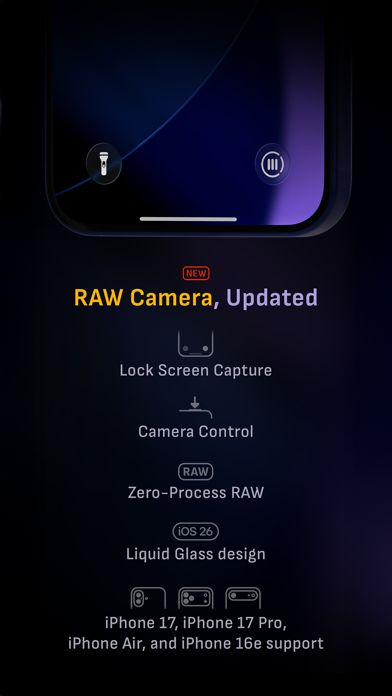
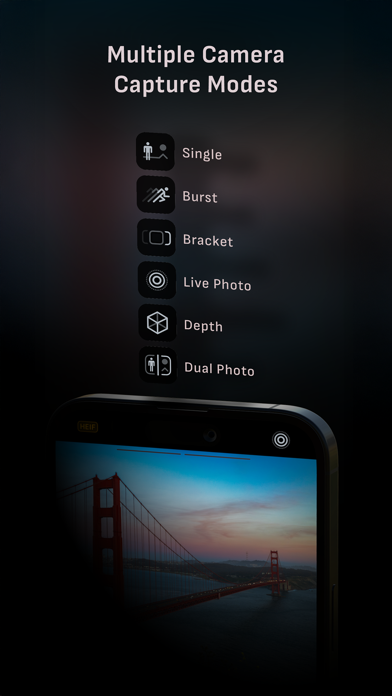
Camera M は、1つのことを非常に優れた精度で行うために設計されたプロフェッショナルなマニュアルカメラです。それは、DSLRに匹敵する強力で精密なマニュアルカメラコントロールを使用して、最高の品質で美しい写真を撮影するお手伝いをすることです。 ハイライト • ジェスチャー操作対応のネイティブマニュアルコントロール(微調整機能付き) • iOS 26最適化、Liquid Glassデザイン • マクロ撮影向けの最小焦点距離表示 • インテリジェントフォーカストラッキング • フォーカスピーキングおよびパン機能付き4倍ルーペ • ライブRGBヒストグラム • グレーカード手動キャリブレーション • 最大画質処理で最高の画像品質を確保 • ゼロプロセスRAW対応 • 画像形式: ProRAW*、RAW、HEIF、JPEG、TIFF、PNG • 撮影モード: シングル、バースト、タイマー、ライブ、深度*、デュアルフォト*、ブラケット • トリプルフォトモード(超広角、広角、望遠を同時撮影)* • Darkroom統合 • 写真用の便利なウィジェット • アプリショートカット カメラコントロール – マニュアルフォーカス – マクロおよびシーンフォーカスプリセット – 露出補正 – ISOおよび露光時間の手動調整 – ISO & 露光時間のセミ優先モード – 手動ホワイトバランス(色温度と色かぶり調整) – ホワイトバランスプリセット – グレーカードによるホワイトバランスキャリブレーション – フラッシュ: オート、オン、オフ – 手動トーチ輝度調整 – 超広角、広角、望遠カメラの手動切替* – デジタルピンチズーム(10倍) – すべてのマニュアルコントロールに対応 – ロック画面からのカメラ撮影対応 画像形式 – Apple ProRAW* – RAW(手ぶれ補正付き)* – HEIF(最小圧縮オプション付き)* – JPEG(最小圧縮オプション付き) – TIFF – PNG – Live Photo* – P3ワイドカラー対応* 撮影モード – シングル – バースト – タイマー – 深度* – デュアル/トリプルフォト* – Live Photo* – ブラケット ツール – 露出補正ゲージ – インテリジェントフォーカストラッキング – ライブフォーカスピーキングアシスタント – 4倍ルーペ(パン機能付き) – 最小焦点距離表示 – ライブRGBヒストグラム – ハイライト&シャドウ警告表示 – 水平器(ピッチ追跡およびフラットオプション対応) – 三分割法、黄金比、クアドラント、スクエアグリッド – Siriショートカットおよびアプリショートカット – カメラ仕様の詳細表示(PDF出力対応) 最大画像処理 – iPhone 11以降でDeep FusionおよびSmart HDR対応 – すべてのiPhoneおよびiPadで、ノイズ低減、手ブレ補正、追加処理による最高画質を保証 ゼロプロセスRAW – 標準RAWファイルを一切処理せずに撮影可能 フォトライブラリ – EXIFメタデータ表示 – 位置情報(コンパスと高度付き)表示 – RGBおよびRGB輝度ヒストグラム – すべての写真アルバム・フォルダへのアクセス ウィジェット – ホーム画面: ゴールデンアワー、EXIF、カメラ – ロック画面: カメラ、ゴールデンアワー – コントロールセンター: フォーカス、露出、ホワイトバランス Apple Watch対応 – シャッターボタン操作 – 太陽位置表示付きゴールデンアワー表示 エルゴノミクス – すべてのiPhoneで片手操作可能 – 横向き時のユーザー体験を最適化 アクセシビリティ – Dynamic Typeおよび太字テキスト対応 – コントラスト強化対応 テクノロジー Camera Mは、ネイティブAPIおよびフレームワークのみで動作します。これにより、ダウンロードサイズの小ささからアプリ起動の速さまで、効率的でレスポンシブな動作を実現しています。 Camera Mで素晴らしい写真撮影をお楽しみください! ウェブサイト: www.camera-m.com ユーザーマニュアル: www.camera-m.com/manual お問い合わせ: contact@camera-m.com フォロー: @CameraMApp #CameraM * これらの機能は、対応デバイスでのみ利用可能です。 * 深度撮影にはiPhone X以降が必要です。 * 自撮り用の深度撮影には、TrueDepthカメラ搭載のiPhoneまたはiPadが必要です。 * Apple ProRAW撮影にはiPhone 12 Pro以降が必要です。 * デバイスおよび機能の互換性についての詳細: www.camera-m.com/compatibility
새로운 소식
不具合修正 • 2×および8×カメラのクイックアクセスメニューにRAW形式が誤って表示され、アプリがクラッシュする可能性があった問題を修正しました。 • EXIFビューアで地図およびコンパスマーカーが正しく表示されない問題を修正しました。 新機能 • 新しいアプリアイコンを追加しました。ぜひご感想をお聞かせください! プロのヒント:最速の無処理撮影を行いたい場合は、+HEIFを無効にしてRAWを選択してください。 —————— これまでのバージョン9の主なアップデート: • Liquid Glass拡大ルーペ • Liquid Glassデザインを採用したiOS 26への対応 • マニュアルフォーカス、ISO、露出時間、ホワイトバランスのCamera Control対応 • ロック画面からの撮影に対応 • コントロールセンターウィジェット • HDR写真の表示を切り替えるHDRボタン • 画像形式および撮影モード用のクイックアクセスメニュー • iPhone 17およびiPhone 17 Proに対応 • iPhone AirおよびiPhone 17eに対応 • アプリアイコンとホーム画面ウィジェットがダーク、クリア、ティントモードに対応 • その他のデザイン改善 • アクセシビリティの向上 より詳しい情報については、以下をご覧ください: www.camera-m.com/updates 私たちは2人だけの小さな開発チームです。Camera Mを気に入っていただけましたら、ぜひSNSでご紹介ください。皆さまのサポートが、アプリの継続的な開発と改善の大きな力になります。 Camera Mで素晴らしい写真撮影をお楽しみください! 詳細情報:www.camera-m.com ユーザーマニュアル:www.camera-m.com/manual お問い合わせ:contact@camera-m.com フォローはこちら:@CameraMApp
상세 정보
- 개발사
- bxb
- 주 카테고리
- Photo & Video
- 현재 버전
- 9.3.1
- 버전 출시일
- 2026-06-04
- 최초 출시일
- 2017-08-03
- 용량
- 29 MB
- 연령 등급
- 4+
- 가격
- USD 7.99
- 언어
- EN, DE, JA, ZH, ES
- 번들 ID
- com.bxb.camera-m
- 현재 버전 평점
- ★ 4.54 (1,394)
- 첫 수집
- 2026-05-28
메타데이터 갱신 2026-07-19
순위 히스토리
무료 기준 · 최대 90일 · 상위 5개 카테고리 표시 (Y축: 순위, 낮을수록 상위)
순위 히스토리 데이터가 없습니다
무료 순위
순위 없음
유료 순위
경쟁 벤치마크 — Photo-Video Top 10
이 앱을 이기려면 무엇이 필요한가 — 같은 카테고리 상위권과의 비교입니다. 주황색 행이 현재 앱입니다.
| # | 앱 | 가격 | 평점 | 리뷰 수 | 언어 | 최근 업데이트 |
|---|---|---|---|---|---|---|
| 1 | Moment Pro Camera II | USD 9.99 | ★ 4.37 | 353 | 1 | 2026-06-30 |
| 2 | PhotoPills | USD 10.99 | ★ 4.71 | 1,515 | 9 | 2026-04-16 |
| 3 | YoungPhoto - Aesthetic Camera | USD 1.99 | ★ 5.00 | 2 | 5 | 2026-06-26 |
| 4 | Stop Motion Studio Pro | USD 5.99 | ★ 4.74 | 13,535 | 17 | 2025-12-10 |
| 5 | Print to Size | USD 2.99 | ★ 4.86 | 19,385 | 6 | 2026-03-13 |
| 6 | PromptSmart Pro - Teleprompter | USD 29.99 | ★ 4.60 | 11,303 | 1 | 2026-06-03 |
| 7 | iWebTV PRO | USD 6.99 | ★ 4.71 | 4,083 | 2 | 2026-07-18 |
| 8 | myLightMeter PRO | USD 3.99 | ★ 4.79 | 1,074 | 7 | 2026-07-14 |
| 9 | CineTemp | USD 19.99 | ★ 4.88 | 25 | 1 | 2026-07-13 |
| 10 | LumaFusion | USD 29.99 | ★ 4.75 | 24,671 | 13 | 2026-07-06 |
| 62 | Camera M – マニュアルカメラ | USD 7.99 | ★ 4.54 | 1,394 | 5 | 2026-06-04 |
유저 리뷰
The sole reason I paid for this app was so I could set focus to infinity when taking pictures through glass etc. However, when I set focus to infinity (while leaving all other settings on auto), the pictures come out unusably blurry
This app used to be my daily camera app until the last few updates. I’m not joking I take two pictures… Both in manual mode and both the same exact iso and same exact shutter speed only difference is I shot the first in SINGLE and the second in LIVE and you’d think the exposure and brightness would be pretty similar well it’s significantly different. Enough to the point where I can no longer shoot in single mode because single mode RUINS the photo. Please fix the single mode when in manual. It’s the exposure and brightness that’s wayy off than where it should be. Granted it looks totally fine before taking the shot and then guess what ? After taking the shot it looks way different any ruined. There’s been many times where i took important photos and had to delete all of them because they were ruined.
Keeps getting better 👍
とってもいいです。特にfocus peakingがとってもいいです。 8倍は純正カメラアプリだけですか? ーーーーーーー 8xレンズが使える様になりました。丁寧な対応をして頂きありがとございます。
Smooth, thoughtfully designed. The tool I utilize most often day to day. Second nature now … Thank you!!
Purchased to use burst mode, ideally with apple watch. Burst mode does not work outright even in app.
Update: Thanks for the response! You helped solve my problem, had to add the Siri shortcut through the Camera M app for a shortcut with the “Switch to Telephoto Camera” action to appear. It’s not available as an action to add to shortcuts otherwise which caused my confusion as it seemed like it should be given the widget for it and since there are other Camera M actions available without adding Siri shortcuts so that may be something for the devs to look at. I had been using the Camera M control button to replace the normal camera control on the lock screen/pull down control center, but wanted to open directly to the telephoto camera and exposure screen, which I can now do by adding the Siri shortcuts for both, pasting the action from one into the other, and replacing the lock screen/control center button with it. Really speeds things up, important when there’s a moment you want to capture, and doesn’t require Siri, a widget, or an automation. Thanks! (Would be cool to have a shortcut/shortcut action to set a particular ISO too since I almost always use a very low one to reduce noise, part of why I love this app is being able to control ISO, but that’s probably a pretty niche request)
I’m trying to take a picture with manual settings. I don’t need to be asked every two seconds if I like the app. Now I like it a lot less than I did.
EXCELLENT CAMERA! can other apps say the same? love it had it for years,i own it no subscription loooove it! way better than the famous competition pushed by some podcasters. if you DON'T LIKE HALIDE, then this app is for you 😊 if i was the developer i'd lean heavy on "DATA NOT COLLECTED"
Doesn’t do anything and I think I got charged for it…shutter speed is the same as the phone. You do not need this app with an IPhone.
As a professional photographer who sold all his mirrorless pro gear to go strictly mobile, this app deserves to be on top of the stack of shooting apps. I’ve tried the highest reviewed and chose now to use the best performing!
I was ready to rag on how mundane this major update is, but after reading that you guys are a two person development team, I have changed my tune. You guys are freaking amazing given the limited resources. Keep pushing forward and I’m wishing you all the best. The graphical design interface in this app is absolutely one of the best I’ve seen. I’m hoping for true ISO and Shutter speed priority modes that adapt automatically to varying exposures in the future maybe? 🤷🏾♂️🤔 Anyway keep up the good work.
변동(신규 진입·급상승) 감지된 앱에 한해 Apple RSS 최신 리뷰를 수집합니다.