

스크린샷
설명
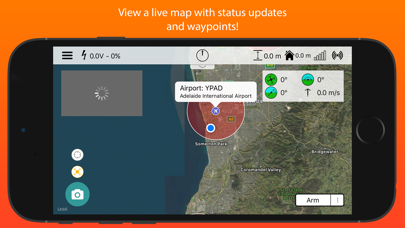
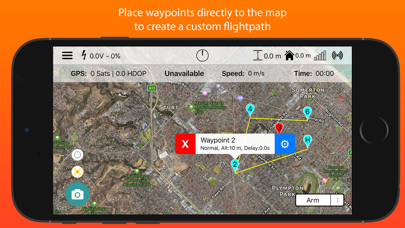
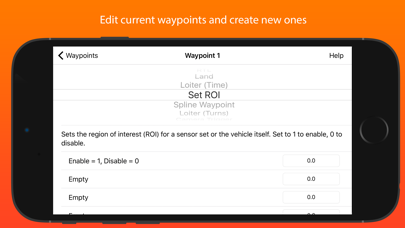
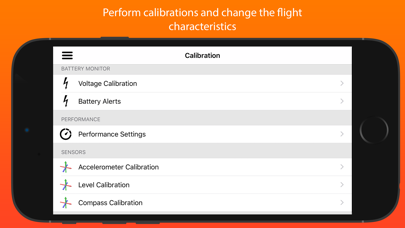
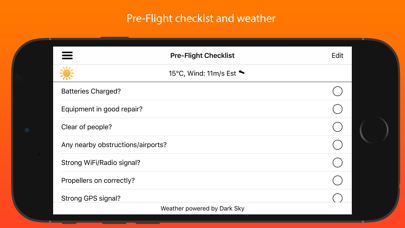
This is the app for drone enthusiasts who wish to have a more portable ground station. Works with ArduPilot autopilot via WiFi, Bluetooth Low Energy or Cellular connection, including 3DR Solo. Supports ExpressLRS MAVLink telemetry. NOTE: You must have either WiFi, Cellular or Serial Bluetooth connection to your drone. User Manual is available at https://sidepilot.net Features: • Supports ArduCopter, ArduPlane and ArduRover via ELRS, WiFi or Bluetooth. • Displays current drone location, with information such as altitude, yaw, pitch and roll. • ADSB integration to display nearby aircraft and provide warnings. • Create, edit and delete waypoints and geofences. • Audible alerts for important information. • Edit, save and load parameters. • Perform a Pre-Flight checklist with live weather information. • Low battery warnings and alerts. • View onboard video, and live stream it to YouTube. • Record telemetry logs and export for sharing. • Follow Me - Have your drone follow you using your devices GPS location, or visually with Object Tracking. • Orbit mode - Automatically orbit an object for a fantastic cinematic shots! • Grid Waypoints - Create a survey grid to fly • Tap to fly - Tap a location on the map to send your drone there! • Perform calibrations at the field. • And many, many more... Quick-start guide (Using a WiFi connection): 1. Turn on drone and connect using WiFi. 2. Start SidePilot, navigate to settings and select either WiFi UDP, TCP or 3DR Solo (as applicable). 3. If setting up WiFi manually, click on WiFi Settings and input the correct IP address and port that the MAVLink protocol is running over. 4. Go back to the main screen and press the connect button on the top right. The app will begin displaying information about the drone. If not, double check your WiFi settings. Please post suggestions and bug reports on the SidePilot Facebook page or via email to tom@sidepilot.net WARNING: Continued use of GPS running in the background can dramatically decrease battery life. Note: iPads without cellular do not have GPS capability unless tethered to a iOS Device with cellular, and even then it is poor and not suitable for navigation.
새로운 소식
● Video recording at wrong framerate. ● Crashing on video playback. ● Fixed Plane 'Go To Point' ● Fixed TLogs missing data ● Improved GeoFences ● Added TLog Playback ● Added more Action Items (Set Parameter, Follow Me and GCS Distance)
상세 정보
- 개발사
- Tom Brereton
- 주 카테고리
- Utilities
- 현재 버전
- 2.1.7.2
- 버전 출시일
- 2026-04-17
- 최초 출시일
- 2016-09-29
- 용량
- 111 MB
- 연령 등급
- 4+
- 가격
- USD 13.99
- 언어
- EN
- 번들 ID
- com.tombrereton.imavlink.100
- 현재 버전 평점
- ★ 4.01 (90)
- 첫 수집
- 2026-06-01
메타데이터 갱신 2026-06-10
순위 히스토리
무료 기준 · 최대 90일 · 상위 5개 카테고리 표시 (Y축: 순위, 낮을수록 상위)
순위 히스토리 데이터가 없습니다
무료 순위
순위 없음
유료 순위
순위 없음
유저 리뷰
This app does not connect to my 3DR Solo Drone. It’s only a way to exploit money from hardworking people. Every time I turn on my drone and the app it says the same drone connected every time. The video camera (GoPro Hero4) shows no video, just like in the picture the developer featured himself. People don’t waste your money on a worthless app. I’m not here to pay your bills.
Trying to download this, I will try again. My control says miss match two solo and waiting for solo.
Sorry for the twin stars.. Followed the instructions and tried to update the copter firmware. It abruptly ended and now my drone has a solid red orange led light lit up. The controller is unable to pair or locate the drone. It keeps displaying waiting for Solo. Can you help pls
iPhone app for the Solo drone. It’s always being updated by Tom . The drone is a beast and it has a gimbal that holds a GoPro camera for great photos! I’ve been using this app for years now and it works really great
This app has kept my Solo flying and I have watched this app go through the changes. Thank you for all the work put into this and keeping my old Solo flying. Cheers.
I had an early version and haven’t flown the drone in a while, and the drone wasn’t very stable figuring out if the gyros needed recalibration was fairly complicated, and this new version the app itself told me the gyros needed reconfiguration went into the configuration and walked me through it simply by hitting, turning on its side hitting next. excellent Job improvements. The drone is much more stable as well Probably because the gyros are properly configured now
It messed up my drone I did the reset to get onto this app and I downloaded the new update and it ruined my drone
While connect to drone and app I cannot change the a b button configuration for flight modes . Either app freezes or shuts down. Really would like the function to work properly.
This app is pretty amazing. It just works. One thing that I have to work out is why many functions are “unsupported” (I think that’s what the voice was saying). Any ideas? Thanks for the useful app. Very much worth the money.
I don’t really leave reviews ever, but this app is so fantastic that I almost felt obligated to. Like a lot of people, when support ended for my Solo drone, the app was gone and I had eventually moved on with my phone so I could no longer fly my drone. Recently I dusted it off to see if I could get it going again and immediately had issues with calibration, but since the app was gone I couldn’t calibrate it, and couldn’t even fly it in manual mode. I found this app and used it to upgrade the firmware on both the drone and the controller with ease, and I was also able to calibrate the drone and get it flying with my live video feed working as well. I’m just now starting to mess with the map and waypoints and everything, but it looks intuitive so far, and there is good documentation provided. If you have a 3DR Solo that’s dead in the water, this app gives you everything you need to get her back in the air. I *highly* recommend it.
변동(신규 진입·급상승) 감지된 앱에 한해 Apple RSS 최신 리뷰를 수집합니다.