

VRPlayer Pro : 2D 3D 360°Video
🇰🇷 KR 현지화스크린샷

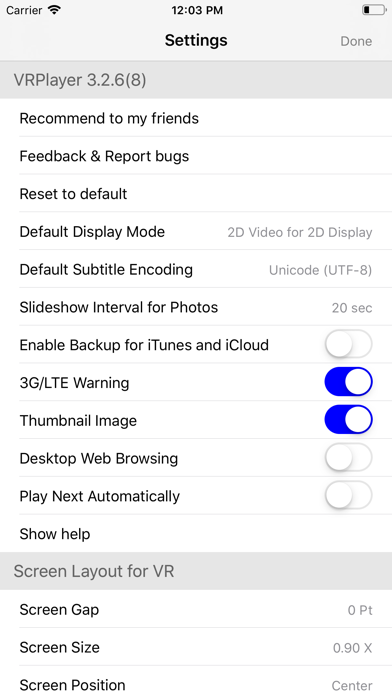
설명
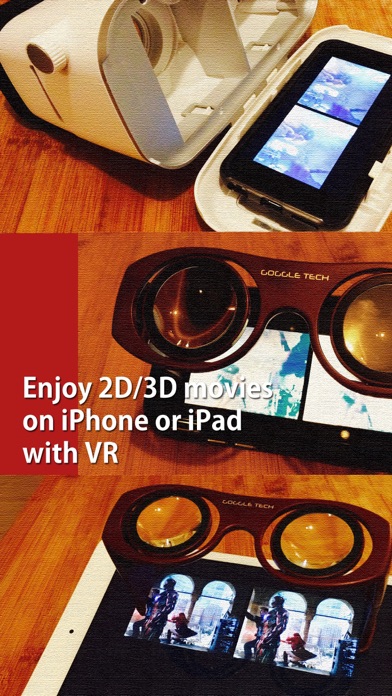
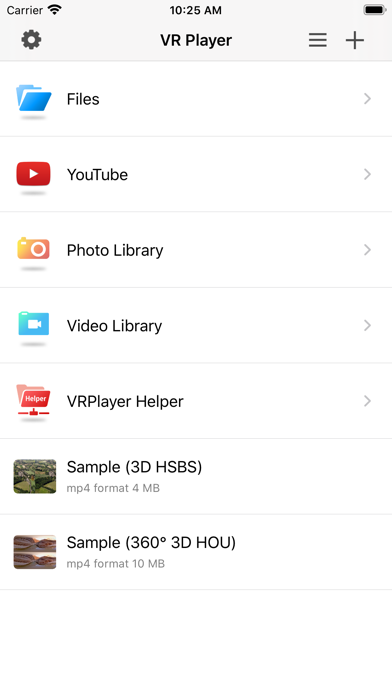
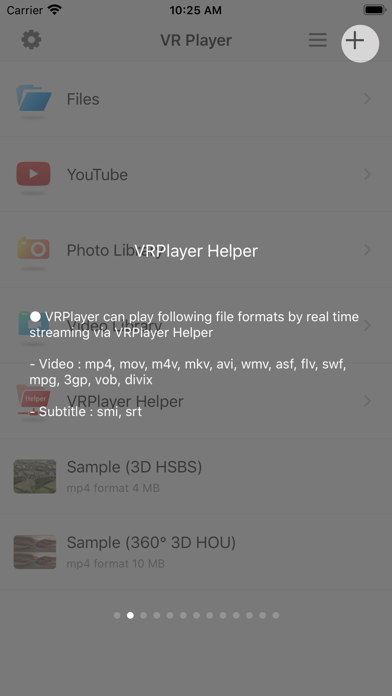
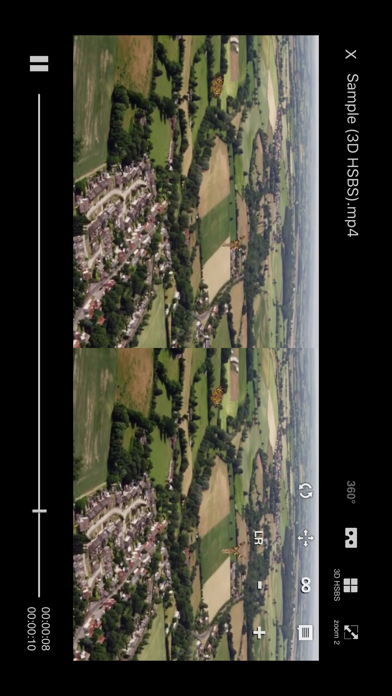
● VRPlayer는 Helper를 사용하여 데스크탑 스크린/오디오를 기록하여 스트리밍할 수 있습니다. - 이 기능을 사용하려면 "VRPlayer Helper"가 데스크탑에 설치 및 실행되어있어야 합니다. 먼저 앱내에서 "VRPlayer Helper"항목을 선택 하거나 추가 하여 관련 지시내용을 따라해 주세요. - 이 기능은 현재 실험적으로 구현되어 있습니다. 따라서 데스크탑의 성능과 네트워크 환경에 따라 상당한 정도의 지연과 불안정한 데이터 전송이 발생할 수 있습니다. ● VRPlayer는 일반 2D영화뿐만 아니라 좌우 또는 상하 형식의 3D영화를 구글 카드보드 같은 VR기기에 맞게 재생할 수 있습니다. ● VRPlayer는 현재 다음 형식의 동영상파일을 지원합니다. - 동영상 : mp4, mov, DRM free m4v - 자막 : smi, srt ● VRPlayer는 VRPlayer Helper를 경유하여 다음 형식의 동영상파일을 실시간 스트리밍으로 재생할 수 있습니다. - Video : mp4, mov, m4v, mkv, avi, wmv, asf, flv, swf, mpg, 3gp, bob, divix - Subtitle : smi, srt ※ 아이튠즈 스토어에서 구입한 DRM 저작권 보호 컨텐츠는 재생할 수 없습니다. ● 다음과 같은 항목을 추가할 수 있습니다. - VRPlayer Helper (streaming server) - Folder - FTP Server - GoogleDrive, Dropbox - Video Library ※ VRPlayer Helper는 VRPlayer 앱 내부에 포함되어 있으며 VRPlayer가 제공하는 다운로드 URL은 iPhone 자체의 IP 주소이지 외부의 웹서버의 주소가 아닙니다. 따라서 Helper를 다운로드 하려면 iPhone과 서버 PC는 동일한 와이파이 네트워크에 연결되어 있어야 합니다 VRPlayer 왼쪽 상단의 "+" 버튼을 탭하여 VRPlayer Helper 를 선택하면 Helper를 다운로드 할수있는 주소를 볼 수 있습니다. ● 키보드로 VRPlayer를 제어할 수 있습니다. - Bluetooth Keyboard - USB Keyboard (connected by camera kit) - Keyboard of PC on which VRPlayer Helper is installed ※ while navigating - up / down : move cursor by item - up / down + shift : move cursor by page - right / enter / space : select item - left / esc : back to previous ※ while playing - up / down : move cursor by button - enter : select button & do action - esc : stop & back to list - space : play & pause - right : move forward 5 seconds - left : move backward 5 seconds - right + shift : move forward 1 minute - left + shift : move backward 1 minute - up + shift : play previous video - down + shift : play next video - [ : slow down the playback rate - ] : speed up the playback rate - 1 : Toggle 360°/180° Video - 2 : Toggle VR Mode - 3 : Change 2D/3D Mode - 4 : Zoom In/Out - 5 : Back To Center / Motion Tracking - 6 : Motion Tracking Constraint - 7 : Loop - 8 : Audio/Subtitle ● 게임 컨트롤러로 VRPlayer를 제어할 수 있습니다. ※ supported controller - XBox controller - Playstation Dualshock controller - Other MFi certified game controller ※ while navigating - up / down : move cursor by item - up / down + RB : move cursor by page - right / A : select item - left / B : back to previous ※ while playing - up / down : move cursor by button - A : select button & do action - B : stop & back to list - X : play & pause - right : move forward 5 seconds - left : move backward 5 seconds - right + RB : move forward 1 minute - left + RB : move backward 1 minute - up + RB : play previous video - down + RB : play next video ● 파노라마 사진을 지원합니다. - 직접 촬영한 파노라마 사진을 VR로 즐겨보세요. ● 멀티 터치 제스처를 사용하여 재생을 제어할 수 있습니다. - 2D/3D 화면 재생 모드를 변경하려면 화면을 두손가락으로 탭하세요. - 영상을 확대 축소 하려면 화면을 더블탭하세요. - 오른쪽으로 화면을 쓸어 넘기면 5초 앞으로 재생시점을 이동합니다. - 왼쪽으로 화면을 쓸어 넘기면 5초 뒤로 재생시점을 이동합니다. - 두손가락 오른쪽 방향으로 쓸어 넘기면 재생속도가 빨라집니다. - 두손가락 왼쪽 방향으로 쓸어 넘기면 재생속도가 느려집니다. - 화면을 길게 눌러 오디오 또는 자막을 변경할 수 있습니다. - 자막을 드래그하여 위치를 조정할 수 있습니다. - 두손가락으로 화면을 확대 축소 하면 자막 글자 크기가 변경됩니다.
새로운 소식
● fix bug about back to center feature (was not working when roll angle is over 90°) ● improve audio/subtitle track selection for VRPlayer Helper
상세 정보
- 개발사
- LEE DONG WON
- 주 카테고리
- Entertainment
- 현재 버전
- 3.3.5
- 버전 출시일
- 2025-06-03
- 최초 출시일
- 2015-12-17
- 용량
- 110 MB
- 연령 등급
- 17+
- 가격
- USD 1.99
- 언어
- CA, EN, FR, DE, IT, KO 외 2
- 번들 ID
- com.mobixn.vrplayerpro
- 현재 버전 평점
- ★ 3.63 (56)
- 첫 수집
- 2026-05-28
메타데이터 갱신 2026-07-19
순위 히스토리
무료 기준 · 최대 90일 · 상위 5개 카테고리 표시 (Y축: 순위, 낮을수록 상위)
순위 히스토리 데이터가 없습니다
무료 순위
순위 없음
유료 순위
경쟁 벤치마크 — Entertainment Top 10
이 앱을 이기려면 무엇이 필요한가 — 같은 카테고리 상위권과의 비교입니다. 주황색 행이 현재 앱입니다.
| # | 앱 | 가격 | 평점 | 리뷰 수 | 언어 | 최근 업데이트 |
|---|---|---|---|---|---|---|
| 1 | Blower | USD 1.99 | ★ 4.51 | 1,335 | 1 | 2026-01-07 |
| 2 | Pocket God | USD 0.99 | ★ 4.30 | 2,751 | 1 | 2015-08-20 |
| 3 | Cozmo Robot | USD 2.99 | ★ 3.51 | 88 | 1 | 2025-07-17 |
| 4 | Ghost Science M3 | USD 10.99 | ★ 4.63 | 2,582 | 1 | 2026-05-28 |
| 5 | iSTB | USD 14.99 | ★ 4.57 | 1,692 | 9 | 2025-12-19 |
| 6 | StbEmuTV (Pro) | USD 8.99 | ★ 2.39 | 216 | 18 | 2022-09-18 |
| 7 | Stick Nodes Pro - Animator | USD 3.99 | ★ 4.80 | 6,492 | 1 | 2026-05-30 |
| 8 | Folium | USD 2.99 | ★ 2.40 | 833 | 1 | 2026-03-18 |
| 9 | FlashFace Full | USD 3.99 | ★ 2.28 | 25 | 1 | 2016-11-22 |
| 10 | Plezy for Plex & Jellyfin | USD 5.99 | ★ 4.44 | 90 | 1 | 2026-07-13 |
| 95 | VRPlayer Pro : 2D 3D 360°Video | USD 1.99 | ★ 3.63 | 56 | 8 | 2025-06-03 |
유저 리뷰
I really wish I could use this app without it constantly crashing!
With recent iOS changes, full screen does not work anymore. Just a black screen with sound. Please update.
I really need to support the SMB server, thank you
I tried many but this is my final stop. i been using this since 5 years and please bring new updates esspecially mkv support ASAP. hope you keep this app as long as possible for vr lovers . Thank you
今回のアップデートでバックグラウンド再生が出来なくなった。 ただでさえ使い勝手の悪い中で唯一良かったポイントなのにこれにて完全なゴミアプリと化した
youtubeの仕様変更によってそういった問題がsafariなどでも起きたが、すぐに対応されたらしい。このアプリのブラウザはずっと対応されない。
Doesn’t work- just get a black screen with audio. Don’t waste your money
Just one missing feature that I would like to see: shuffle play for slide shows.
I bought the app because it said it would play YouTube videos but it won’t . I have an iPhone 14 Pro Max and feebz vr headset
This is the only app I’ve come across that lets me do everything I want to do. It’s a very solid app, but I gave it four stars for one reason. Selecting pictures is a real pain when you have to select one picture at a time in a single folder. I save and take pictures all the time but when you have to tap each single picture to add it to the slideshow, that gets old really quick. A select all would’ve been good to have, or at least select by tapping and holding down and slide it down like every other PhotoApp on the market. I hope this gets addressed one day, because this is the best app for the price. I tried the free version first and then decided to buy hoping that would change like some apps do. Like watch an ad to save a picture. If the app does what it’s supposed to do people will buy it. This app doesn’t deserve a bad rating for one thing I’ve discovered, but the developer needs to be aware to hopefully one day fix it. Sorry to those who are, or have had a worse time with it. For me, it’s been good and very inexpensive. Hopefully since money is the motivation to make an app it’s enough to update it as well.
iPhone用のmp4再生用VRプレイヤーとしては秀逸。もう2年も更新が来てないけど、今後のiPhoneでも使用出来る様に維持を希望
無料ダウンロード表示で、課金になりました。 Appleが悪いのか、販売元が悪いのか知らないですが、課金しない方はダウンロードしないでください。
변동(신규 진입·급상승) 감지된 앱에 한해 Apple RSS 최신 리뷰를 수집합니다.