

Midea Air
스크린샷
설명
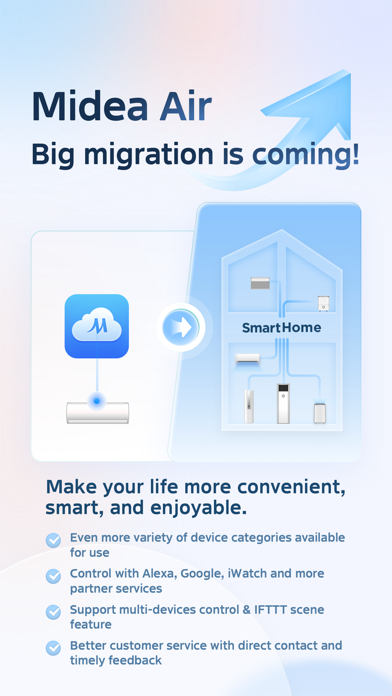
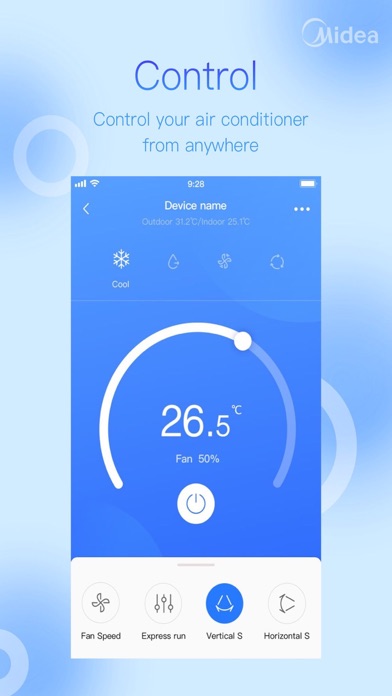
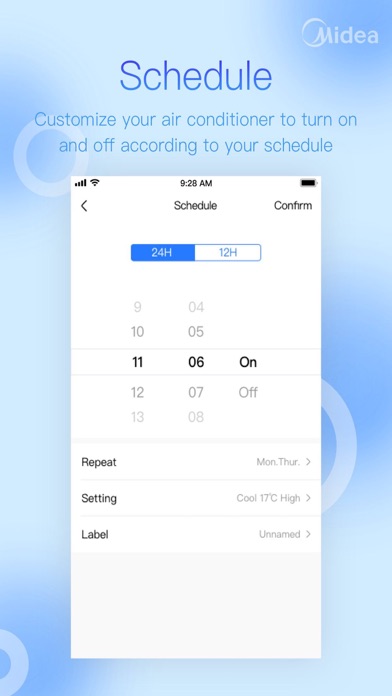
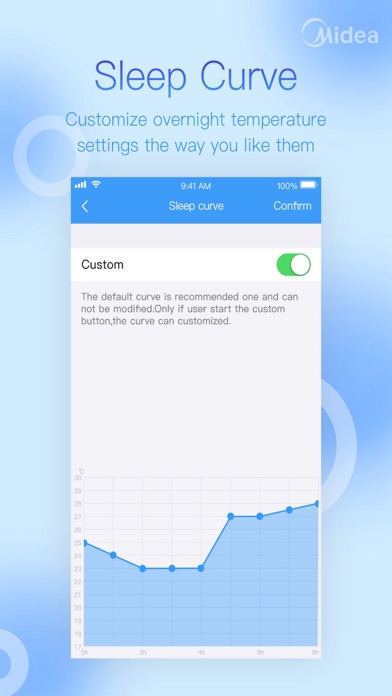
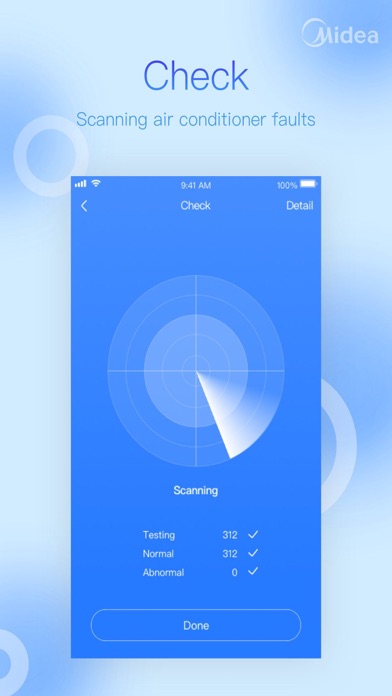
Midea Air is one integrated app which published with Midea air category products; it is compatible with new version smart wifi module and connected with open cloud service. 1. Simply Control Midea Smart Air products: Comfort, Efficiency, and Safety. 2. New User Experience: Special functions and UI interactive design 3. Remote Control: Obtain and Modify Your Home Air Quality Anywhere. 4. Sleep Curve: Customize Your Comfortable Sleep 5. Time Scheduling: Auto Switch by Appointment Time Please check the User Manual for more functions and detailed information
새로운 소식
Added a guided pop-up on the home screen to help users set their country.
상세 정보
- 개발사
- GD Midea Air-Conditioning Equipment Co., Ltd.
- 주 카테고리
- Utilities
- 현재 버전
- 5.20.0
- 버전 출시일
- 2026-04-29
- 최초 출시일
- 2015-07-14
- 용량
- 101 MB
- 연령 등급
- 4+
- 가격
- 무료
- 언어
- AR, NL, EN, FR, DE, EL 외 13
- 번들 ID
- com.midea.obm
- 현재 버전 평점
- ★ 4.75 (25,647)
- 첫 수집
- 2026-06-08
메타데이터 갱신 2026-06-14
순위 히스토리
무료 기준 · 최대 90일 · 상위 5개 카테고리 표시 (Y축: 순위, 낮을수록 상위)
데이터가 4일치만 수집되었습니다. 데이터가 쌓일수록 더 의미 있는 트렌드를 확인할 수 있습니다.
무료 순위
유료 순위
순위 없음
경쟁 벤치마크 — Utilities Top 10
이 앱을 이기려면 무엇이 필요한가 — 같은 카테고리 상위권과의 비교입니다. 주황색 행이 현재 앱입니다.
| # | 앱 | 가격 | 평점 | 리뷰 수 | 언어 | 최근 업데이트 |
|---|---|---|---|---|---|---|
| 1 | 무료 | ★ 4.65 | 4,680,564 | 42 | 2026-06-09 | |
| 2 | Google Chrome | 무료 | ★ 4.69 | 3,574,486 | 38 | 2026-06-10 |
| 3 | Universal Remote TV Control · | 무료 | ★ 4.73 | 123,137 | 28 | 2026-05-23 |
| 4 | Google Authenticator | 무료 | ★ 4.85 | 1,114,703 | 32 | 2026-01-05 |
| 5 | Xfinity | 무료 | ★ 4.29 | 1,343,004 | 2 | 2026-06-04 |
| 6 | TV Remote - Universal Control | 무료 | ★ 4.44 | 574,380 | 4 | 2026-05-25 |
| 7 | Cleanup: Phone Storage Cleaner | 무료 | ★ 4.66 | 666,186 | 18 | 2026-05-26 |
| 8 | myCar: Car Widgets & Dashboard | 무료 | ★ 4.57 | 7,711 | 9 | 2026-06-10 |
| 9 | My Spectrum | 무료 | ★ 4.79 | 3,339,038 | 2 | 2026-06-10 |
| 10 | AT&T | 무료 | ★ 4.80 | 158,758 | 2 | 2026-06-03 |
| 86 | Midea Air | 무료 | ★ 4.75 | 25,647 | 19 | 2026-04-29 |
유저 리뷰
Tried connecting to portable ac, when configuring WiFi you cannot enter the WiFi details, it automatically opens the settings app, on the app selection screen. 😔
This app is awesome, very stable and works every time
Can not get it to connect.
Doesn’t allow me to connect to ac unit
Fake app probably just stealing your info
50/50 chance it constantly crashes. This is my observation from a 2 year period. Currently crashing as soon as you select the device. Has been this way for weeks.
The Midea Air app saved the day for me and it works great. I use the Midea app to control four Toshiba window AC units: three 8,000-BTU units and one 12,000-BTU unit. It works great on my iPhone, and I can monitor and control all four units remotely from anywhere using Wi-Fi or cellular service. My Toshiba AC units are installed in separate offices in my commercial office building. Before finding the Midea app, I tortured myself for a few hours with the dysfunctional, endless-loop setup process in the Toshiba AC NA app. Whoever developed that app should have been forced to use it. Instead, use the Midea Air app. I believe Midea also makes or supports the Toshiba app for these 2025 Toshiba units, but the Midea app is the one that actually worked for me. It connected easily and seamlessly to my local Wi-Fi network. With the Toshiba app, you’ll pull your hair out. It first tries to connect to its own temporary network, and then it is almost impossible to figure out how to switch it over to your actual local Wi-Fi network. I wasted about two hours on that before switching to the Midea app. I also tried the AtHome app because some online research suggested it works well. In my experience, it was also messy and confusing to set up. I wasted about an hour with that one too. The Midea app was simple. It connects easily, runs multiple units, and works great. One important setup note: you need to hold down the power button on the Toshiba unit for about 3–5 seconds to put it into pairing mode. Once I did that, the unit connected successfully to the Midea app on my iPhone. Yes, you can see each unit separately in the app. You can control all the functions and set up schedules for each one. One more note: don’t put these Toshiba units in Dry Mode unless you have a drain line connected. Dry Mode makes the unit act more like a dehumidifier. Use Cool Mode if you just want air conditioning. I used these AC units for the entire summer of 2025 in Cool Mode, and I never had water draining out of the back end, which I know others have reported. My guess is that some people may have had their unit set to Dry Mode, which would explain the extra water drainage. Also, remember that with these indoor portable/window-style units, you need to vent the hot exhaust air out a window. The vent tube kit is included. I really didn’t want to spend a half hour writing this review, but I’m doing it because I hope it saves other people from wasting hours on Toshiba’s horrible app. Use the Midea Air app instead. Good luck.
Whenever I try to adjust the dehumidifier from the app the app crashes. Please fix this annoying bug.
App crashes a lot when selecting unit
Can’t use the app!!
변동(신규 진입·급상승) 감지된 앱에 한해 Apple RSS 최신 리뷰를 수집합니다.