

스크린샷

설명
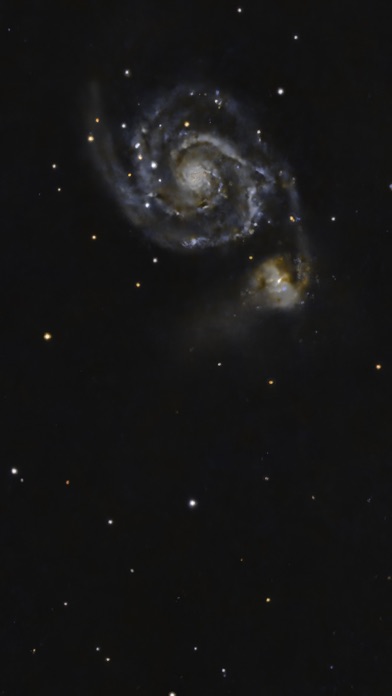
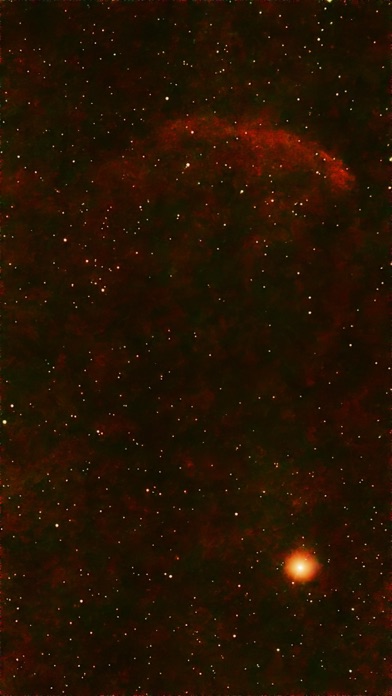
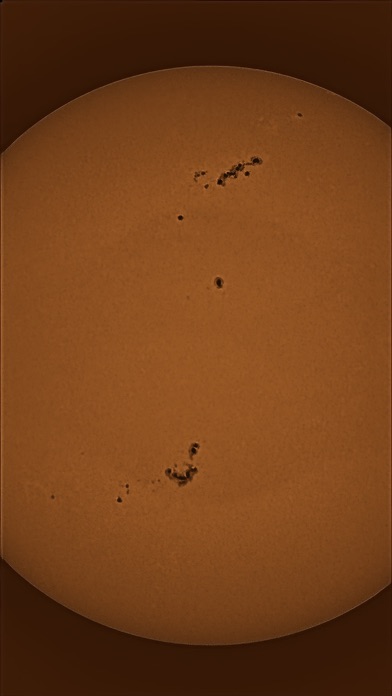
Capture the Cosmos with Ease! Transform your astrophotography with our game-changing app—the only app that harnesses advanced AI tools to deliver stunning results effortlessly! Edit your night sky images in a flash before sharing them on social media. Unlock the Universe with Cutting-Edge AI Features: Noise Reduction: Our state-of-the-art AI effortlessly eliminates noise, ensuring crystal-clear images. Star Removal: Remove stars with precision using advanced AI, allowing you to focus on the beauty of nebulas and galaxies without distractions. Gradient Removal: Say goodbye to distracting sky gradients and enhance your photos like never before. Satellite Trail Removal: Trained on real images, our AI tool removes streaks created by satellites or aircraft. Oval Star: Make oval star round found in Seestar S30. Plus All the Essential Image Processing Tools: Easy Controls: Adjust exposure, brightness, saturation, temperature, and tint with simple sliders. Curves Adjustment: Fine-tune your images with five layers of precise control. Wavelet Sharpening: Bring out intricate details while preserving the natural look of your photos! Hubble Palette Color: Enable new color perspective. Why Choose AstroEdit? This isn’t just another editing tool—it’s a revolutionary experience designed specifically for astrophotographers using Seestar, Dwarf, and other telescopes with iPhone apps. Whether you’re capturing deep-sky objects or terrestrial scenes, our app delivers professional-quality edits right on your iPhone. Key Features: Exclusive to iOS: Experience capabilities unmatched by any other app on the market. Supports TIFF & JPEG: Open and save high-quality images in both formats. Optimized Performance: Designed for seamless use at 1920x1080 resolution for device less than 4GB RAM, otherwise at 2160x3840(4K), with automatic resizing for large files. Get Started Today! Transform your night sky captures into breathtaking masterpieces. Check out our demo video https://youtube.com/shorts/11nECmjHdC0 and discover how fun and magical astrophotography can be! For support, contact us at help@AstroEditApp.com. Don’t just take photos—create cosmic art with our unique AI-powered app! Education: If you are a student belong to an Astronomy society, you can write in (ustransit74@gmail.com) to request up to 10 promotion code. Each promotion code enables an installation of the app on a device. For others, you can write in too to request based on individual case. Basic app tutorial video at https://www.instagram.com/ycbsl/ Requirement: The AI tools require at least 4G RAM for best image. If the device has less than 4GB RAM memory, lesser weight(memory) will be used for the specific AI starless, AI oval and AI satellite, and it will produce degraded results with maximum image size of 1080x1920. This is to prevent crashes due to run out of memory. You can check your device RAM by going to this app Help section. Privacy policy and term of use (EULA) is at https://deepskycolor.blogspot.com/2018/12/privacy-policy-for-deep-sky-color-app.html New Feature: AstroEdit uses AI to automate the complex comet stacking. Currently, user needs to stack first for the stars and second for the comet since they moves at different speeds. Then he has to blend them together and do further edition on another program on a laptop. AstroEdit makes comet stacking quick and simple. Subscription is optional: With one time purchase, users can access all features in AstroEdit. Users can subscribe monthly and we'll keep improving AstroEdit.
새로운 소식
- New AI Satellite removal AI model. - Better remove bright and faint satellite trails. - Update AI Satellite training with more new images.
상세 정보
- 개발사
- yong chong loh
- 주 카테고리
- Photo & Video
- 현재 버전
- 2.72
- 버전 출시일
- 2026-07-14
- 최초 출시일
- 2024-02-20
- 용량
- 152 MB
- 연령 등급
- 4+
- 가격
- USD 2.99
- 언어
- EN
- 번들 ID
- com.appspot.RawCamEdit
- 현재 버전 평점
- ★ 3.94 (17)
- 첫 수집
- 2026-05-30
메타데이터 갱신 2026-07-19
순위 히스토리
무료 기준 · 최대 90일 · 상위 5개 카테고리 표시 (Y축: 순위, 낮을수록 상위)
순위 히스토리 데이터가 없습니다
무료 순위
순위 없음
유료 순위
경쟁 벤치마크 — Photo-Video Top 10
이 앱을 이기려면 무엇이 필요한가 — 같은 카테고리 상위권과의 비교입니다. 주황색 행이 현재 앱입니다.
| # | 앱 | 가격 | 평점 | 리뷰 수 | 언어 | 최근 업데이트 |
|---|---|---|---|---|---|---|
| 1 | Moment Pro Camera II | USD 9.99 | ★ 4.37 | 353 | 1 | 2026-06-30 |
| 2 | PhotoPills | USD 10.99 | ★ 4.71 | 1,515 | 9 | 2026-04-16 |
| 3 | YoungPhoto - Aesthetic Camera | USD 1.99 | ★ 5.00 | 2 | 5 | 2026-06-26 |
| 4 | Stop Motion Studio Pro | USD 5.99 | ★ 4.74 | 13,535 | 17 | 2025-12-10 |
| 5 | Print to Size | USD 2.99 | ★ 4.86 | 19,385 | 6 | 2026-03-13 |
| 6 | PromptSmart Pro - Teleprompter | USD 29.99 | ★ 4.60 | 11,303 | 1 | 2026-06-03 |
| 7 | iWebTV PRO | USD 6.99 | ★ 4.71 | 4,083 | 2 | 2026-07-18 |
| 8 | myLightMeter PRO | USD 3.99 | ★ 4.79 | 1,074 | 7 | 2026-07-14 |
| 9 | CineTemp | USD 19.99 | ★ 4.88 | 25 | 1 | 2026-07-13 |
| 10 | LumaFusion | USD 29.99 | ★ 4.75 | 24,671 | 13 | 2026-07-06 |
| 97 | AstroEdit - Simple and Quick | USD 2.99 | ★ 3.94 | 17 | 1 | 2026-07-14 |
유저 리뷰
This is a useful tool for quickly editing images…when it doesn’t crash. The most recent update was supposed to fix the crashes, but it doesn’t. 75% of the time, when I open an image and try to reduce the number of stars through AI, it crashes. I can’t use a program that constantly crashes, especially the features I bought it for. UPDATE 04-09-26: The problem seems to be more stable now. The developer asked me to upload a few images I had edited with this program and he tweaked it. I find myself using this program for doing quick edits. It works well for that.
Really cool tool but the AI tool still makes it crash after the bug fixes.
Works very well for what it cost and the platform it’s on. I’m happy with it.
Yong Chang Loh, please reply to my requests for help opening .fit files. All files are grayed out and I can only open the jpegs saved in Apple Photos. This seriously decreases the usefulness of the app.
I really want to make Astroedit my primary post-processing app for Seestar images, but as it stands it works only with pictures saved to Apple Photos, and that is a major problem, since they are only jpegs. When I try to open files they are all grayed out. Two emails to the contact address have received no reply, and that is very disappointing.
Good Work. Hope you keep updating. I use a dwarf mini
Buggy app locks up frequently. Results aren’t much different from the iPhone photo editor. I assumed the app analyzed the Seestar S50 photo and was one step processing but it’s not.
Impressive indeed. I must say I was hesitant and I’m still learning , but AstroEdit is clearly something the developer is putting a lot of work into. Being able to get colors and depth straight from the Seestar is incredibly convenient. Also pleased to see the developer is still pushing updates. For the price, you simply need to get it. I have a great image of M45 I’m quite proud of. AstroEdit was able to get the blue isolated to the right spots, without making the rest of the objects oversaturated. Maybe I’m not using the right terms, but all I know is the image of M45 after AstroEdit looks just like the example image in the Seestar app. Fantastic work to the person behind this app! Developer: I just finished a stacked image of V398 Cephei NGC7822 on my Seestar S50 that I would love to submit if it would help with your training tools/app development. Please let me know. Great app!!!
This app is absolutely amazing. It transformed my first Seestar images into ready to share photos in minutes. I wish I could show some examples here :-) There are so many options, including seamlessly removing and adding back the stars. I have been watching videos on astrophotography editing on YouTube and there are many programs that can be used on a PC (some free). However, editing for free involves using several programs, and the cost of paid editing software is significant ($ and learning). Either way, the complicated workflow is a drawback. This app was super easy to use. Some functions may be complex so you have to know a bit about what each is doing or just try it and see. It’s easy to undo changes and even flash back to the original photo. There is a brief tutorial. For just a few dollars, this app is well worth the cost.
Each update has improved the app. Initially gradient tool didn’t work and now it is effective. Being able to work on stars and starless image separately on the iPad is wonderful. Unfortunately the oval tool doesn’t seem to do anything. The users guide states it was trained on Seestar images. I have a Dwarf2 but I wouldn’t think that would make a difference. Would hope oval tool gets fixed. Would be nice to see a contrast tool and HDR.
변동(신규 진입·급상승) 감지된 앱에 한해 Apple RSS 최신 리뷰를 수집합니다.