

스크린샷
설명
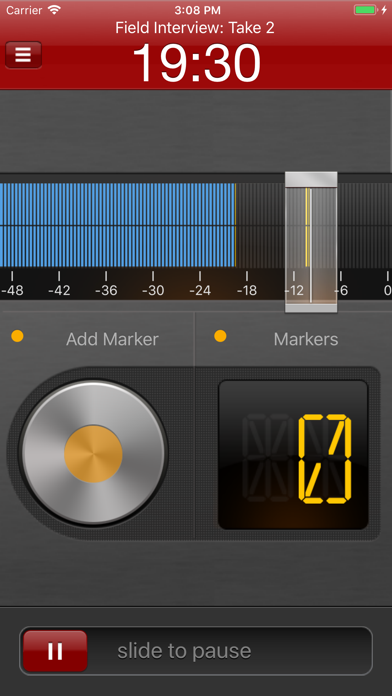
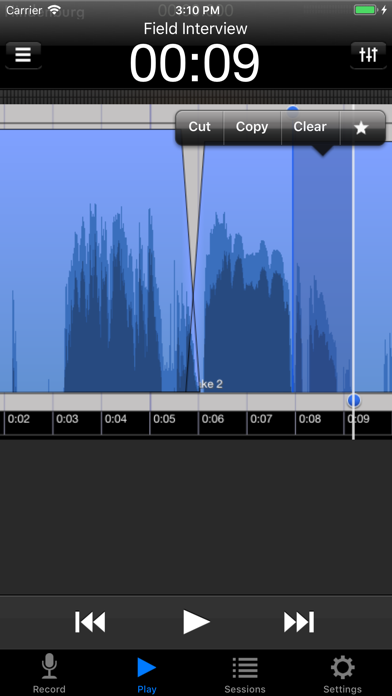
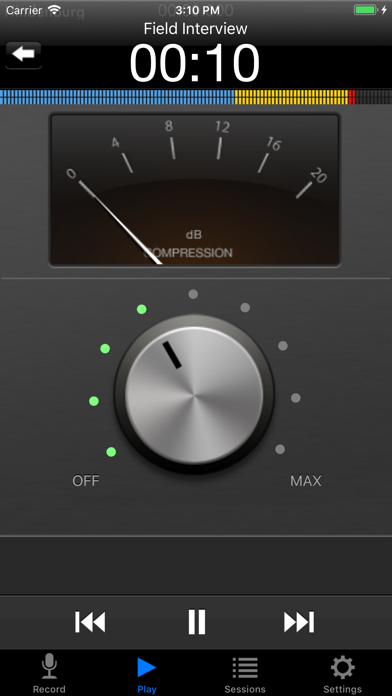
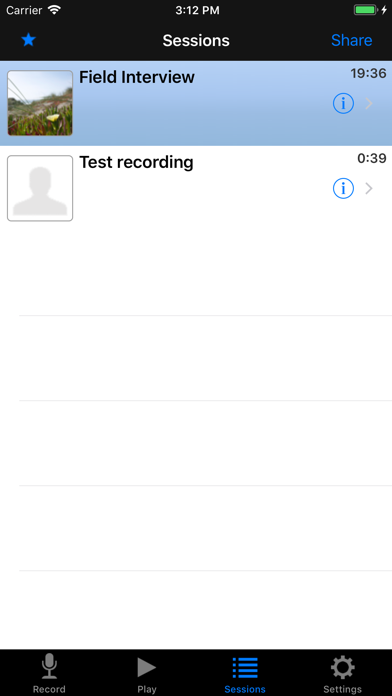
Hindenburg Field Recorder is made with radio production in mind. It will work equally well for anyone conducting interviews for podcasts or research. It’s all about the story..... Create your interview in three simple steps: Step 1: Record interview and set markers at points of interest Step 2: Edit recording with cut, copy, paste and more... Step 3: Share your interview with attached picture and location Recording Simply begin recording whenever a story occurs. Set markers at points of interest in the interview. Markers make it easier to navigate large interviews. Finding those good soundbites can otherwise be a tedious job. Add additional recordings to your session. This could be speaks or background sounds and more. Editing Hindenburg Field Recorder has all the editing features needed for creating a radio interview. The interface is kept simple and uncluttered. But there is more to it than meets the eye. * Non-destructive editing with full undo/redo. * Cut, copy, paste, insert, break, clear, move, trim and change volume of regions * Adjust playback position with audible scrub * Rehearse edit or play selection * Add fade in and fade out or create cross-fades between regions * Create, delete and rename markers, jump between markers * Copy and paste audio between sessions * Add jingles or sound bites from the favorites clipboard. * Use the built in compressor/limiter to increase overall volume. To find out more check the support URL where you will find a download link to the the PDF guide. Share There are five ways of getting your interviews out of the device. 1. Send to your computer (With Hindenburg Pro) 2. Send as e-mail 3. Upload to FTP server 4. Share to iTunes 5. Use "Open in..." to share to other apps Specifications: Records audio as 16 or 24-bit / 44.1 or 48kHz PCM. Stereo recording supported with suitable accessories. Option to monitor with headphones while recording. Share audio as WAV, AAC, MP2 or ALAC with adjustable compression parameters. Hindenburg Radio Tools are developed and tested in a collaborations with radio professionals.
새로운 소식
Updated to comply with iOS 18 Fixed crash when used from "Open With..."
상세 정보
- 개발사
- Hindenburg Systems ApS
- 주 카테고리
- Business
- 현재 버전
- 1.82
- 버전 출시일
- 2025-08-28
- 최초 출시일
- 2010-01-10
- 용량
- 3 MB
- 연령 등급
- 4+
- 가격
- USD 4.99
- 언어
- DA, NL, EN, FR, DE, IT 외 1
- 번들 ID
- com.nsaka.Hindenburg-Mobile
- 현재 버전 평점
- ★ 4.27 (15)
- 첫 수집
- 2026-05-28
메타데이터 갱신 2026-06-11
순위 히스토리
무료 기준 · 최대 90일 · 상위 5개 카테고리 표시 (Y축: 순위, 낮을수록 상위)
순위 히스토리 데이터가 없습니다
무료 순위
순위 없음
유료 순위
순위 없음
유저 리뷰
Please update this app. It needs mp3 functionality at the very least. Thank you.
Being a professional sound tech, I searched for a long time for no-frills professional recording app. Hindenburg does the job. A no-nonsense interface fills the screen the moment the app opens up. Setting levels is a snap and the volume level indicators make it obvious immediately whether you’re recording in mono or stereo. Sharing files is also just what you’d expect from a well-designed app. Hindenburg has just what I need - and even more importantly - I don’t have to wade through a bunch of cartoon-like garbage to make a recording. One MAJOR omission, though (which is forcing me to use another app) is its lack of ability to recognize and use a Bluetooth mic. If you fix this one fault, I’ll come back home to Hindenburg… thx
It’s everything you would want except a lot of audio is required to be mp3. I’m surprised that it’s not available. Other than that it’s great.
I use Hindenburg on my computer to record my podcast and now I have this field recorder which works awesomely. Thanks for all your good work. Watch the YouTube video tutorials to learn how to use it. It’ll take you less than 10 minutes and you’ll be good to go.
One of the reasons I got this was that it is supposed to work with Journalist Pro. There is not an easy and straightforward means to import directly into Journalist. The import an iOS feature in Journalist does not even work.
On my iPhone 6S plus with IOS 11, the gain slider is almost invisible!! And doesn’t appear to do anything. Gain control is THE reason to use this app, along with the excellent metering. Where are the undo/redo controls? Editing is just weird. Would love if I could get some support...
This is an ideal field recorder. Foolproof recording, and surprisingly robust editing functionality. Direct integration with the desktop app make this a no-brainer. I wish all apps had this great functional design and power.
I am enjoying Hindenburg on the iPhone 6 Plus with iOS 9. Flawless operation. The editing functions require reading the manual, but once you get the hang of it, no other app that I have encountered can compare with the flexibility of non destructive edits.
(Come on, someone had to say it.) Hindenburg Field Recorder is what I would consider a perfect app---IF you need what's known in the industry as a "field recorder." See? It's right there in the title of the app: Hindenburg FIELD RECORDER. If you don't know what that is, or if you're trying to edit your latest dubstep download from Pirate Bay (or wherever these young whippersnappers are downloading their sick beats from), then . . . move along. Nothing to see here. But if you're in need of a kick-a** way to record flawless audio in a streamlined manner with an awesome U/I, and the ability to edit the audio ex post facto (that means "after the fact," by the way), and you have the need for crossfades and all sorts of nifty cool stuff like compression and limiting, then you will not find a better app. Ever heard the expression: You get what yo pay for? Some say the expression is merely a cliché, but it's a cliché because it's frickin' true in 90%+ cases. Hindenburg Field Recorder costs $30 because no other audio recording app can touch what it does. Don't believe me? Download the free version first and check it out. Originally, I downloaded the free version, and within 5 minutes of using it I shelled out $30 for the paid version; I was *that* impressed with it. That's just my opinion, but I'm sticking to it. Now buy the app before the zeppelin explodes!
I have used this Hindenberg iOS app for many years. It is excellent and works very well for audio recording and editing. I highly recommend it.
변동(신규 진입·급상승) 감지된 앱에 한해 Apple RSS 최신 리뷰를 수집합니다.