

Procreate Pocket
스크린샷


설명
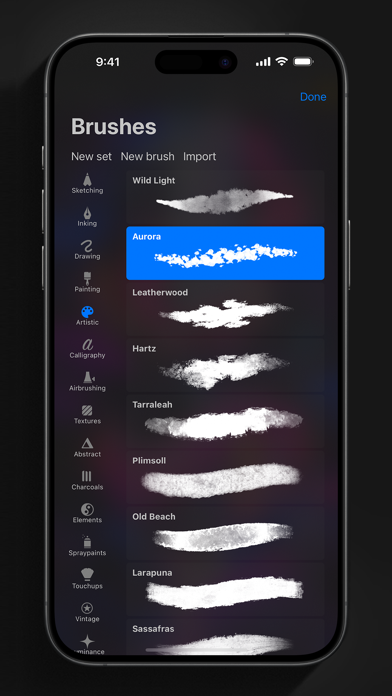
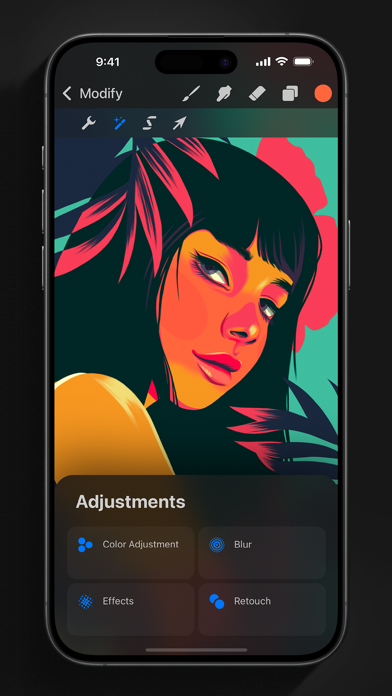
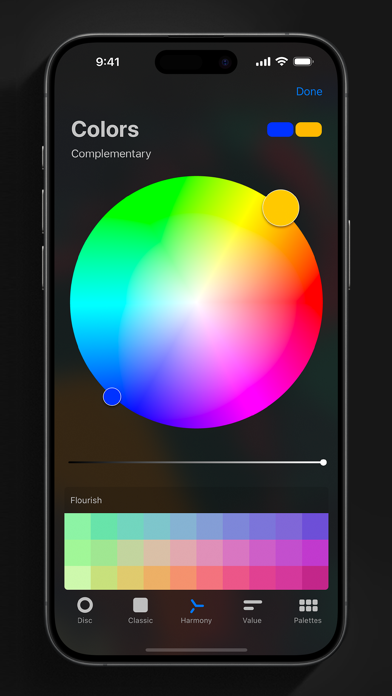
App of the Year winner Procreate Pocket is the most feature-packed and versatile art app ever designed for iPhone. Procreate Pocket has everything you need to create expressive sketches, rich paintings, gorgeous illustrations, and beautiful animations. Offering hundreds of handmade brushes, a suite of intuitive artistic tools, an advanced layer system, and the powerful Valkyrie graphics engine. Work on the couch, on the train, at the beach, or while waiting in line for coffee. It’s a complete art studio in the palm of your hand. Highlights: • High resolution canvases — up to 16k by 4k on compatible devices • Intuitive Dark Mode interface made for iPhone • Revolutionary QuickShape feature for perfect shapes • Smooth and responsive smudge sampling • Powered by Valkyrie, the lightning-fast 64-bit painting engine • Create art in stunning 64-bit color • 250 levels of undo and redo • Continuous auto-save — never lose work again Breakthrough brushes: • Packed with 100s of beautifully crafted brushes • Brush sets keep your painting, sketching, and drawing brushes organized • Over 100 customizable settings for every brush • Brush Studio — design custom brushes • Import and export custom Procreate brushes • Import Adobe® Photoshop® brushes, and run them faster than Photoshop® Full-featured layering system: • Layer your art for precise control over details and composition • Create Layer and Clipping Masks for non-destructive editing • Stay organized by combining layers into groups • Transform objects simultaneously across multiple layers • Access over 25 layer blend modes for industry-grade compositing Color without compromise: • Fill your line work with ColorDrop • Disc, Classic, Harmony, Value, and Palette color panels • Import color profiles for color matching • Assign Color Dynamics to any brush Precision design tools: • Add vector text to your illustrations • Easily import all your favorite fonts • Crop and resize your canvas for perfect composition • Perspective, isometric, 2D, and symmetry visual guides • Drawing Assist perfects your strokes in real time • StreamLine smooths your strokes for beautiful lettering and expert inking Animation Assist: • Easy frame-by-frame animation with customizable onion skinning • Create storyboards, GIFs, animatics, and simple animations • Export your animations in the full resolution of your canvas Dramatic finishing effects: • Gradient Map — remap your image’s colors with a customizable gradient • Glitch, Chromatic Aberration, Glow, and Halftone to add new dimensions to your work • Gaussian and Motion Blur filters for depth and movement, or use Sharpen for perfect clarity • Advanced Noise filter gives you more control for a classic, retro look • Adjust Hue, Saturation, or Brightness in real time • Powerful image adjustments including Color Balance, Curves, and HSB • Bring your art to life with the fun, intuitive, and creative Warp, Symmetry, and Liquify Dynamics Time-lapse replay: • Relive your creative journey with Procreate's celebrated Time-lapse Replay • Export your Time-lapse recording in 4K for high-end video production • Share a short, 30-second version of your Time-lapse on your socials Reference Companion: • Keep a full canvas or reference image with you at all times • Paint on your face with AR • Color-pick right from the reference window Import assets and share your creations: • Import or export your art as Adobe® Photoshop® PSD files • Import Adobe® ASE and ACO Color Palettes • Import images files such as JPG, PNG, and TIFF • Drag and drop artworks, brushes, palettes, and fonts between applications• Export to AirDrop, iCloud Drive, Photos, iTunes, Dropbox, Google Drive, Facebook, X (formerly Twitter), Instagram, TikTok, Weibo, Mail, and more • Share your art as PDF, JPEG, PNG, TIFF, GIF, HEVC, or MP4 files
새로운 소식
This update has compatibility for the newest devices and 25 new fonts for customising your text, including brand new choices for Arabic, Hindi, Thai, and Japanese. The fonts Eina and Jack Armstrong BB are no longer available, but you can continue to edit your image layers, or rasterise your text layer to keep your exact design. You can also choose to replace these fonts with a similar option. Did you know you can import your own fonts into Procreate Pocket? Tap the + button on the text Edit Style keyboard, drag and drop, or place them into your On My iPhone → Pocket → Fonts folder.
상세 정보
- 개발사
- Savage Interactive Pty Ltd
- 주 카테고리
- Graphics & Design
- 현재 버전
- 4.0.16
- 버전 출시일
- 2026-03-29
- 최초 출시일
- 2014-12-17
- 용량
- 371 MB
- 연령 등급
- 4+
- 가격
- USD 5.99
- 언어
- AR, EN, FR, DE, HI, ID 외 12
- 번들 ID
- au.com.savageinteractive.procreate-pocket
- 현재 버전 평점
- ★ 3.85 (12,619)
- 첫 수집
- 2026-05-28
메타데이터 갱신 2026-07-19
순위 히스토리
무료 기준 · 최대 90일 · 상위 5개 카테고리 표시 (Y축: 순위, 낮을수록 상위)
순위 히스토리 데이터가 없습니다
무료 순위
순위 없음
유료 순위
경쟁 벤치마크 — All Top 10
이 앱을 이기려면 무엇이 필요한가 — 같은 카테고리 상위권과의 비교입니다. 주황색 행이 현재 앱입니다.
| # | 앱 | 가격 | 평점 | 리뷰 수 | 언어 | 최근 업데이트 |
|---|---|---|---|---|---|---|
| 1 | Shadowrocket | USD 2.99 | ★ 4.48 | 12,076 | 7 | 2026-07-07 |
| 2 | HotSchedules | USD 2.99 | ★ 4.60 | 67,209 | 3 | 2026-07-17 |
| 3 | AnkiMobile Flashcards | USD 24.99 | ★ 4.04 | 2,302 | 25 | 2025-09-08 |
| 4 | Procreate Pocket | USD 5.99 | ★ 3.85 | 12,619 | 18 | 2026-03-29 |
| 5 | Parchment: Agenda & Daily Note | USD 4.99 | ★ 4.67 | 6 | 1 | 2026-07-15 |
| 6 | RadarScope | USD 9.99 | ★ 4.17 | 2,707 | 4 | 2026-07-01 |
| 7 | SkyView® | USD 2.99 | ★ 4.58 | 7,658 | 1 | 2025-05-02 |
| 8 | Paprika Recipe Manager 3 | USD 4.99 | ★ 4.90 | 53,187 | 16 | 2026-07-16 |
| 9 | TonalEnergy Tuner & Metronome | USD 6.99 | ★ 4.85 | 57,105 | 9 | 2026-03-27 |
| 10 | PeakFinder | USD 4.99 | ★ 4.71 | 11,528 | 10 | 2026-07-06 |
유저 리뷰
WacomのBambooスタイラスを接続している際にゆがみツールが使用できなくなります。接続を解除すると使用できますが、アンインストールをしても直りません。バグでしょうか?
アプリ自体は良いけど早く直してほしい
iPad版とiPhone版両方愛用しています! バケツ塗りする際に他のレイヤーの線画を無視してレイヤー全体に色が広がってしまうと文句垂れてるレビューが散見されるので日本語で説明を書いておきます。 バケツ塗りの基準にしたい線画レイヤーをタップして「基準」に✓を入れるだけです。
使いやすくて、スマホの画像編集に使っています。 最高なのに、文字の編集が残念。 お願いします!縦書きの文字を入れれる用にしてください。 英語圏の方は使わないとは思うのですが。 縦書き文字が必要なんです。
아이패드용 구매하려고했는데 잘못구매해버려서 환불부탁드립니다..!
去年のアップデートでProcreateに追加されていた新ブラシはPocketではもう追加されないのでしょうか。とても残念です。(追記)ブラシの追加楽しみに待っています!
フリーズが多く、全消去によくなる。 使い物にならない。
バケツ塗りさえ改善してくれれば最高
좋은 앱지만 레퍼런스 창에 기능이 적어 아쉽습니다 ㅠㅠ창 크기를 조절하는 기능, 레퍼런스를 확대&축소하는 기능, 레퍼런스 여러개를 불러올 수 있는 기능(넘기면서 한 장씩 확인할 수 있게요!)를 추가해주시면 정말 감사하겠습니다 (_ _)
写真を挿入というアクションをしようとすると画像がフリーズする というレビューを2ヶ月前に書きましたがまだ直っていません
少し前から、補完をニアレストにしても多少のアンチエイリアスが入るようになりました。 前はそんなことなかったので、アップデートの影響だと思います。 他にも長方形で切り取っても、直線のはずなのにアンチエイリアスがかかるようになり、とても使いにくくなりました。
iPhone用に最適化されてるおかげで非常に使いやすいです。某イラストツールとは違って、広告や制限とかもなく、ペンも自由自在です。 絵を描くのは初めてだけど、ちょっとした絵を描きたい人から本気で絵を描きたい人に向いています。
변동(신규 진입·급상승) 감지된 앱에 한해 Apple RSS 최신 리뷰를 수집합니다.