

스크린샷
설명
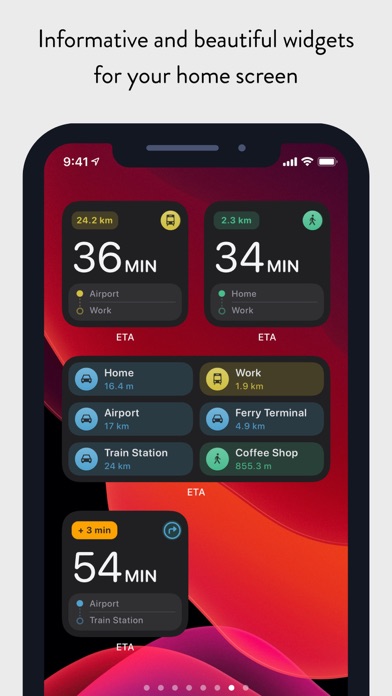
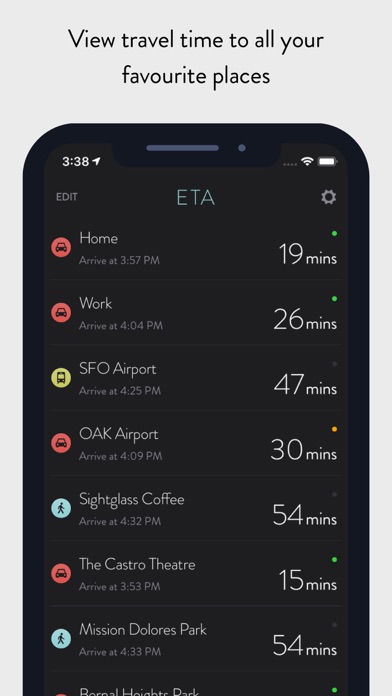
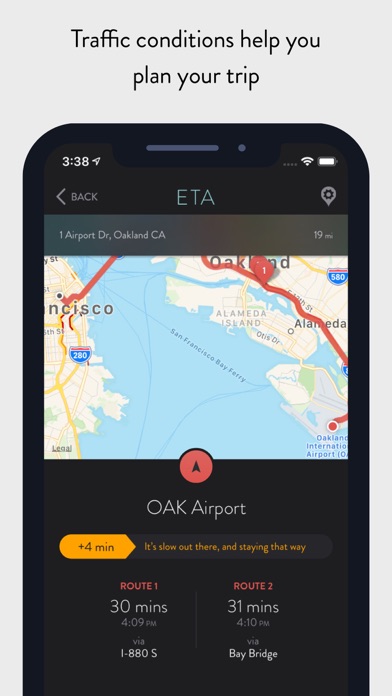
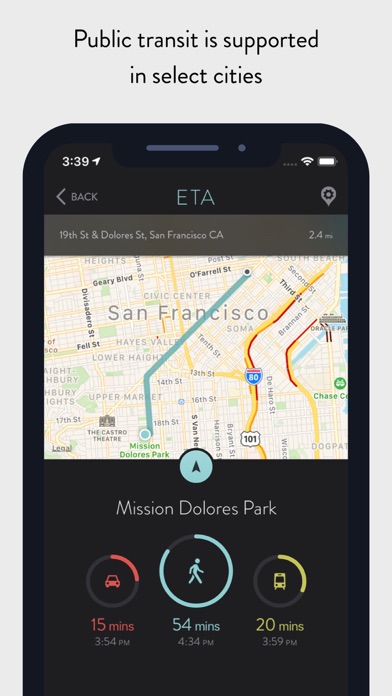
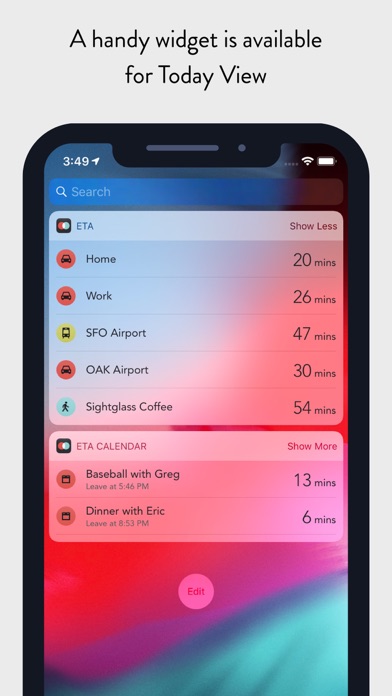
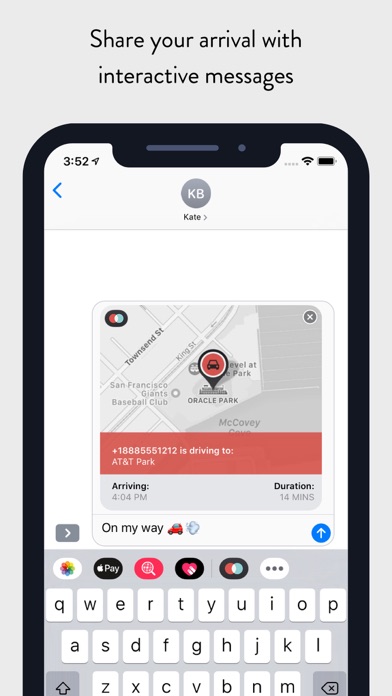
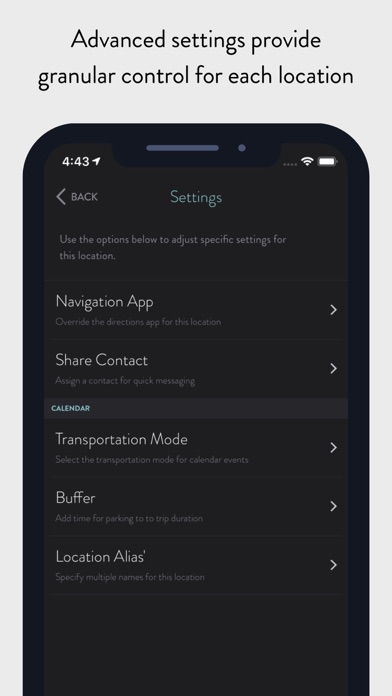
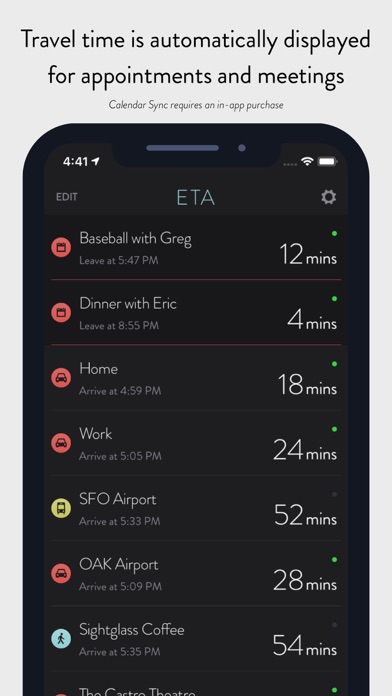
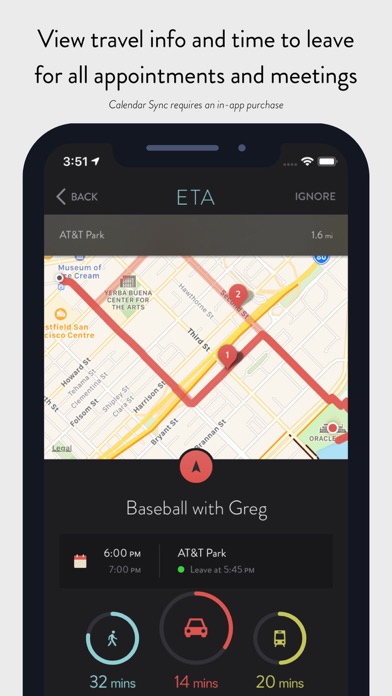
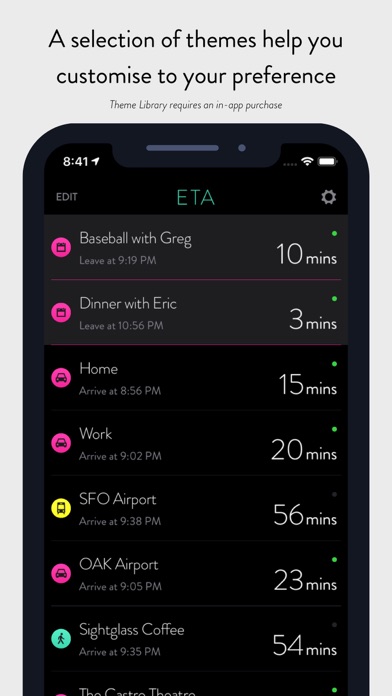
** ETA supports the latest iOS and watchOS features including informative iOS Home Screen widgets and powerful complications for your Apple Watch watch face. With ETA you'll always know how long it'll take to get to your destination. ** ETA instantly shows travel time (including support for driving, public transit*, cycling* and walking) to your favourite places. When driving, ETA also supplies traffic information that details any delays on your route. ## The only app that provides driving times and traffic information on your iPhone Home Screen ## Our thoughtfully designed iOS Home Screen widgets will keep you informed of the travel and traffic situation without you needing to open the app. The calendar widget automatically retrieves your appointments so you know when best to leave to arrive on time. In line with Apple's guidelines our Home Screen widgets update at regular intervals during the day. ## The only app that shows driving time on your watch face ## You can rely on ETA to show you travel time on the watch face of your Apple Watch. Whether you travel by car, bike, public transit or foot, ETA will update in the background and show you an updated travel time as you move. ETA adheres to Apple's guidelines and updates at minimum every 15 minutes ensuring your watch face displays current travel time and traffic conditions. ## The only app that gives you travel time to meetings and appointments in one place ## ETA's 'set and forget' calendar functionality is a must have to keep you on time for your appointments and meetings. Once setup, ETA automatically monitors your calendar (securely and privately on your device) and displays travel time and traffic conditions for your upcoming events. This is available across our apps on iOS and Apple Watch, on your Apple Watch watch face as well in widgets on your iPhone Home Screen and Today View. ## Five star support ETA is backed by our great support to help you get the most from the app. Browse our knowledgeable or reach out to one of our friendly support members. We're here for you whether you have a simple question or need a helping hand getting the best from a feature. === ETA has a long history on the App Store since initial launch in the Australian summer of 2014. The app has grown and evolved over that time welcoming hundreds-of-thousands of happy users. Read our many user reviews here on the App Store and also from our friends in the press across publications such as TechCrunch, MacStories, iMore, Wired, FastCompany, Gizmodo, Macworld and more. ETA is your personal assistant providing you with quick access to travel times and traffic conditions to all your favourite destinations. Don't drive? Don't worry! ETA also supports public transit (in select cities), cycling (Apple Watch only) and walking. Share your arrival time securely to friends and family via our interative iMessage cards. In a tap get driving directions in your favourite maps app. Driving times to your locations are conveniently presented on a single screen with an indication of current traffic alongside. In a tap you're delivered pre-routed, turn-by-turn driving directions in your favourite navigation app. ETA works with Apple Maps, Google Maps, Waze, HERE Maps, CityMapper, Transit, TomTom and more. Travelling by transit? No problems, ETA has you covered. In addition to driving and walking, ETA offers travel time travelling by public transportation (check http://www.apple.com/ios/feature-availability/#transit to see if this feature is available in your area). Our Apple Watch app allows you to start cycling and walking workouts to your locations. ETA for Apple Watch works with Apple Health to sync workouts and activity data. # Countries Supported # To calculate travel time ETA requires Apple Maps support for driving directions in your country. Please check the following list to ensure ETA will work in your area: https://www.apple.com/ios/feature-availability/#maps-directions
새로운 소식
This new version of ETA supports iOS 26 'Liquid Glass' user interface. Also included in this update are widgets for Car Play and on Apple Watch there's an improved maps experience. Enjoy!
상세 정보
- 개발사
- Eastwood
- 주 카테고리
- Navigation
- 현재 버전
- 2.8.0
- 버전 출시일
- 2025-09-15
- 최초 출시일
- 2014-02-26
- 용량
- 22 MB
- 연령 등급
- 4+
- 가격
- USD 4.99
- 언어
- NL, EN, FR, DE, ID, IT 외 11
- 번들 ID
- com.eastwood.traffic
- 현재 버전 평점
- ★ 3.86 (694)
- 첫 수집
- 2026-05-28
메타데이터 갱신 2026-07-19
순위 히스토리
무료 기준 · 최대 90일 · 상위 5개 카테고리 표시 (Y축: 순위, 낮을수록 상위)
순위 히스토리 데이터가 없습니다
무료 순위
순위 없음
유료 순위
경쟁 벤치마크 — Navigation Top 10
이 앱을 이기려면 무엇이 필요한가 — 같은 카테고리 상위권과의 비교입니다. 주황색 행이 현재 앱입니다.
| # | 앱 | 가격 | 평점 | 리뷰 수 | 언어 | 최근 업데이트 |
|---|---|---|---|---|---|---|
| 1 | MilGPS | USD 12.99 | ★ 4.83 | 5,506 | 1 | 2026-06-20 |
| 2 | Solocator - GPS Field Camera | USD 0.99 | ★ 4.27 | 413 | 1 | 2026-04-04 |
| 3 | Land Nav Assistant | USD 2.99 | ★ 4.48 | 73 | 1 | 2019-04-08 |
| 4 | Blitzer.de PRO | USD 0.49 | ★ 4.33 | 21 | 11 | 2026-06-30 |
| 5 | Sun Seeker - Sunlight Tracker | USD 11.99 | ★ 4.84 | 12,794 | 5 | 2026-07-10 |
| 6 | Sporty's E6B Flight Computer | USD 9.99 | ★ 4.90 | 5,287 | 1 | 2024-02-17 |
| 7 | Exit Strategy NYC Subway Map | USD 3.99 | ★ 4.76 | 187 | 1 | 2026-07-16 |
| 8 | Omaha Zoo - ZooMap | USD 0.99 | ★ 1.35 | 46 | 1 | 2023-09-11 |
| 9 | Find93 | USD 4.99 | ★ 3.67 | 18 | 1 | 2026-04-14 |
| 10 | Speedometer 55 Pro. GPS kit. | USD 3.99 | ★ 4.71 | 2,715 | 11 | 2026-07-05 |
| 68 | ETA - GPS & maps driving times | USD 4.99 | ★ 3.86 | 694 | 17 | 2025-09-15 |
유저 리뷰
Great app for anyone who travels to places more than once! Sweet feature lets you see the ETA’s of all your saved locations. I fly drones and this helps determine where to travel based on traffic, etc. Highly recommended!
I am hearing of new updates in the works for months to help alleviate the 12 etas limitation within widget. We will now have folders for better organization. With that new update we have been told that we will be able to openly communicate with support through application. Also, when u click on a location it gives you three travel options, not sure how u can select which option you want to choose or if it just automatically picks the shortest one. Can we select which route we want to take ? Would also love option to sort by distance from your current location when looking at a list. Can you please share ETA (HaHa) on when this new version will be released or if a test flight version will be released. Thanks.
The idea is great. It’s like having geographic bookmarks for your car, with traffic factored in. And no data collection is a *huge* plus in my book. However, the integration with navigation apps other than Apple Maps does not work. Other choices are unclickable. Heck, as I discovered today, even the Leave A Review link doesn’t seem to work. And to top it off, emails for help have gone unanswered. Sad.
I use this app diligently when traveling for work. Always adding my hotel, job site, and airport to make it super simple to get to where I need to be in an unfamiliar city. Is there a limit of destinations on apple CarPlay? Only had of them display there. I wish I could view all of them to make it super simple when driving.
I'm unable to import locations from my iPhone app running on ios 26 onto my Apple Watch SE 2, running Watch OS 26. Whenever I try to do that, the screen shows as loading and never completes. Please fix this issue asap. When I try creating locations manually on my Apple Watch, the ETA predictions differ widely from the iPhone and doesn't show the most up to date eta, which defeats the purpose of having a watch face.
I bought this, hoping to get real time travel ETA info on my home. Screen to monitor traffic and what not. Unfortunately, the widget doesn’t work. It says that it requires set up, but there doesn’t seem to be any way to do so. Tapping on the widget Quickly opens and then crashes the app. Just thought I’d give a heads up to anyone else tossing five dollars out there for this. FWIW, it looks like iOS 26 is bringing the basic widget functionality to the Maps app
I have used this app for a few years and it’s generally good. I purchased the calendar connection and in app it works great. I set up the calendar widget and it doesn’t work properly. It doesn’t add the extra buffer minutes. The widget has one time to leave and the app has it 5 minutes earlier. Also when I press the widget, it opens the app and then the map app but it won’t let me “Go.” It shows “Steps” instead. Edit: the issue is with Apple Maps. I switched the navigation app to Google Maps and did not have the same issue with steps.
The app crashes if you give calendar permissions. emailed support but no response and I could not receive a refund.
The app doesn’t work correctly on my Apple Watch. I want my $5 back
The watch app doesn't work and it used to. It won't sync with my phone and it won't update times. Location services are on. Such a shame. I'll re review if they fix it.
I like this app and having it on my watch. It needs to give you the quickest route to your set location by default. I have 2 ways I can get to work everyday. I check the app, and it's just telling me one, unless I click in and look at all the possible routes. It should just show you the quickest.
변동(신규 진입·급상승) 감지된 앱에 한해 Apple RSS 최신 리뷰를 수집합니다.