
CMV Pro: Frame-Frame Video Analysis - CoachMyVideo
🇯🇵 JP 현지화스크린샷
설명
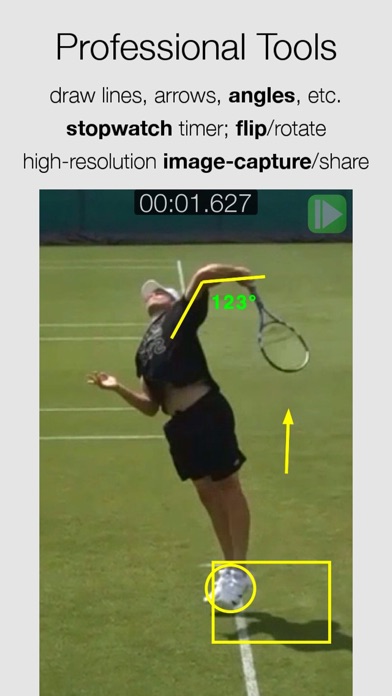
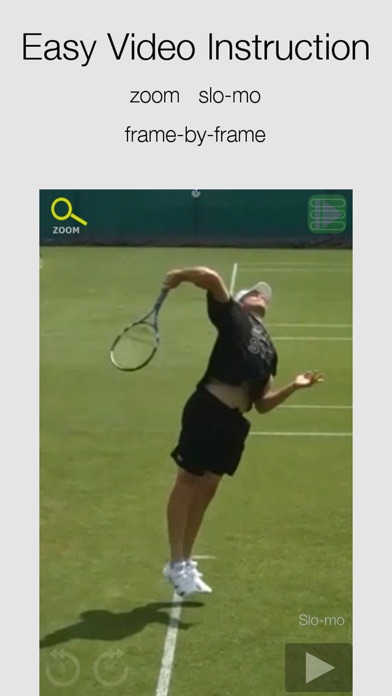
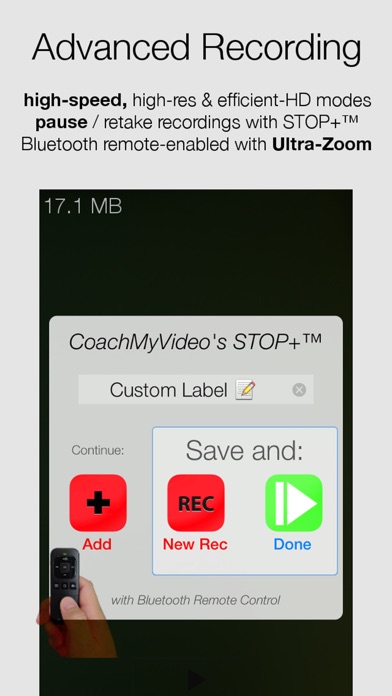
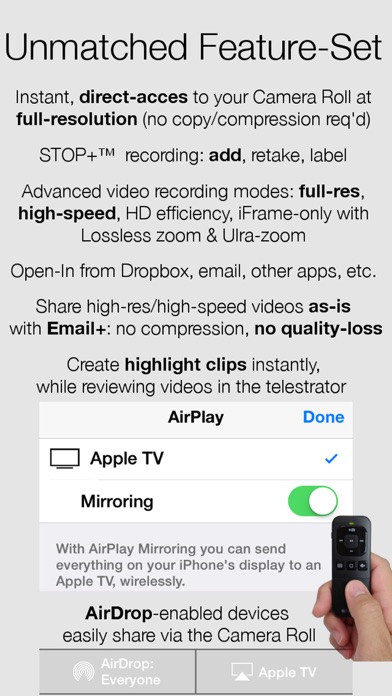
CoachMyVideo's Pro Version: Ultra-Zoom+, Slo-mo 60/120/240 FPS* high-speed video capture & frame-by-frame playback, Email+ full-quality HD video-sharing, AirPlay HDTV mirroring and remote control from any Bluetooth connected headset/remote -- for anyone demanding Professional-Grade Video Analysis tools that area also EASY. By Coaches, for Coaches™ CMV's Video Analysis Pro enables Anytime, Anywhere Video Analysis™ with features easy to learn and easy to use: *60/120/240 FPS video capture is not available on all iOS devices: - 60 FPS video capture in iPad Mini/Air & iPhone 5+ (not available in the built-in video recorder!) - 120 FPS video capture in iPhone 5S & iPad Air 2 and newer devices - 240 FPS 720p & 1080p 60 FPS on the iPhone 6/6+/7/7+ - STOP+ added for easier "video-selfie" with the remote: take multiple clips; saving only the ones you want to keep. - Pause between recording video clips; even retake before merging into a single video before saving the last clip! E.g: Capture a swing from multiple angles and email them in a single HD video. - High-res.Image-Capture from your video in Full HD Resolution - Lossless Zoom & ULTRA-Zoom on the newer devices - Video Capture in HD or lower resolution to save storage space, or in high bit rate iFrame modes for more responsive playback/video scrubbing or other video editing apps - Frame-by-frame & slow-motion video analysis at all frame-rates (FPS) - Draw/mark-up your video in our telestrator - Coach / Chalk-up on-line REFERENCE VIDEOS *without* leaving the App - Video Flip / Rotate: turn a righty into a lefty for easier comparison. This also works on the reference videos! - Open Videos directly (no waiting) from: - - -> Email: hold down your finger on the attachment. - - -> other video-storage apps -> e.g. Dropbox (Favorites) into CMV - Email+ PRIVATE video-sharing, up to FullHD; also email videos 3-minutes or longer - Stopwatch function: easily easily time splits, etc. on a video - NEW: record 10+ split-times on the screen. Get the whole race in on one image! - Remote control for easy access to the Camera or for Film-room Playback - AirPlay Mirroring: control your video on HDTV wirelessly from the palm of your hand for group presentations / video coaching / film sessions - Professionals Coaches: customize your iPad's home page: your own branding for client presentations - contact us for more info - CMV gives INSTANT-access to Camera Roll & Photo Albums (no waiting for video-import) and instant access from your Dropbox/other storage apps, such as GDrive. --> iPad: side-side comparison with sync-playback --> iPad: side-side comparison with YouTube Videos, including from your own channel!! ___ CMV requires access to your Camera Roll (video access): > SETTINGS > PRIVACY > PHOTOS > CMV ___ Slow-mo - Golf Swing Analysis - Baseball - Basketball - Football - Soccer - Softball - Tennis - Track & Field - Racquetball - Volleyball - Hockey - Lacrosse - Rowing / Crew - Rugby - Swimming - Triathlon - Running - Cycling - Weightlifting - Boxing - Fencing - Martial Arts - MMA - Wrestling - Archery - Shooting - Bowling - Fishing - Skating - Skateboarding - SCUBA - Diving - Water ski - Skiing - Snowboarding - Cheerleading - Gymnastics - Ice Skating - Curling - Music - PDHPE Instructors - Physical Education - PE & Physics Class - Equestrian - Dog Agility Training - Scouts - Sports Camps - Recruit / Scout - Biometric Analysts - Gait Analysis - Form Review - šport analyze - Remote Control ___ GoPro & SD-card video cameras: Want an App to use with your GoPro camera? Video Analysis Pro is an excellent companion to the GoPro Camera: for capturing the perfect shot at full-resolution ___ CMV provides easy, efficient & effective video communication and training tools for instructors, coaches and the athletes. We welcome all questions, comments, requests & bus. development ideas. info@CoachMyVideo.com http://CoachyVideo.com
새로운 소식
This update from Apple will improve the functionality of this app. No new features are included. v5: -- added newer devices for high-speed video recording to enable our advanced STOP+ modes to help capture those photo finishes. v4.5: -- fix for the angle degree number bug that popped up with the iOS 10 updates. -- removed one of the record buttons on the iPad that was causing a crash in v4.3 and newer Thanks for your interest in CMV! Please keep the email feedback coming! And if you really want to make our day, we appreciate the 5* reviews!! v4.2: -- iOS 10 updates -- iPhone users: check out 3D touch on the icon! CMV Pro unlocks all of the high-speed video recording modes for your iPhones & iPads: 240/120 FPS on the newer iPhone/iPads! v4.0: -- We enabled 1080p 120 FPS video capture for the latest devices. -- iPhone users: we added Selfie-Zoom for a quick look in the "mirror" -- iPhone 6s users: we added short-cuts! Use force-press to open last video, go straight to record or to access our new one-handed zoom-selfie mirror! -- Some iOS 9 debugging v3.5: -- new Bluetooth remote-control features: audio/visual feedback Previous versions: -- We added color options in the telestrator -- thanks for that request, Coach Wes! -- For the iPhone, look for the color dot in the menu. -- For the iPad, the color of the drawing tool can be seen in the top-left when you are not in Zoom-mode. v3.0 & 3.1: -- We enabled 1080p 60 FPS video capture for iPhone 6/6+ users, in addition to 720p 240 FPS! This is a fantastic video-recording capability that alone makes it worth upgrading to one of the latest iPhones, but be sure to get plenty of storage/memory for the larger files -- We improved the UI for all of the video recording options -- Open-In was debugged and fixed for the iPad in iOS 8 -- Back by popular demand: we re-enabled the tab so you can cut/paste a direct URL link to access your own on-line videos and we save the last URL. (Thx for the notes, Chris!) -- Plus more iOS 8 debugging -- Also: Slo-mo is 1/4 speed on iPhone when video is recorded at 60+ FPS -- Improved Video Recording
상세 정보
- 개발사
- CoachMyVideo.com, inc.
- 주 카테고리
- Sports
- 현재 버전
- 5.0
- 버전 출시일
- 2017-09-12
- 최초 출시일
- 2013-11-19
- 용량
- 16 MB
- 연령 등급
- 12+
- 가격
- USD 6.99
- 언어
- EN
- 번들 ID
- co.cmv.icoacher.videopro
- 현재 버전 평점
- ★ 4.08 (51)
- 첫 수집
- 2026-05-28
메타데이터 갱신 2026-07-19
순위 히스토리
무료 기준 · 최대 90일 · 상위 5개 카테고리 표시 (Y축: 순위, 낮을수록 상위)
순위 히스토리 데이터가 없습니다
무료 순위
순위 없음
유료 순위
순위 없음
유저 리뷰
Wish they had a new update though. 😕
I like the app when it works, but 90% of the time I can’t get the app to work without crashing or other issues.
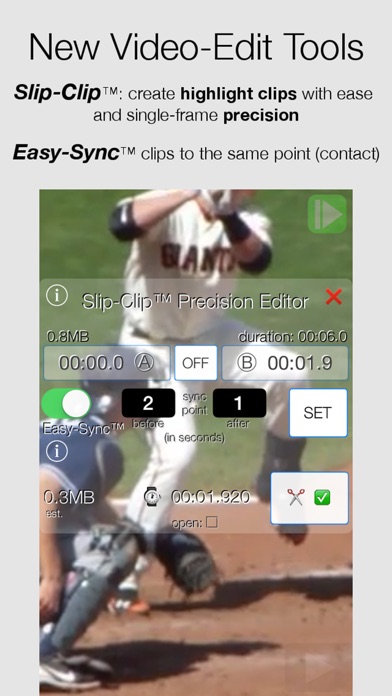
Best features: frame-by-frame button clock clip editor ultra-zoom
Thx, CMV!! I love the iPad Mini 6 recording at high-FPS at 720p.
This does not work at all. Videos won't open and its interface is from the stone age. I want my money back.
一度MacBookで開けたのに2回目以降開けません。 iPadでも開けない。 改善して下さい。
一回使い終えてタスクを切ったら二度とつかなくなった。 お金を盗られた気分
Not finding recent videos on my phone and app link on the page does not work. I want a refund
Getting kids’ foundational mechanics right early is a great way to ensure long term arm health and overall enjoyment of the game. This app has been great for allowing our kids to see what they are actually doing vs what they think they are doing and provide the instant feedback before they develop bad habits that are hard to break.
I’ve used a previous version of this app for several years with limited benefit to me and my patients. Forced to upgrade to the pro version at $10. Cost isn’t a bid deal other than the fact the app cannot open a video file, cannot record a video file, and therefore is of no use. It’s in no uncertain terms an outdated user interface without no functionality whatsoever. I’d like my money back from the developer - money grab and theft if you ask me! Stay away and look elsewhere.
This app is fantastic for bowling training.
It worked fine until I updated to iOS 13. There hasn’t been an update in 2 years. Don’t buy it.
변동(신규 진입·급상승) 감지된 앱에 한해 Apple RSS 최신 리뷰를 수집합니다.