
스크린샷
설명
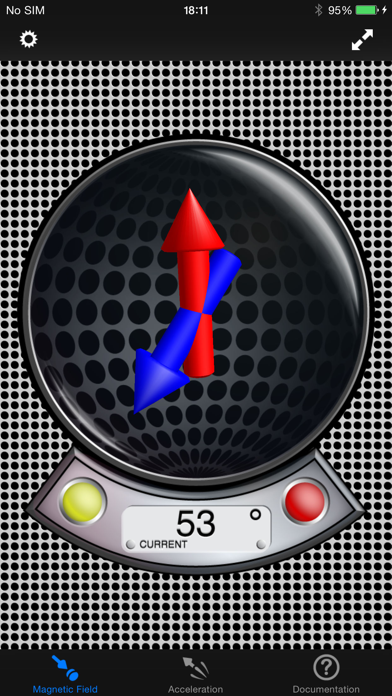
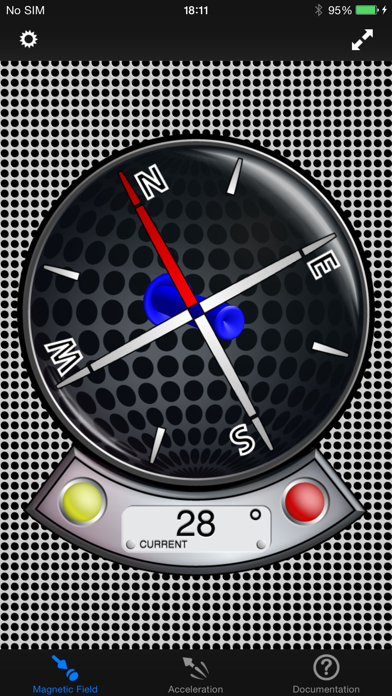
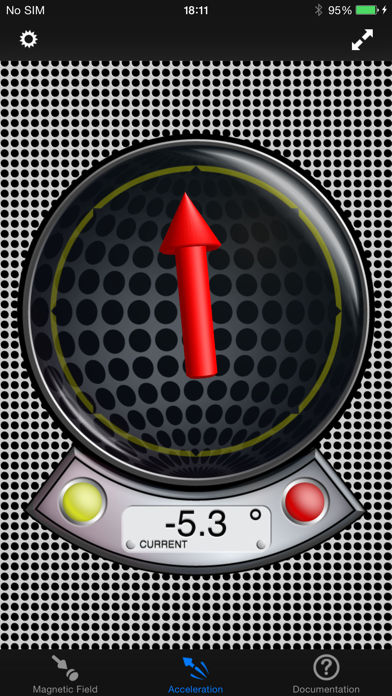
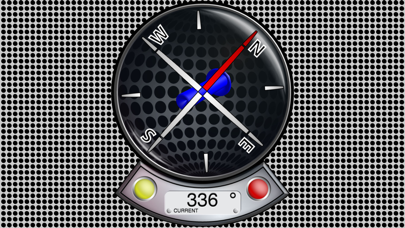
The first and only Vector Magnetometer on the iPhone - Visualize the hidden world of magnetism around you in 3 dimensions (3GS or later!)! It can be perfectly used to explore and measure the direction and strength of the magnetic field of random objects around you (which can be quite fascinating!). With limitations (see docs) it can be used as a metal detector to find electric lines or pipes in walls (always good to check a wall before drilling in, at least better with this than not to check at all). Another application is to use this tool as a rough estimate of your north-south position on earth without using the GPS(!) - just by measuring the local earth magnetic declination (it works fine even while flying in a plane to check how the declination changes). Or simply explore your next Christmas present before opening it! Send us your results! The application has four different displays modes to visualize the magnetic field: - Absolute Mode: Displays the absolute magnetic field in microtesla (μT) measured by the magnetometer. - North Mode: A compass head-up displays the geographic north along with the pointer that directs to the magnetic north (thus display difference magnetic to geographic north). - Declination Mode: Two arrows will be displayed to indicate the declination of the earth magnetic field (0° just on equator, increasing to north with blue pointer direction up or south with blue pointer direction down). - Relative Mode: This mode shows the relative strength (absolute minus compensation vector) of the magnetic field in μT. … and five different display modes for acceleration visualization: - Absolute Mode: Displays the reverse acceleration of the iPhone (1g up when hold steady). - X-Rotation - Y-Rotation - Z-Rotation: The arrow will display the rotation around the X-, Y- and Z-Axis of the iPhone. The digital indicator shows the angle numerically (-180° - +180°). A way to calibrate will be added with one of the next updates, so you could use this as a level. - Relative Mode: This mode shows the relative strength (absolute minus compensation vector) of the acceleration. For a detailed documentation, please visit our product homepage. For recreational use only. However it CAN (!) be very accurate. The measurement is performed as good as possible (we try our best) by using the inbuilt accelerometer and magnetometer to their limits. The range of the accelerometer typically has a max of ±3g (~4.2g displayed here if combined) and each magnetometer usually recalibrates internally when over ±120μT in one axis. However, tell us your experience!
새로운 소식
- Support for all current iPhone and iPad models - Bugfixes & performance optimizations Thanks for your support!
상세 정보
- 개발사
- Peter Breitling
- 주 카테고리
- Navigation
- 현재 버전
- 1.9.1
- 버전 출시일
- 2020-01-03
- 최초 출시일
- 2009-12-18
- 용량
- 13 MB
- 연령 등급
- 4+
- 가격
- USD 1.99
- 언어
- EN, DE
- 번들 ID
- com.plaincode.MagnetMeter
- 현재 버전 평점
- ★ 4.50 (4)
- 첫 수집
- 2026-05-28
메타데이터 갱신 2026-07-19
순위 히스토리
무료 기준 · 최대 90일 · 상위 5개 카테고리 표시 (Y축: 순위, 낮을수록 상위)
순위 히스토리 데이터가 없습니다
무료 순위
순위 없음
유료 순위
순위 없음
이 개발사의 다른 앱
유저 리뷰
Just when I thought I had everything. Definitely a cool app with a multitude of uses. Nice Interface good online manual and works exactly as advertised.
Very good app. Impressive 3 dimensional magnetometer read out. I was pleasantly surprised by how good this is and seems to be quite accurate and sensitive. Well done.
Good magnetometer
This app is so cool. I use it all the time when I'm messing around in my yard. I can usually always find some rocks that are magnetic or a random piece of metal. Very fun to use.
I love this app
Nice
This app is dynamite. Very educational about the physical world. After turning off "Screen Rotation" the screen will nevertheless rotate once before locking.
I'm not sure how this app could look any cooler than it does. It really helps you visualize the invisible forces acting on the iPhones sensors. This must be what evil geniuses play with when they aren't trying to kill James Bond. All I need now is a monocle and a white Persian cat.
The magnetometer function works OK but not in all modes. The compass star rotates briefly after the built-in compass has been activated but then locks up. The accelerometer doesn't respond at all, it just gives a fixed red arrow. Good for entertaining a 4-year-old using a little magnet to make the blue arrow dance; but that's about all.
This app is quite sensitive and visually impressive. I've been measuring Gauss units from my various devices, iPod Touch, iPad, Kindle, etc. I'm wondering what impact, if any, those fields have on me? For example, do those devices near my head contribute to insomnia or other possible health issues? Useful app! Very interesting.
There needs to be more apps like this! (Apps that use APIs to give you fundamental information of the world around you) This allows you to view the direction and intensity of the magnetic field around you.
변동(신규 진입·급상승) 감지된 앱에 한해 Apple RSS 최신 리뷰를 수집합니다.