
스크린샷
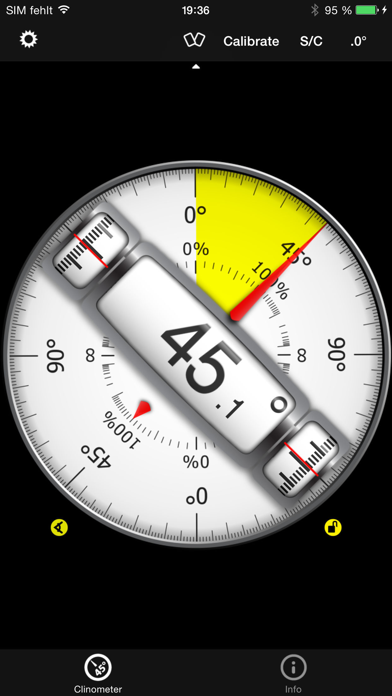
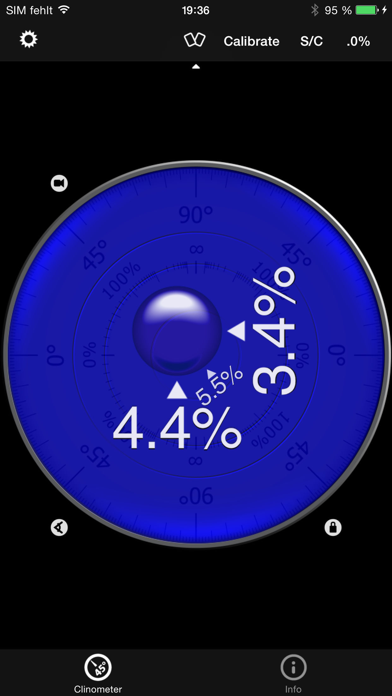
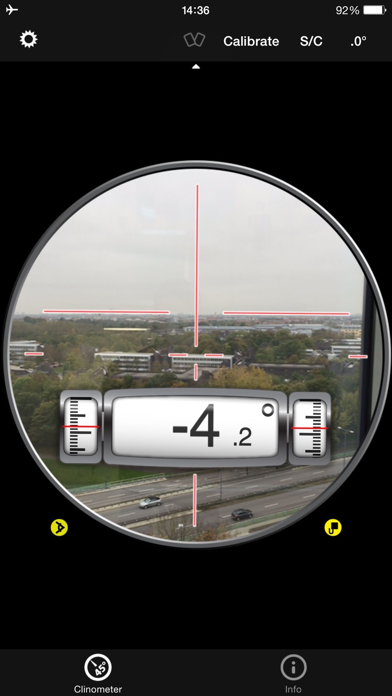
설명
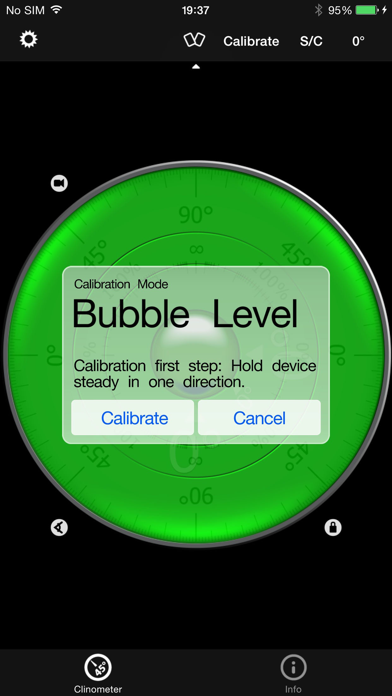
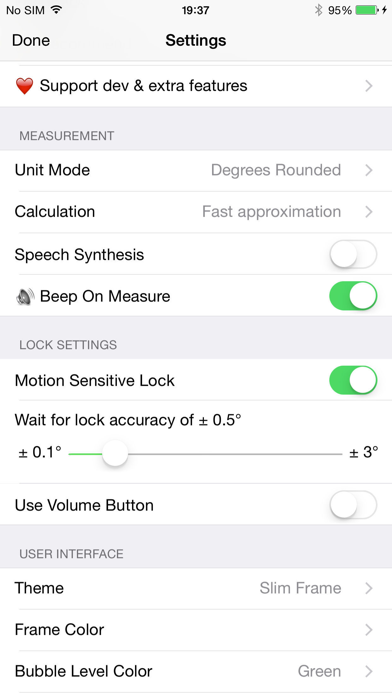
This professional tool called Clinometer is the most precise (all you can get with some calculations) slope measurement tool for the iPhone, iPod Touch and iPad using all sides of the device plus the camera. It can be used for simple applications like aligning a frame as well as for more sophisticated fields of applications where an arbitrary slope needs to be measured exactly. Read the reviews (and write your own) for all the applications you find! Thank for all your positive feedback! Please use our support link if you have questions and suggestions, we don't read the iTunes reviews every day! With this tool, the slope can be measured by all edges of the device and through the camera. The current features include: ◆ 3 Modes (incl. auto switching): Clinometer mode (auto when holding upright), Camera mode (any direction, manual activation) and Bubble level (smoothly fading in when holding flat). ◆ Relative angles: Besides measuring absolute angles, for every mode you can measure the relative angle between device positions ◆ Advanced two way calibration on all sides: For every 4 sides plus the bubble mode you can calibrate in two steps, which allows you to calibrate exactly even on non-level surfaces. Each direction can be calibrated individually to achieve the optimal precision. ◆ Speech synthesis: The device will speak the current reading, so you don't have to watch the display while measuring/aligning your object. ◆ Five different unit modes: The device can display the slope in degrees (rounded or in tenth of degrees), percentage, rise over run (common for roof slope measurement in :12) and 1V:H (common in engineering) ◆ Dial Rotation: You can smoothly rotate the background dial and thus define which side of the device represents 0° and 90° degrees. ◆ Motion-sensitive Lock feature: Besides the common instant simple tap hold mechanism you can activate the motion-sensitive lock. If activated the device waits for the final lock until you hold your device steady enough for at least 2 seconds. You can set the lock sensitivity between 0.1° and 1.0° degrees. ◆ Peer Mode: Use two devices to measure angles: One as a display, the other as the measurement device that can be attached to the hardware you want to align. ◆ Fullscreen Mode: The full screen mode can be toggled by tapping the center of the screen and by the upper and lower arrows in the center. This prevents you from erroneous inputs while measuring. ◆ Different color schemes: Press the S/C Button to instantly switch the color. The color can be selected differently for the bubble and the clinometer mode. The predefined color sets include day and night color schemes (Black on White, White on Black and Red). ◆ Adjustable Auto-Lock: You can prevent the device from turning into the sleep mode. According to wikipedia: An inclinometer or clinometer is an instrument for measuring angles of slope (or tilt), elevation or inclination of an object with respect to gravity. It is also known as a tilt meter, tilt indicator, slope alert, slope gauge, gradient meter, gradiometer, level gauge, level meter, declinometer, and pitch & roll indicator. For recreational use only. After the calibration it CAN (!) be very accurate especially for the main axis after calibration. The measurement is performed as well as possible (we try our best) by using the three inbuilt accelerometers. THANK YOU FOR YOUR SUPPORT! We will improve the application long-term. This was the first application of this kind shortly after the opening of the App Store. Since then it is continuously updated and enriched with new features.
새로운 소식
Fix rotation issue
상세 정보
- 개발사
- Peter Breitling
- 주 카테고리
- Utilities
- 현재 버전
- 4.9.4
- 버전 출시일
- 2022-12-18
- 최초 출시일
- 2019-02-07
- 용량
- 14 MB
- 연령 등급
- 4+
- 가격
- USD 1.99
- 언어
- EN, FR, DE
- 번들 ID
- com.yourcompany.Clinometer
- 현재 버전 평점
- ★ 4.00 (42)
- 첫 수집
- 2026-05-28
메타데이터 갱신 2026-07-19
순위 히스토리
무료 기준 · 최대 90일 · 상위 5개 카테고리 표시 (Y축: 순위, 낮을수록 상위)
순위 히스토리 데이터가 없습니다
무료 순위
순위 없음
유료 순위
경쟁 벤치마크 — Utilities Top 10
이 앱을 이기려면 무엇이 필요한가 — 같은 카테고리 상위권과의 비교입니다. 주황색 행이 현재 앱입니다.
| # | 앱 | 가격 | 평점 | 리뷰 수 | 언어 | 최근 업데이트 |
|---|---|---|---|---|---|---|
| 1 | Shadowrocket | USD 2.99 | ★ 4.48 | 12,076 | 7 | 2026-07-07 |
| 2 | FORScan Lite - for Ford, Mazda | USD 6.99 | ★ 3.02 | 192 | 7 | 2026-05-09 |
| 3 | Wipr 2 | USD 4.99 | ★ 4.69 | 1,225 | 1 | 2026-07-07 |
| 4 | Goblin Tools | USD 2.99 | ★ 4.77 | 2,951 | 1 | 2023-06-23 |
| 5 | Necrophonic | USD 9.99 | ★ 3.75 | 532 | 1 | 2022-06-19 |
| 6 | Noir - Dark Mode for Safari | USD 2.99 | ★ 4.56 | 1,339 | 2 | 2026-06-29 |
| 7 | Stash - Rule Based Proxy | USD 5.99 | ★ 4.36 | 1,196 | 9 | 2026-07-16 |
| 8 | Necrometer | USD 9.99 | ★ 2.75 | 265 | 1 | 2024-11-02 |
| 9 | IONIQ 5 Companion | USD 12.99 | ★ 4.74 | 47 | 9 | 2026-07-09 |
| 10 | Just Press Record | USD 6.99 | ★ 4.25 | 1,519 | 13 | 2026-05-05 |
| 82 | Clinometer + bubble level | USD 1.99 | ★ 4.00 | 42 | 3 | 2022-12-18 |
이 개발사의 다른 앱
유저 리뷰
Does not work with Apple Watch!
I’ve had this app on all my phones since I guess it came out. I know it’s been quite along time. What is interesting is apps come and go but this app has always received updates. I have great respect for developers that keep apps like this working.
This thing is way too complicated to calibrate and to read. The read out is absolutely stupid. I do not recommend this at all.
Very hard to trust the readings without calibrating with a bubble level first.
Absolutely perfect for a discerning engineer — well designed, clean, no bloat, reliable 0.1 degree increments and small install size.
Instructions basically say “This is self explanatory.” Paid $1.99, tried figuring out how to get a slope for about 10 minutes, gave up and deleted it.
Very easy to use and get readings. Highly recommended.
Using my iPhone 11, I can set the appropriate incline angle of the solar panels on my RV’s roof, no matter where I’m located and even if the RV is not perfectly level. Voice output is an added bonus. Use the base of the phone for angle from horizontal and the side edge for angle from vertical. Well worth the money.
어플 실행하면 어떨때는 되고 어떨땐 멈춰서 먹통입니다. 어플 종료 후 다시 실행해도 계속 그래요. 자세평가 할때 필요해서 샀는데 미치겠습니다. 회원 기다리는데 각도기때메 결국 못하고 다음시간에 하자고 한게 두번이에요. 무료보단 낫겠지 하고 돈주고 샀는데 왜이러나요???? 핸드폰 껐다 켜면 다시 되고 그러네요. 어플의 문제입니까 제 폰의 문제입니까....?
Great piece of code! I have used this app so many times to hang things, level appliances, etc. Sooo handy and freaking cool to boot!
Not accurate enough at 1-4% slopes. iPhones with protruding cameras need cases with flat backs.
아주 좋은데 테마가 좀더 다양했으면 좋겠다. 또한 아이퐁5로 보면 위아래 공간이 많이 남는데 이 공간을 좀더 활용했으면~ 더나위없이 좋은 앱!
변동(신규 진입·급상승) 감지된 앱에 한해 Apple RSS 최신 리뷰를 수집합니다.